
Introducció
This manual provides comprehensive instructions for the setup, operation, and maintenance of your SIMJAR QF04A Wireless RF Key Finder Locator. Please read this manual thoroughly before using the product to ensure proper function and longevity.
Contingut del paquet
- 1 x transmissor
- 4 x Receivers (color-coded)
- 4 x Key Rings
- 2 x DIY Stickers
- 4 x CR2032, 3V Batteries (for receivers)
- 1 x Manual d'usuari

Image: The SIMJAR QF04A Key Finder system, featuring the sleek transmitter in its charging base and four oval, color-coded receivers (red, green, blue, purple) laid out in front.
Producte acabatview
The SIMJAR QF04A system consists of a main transmitter and four compact, color-coded receivers. Each receiver can be attached to frequently misplaced items, allowing for quick location using the corresponding button on the transmitter.

Image: The SIMJAR key finder components, including the transmitter in its base and four color-coded receivers, arranged on a wooden table alongside a set of car keys and a decorative vase.
Configuració
1. Instal·lació de la bateria
Transmissor: The transmitter requires 2 x 1.5V AAA batteries (not included). Open the battery compartment on the back of the transmitter and insert the batteries, ensuring correct polarity (+/-). Close the compartment securely.
Receptors: Each receiver uses one CR2032, 3V battery (included). To install or replace a receiver battery:
- Carefully pry open the receiver casing using a small tool or fingernail at the designated notch.
- Introduïu la pila CR2032 amb el costat positiu (+) cap amunt.
- Snap the receiver casintorneu a enganxar-les fins que quedi ben tancada.
2. Attaching Receivers
Use the provided key rings to attach the receivers to your desired items such as keys, wallets, bags, or pet collars. Ensure the attachment is secure to prevent accidental detachment.

Image: A blue SIMJAR key finder receiver attached to a car key resting on a laptop keyboard, and a red receiver partially visible inside a brown leather wallet.
3. Labeling Receivers
The included DIY stickers can be used to label the corresponding buttons on the transmitter, helping you remember which color is assigned to which item. For example, you can write "Keys" next to the red button if your keys have the red receiver attached.

Image: A hand writing labels such as "Key," "dog," "bag," and "remote control" on a sheet of DIY stickers, positioned next to the SIMJAR transmitter with its color-coded key icons.
Instruccions de funcionament
1. Locating Items
To locate a lost item, simply press the corresponding color-coded button on the transmitter. The assigned receiver will emit a loud beep (75-80 dB) and flash, guiding you to the item's location.

Image: A hand holding the SIMJAR key finder transmitter, pointing it towards a dimly lit bedroom. A thought bubble indicates lost glasses on a bedside table, with sound waves emanating from the location.
2. Working Range
The SIMJAR QF04A has a working range of approximately 30-40 meters (98-131 feet) in open space. Walls, furniture, and other obstacles may reduce the effective range and sound level. For optimal performance, try to minimize obstructions between the transmitter and receiver.

Image: A diagram showing the SIMJAR transmitter in its base and a single receiver, with a double-headed arrow indicating a "130FT" distance, surrounded by red concentric circles representing the RF signal.

Image: A hand holding the SIMJAR transmitter, surrounded by various everyday items such as a crutch, dog, luggage case, glasses box, cellphone, car key, remote control, and a handbag, each with a small icon indicating a receiver attachment.
Manteniment
1. Substitució de la bateria
Replace batteries in the transmitter (2 x AAA) and receivers (CR2032) when the signal weakens, the beep sound becomes faint, or the device fails to respond. Refer to the "Battery Installation" section for detailed steps.
2. Neteja
Wipe the transmitter and receivers with a soft, dry cloth. Avoid using harsh chemicals or abrasive cleaners, as these can damage the device's surface or internal components.
Resolució de problemes
- Receiver not beeping: Check if the receiver's battery is correctly installed and has sufficient power. Ensure the transmitter is within the effective range of the receiver.
- Weak signal or short range: Replace the batteries in both the transmitter and receiver. Reduce the distance between the transmitter and receiver, and minimize physical obstructions like walls or large furniture.
- Sense energia: Verify that batteries are inserted correctly with proper polarity and are not depleted.
Especificacions
| Mida del transmissor | 4.13 x 1.81 x 0.51 polzades (105 x 46 x 13 mm) |
| Mida del receptor | 1.97 x 1.42 x 0.43 polzades (50 x 36 x 11 mm) |
| Freqüència | 433.92 MHz |
| Volum del so | 75-80 dB |
| Interval de treball | 30-40 meters / 98-131 feet (open space) |
| Bateria del transmissor | 2 x 1.5 V AAA (no inclòs) |
| Bateria del receptor | CR2032, 3V (inclòs) |
| Material de l'habitatge | Acrilonitril butadiè estirè (ABS) |
| Número de model | QF04A |
| Color | Negre |
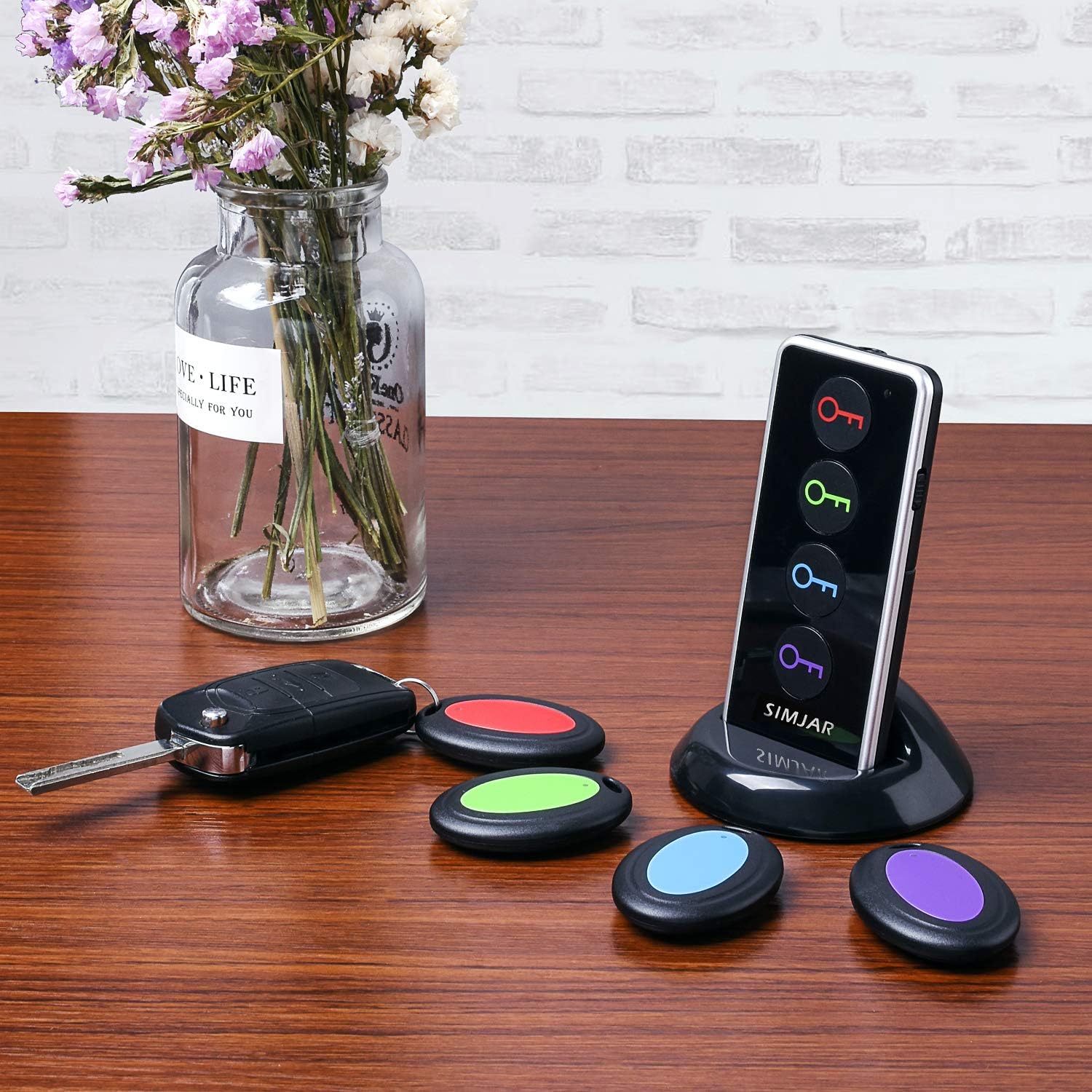
Image: A detailed diagram showing the dimensions of the SIMJAR key finder transmitter (4.2 inches tall, 3 inches wide, 0.5 inches thick) and a receiver (2 inches long, 1.4 inches wide).
Garantia i Suport
For warranty information and customer support, please refer to the retailer's website where the product was purchased or visit the official SIMJAR brand weblloc web. Conserveu el rebut de compra com a comprovant de compra per a qualsevol reclamació de garantia.