
Introducció
This manual provides instructions for the safe operation and maintenance of your DBPOWER U818A WIFI Drone. The U818A is a remote-controlled quadcopter equipped with a 720P HD camera for real-time video transmission. It features altitude hold and headless mode, designed for ease of use, making it suitable for beginners.
Please read this manual thoroughly before operating the drone to ensure proper function and to prevent damage or injury.
Informació de seguretat
- Take a 10-minute break after each flight to allow the motors to cool down.
- Feu servir sempre el dron en zones obertes i clares, allunyat de persones, animals i obstacles.
- No voli a prop d'aeroports, línies elèctriques o espai aeri restringit.
- Assegureu-vos que totes les hèlixs estiguin ben fixades i no estiguin danyades abans de cada vol.
- Mantingueu els dits i els cabells allunyats de les hèlixs giratòries.
- No opereu amb vents forts ni condicions meteorològiques adverses.
- Es recomana la supervisió d'un adult per als usuaris més joves.
Contingut del paquet
Verifiqueu que tots els elements que s'enumeren a continuació s'inclouen al vostre paquet:
- 1 x DBPOWER U818A FPV WIFI Drone with 720P HD Camera
- Comandament a distància de 1 x 2.4 GHz
- 2 x LiPo 3.7V 350mAh Batteries (for drone)
- 1 x carregador USB
- 1 x Lector de targetes
- 1 x targeta Micro SD de 4 GB
- 4 hèlixs de recanvi
- 1 x Manual d'usuari
- 1 x Guia d'inici ràpid
Configuració
1. Charging the Drone Batteries
- Connect the LiPo battery to the USB charger.
- Plug the USB charger into a USB power source (e.g., computer, USB wall adapter).
- The indicator light on the charger will show charging status (refer to charger instructions for specific light patterns).
- La càrrega sol trigar aproximadament entre 60 i 90 minuts per bateria.
2. Instal·lació de les bateries del comandament a distància
- The remote control requires 4 x AA batteries (not included).
- Obriu el compartiment de la bateria a la part posterior del comandament a distància.
- Introduïu les piles, assegurant-vos la polaritat correcta (+/-).
- Tanqueu el compartiment de la bateria.
3. Installing Propellers (if necessary)
- Ensure propellers are correctly matched to their respective motor shafts (usually marked A and B).
- Securely attach each propeller.
4. Inserting Micro SD Card
- Locate the Micro SD card slot on the drone.
- Insert the provided 4GB Micro SD card until it clicks into place.
5. Pairing the Drone with the Remote Control
- Col·loqueu el drone sobre una superfície plana i plana.
- Connect the drone battery. The drone's LED lights will flash.
- Engegueu el comandament a distància.
- Push the left joystick (throttle) all the way up, then all the way down.
- The drone's LED lights will become solid, indicating successful pairing.
6. App Installation and Wi-Fi Connection (for FPV)
- Download the 'Flyingsee' or 'UDIRC FPV' app from your smartphone's app store (iOS or Android).
- Enceneu el drone.
- On your smartphone, go to Wi-Fi settings and connect to the drone's Wi-Fi network (usually named 'UDIRC' followed by numbers/letters).
- Obriu l'aplicació a view the live camera feed and access app-based controls.
Instruccions de funcionament
Controls bàsics de vol
- One-Button Take-Off/Landing: Press the designated button on the remote control for automatic take-off or landing.
- Accelerador (joystick esquerre): Empènyer amunt per pujar, estirar avall per baixar.
- Control direccional (joystick dret): Empenyeu endavant/enrere per moure el dron endavant/enrere. Empenyeu a l'esquerra/dreta per moure el dron a l'esquerra/dreta.
- Guinyada (joystick esquerre esquerra/dreta): Push left/right to rotate the drone counter-clockwise/clockwise.

Image: One-Button Take-Off/Landing feature for simplified operation.
Mode de retenció d'altitud
The advanced barometer allows the drone to maintain a stable altitude automatically, simplifying control for beginners and enabling stable photography.

Image: Altitude Hold Mode for stable flight and photography.
Mode sense cap
In Headless Mode, the drone's orientation is relative to the pilot, not the drone's front. This means pushing the right joystick forward will always make the drone fly away from you, regardless of which way the drone is facing. This simplifies control, especially for beginners.
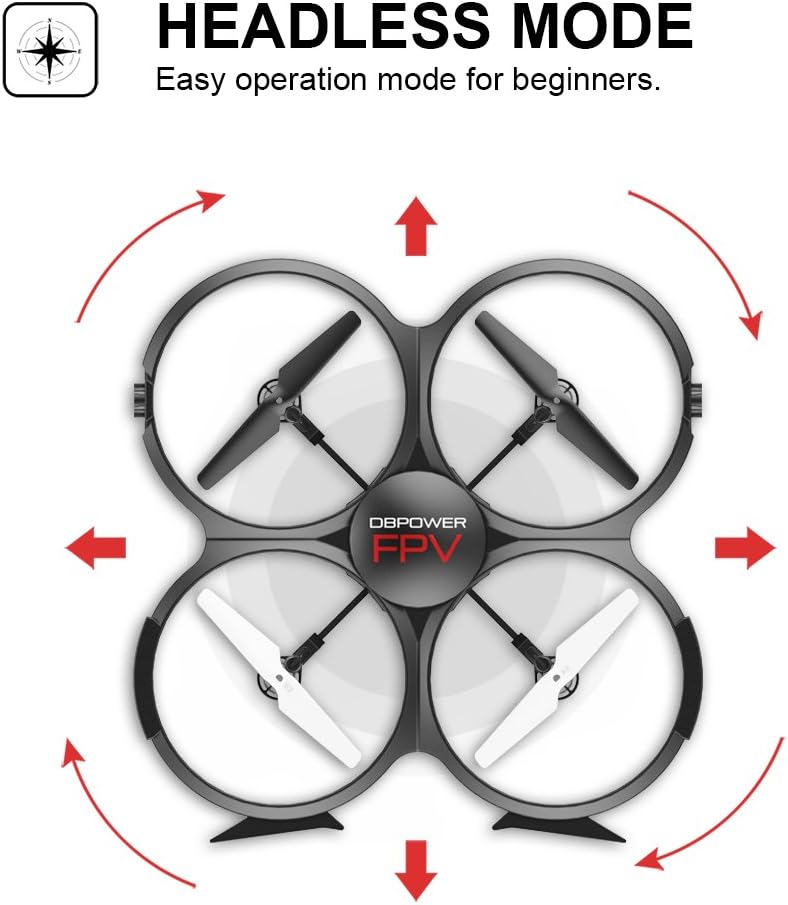
Image: Headless Mode for easier directional control.
3D Flips & Rolls
The drone supports automatic 360-degree flips. Consult the remote control diagram in the quick start guide for the specific button or joystick combination to activate this function.

Image: 3D Flip & Rolls feature for aerial maneuvers.
720P HD Camera and FPV (First Person View)
The integrated 720P HD camera captures photos and videos. Through Wi-Fi real-time transmission, you can view the live feed on your smartphone via the dedicated app. This allows for capturing aerial footage and photos directly to the Micro SD card or your phone.

Image: 720P HD WIFI Camera for capturing high-definition aerial views.
Mode d'inducció per gravetat
When using the smartphone app, Gravity Induction Mode allows you to control the drone's forward/backward/left/right movement by tilting your mobile phone.
Alarma de baixa potència
When the drone's battery is low, the remote control will emit an audible beep to alert you to fly the drone back and land it, preventing loss of control due to power depletion.

Image: Low Power Alarm feature on the remote control.
Modes de control
The drone can be controlled using either the included 2.4 GHz remote control or via the dedicated smartphone application, offering flexibility in operation.
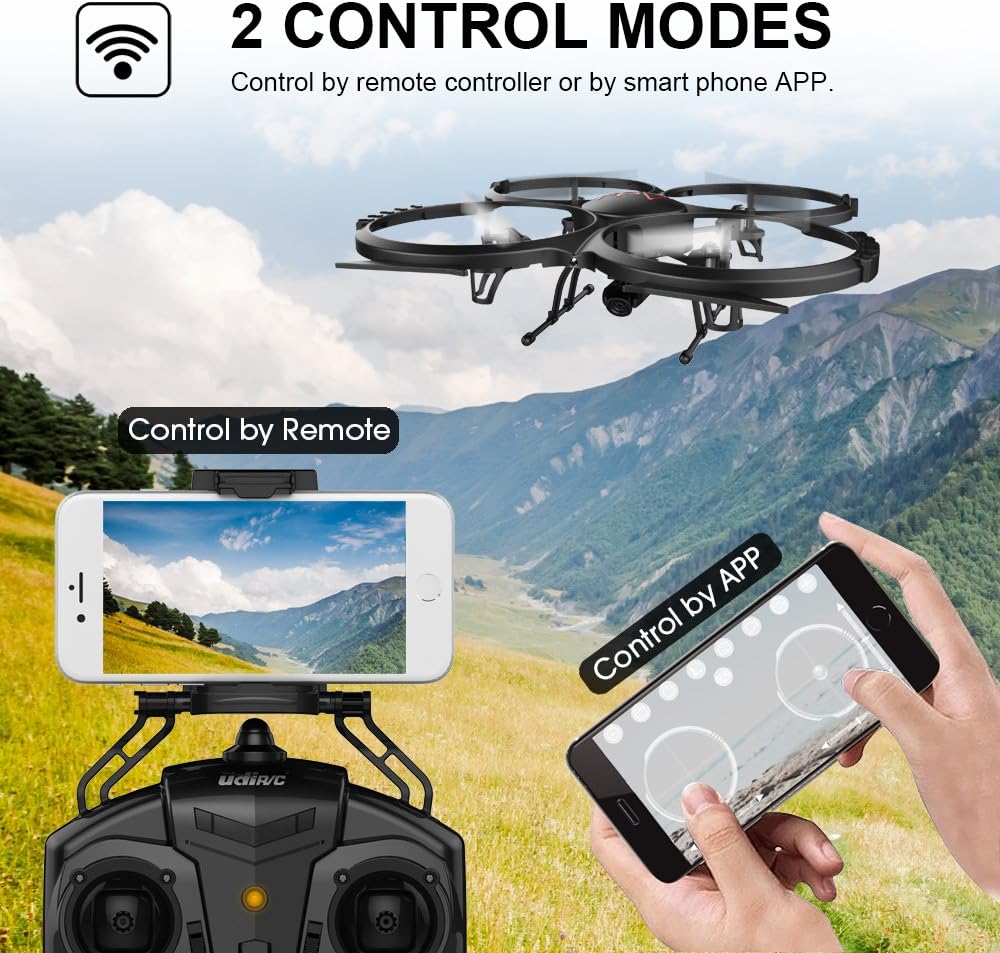
Image: Two Control Modes: Remote Control and Smartphone App.
3D View Mode (VR Headset Support)
The drone's FPV feed can be used with a compatible VR headset (not included) for an immersive 3D viewing experience during flight.

Image: 3D View Mode with optional VR headset for immersive flight.
Manteniment
Substitució de l'hèlix
- Si una hèlix està danyada, substituïu-la immediatament per una hèlix de recanvi del paquet.
- Ensure the new propeller is correctly oriented and securely fastened.
Neteja
- Feu servir un drap suau i sec per netejar el cos del dron i la lent de la càmera.
- Avoid using liquids or solvents that could damage electronic components.
Refrigeració del motor
- Allow motors to cool for at least 10 minutes after each flight to prolong their lifespan.
Resolució de problemes
- Drone does not respond: Ensure the drone and remote control are fully charged and properly paired. Check for any obstructions to the propellers.
- Vol inestable: Recalibrate the drone on a flat surface. Check if propellers are damaged or incorrectly installed. Avoid flying in windy conditions.
- Sense alimentació FPV: Ensure your smartphone is connected to the drone's Wi-Fi network and the app is open. Check for strong Wi-Fi interference.
- Temps de vol curt: Ensure batteries are fully charged. Flight time can be affected by aggressive flying, wind, and cold temperatures.
- Derivacions de drons: Use the trim buttons on the remote control to adjust for minor drifts.
Especificacions
| Característica | Detall |
|---|---|
| Marca | DBPOWER |
| Número de model | U818A WIFI |
| Resolució de gravació de vídeo | 720p |
| Tecnologia de connectivitat | Wi-Fi |
| Nivell d'habilitat | No es requereix experiència |
| Format de captura de vídeo | MP4 |
| Tipus de control | Control remot |
| Material | Plàstic |
| Composició de la bateria | Ió de liti |
| Bateries de comandament a distància | 4 x AA (no inclòs) |
| Rechargeable Drone Batteries | 2 x 3.7V 350mAh LiPo (included) |
| Tipus de suport | Micro SD (4GB included) |
Garantia i Suport
The DBPOWER U818A WIFI Drone comes with a 1-year warranty.
For any issues or technical assistance, please contact our support team via Amazon messaging. Our technical support team will provide the best possible solution.