
Introducció
This manual provides detailed instructions for the operation and maintenance of your BOBLOV W1 Body Worn Camera. The W1 is a compact and lightweight recording device designed for various applications, featuring high-definition video recording, night vision capabilities, and Wi-Fi connectivity for convenient file management. Please read this manual thoroughly before using the device to ensure proper functionality and longevity.
Producte acabatview i Components
The BOBLOV W1 Body Worn Camera is designed for portability and ease of use. It features a 170-degree wide-angle lens, built-in storage, and a robust design suitable for various environments.
Contingut del paquet
- Càmera corporal BOBLOV W1
- Cable USB
- Clip estàndard
- Clip d'espatlla
- Manual d'usuari
Configuració
1. Carregant la bateria
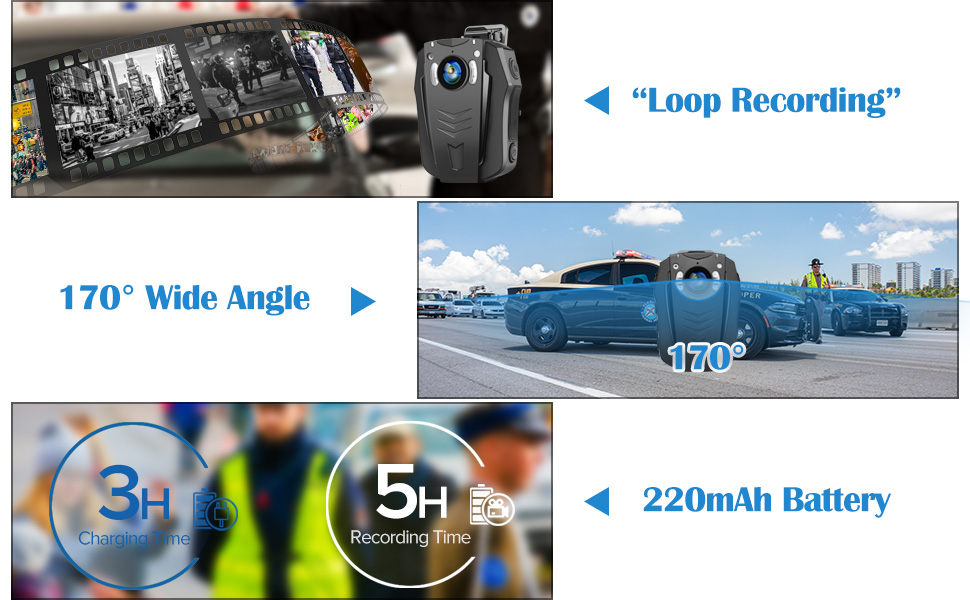
Before initial use, fully charge the camera's built-in 2200mAh rechargeable battery. Connect the camera to a power source using the provided USB cable. A full charge typically takes approximately 3 hours and provides up to 5 hours of video recording time.
2. Muntatge de la càmera
Attach the desired clip (standard or shoulder) to the camera. The clips are rotatable, allowing for 180-degree and 360-degree adjustments to achieve the optimal recording angle when worn on clothing or gear.
3. Wi-Fi Setup and App Connection
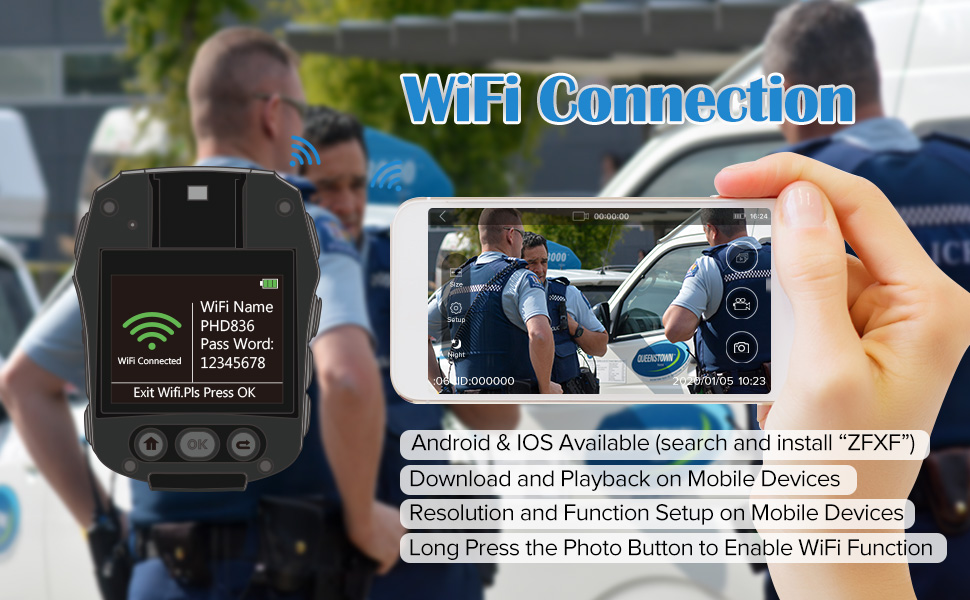
The camera supports Wi-Fi connectivity for viewing and managing recordings via a mobile application. Download the official 'ZFXF' app on your smartphone. Follow the in-app instructions to connect your camera to your device's Wi-Fi network. This allows for stable and smooth playback, setup adjustments, and downloading of videos directly to your phone.

Instruccions de funcionament
1. Encès / apagat
- To Power On: Press and hold the Power button until the indicator light illuminates.
- To Power Off: Press and hold the Power button until the indicator light turns off.
2. Gravació de vídeo
The camera supports multiple video resolutions, including 1296P (1728x1296) at 30fps, 1080P (1920x1080) at 30fps, 720P (1280x720) at 60fps, and 480P (848x480) at 60fps. Press the Video Record button to start recording. Press it again to stop. The recording indicator can be toggled on or off in the settings menu.
3. Captura de fotos
Press the Photo button to capture still images.
4. Visió nocturna
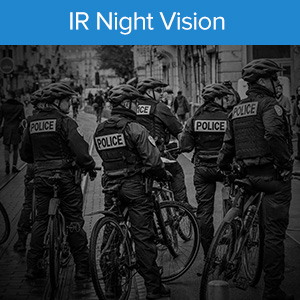
The camera is equipped with 6 built-in infrared night vision lamps to record clear videos in low-light conditions or complete darkness. Night vision can be activated manually or set to automatic mode via the camera settings.

5. Funcions avançades
- Timestamp: Tot gravat files include a timestamp that cannot be edited or deleted, ensuring authenticity.
- Enregistrament en bucle: The camera supports loop recording, automatically overwriting the oldest files when storage is full.
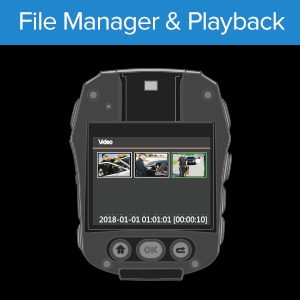
- Pre-recording and Playback: Capture critical moments with pre-recording functionality and review footage directly on the device or via the app.
- Dashcam Mode: When connected to a vehicle's power, the camera can automatically start recording when the engine starts and save footage when the engine stops.
- External Power Bank Support: For extended recording times, the camera can be connected to an external power bank.
- Camera ID Setting: Set a unique camera ID for group use or organizational purposes.
Manteniment
- Neteja: Use a soft, dry cloth to clean the camera body and lens. Avoid abrasive cleaners or solvents.
- Emmagatzematge: Guardeu la càmera en un lloc fresc i sec, allunyat de la llum solar directa i de temperatures extremes.
- Cura de la bateria: To prolong battery life, avoid fully discharging the battery frequently. Charge the camera regularly, even if not in use for extended periods.
- Gestió de dades: Regularly transfer important recordings to a computer or external storage to prevent data loss and free up internal memory.
Resolució de problemes
- Camera not turning on or turning off when unplugged: Ensure the battery is fully charged. If the issue persists, the battery may require service.
- Problemes de connexió Wi-Fi: Ensure the 'ZFXF' app is updated to the latest version. Try resetting the camera's Wi-Fi settings and reconnecting. Ensure your phone is within range and there are no strong interferences.
- Recording quality issues: Check lens for smudges or dirt. Ensure sufficient lighting for optimal recording, especially if night vision is not active.
- Camera not recognized by computer: Ensure the USB cable is securely connected. Try a different USB port or cable. The camera is plug-and-play for Windows 7/8/10 and Mac.
- Fileno s'està guardant: Check if the internal 8GB storage is full. Transfer files per alliberar espai.
Especificacions
| Característica | Detall |
|---|---|
| Marca | BOBLOV |
| Nom del model | W1 (PD70) |
| Tecnologia de connectivitat | Wi-Fi |
| Característiques especials | Infrared, Low Light, Night Vision |
| Ús interior/exterior | Interior, Exterior |
| Tipus de controlador | Android (mitjançant l'aplicació) |
| Tipus de muntatge | Clip (Rotatable) |
| Factor de forma | Compacte |
| Tipus d'alerta | Només moviment |
| Font de llum | infrarojos |
| Mètode de control | Aplicació, botons manuals |
| Font d'alimentació | Alimentat per bateria (2200 mAh integrada) |
| Resolució de captura de vídeo | Up to 1296P (1728x1296) |
| Resolució de vídeo efectiva | 1296 píxels |
| Tipus d'enfocament | Enfocament manual |
| Pes de l'article | 64 grams |
| Tipus de memòria flash | Internal 8GB |
| Format de captura de vídeo | MPEG-4 |
| Visió nocturna | Night Color (Infrared) |
| Suport del sistema operatiu | Windows 7/8/10, MAC (Plug and Play) |
Garantia i Suport
For warranty information and technical support, please refer to the official BOBLOV weblloc web o contacteu directament amb el seu servei d'atenció al client. Conserveu el rebut de compra com a comprovant de compra per a qualsevol reclamació de garantia.
BOBLOV values customer feedback and strives to improve products based on user experience. For assistance, visit the BOBLOV Store on Amazon.