
1. Introducció
Gràcies per la compraasing the SMSL SA300 Bluetooth 5.0 Class D Digital Amplificador. Això amplifier is designed to deliver high-fidelity audio performance with versatile connectivity options. Please read this manual thoroughly before using the product to ensure proper operation and to maximize your listening experience.

Figure 1: SMSL SA300 Digital Ampmés viu
2. Característiques del producte
- Bluetooth 5.0 avançat: Features Bluetooth 5.0 for stable wireless audio streaming up to 10 meters (unobstructed), supporting Apt-X for high-quality sound with low power loss.
- Alt rendiment AmpIC lificador: Equipped with the new Infineon "MA12070" amplifier IC, offering excellent energy efficiency (92% conversion) and optimizing power loss during music playback for superior audio performance.
- Sortida potent: Delivers 80W x 2 into 4Ω or 40W x 2 into 8Ω, providing ample power for various speaker setups.
- Suport d'àudio USB: Compatible with USB audio up to 32bit/384kHz playback. No drivers required for most operating systems (Windows 10, Mac OSX 10.6+, Linux, Android OTG, iOS with Apple Lightning-USB camera kit). Note: Not compatible with Windows 7 or 8.
- Sortida de subwoofer: Includes a dedicated super bass signal output terminal for connecting an active subwoofer, enabling a 2.1ch sound system for enhanced low-frequency response.
- Controls de to: Features EQ adjustment, bass, and treble correction functions for personalized sound tuning.
- Comandament a distància convenient: Comandament a distància amb totes les funcions per a un fàcil funcionament a distància.

The SA300 is equipped with the new Infineon MA12070 amplifier IC, ensuring high energy efficiency and superior audio performance.

Adjust bass and treble levels to customize your audio experience to your preference.

Control all amplifier functions conveniently with the included remote control.
3. Contingut del paquet
The SMSL SA300 package includes the following items:
- 1x SMSL SA300 Digital Ampmés viu
- 1x comandament a distància
- 1x Bluetooth Antenna
- 1x USB-Micro USB Cable
- 1x AC Adapter (DC 24V)
- 1x cable d'alimentació
- 1x Simple Instruction Manual (Chinese and English only)
4. Producte acabatview (Diagrams)
Familiarize yourself with the various components and connections of your SA300 ampmés viu.

Figura 2: Disseny del panell frontal i posterior
- Mostra
- Interruptor d'alimentació
- Selecció del mode d'entrada
- Botó de control
- Gold-plated Banana Plug Compatible Terminals (Speakers)
- Analog Input Terminals (RCA)
- Super Bass Signal Output Terminal (SW OUT)
- Antena Bluetooth
- Entrada d'alimentació (DC 24V)
- Terminal d'entrada USB
5. Configuració i connexions
5.1. Connexió d'altaveus
Connect your passive speakers to the gold-plated banana plug compatible terminals on the rear panel. Ensure correct polarity (red for positive, black for negative) for each speaker.

Figure 3: Speaker and Power Connections
5.2. Connexió de font d'àudio
The SA300 offers multiple ways to connect your audio sources:
- Bluetooth: Attach the Bluetooth antenna to the rear panel. Enable Bluetooth on your device (e.g., smartphone, tablet) and select "SMSL SA300" from the list of available devices to pair.
- Àudio USB: Connect your PC, mobile phone, Android TV, or game console to the USB input terminal on the rear panel using the provided USB-Micro USB cable.
- RCA Analog Input: Connect audio sources like CD players or DACs to the RCA analog input terminals (R/L) on the rear panel.
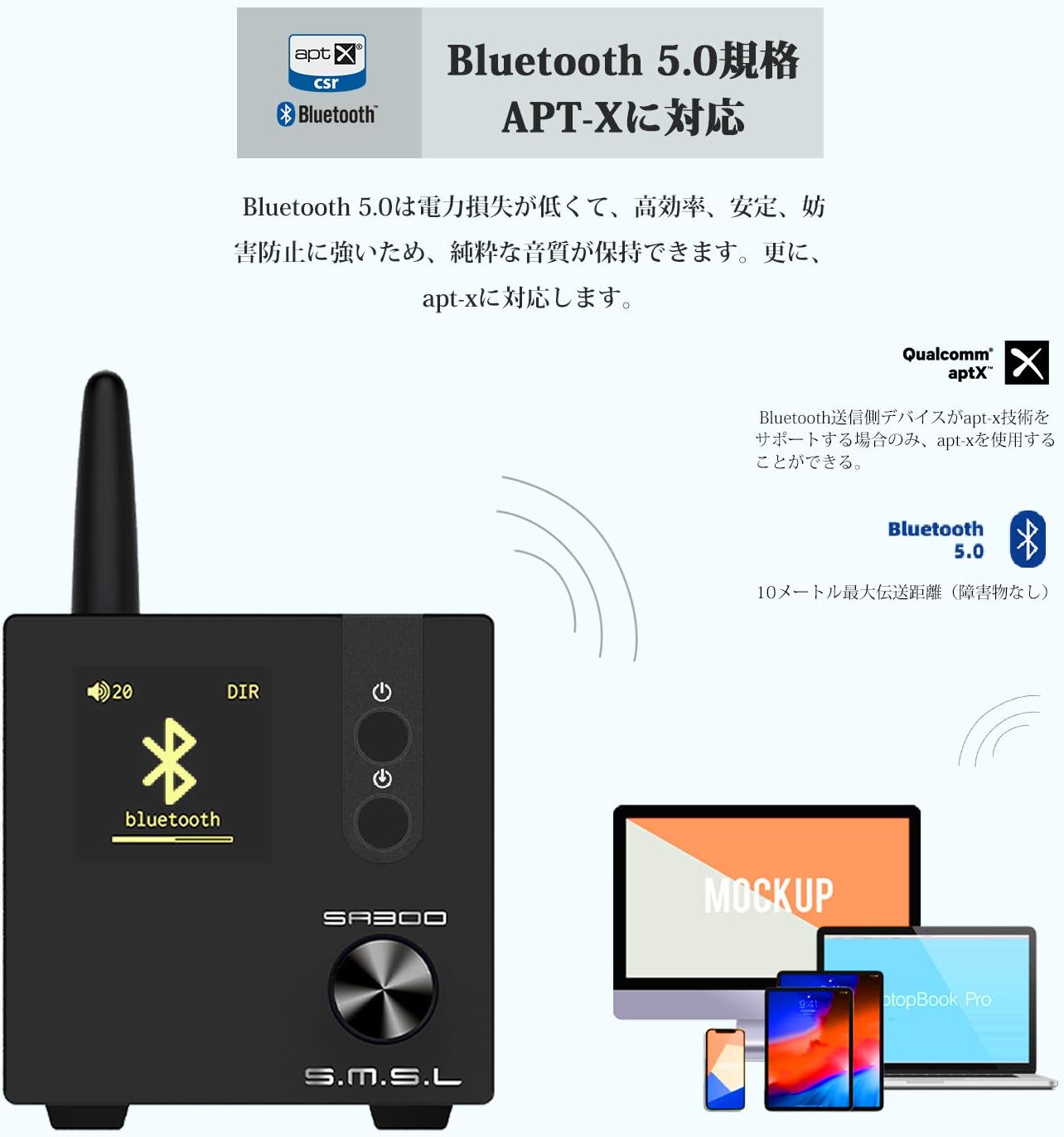
Figura 4: Connectivitat Bluetooth 5.0
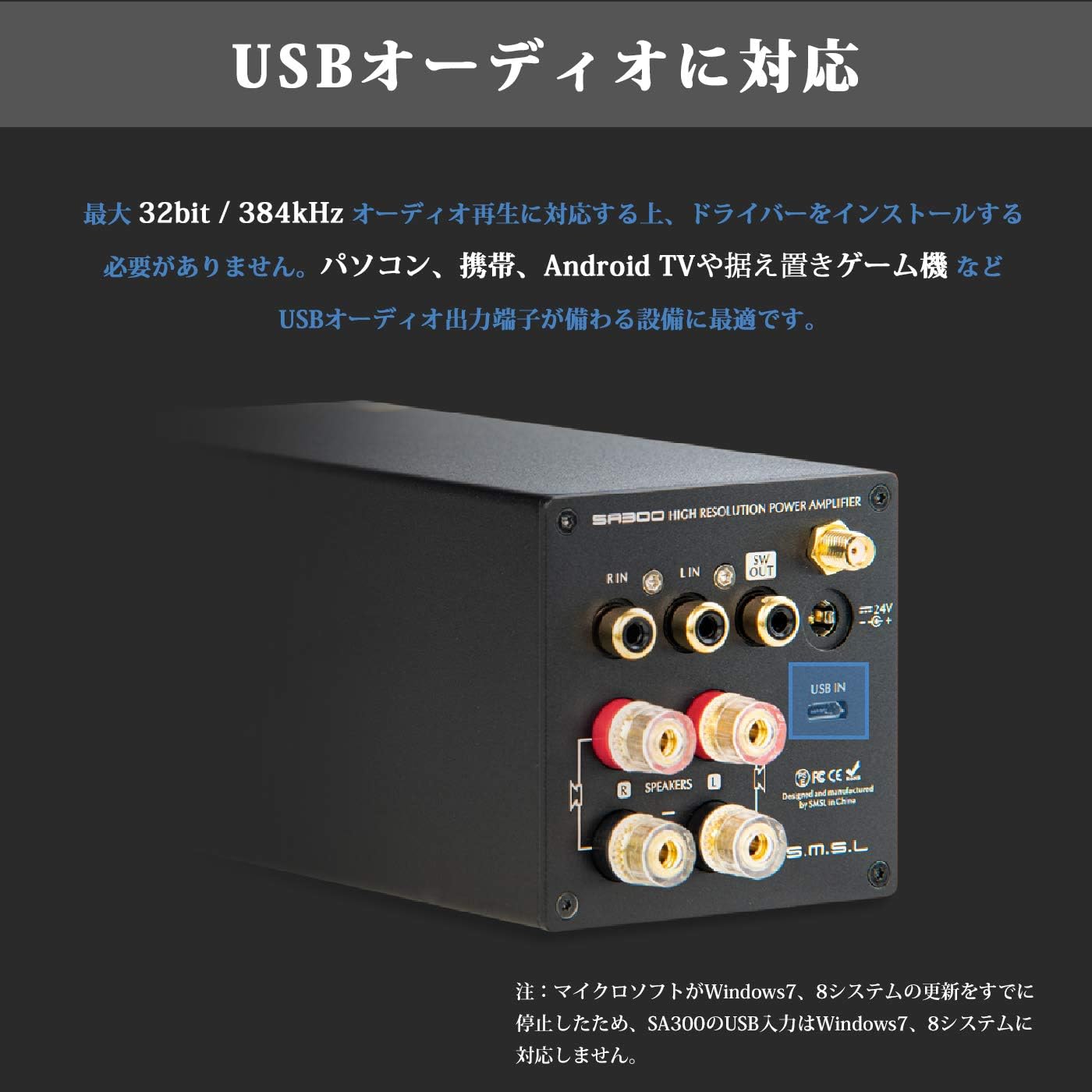
Figure 5: USB Audio Input
5.3. Connexió del subwoofer
For enhanced bass, connect an active subwoofer to the "SW OUT" terminal on the rear panel. This allows you to create a 2.1ch sound system.
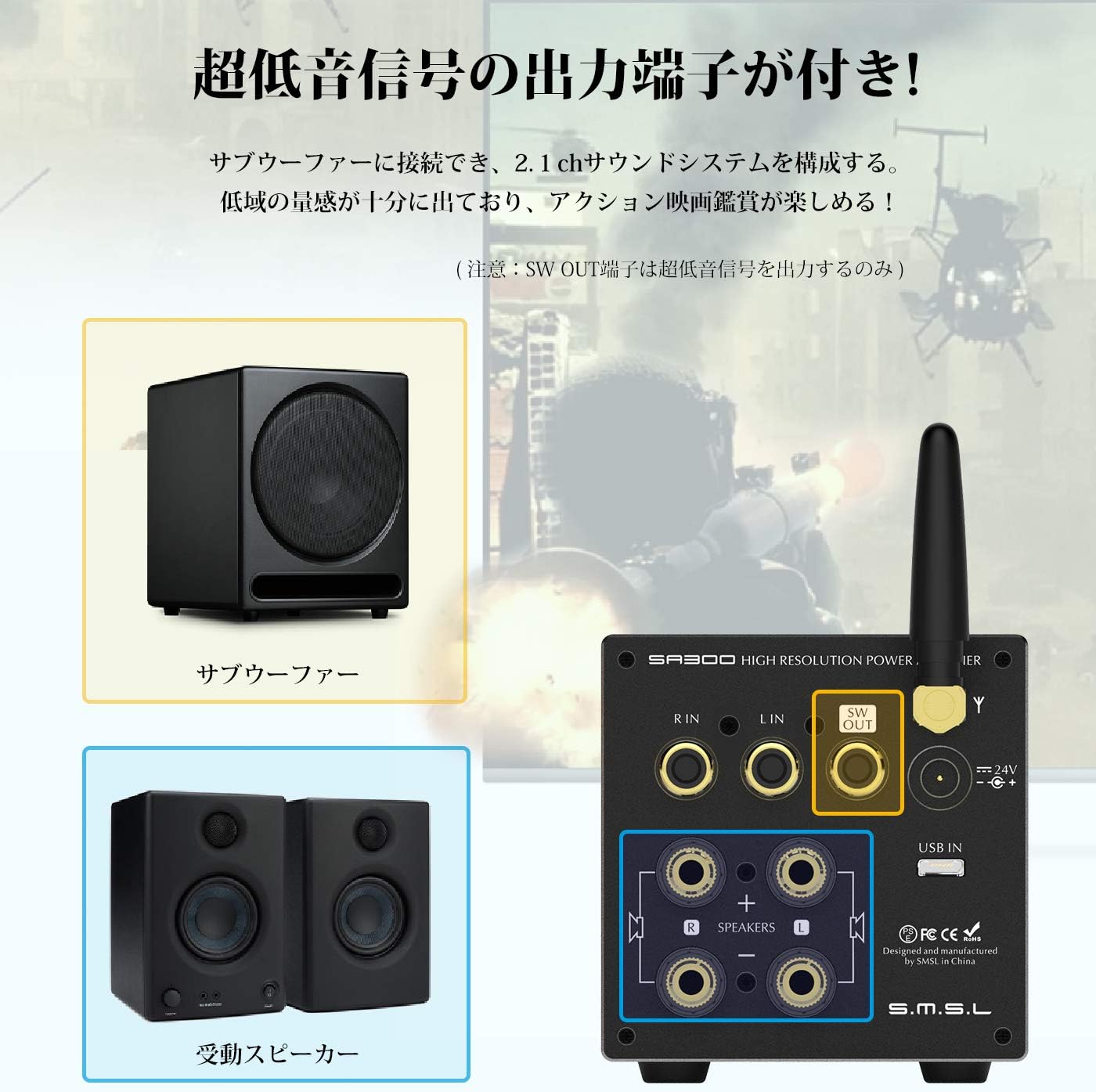
Figure 6: Subwoofer Output Connection
6. Instruccions de funcionament
6.1. Encendre/apagar
Press and hold the Power Switch (2) on the front panel to turn the unit on or off. The display will illuminate when powered on.
6.2. Selecció d'entrada
Short press the Input Mode Selection button (3) on the front panel to cycle through available input sources (Bluetooth, USB, RCA).
6.3. Control de volum i to
Rotate the Control Knob (4) to adjust the volume. Short press the Control Knob to cycle through various settings such as Volume, EQ, Bass, Treble, Gain, and Brightness. Once a setting is selected, rotate the knob to adjust its value.
6.4. Ús del control remot
The included remote control provides convenient access to all amplifier functions, including power, input selection, volume, mute, and tone adjustments.
7. Especificacions
| Paràmetre | Valor |
|---|---|
| Potència de sortida | 80W + 80W (4Ω), 40W + 40W (8Ω) |
| THD+N | 0.008% |
| Relació senyal/soroll (S/N) | 90 dB |
| Separació de canals | 88 dB |
| Digital Amplificador IC | MA12070 |
| Max USB SampTarifa ling | 32 bits / 384 kHz |
| Versió Bluetooth | BT5.0 (Apt-X compatible) |
| EQ Quantity | 8 |
| Interval d'ajust dels aguts | ± 10 dB |
| Interval d'ajust dels baixos | ± 10 dB |
| Supported OS (USB) | Windows 10, Mac OSX 10.6+, Linux, Android (OTG), iOS (Apple Lightning-USB camera kit) |
| Terminals d’entrada | Stereo RCA (gold-plated), Micro USB, Bluetooth |
| Terminals de sortida | 2ch Stereo Speaker Output (banana plug compatible, gold-plated), Super Bass Signal Output |
| Consum d'energia | 35W (normal volume) |
| Potència en espera | <0.5W |
| Dimensions (AxAxP) | 70 mm × 70 mm × 188 mm |
| Pes del producte | 0.8 kg |
8. Solució De Problemes
- Sense so:
- Assegureu-vos el amplifier is powered on and the volume is not muted or set too low.
- Check all cable connections (power, speakers, audio source) for secure fit and correct polarity.
- Verify the correct input source is selected on the ampmés viu.
- Si feu servir Bluetooth, assegureu-vos que el dispositiu estigui correctament emparellat i connectat.
- So distorsionat:
- Redueix el volum en tots dos amplificador i la font d'àudio.
- Comproveu la compatibilitat de la impedància dels altaveus amb el ampmés viu.
- Ensure audio cables are not damaged or poorly connected.
- Problemes de connexió Bluetooth:
- Assegureu-vos que l'antena Bluetooth estigui ben connectada.
- Move the audio source closer to the amplificador per reduir les interferències.
- Clear the Bluetooth pairing history on your device and re-pair.
9. Manteniment
- Mantenir el amplifier in a dry, well-ventilated area away from direct sunlight, heat sources, and moisture.
- Netegeu la unitat amb un drap suau i sec. No utilitzeu netejadors líquids ni aerosols.
- Eviteu col·locar objectes pesats a sobre ampmés viu.
10. Garantia i Suport
This product comes with a standard manufacturer's warranty. For specific warranty terms and conditions, please refer to the warranty card included in your package or contact your retailer. For technical support, product inquiries, or service requests, please visit the official S.M.S.L weblloc o poseu-vos en contacte amb el seu servei d'atenció al client.
11. Informació de seguretat
- No obriu el amplificador casing. No hi ha peces que l'usuari pugui reparar a l'interior. Obrint la casing anul·larà la garantia.
- Use only the provided power adapter. Using an incompatible power supply may damage the unit and pose a safety risk.
- Mantingueu la unitat allunyada de l'aigua o altres líquids.
- Assegureu-vos una ventilació adequada per evitar el sobreescalfament. No obstruïu les obertures de ventilació.
- Eviteu exposar la unitat a temperatures o humitat extremes.