
Romoss SW20PS+
ROMOSS 20000mAh SW20PS+ Power Bank User Manual
Model: SW20PS+ (PWM20)
1. Introducció
Thank you for choosing the ROMOSS 20000mAh SW20PS+ Power Bank. This portable charger is designed to provide reliable and fast charging for your electronic devices. Featuring a 20000mAh Li-Polymer battery, 18W Power Delivery (PD) fast charging, three input ports, three output ports, and an intelligent LCD display, it offers convenience and efficiency for your charging needs.
Si us plau, llegiu atentament aquest manual abans d'utilitzar el producte per garantir-ne el funcionament correcte i maximitzar-ne la vida útil.
2. Informació de seguretat
- No desmunteu, obriu ni intenteu reparar el banc d'energia extern.
- Do not expose the power bank to water, moisture, or extreme temperatures (above 60°C/140°F or below 0°C/32°F).
- Keep the power bank away from heat sources, direct sunlight, and flammable materials.
- No deixeu caure, perforeu ni apliqueu impactes forts al banc d'energia.
- Feu servir només cables i adaptadors de càrrega certificats.
- Mantenir fora de l'abast dels nens.
- Desfeu-vos del banc d'energia extern d'acord amb la normativa local. No el llenceu amb les escombraries domèstiques.
3. Contingut del paquet
- ROMOSS 20000mAh SW20PS+ Power Bank
- Manual d'usuari (aquest document)
Nota: Charging cables and wall chargers are not included and must be purchased separately.
4. Producte acabatview
4.1 Components i ports
The ROMOSS SW20PS+ Power Bank features multiple input and output ports for versatile charging. Refer to the image below for port identification.

Image: ROMOSS SW20PS+ Power Bank showing its three input ports (Micro USB, Lightning, Type-C) and two USB-A output ports. Each input port is labeled with its type and voltagespecificacions e/currents.
- 1. Micro USB Input: For recharging the power bank (5V/2A or 9V/2A).
- 2. Lightning Input: For recharging the power bank (5V/2.1A).
- 3. Type-C Input/Output: For recharging the power bank or charging devices (5V/2A or 9V/2A). Supports 18W PD fast charging.
- Sortida USB-A 1: For charging devices (standard USB output).
- Sortida USB-A 2: For charging devices (supports Quick Charge).
- Botó d'encesa: Press to check battery level or activate fast charge mode.
- Pantalla digital LCD: Mostra el percentatge de bateriatage, càrrega voltage, i corrent de càrrega.
4.2 Pantalla digital intel·ligent
The integrated LCD display provides real-time information about the power bank's status. Press the power button to cycle through the display modes.

Image: A close-up of the ROMOSS SW20PS+ Power Bank's LCD display, illustrating how it shows battery percentage, a 'Fast Charge+' indicator, charging voltage (V), and charging current (A).
- Bateria Percentage: Mostra el nivell de potència restant del 0 al 100%.
- Fast Charge+ Indicator: A blue lightning bolt icon indicates that a Quick Charge-enabled device is connected and fast charging is active.
- Vol. De càrregatage (V): Mostra el volum de càrrega actualtage.
- Corrent de càrrega (A): Mostra la càrrega actual amperage.
5. Configuració i ús inicial
5.1 Càrrega inicial del banc d'energia extern
Before first use, it is recommended to fully charge your ROMOSS SW20PS+ Power Bank.
- Connect a compatible charging cable (Micro USB, Lightning, or Type-C) to one of the power bank's input ports.
- Connect the other end of the cable to a USB wall charger (18W PD/QC compatible charger recommended for fastest charging).
- The LCD display will show the charging status. A full charge from 0% to 100% with an 18W charger typically takes approximately 7 hours.

Image: The ROMOSS SW20PS+ Power Bank being recharged via its Type-C port, illustrating that it can be fully recharged in 7 hours with an 18W wall charger.
6. Instruccions de funcionament
6.1 Càrrega dels vostres dispositius
The power bank features three output ports (2x USB-A, 1x Type-C) to charge your devices.
- Connecta el cable de càrrega del dispositiu a un dels ports de sortida del banc d'alimentació (USB-A o Tipus C).
- Connecteu l’altre extrem del cable al dispositiu.
- The power bank will automatically begin charging your device. The LCD display will show the current charging status.
- To check the power bank's remaining battery, press the power button once.
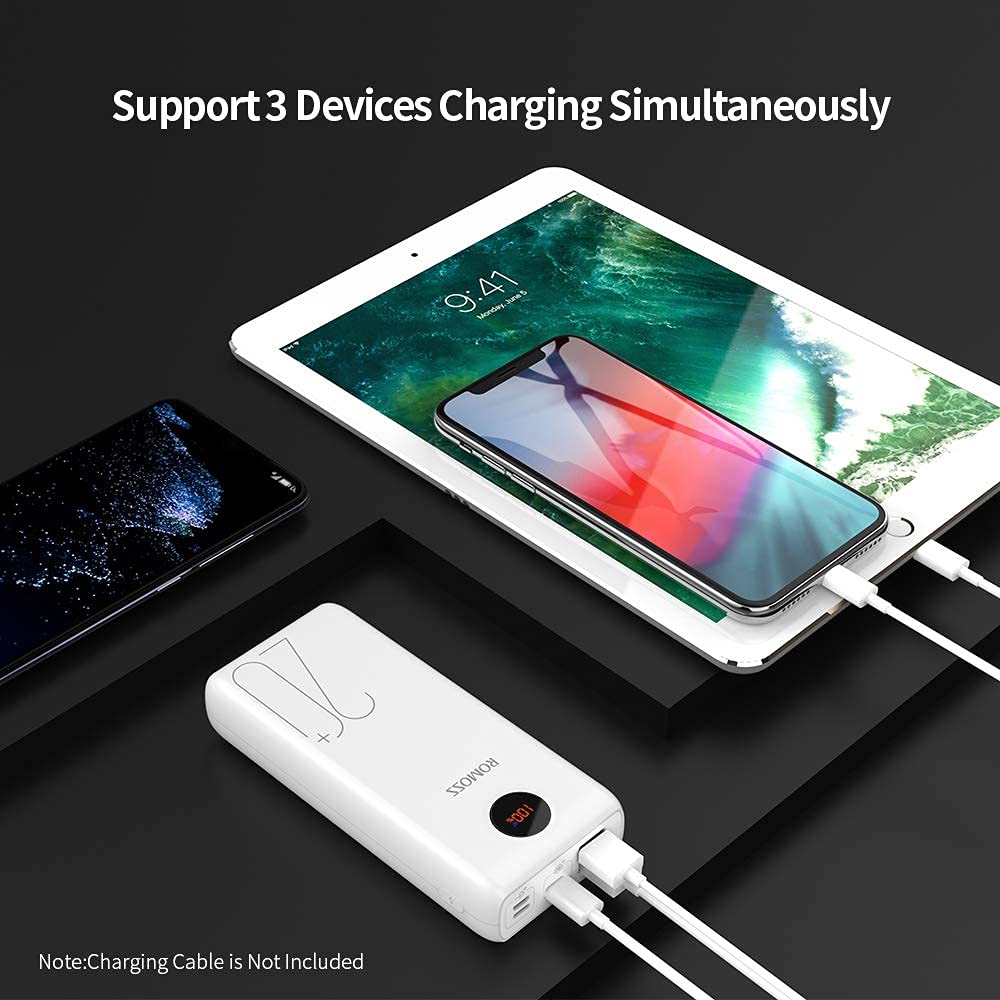
Image: The ROMOSS SW20PS+ Power Bank simultaneously charging a smartphone and a tablet using its multiple output ports.
6.2 Capacitats de càrrega ràpida
The ROMOSS SW20PS+ supports 18W Power Delivery (PD) and Quick Charge (QC) technologies for compatible devices.
- When charging a QC-compatible device via a USB-A output or a PD-compatible device via the Type-C port, the power bank can charge devices up to 80% in approximately 35 minutes.
- The blue 'Fast Charge+' indicator on the LCD display will illuminate when fast charging is active.
Image: The ROMOSS SW20PS+ Power Bank demonstrating its fast charging capability, showing an iPhone X charging to 50% in 30 minutes via the Type-C port.
6.3 Càrrega simultània
The power bank allows you to charge up to three devices simultaneously using its multiple output ports.
Image: The ROMOSS SW20PS+ Power Bank simultaneously charging a smartphone and a tablet, demonstrating its multi-device charging capability.
7. Manteniment
- Netegeu el banc d'energia amb un drap sec i suau. No utilitzeu netejadors abrasius ni dissolvents.
- Guarda el banc d'energia en un lloc fresc i sec, allunyat de la llum solar directa i de temperatures extremes.
- If the power bank is not used for an extended period, charge it to approximately 50-75% every three months to maintain battery health.
- Avoid overcharging or completely discharging the power bank frequently, as this can reduce battery lifespan.
8. Solució De Problemes
| Problema | Causa possible | Solució |
|---|---|---|
| El banc d'energia no es carrega | Loose cable connection; faulty cable/adapter; power bank fully charged. | Ensure cables are securely connected. Try a different cable or wall adapter. Check LCD display for 100% charge. |
| El dispositiu no es carrega des del banc d'energia | Power bank depleted; faulty cable; device not compatible; power bank in standby. | Recharge the power bank. Try a different charging cable. Ensure your device is compatible. Press the power button to activate output. |
| Càrrega lenta | Non-fast charging cable/adapter; device not supporting fast charge; multiple devices charging. | Use a fast-charging compatible cable and adapter. Ensure your device supports fast charging. Charging multiple devices may reduce individual charging speed. |
| La pantalla LCD no funciona | Banc d'energia apagat; problema intern. | Premeu el botó d'engegada per activar la pantalla. Si el problema persisteix, poseu-vos en contacte amb l'atenció al client. |
9. Especificacions
| Número de model | SW20PS+ (PWM20) |
| Tipus de bateria | Li-polímer |
| Capacitat | 20000 mAh |
| Entrada micro USB | 5 V/2 A, 9 V/2 A |
| Entrada de llamps | 5V/2.1A |
| Entrada/sortida tipus C | 5V/2A, 9V/2A (18W PD) |
| Sortida USB-A 1 | Sortida USB estàndard |
| Sortida USB-A 2 | Quick Charge Output (up to 3A) |
| Dimensions (LxWxH) | 15.1 x 6.9 x 2.9 cm |
| Pes | 460 g |
| Característiques especials | 18W PD Fast Charging, Quick Charge 3.0, LCD Digital Display, 3 Inputs, 3 Outputs |

Image: The ROMOSS SW20PS+ Power Bank being stored in a bag, highlighting its dimensions (5.94*3*0.9 inches) and weight (440g/17.1oz) for portability.
10. Garantia i Suport
ROMOSS provides a worry-free 12-month friendly customer service for this product. If you encounter any issues or have questions regarding your SW20PS+ Power Bank, please contact ROMOSS customer support through your purchase platform or the official ROMOSS weblloc.
Conserveu el vostre comprovant de compra per a reclamacions de garantia.
Ask a question about this manual
Ask about setup, troubleshooting, compatibility, parts, safety, or missing instructions. Manuals+ will review the question and use this page’s manual context to help answer it.