
1. Introducció
Thank you for choosing the Eonon X20PLUS Car Stereo. This manual provides detailed instructions for the installation, operation, and maintenance of your new car stereo. Please read this manual thoroughly before use to ensure proper functionality and safety.
2. Configuració i instal·lació
2.1 Què hi ha a la caixa
The Eonon X20PLUS package includes all necessary components for installation and operation. Please verify all items are present upon unboxing.

Figure 2.1: Main components included in the Eonon X20PLUS package.

Figure 2.2: Detailed breakdown of items in the box, including the optional A0125 Backup Camera.
2.2 Dimensions and Compatibility
The X20PLUS is designed for a 178*100mm dashboard size. Please measure your vehicle's dashboard opening to ensure compatibility. If your original car radio size is not 178*100mm, an extra installation kit may be required.

Figure 2.3: Eonon X20PLUS dimensions and dashboard compatibility examples. Note: X20PLUS is a 2 DIN car radio, NOT suitable for Single Din cars.

Figure 2.4: Direct installation is possible if your original radio is 178*100mm and has an ISO connector.
2.3 Esquema de cablejat
Carefully connect the provided wiring harness to your vehicle's electrical system. Refer to the diagram below for proper connections. Ensure all connections are secure to prevent malfunctions.

Figure 2.5: Comprehensive wiring diagram for the Eonon X20PLUS head unit.

Figure 2.6: Simplified wiring diagram showing key connections like ISO port and USB ports.
2.4 Consells d'instal·lació
If your original car radio's power cable is not an ISO plug, you will need to purchase an adapter cable. Use keywords like 'Car make & model & year + ISO harness' or 'Car make & model & year + 2 din kit' to find suitable mounting kits or wire harnesses online.

Figure 2.7: Extra kit may be needed for installation if dimensions or connectors do not match.

Figure 2.8: Tips for finding compatible installation accessories online.
3. Instruccions de funcionament
3.1 QLED Display
The Eonon X20PLUS features a 10.1-inch QLED touch screen with a resolution of 1024x600, offering a brilliant viewing experience with wide 178° viewangles d'ajust.

Figure 3.1: QLED display offers enhanced visual quality compared to older technologies.

Figure 3.2: The 10.1-inch QLED display provides superior viewangles d'ajust.
3.2 Wired and Wireless CarPlay & Android Auto
The X20PLUS supports both wired and wireless CarPlay and Android Auto, allowing seamless integration with your smartphone for navigation, music, calls, and more.
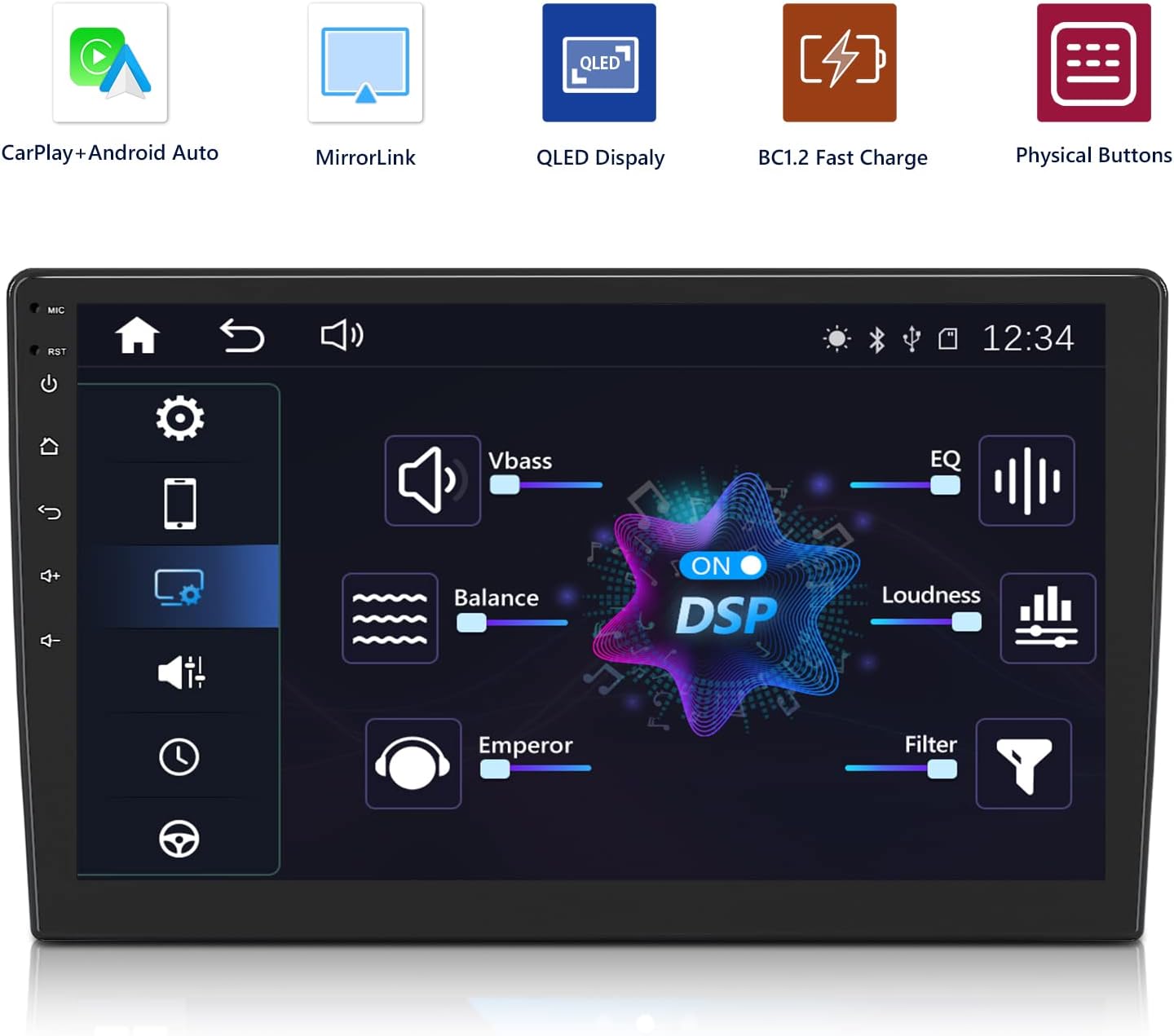
Figura 3.3: Mésview of wired and wireless connectivity options for CarPlay, Android Auto, and MirrorLink.
Video 3.1: Demonstrates how to connect CarPlay and Android Auto on the Eonon X20 Series Car Stereo, showing both wired and wireless setup processes.

Figure 3.4: Apple CarPlay interface on the car stereo display.

Figure 3.5: Android Auto interface on the car stereo display.

Figure 3.6: MirrorLink/AirPlay allows screen mirroring from your smartphone.
3.3 Built-in DSP (Digital Sound Processor)
Experience superior audio quality with the built-in DSP, offering a 16-band graphic equalizer and 7 EQ modes for customized sound. It also supports sound field and time delay adjustment for optimal listening.

Figure 3.7: Built-in DSP interface for advanced audio customization.
3.4 Bluetooth 5.0 and AM/FM Radio
Bluetooth 5.0 ensures stable and smooth hands-free calls. The unit also features an AM/FM radio with 18 FM and 12 AM station memory to enhance your driving experience.

Figure 3.8: Bluetooth 5.0 for hands-free calls and AM/FM radio functionality.
3.5 Comandaments al volant
The Eonon X20PLUS supports steering wheel controls, allowing you to manage volume, tracks, and other functions directly from your steering wheel for convenience and safety.
Vídeo 3.2: Aquest vídeo ofereix una visió generalview of the Eonon X20PLUS, including glimpses of its user interface and features like steering wheel control compatibility.
Figure 3.9: Steering wheel controls allow for convenient operation while driving.
3.6 Càrrega ràpida
The X20PLUS supports BC1.2 fast charging protocol, allowing you to charge your phone at 1.5A/5V via the USB port.

Figure 3.10: Fast charging capability for compatible smartphones.
3.7 Backup Camera Support
The unit supports a 720P backup camera (A0125, included in some packages) with a 140° wide viewing angle and IP68 waterproof rating, enhancing safety during reverse maneuvers.

Figure 3.11: Backup camera view on the Eonon X20PLUS display.

Figure 3.12: AHD 720P Camera A0125 features.
4. Manteniment
To ensure the longevity and optimal performance of your Eonon X20PLUS, follow these maintenance guidelines:
- Neteja: Feu servir un drap suau i sec per netejar la pantalla i la unitat. Eviteu productes de neteja o dissolvents abrasius.
- Actualitzacions de programari: Periodically check for software updates from Eonon's official website or support channels to ensure you have the latest features and bug fixes.
- Condicions ambientals: Eviteu exposar la unitat a temperatures extremes, a la llum solar directa durant períodes prolongats o a una humitat excessiva.
- Connexions de cable: Comproveu periòdicament totes les connexions dels cables per assegurar-vos que estiguin ben fixades i que no estiguin danyats.
5. Solució De Problemes
If you encounter issues with your Eonon X20PLUS, refer to the common problems and solutions below. For persistent issues, please contact customer support.
| Problema | Causa possible | Solució |
|---|---|---|
| Sense poder | Connexió d'alimentació fluixa, fusible fundit, problema amb la bateria del vehicle. | Check power cable connections. Inspect and replace fuse if blown. Verify vehicle battery health. |
| Sense so | Incorrect speaker wiring, volume too low, mute activated, DSP settings. | Verify speaker connections. Increase volume. Check mute status. Adjust DSP settings. |
| CarPlay/Android Auto Connectivity Issues | Incorrect phone settings (Wi-Fi/Bluetooth), faulty USB cable, app not updated. | Ensure phone's Wi-Fi and Bluetooth are on. Use a certified USB cable. Update CarPlay/Android Auto apps on your phone. Restart both phone and head unit. |
| Clock Does Not Hold Time | Incorrect wiring (ACC/B+), software bug. | Verify ACC and B+ wiring. Check for software updates that address timekeeping issues. |
| Lagging Performance | Too many apps running in background, low RAM. | Close unnecessary apps. Restart the unit. Consider factory reset if persistent. |
6. Especificacions
| Característica | Detall |
|---|---|
| Dimensions del producte | 9.92 x 5.79 x 3.94 polzades |
| Pes de l'article | 5.72 lliures (2.6 quilograms) |
| Tipus de visualització | 10.1 inch QLED Touch Screen |
| Resolució | 1024 x 600 |
| RAM | 2 GB |
| Tecnologies de connectivitat | Bluetooth (5.0), USB |
| Tipus de controlador | Android |
| Dispositius compatibles | Smartphone |
| Mode de sortida d'àudio | estèreo |
| Configuració del canal de so envoltant | 2.0 |
| Fabricant | Eonon |
| Primera data disponible | 15 de gener de 2020 |
7. Garantia i Suport
Eonon products typically come with a standard manufacturer's warranty. For specific warranty details, registration, or technical support, please visit the official Eonon weblloc web o contacteu directament amb el seu servei d'atenció al client. També podeu consultar la EONON Store on Amazon per a recursos addicionals i informació de contacte.