
Introducció
The tonies Creative-Tonie Music Conductor is an interactive audio character designed for children. It allows you to record and play up to 90 minutes of custom audio content, fostering imagination and supporting routines. This hand-painted, magnetic Tonie requires a Toniebox (sold separately) to function.
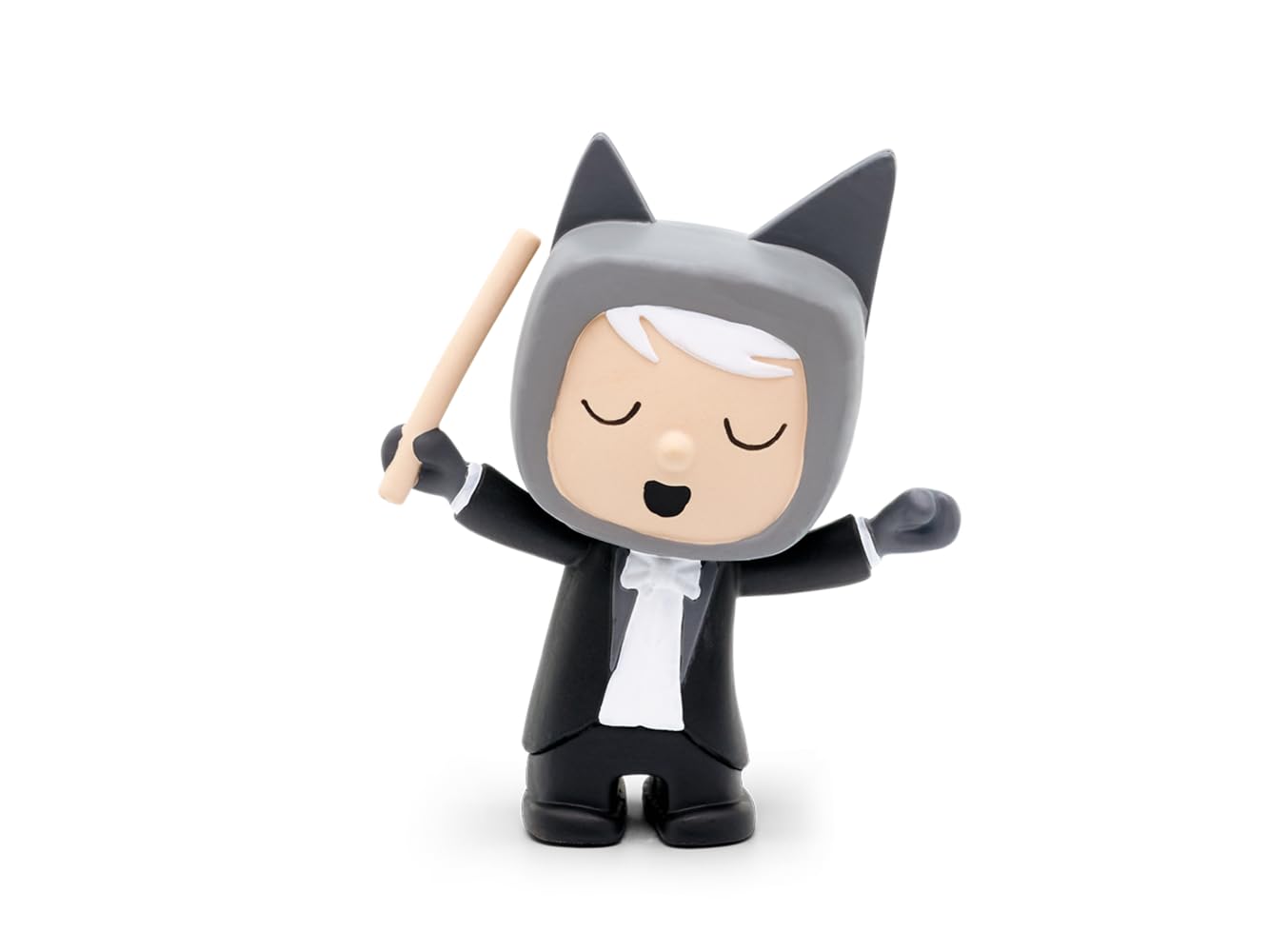
Image: The tonies Creative-Tonie Music Conductor character, a small hand-painted figurine of a conductor with a baton, designed for use with the Toniebox audio system.
Contingut del paquet
- 1 x tonies Creative-Tonie Music Conductor Audio Character
Configuració
- Toniebox Requirement: Ensure you have a Toniebox audio player. The Creative-Tonie functions exclusively with a Toniebox (sold separately).
- Configuració inicial: Place the Creative-Tonie on your Toniebox. The Toniebox will recognize the new Tonie and begin the synchronization process.
- Tonie-App Connection: Download and install the official Tonie-App on your computer, tablet, or smartphone.
- Creació/Inici de sessió del compte: Create a Toniecloud account or log in to your existing account via the app or my.tonies.com.
- Assign Content: In the Tonie-App, assign audio content to your Creative-Tonie. You can upload your own recordings, stories, or music, up to 90 minutes.
- Sincronitza: Place the Creative-Tonie on the Toniebox again to download the assigned content. The Toniebox will indicate when the content is fully synchronized. Ensure your Toniebox is connected to Wi-Fi.
Instruccions de funcionament
- Contingut de reproducció: Place the Creative-Tonie on the Toniebox. The Toniebox will automatically start playing the assigned audio content.
- Pausa/Aturada: Remove the Creative-Tonie from the Toniebox to pause or stop playback.
- Control de volum: Adjust the volume directly on the Toniebox by squeezing its ears.
- Saltant pistes: Tap the side of the Toniebox to skip forward or backward through tracks (if multiple tracks are assigned).
- Recording Custom Audio: Use the Tonie-App to record new audio directly or upload existing audio files.
- Updating Content: After assigning new content via the app, place the Creative-Tonie on the Toniebox to update its content. Ensure your Toniebox is connected to Wi-Fi for updates.
Manteniment
- Neteja: Wipe the Tonie character with a soft, dry cloth. Do not use abrasive cleaners or immerse in water.
- Emmagatzematge: Store the Tonie in a dry place away from direct sunlight and extreme temperatures.
- Durabilitat: The Tonie is designed to be robust for children's use. Avoid dropping it from significant heights or applying excessive force.
Resolució de problemes
- Tonie not playing content:
- Assegureu-vos que el Toniebox estigui encès i carregat.
- Verify the Toniebox is connected to Wi-Fi for initial setup and content updates.
- Check the Tonie-App to confirm content has been assigned to the Creative-Tonie.
- Col·loca el Tonie fermament a la Toniebox.
- Cannot upload or assign content:
- Assegureu-vos que el vostre dispositiu tingui una connexió estable a Internet.
- Log in to the correct Toniecloud account associated with your Toniebox.
- Check the Tonie-App for any error messages or updates.
- Problemes de qualitat d'àudio:
- Assegureu-vos de l'àudio original file quality is good before uploading.
- Check the Toniebox for any physical damage.
Especificacions
| Característica | Detall |
|---|---|
| Número de model | 10000205 |
| Marca | tonyines |
| Capacitat de contingut | Fins a 90 minuts |
| Material | Plàstic |
| Dimensions (L x A x A) | 11.5 x 3.5 x 20 cm |
| Pes | 50 g |
| Edat recomanada | 3 anys i més |
| Piles necessàries | No (Toniebox requires batteries, sold separately) |
| Mode de funcionament | Manual |
| Ús interior/exterior | Interior |
| Muntatge obligatori | No |
Garantia i Suport
For warranty information and customer support, please visit the official tonies weblloc web o contacteu directament amb el servei d'atenció al client. Conserveu el comprovant de compra per a reclamacions de garantia.
Oficial Weblloc: tonies.com