
1. Introducció
This manual provides detailed instructions for the setup, operation, maintenance, and troubleshooting of your ikbc W200 Wireless Mechanical Keyboard. Please read this manual thoroughly before using the product to ensure optimal performance and longevity.
The ikbc W200 is a high-quality wireless mechanical keyboard featuring Cherry MX Blue switches, PBT double-shot keycaps, and 2.4G wireless connectivity, compatible with Windows and Mac OS.
2. Contingut del paquet
Verifiqueu que tots els elements siguin presents al paquet:
- ikbc W200 Wireless Mechanical Keyboard
- Dongle USB 2.4G
- Piles AAA (2)
- Extractor de tecles
- Manual d'usuari (aquest document)
3. Configuració
3.1 Instal·lació de bateries
- Localitzeu el compartiment de la bateria a la part inferior del teclat.
- Obriu la tapa del compartiment de la bateria.
- Introduïu dues piles AAA, assegurant-vos de la polaritat correcta (+/-).
- Tanqueu bé la tapa del compartiment de la bateria.
3.2 Connexió del teclat
- Enceneu el teclat amb l'interruptor d'encesa situat a la part posterior.
- Connecteu el dongle USB de 2.4 G a un port USB disponible de l'ordinador.
- The keyboard should automatically connect. No additional drivers are typically required for Windows or Mac OS.
- If the connection is not established, ensure the dongle is securely plugged in and the keyboard is powered on.
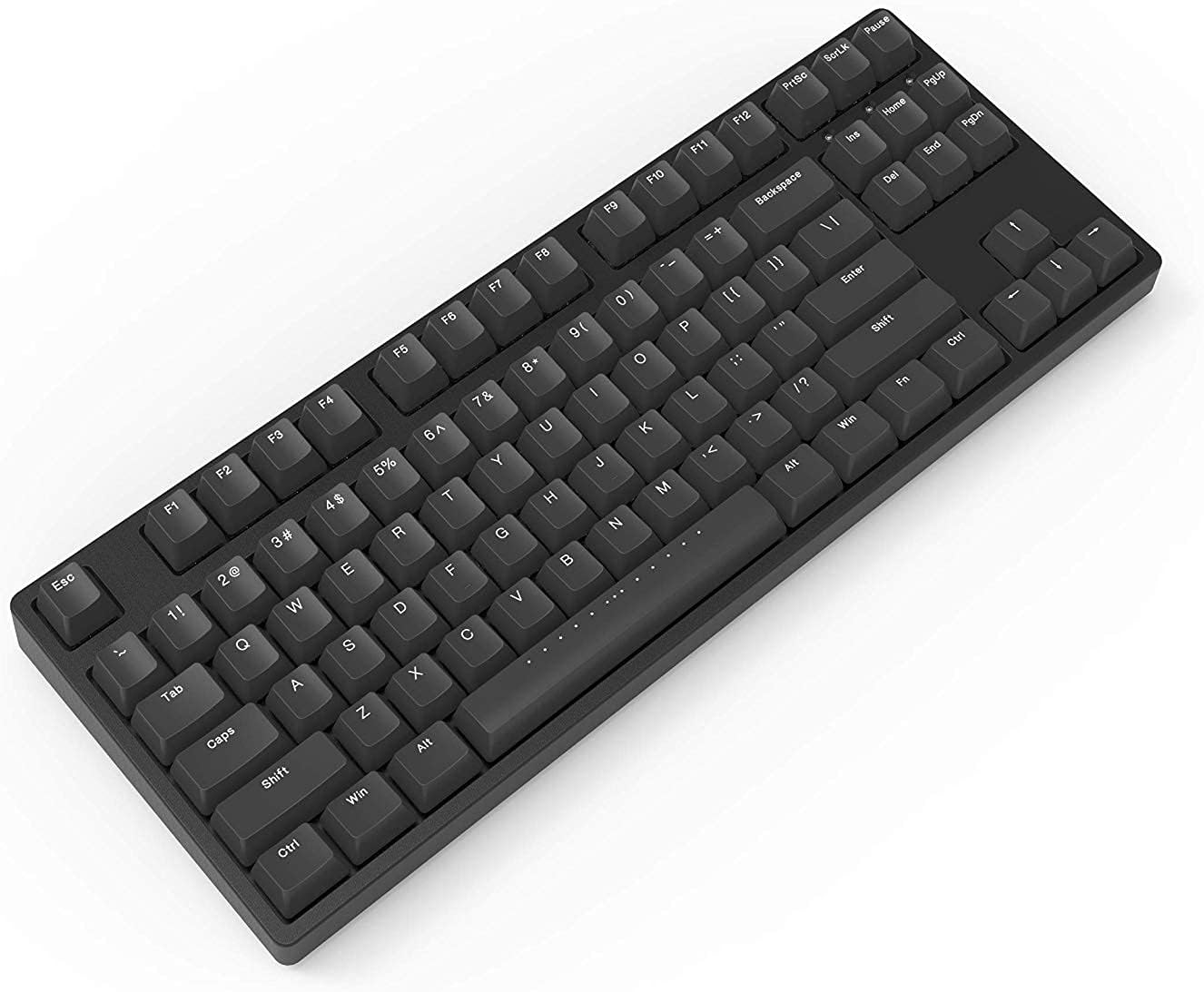
Figure 1: ikbc W200 Wireless Mechanical Keyboard. This image shows the full keyboard layout, highlighting its compact tenkeyless design and black PBT keycaps.
Video 1: iKBC TypeMan W 2.4G Wireless Mechanical Keyboard Overview. This short video demonstrates the simple setup process of the iKBC TypeMan W series keyboard, including inserting batteries and plugging in the USB dongle for instant wireless connectivity.
4. Instruccions de funcionament
4.1 Funcions bàsiques del teclat
The ikbc W200 functions as a standard 87-key mechanical keyboard. All keys perform their labeled functions directly.
4.2 Multimèdia i tecles de drecera
El teclat inclou funcions multimèdia i de dreceres dedicades accessibles a través del Fn key in combination with specific function keys (F5-F12).

Figure 2: Shortcut Combinations and LED Indicators. This diagram illustrates the key combinations for multimedia controls (Fn + F5-F8) and media playback (Fn + F9-F12), along with the locations of the Caps Lock, Scroll Lock, and Battery LED indicators.
| Combinació de tecles | Funció |
|---|---|
| Fn + F5 | Silencia l'àudio |
| Fn + F6 | Baixa el volum |
| Fn + F7 | Puja el volum |
| Fn + F8 | Obriu la calculadora |
| Fn + F9 | Play / Pause Media |
| Fn + F10 | Stop Media |
| Fn + F11 | Pista anterior |
| Fn + F12 | Pista següent |
4.3 Indicadors LED
- Indicador de bloqueig de majúscules: S'il·lumina quan el Bloq Maj està activat.
- Indicador de bloqueig de desplaçament: S'il·lumina quan el Bloq de desplaçament està actiu.
- Indicador de bateria: Flashes when battery power is low, indicating that batteries need replacement.
5. Manteniment
5.1 Neteja del teclat
- Disconnect the keyboard from your computer and turn off the power switch.
- Utilitzeu un drap suau i sense pelusa lleugerament dampRenteu-les amb aigua o una solució netejadora suau per netejar les tecles i el xassís.
- For deeper cleaning, use the included keycap puller to remove keycaps and clean underneath with compressed air or a small brush.
- No submergiu el teclat en líquids.

Figura 3: De dalt a baix view of the ikbc W200 keyboard. This image provides a clear overhead perspective of the keyboard, useful for identifying key layout and for cleaning purposes.
5.2 Substitució de la bateria
When the battery indicator flashes, replace the two AAA batteries following the instructions in Section 3.1.
6. Solució De Problemes
| Problema | Causa possible | Solució |
|---|---|---|
| El teclat no respon | Low batteries, dongle disconnected, keyboard off. | Replace batteries, ensure dongle is securely plugged in, turn on keyboard power switch. |
| Input lag or dropped keystrokes | Interference, dongle too far, low battery. | Move dongle closer to keyboard, avoid obstructions, replace batteries. Avoid USB extensions. |
| Les tecles multimèdia no funcionen | Incorrect key combination. | Assegureu-vos que esteu prement el botó Fn simultàniament amb la tecla de funció desitjada (F5-F12). |
7. Especificacions
- Model: W200
- Connectivitat: Wireless 2.4G (adaptador USB)
- Tipus d'interruptor: Cherry MX Blue Mechanical Switches
- Tecles de tecles: Doble tir PBT
- Disseny: 87-Key (Tenkeyless), ANSI/US
- Font d'alimentació: 2 x piles AAA
- Sistema operatiu compatible: Windows, Mac OS
- Dimensions: 14.29 cm de llargada x 5.51 cm d'amplada x 1.65 cm d'alçada
- Pes: 3.04 lliures
- Components inclosos: Extractor de tecles
8. Garantia i Suport
For warranty information and technical support, please refer to the official ikbc weblloc web o contacteu directament amb el servei d'atenció al client. Conserveu el rebut de compra per a reclamacions de garantia.
Official ikbc weblloc: www.ikbc.com (Note: This is a placeholder link, please verify the actual support URL).