
1. Introducció
The DOOGEE S60 Lite is a rugged smartphone designed for durability and performance in challenging environments. It features an IP68 rating for water and dust resistance, a robust build, and essential functionalities for communication and navigation. This manual provides detailed instructions on how to set up, operate, maintain, and troubleshoot your device.
2. Configuració
2.1 Instal·lació de la targeta SIM i la targeta MicroSD
- Localitza la safata de la targeta SIM al lateral del dispositiu.
- Feu servir l'eina d'expulsió de la SIM proporcionada per obrir la safata.
- Carefully place your Nano-SIM card(s) and/or MicroSD card into the designated slots. Ensure the gold contacts are facing down.
- Gently push the tray back into the phone until it is securely closed.
2.2 Engegada inicial i configuració bàsica
- Press and hold the Power button until the DOOGEE logo appears.
- Segueix les instruccions que apareixen a la pantalla per seleccionar l'idioma, connectar-te a una xarxa Wi-Fi i configurar el teu compte de Google.
- Configure security settings such as screen lock and fingerprint unlock.
2.3 Càrrega del dispositiu
The DOOGEE S60 Lite supports both wired and wireless charging.
- Càrrega per cable: Connect the Micro-USB cable to the charging port on your phone and the other end to a power adapter. Plug the adapter into a wall outlet.
- Càrrega sense fils: Place your phone on a compatible wireless charging pad. Ensure the phone is centered on the pad for optimal charging.
3. Instruccions de funcionament
3.1 Engegar/apagar i reiniciar
- Encès: Mantingueu premut el botó d'engegada fins que el dispositiu vibri i la pantalla s'il·lumini.
- Apagar/Reiniciar: Press and hold the Power button until the power options menu appears. Select 'Power off' or 'Restart'.
3.2 Navegació per pantalla
Navigate your device using touch gestures:
- Toca: Seleccioneu un element o obriu una aplicació.
- Llisca: Desplaça't per les llistes o canvia entre pantalles.
- Pessigar: Apropar o allunyar les imatges i web pàgines.
3.3 Fer trucades i enviar missatges
- Trucades: Obriu l'aplicació "Telèfon", introduïu el número i toqueu la icona de trucada.
- Missatges: Open the 'Messages' app, tap the new message icon, enter the recipient and your message, then tap send.
3.4 Ús de la càmera
Open the 'Camera' app. Tap the shutter button to take photos or switch to video mode to record. The DOOGEE S60 Lite features a 16.0MP rear camera and an 8.0MP front camera.
3.5 Desbloqueig d'empremta digital
The device features a rear-mounted fingerprint sensor for quick and secure unlocking. To set up, go to Configuració > Seguretat i ubicació > Empremta digital i seguiu les instruccions.
3.6 Funcionalitat NFC
The DOOGEE S60 Lite supports NFC (Near Field Communication) for contactless payments and data transfer. To enable, go to Settings > Connected devices > NFC.
4. Característiques clau
4.1 Robust Performance
The DOOGEE S60 Lite is powered by an efficient octa-core processor clocked at up to 1.5GHz, paired with 4GB of RAM and 32GB of internal storage. This configuration ensures smooth multitasking and responsive application performance.
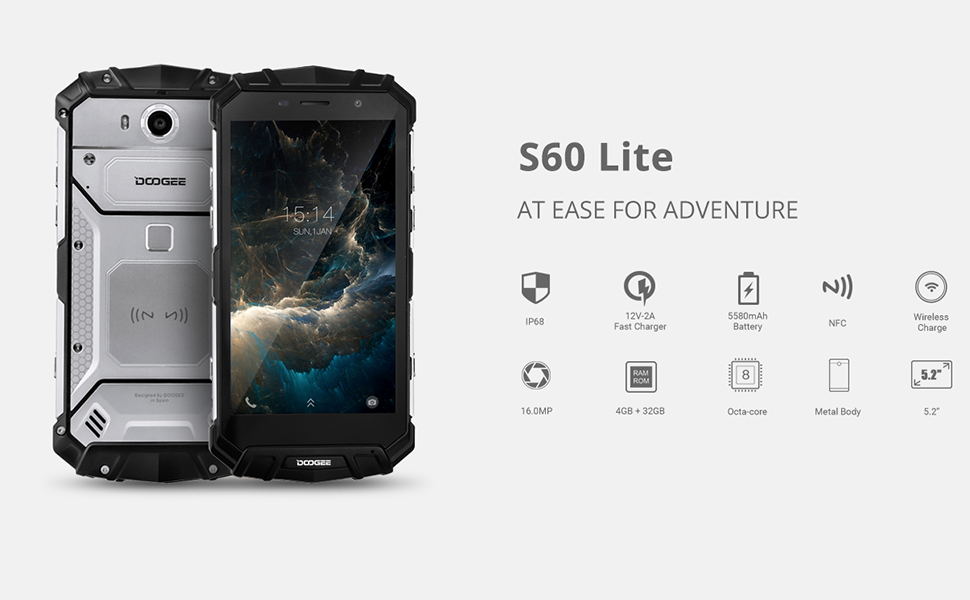
Image: The DOOGEE S60 Lite showcasing its octa-core processor and multitasking ability with a game running on its display.
4.2 IP68 Waterproof and Dustproof Camera
Equipped with a 16.0MP main camera and an 8.0MP front camera, the S60 Lite allows for clear photography. Its IP68 rating ensures the device is waterproof and dustproof, enabling underwater photography and use in harsh conditions. The 5.2-inch display features 1920x1080 (FHD) resolution and Corning Gorilla Glass 5 for enhanced durability.
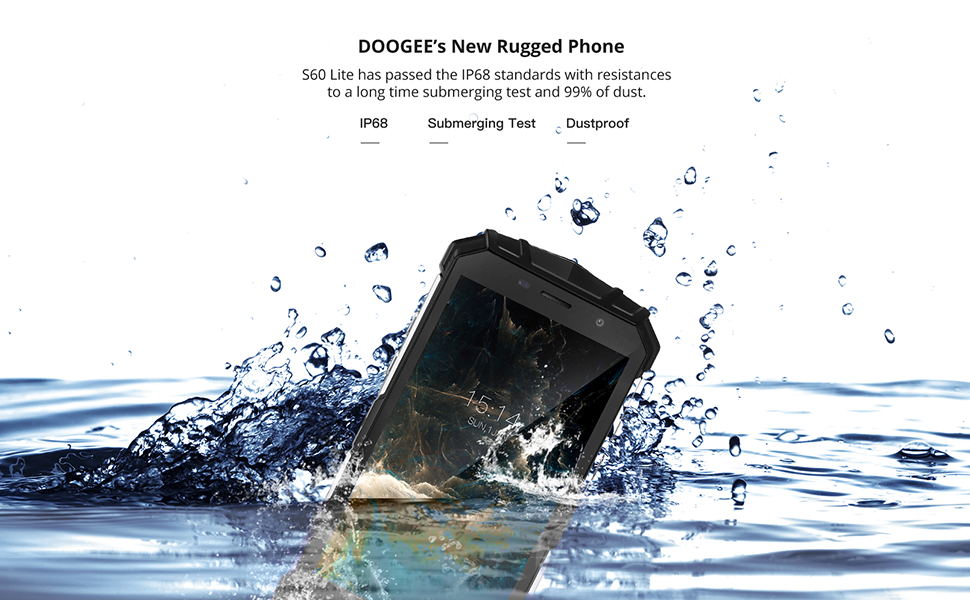
Image: The DOOGEE S60 Lite submerged underwater, highlighting its 16.0MP waterproof camera and 5.2-inch FHD display with Gorilla Glass 5.
4.3 Long-Lasting Battery and Wireless Charging
The device is powered by a large 5580mAh battery, providing ample power for extended use. It supports fast charging (12V-2A) and OTG (On-The-Go) functionality, in addition to wireless charging capabilities.
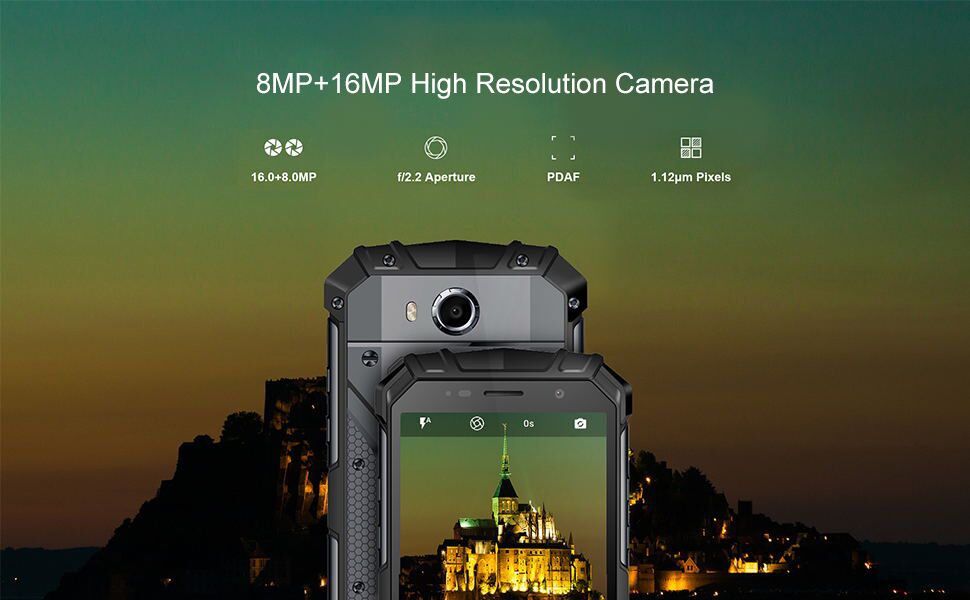
Image: The DOOGEE S60 Lite being charged wirelessly, emphasizing its 5580mAh battery and wireless charging support.
4.4 Secure and Fast Fingerprint Unlock
Unlock your phone quickly and securely in approximately 0.19 seconds using the rear fingerprint sensor. The device also features NFC for convenient transactions and a durable metal body.
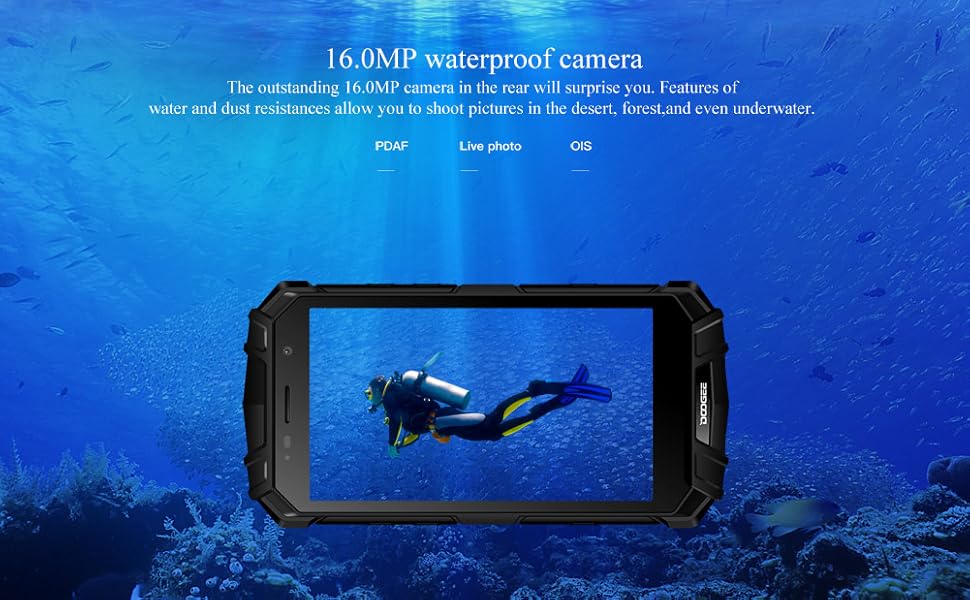
Image: The back of the DOOGEE S60 Lite, highlighting its fast fingerprint unlock, NFC capability, and robust metal body.
4.5 Global Frequency Band Support
The S60 Lite supports a wide range of 2G, 3G, and 4G frequency bands, ensuring strong signal reception and connectivity across various networks globally. Supported bands include GSM B2/3/5/8, WCDMA B1/2/5/8, FDD_LTE B1/2/3/4/5/7/8/12/17/20, and TDD_LTE B38/40/41.
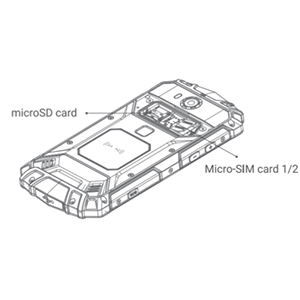
Image: The DOOGEE S60 Lite illustrating its support for various global frequency bands (2G/3G/4G).
4.6 Navigation and Outdoor Tools
The device integrates multiple outdoor tools, including GPS and GLONASS for accurate positioning, a compass, and a flashlight, making it an essential companion for adventurers and outdoor enthusiasts.
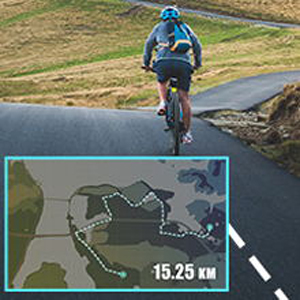
Image: The DOOGEE S60 Lite highlighting its integrated outdoor tools like Compass, GLONASS, and Flashlight.
4.7 Extreme Durability Demonstration
The following video demonstrates the extreme durability of the DOOGEE S60 Lite, showcasing its resistance to impacts, water immersion, and freezing conditions.
Video: A demonstration of the DOOGEE S60 Lite's ruggedness, including being driven over by a car, submerged in water, and surviving being frozen in ice and hammered.
5. Manteniment
- Neteja: Utilitzeu un suau, damp drap per netejar el dispositiu. Eviteu productes químics agressius o materials abrasius.
- Resistència a l'aigua: Ensure all port covers are securely closed before exposing the device to water. After exposure to water, dry the device thoroughly before charging or opening any ports.
- Temperatura: Avoid exposing the device to extreme temperatures (very hot or very cold) for prolonged periods.
- Impacte: While rugged, avoid unnecessary drops or impacts to prolong the device's lifespan.
6. Solució De Problemes
- El dispositiu no respon: Premeu i manteniu premut el botó d'engegada durant uns 10-15 segons per forçar un reinici.
- Problemes de càrrega: Ensure the charging cable and adapter are working correctly. Check if the charging port is clean and free of debris. For wireless charging, ensure proper alignment on the charging pad.
- Connectivitat de xarxa: Comproveu si la targeta SIM està inserida correctament. Aneu a Configuració > Xarxa i Internet to verify mobile data and Wi-Fi settings.
- Bloqueig de l'aplicació: Try clearing the cache of the problematic app (Settings > Apps & notifications > App info > Storage & cache > Clear cache). Si el problema persisteix, considereu la possibilitat de reinstal·lar l'aplicació.
- Restabliment de fàbrica: As a last resort, if software issues persist, you can perform a factory reset (Configuració > Sistema > Opcions de restabliment > Esborra totes les dades (restabliment de fàbrica)). Avís: Això esborrarà totes les dades del dispositiu. Fes una còpia de seguretat de les dades importants abans de continuar.
7. Especificacions
| Característica | Especificació |
|---|---|
| Dimensions del producte | 6.46 x 3.19 x 0.61 polzades |
| Pes de l'article | 1.19 lliures |
| Capacitat d'emmagatzematge de memòria | 32 GB |
| Mida de la pantalla de peu | 5.2 polzades |
| Capacitat de la bateria | 5580 milionsamp Hores |
| Sistema operatiu | Android 8.1 |
| Resolució | 1920 x 1080 |
| Nom del model | S60 Lite |
| Operador sense fil | Desbloquejat |
| Tecnologia cel·lular | 4G |
| Tecnologia de connectivitat | NFC |
| Tecnologia de xarxa sense fil | GSM |
8. Garantia i Suport
Your DOOGEE S60 Lite smartphone is covered by a manufacturer's warranty. Please refer to the warranty card included in your product packaging for specific terms and conditions, including warranty period and coverage details. For technical support, service, or further inquiries, please visit the official DOOGEE weblloc web o contacteu amb els seus canals d'atenció al client.