
KODLIX N33 Mini PC
KODLIX N33 Mini PC User Manual
Model: N33 Mini PC
1. Introducció
This manual provides comprehensive instructions for the setup, operation, maintenance, and troubleshooting of your KODLIX N33 Mini PC. Please read this manual carefully before using the device to ensure proper functionality and to maximize your user experience.

Image: KODLIX N33 Mini PC, a compact black desktop computer.
2. Producte acabatview
2.1 Característiques clau
- Processador: Intel Celeron N3350 Dual-Core Processor (up to 2.4 GHz)
- Memòria: 4GB LPDDR4 RAM
- Emmagatzematge: 64GB eMMC internal storage
- Gràfics: Intel HD Graphics 500, supporting 4K HD video output
- Connectivitat: Dual-band Wi-Fi (2.4GHz/5.8GHz), Gigabit Ethernet (1000Mbps LAN), Bluetooth 4.2
- Sortida de visualització: HDMI and VGA ports for dual monitor support
- Disseny: Fanless for silent operation
- Sistema operatiu: Pre-installed with Windows 10
2.2 Ports i connectors
The KODLIX N33 Mini PC features a variety of ports for connecting peripherals and external devices.

Image: Rear ports of the KODLIX N33 Mini PC.
- Ports USB 3.0: For high-speed data transfer with external drives, keyboards, and mice.
- Port HDMI: Connects to monitors or TVs for digital video and audio output, supporting up to 4K resolution.
- Port VGA: Connects to monitors for analog video output, enabling dual display setups.
- Port Ethernet (RJ45): For wired network connection (1000Mbps LAN).
- Jack d'àudio: Per connectar auriculars o altaveus externs.
- Entrada d'alimentació: Per connectar l'adaptador de corrent.
- Ranura per a targeta SD: For storage expansion using a Micro SD card.
3. Guia de configuració
3.1 Desembalatge i inspecció inicial
Traieu amb cura tots els components de l'embalatge. Assegureu-vos que hi hagi els elements següents:
- KODLIX N33 Mini PC
- Adaptador d'alimentació
- Cable HDMI
- Mounting Bracket (for VESA mounting)
- Manual d'usuari
Inspect the Mini PC for any physical damage. If any damage is found, contact customer support immediately.
3.2 Connexió de perifèrics
- Connecta la pantalla: Connect your monitor or TV to the Mini PC using the HDMI cable. If you are using a VGA monitor, connect it to the VGA port. For dual display, connect both HDMI and VGA.
- Connecteu el teclat i el ratolí: Plug your USB keyboard and mouse into the available USB ports on the Mini PC. Wireless peripherals can be connected via Bluetooth or a USB dongle.
- Connectar l'alimentació: Plug the power adapter into the power input port on the Mini PC, then plug the adapter into a power outlet.
- Optional - Network Connection: For a wired internet connection, connect an Ethernet cable from your router to the Ethernet port on the Mini PC.
3.3 Engegada i configuració inicial
- Press the power button on the Mini PC. The power indicator light will illuminate.
- Follow the on-screen instructions to complete the initial Windows 10 setup, including language selection, network configuration, and user account creation.
4. Instruccions de funcionament
4.1 Funcionament bàsic
Once Windows 10 is set up, you can use the Mini PC like any standard desktop computer. Navigate using your connected keyboard and mouse.
4.2 Network and Bluetooth Connectivity
- Wi-Fi: To connect to a wireless network, click the Wi-Fi icon in the system tray, select your desired network, and enter the password. The Mini PC supports both 2.4GHz and 5.8GHz bands.
- Bluetooth: To pair Bluetooth devices (e.g., headphones, speakers, keyboards), go to Windows Settings > Devices > Bluetooth & other devices, and follow the pairing instructions.
4.3 Configuració de pantalla dual
The KODLIX N33 Mini PC supports connecting two displays simultaneously using its HDMI and VGA ports. This can significantly enhance productivity.
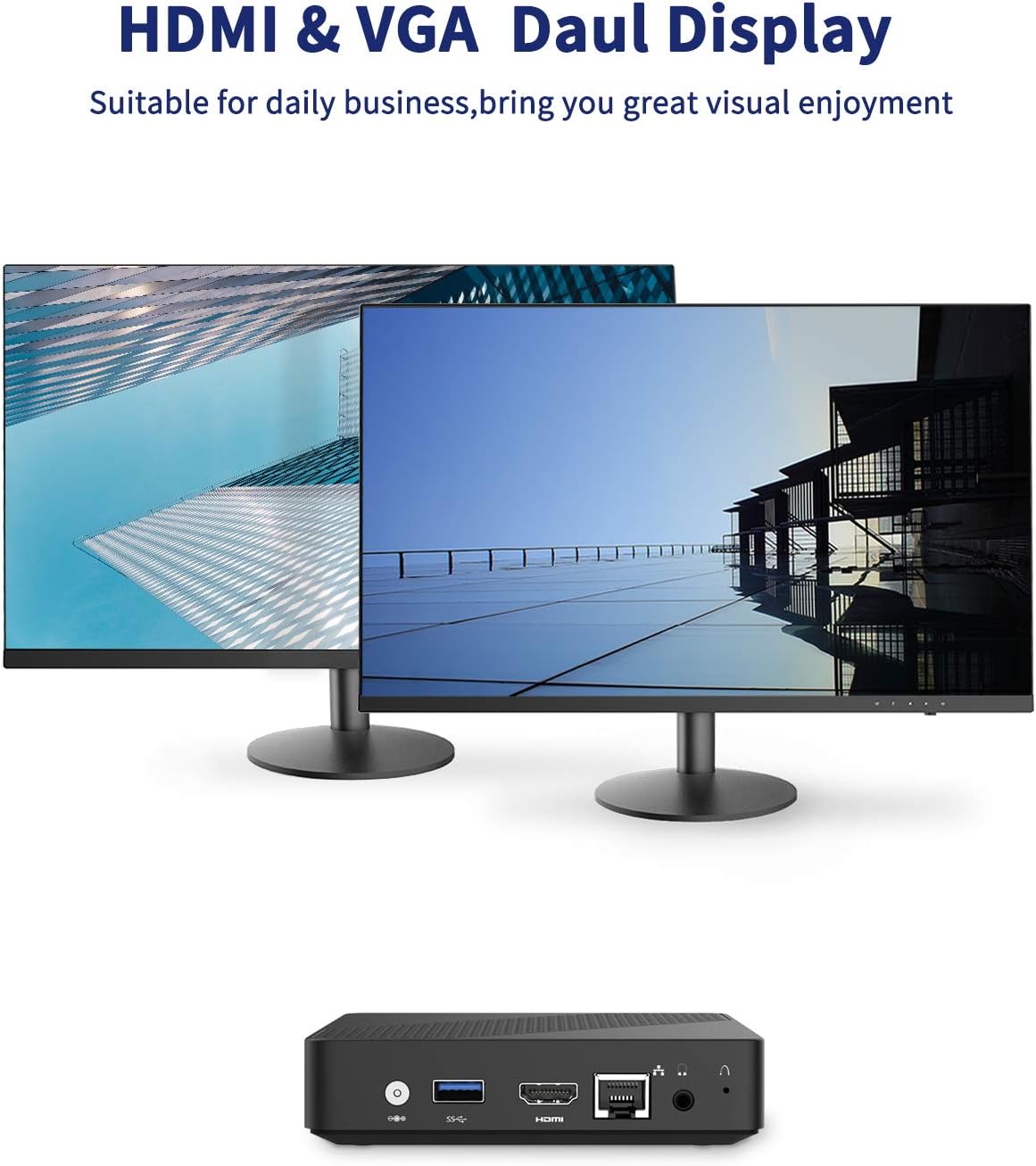
Image: Dual display setup with KODLIX N33 Mini PC.
- Connect the first monitor to the HDMI port.
- Connect the second monitor to the VGA port.
- Un cop els dos monitors estiguin connectats i engegats, Windows els hauria de detectar automàticament.
- Per configurar els paràmetres de pantalla (per exemple, ampliar, duplicar, resolució), feu clic amb el botó dret a l'escriptori, seleccioneu "Configuració de pantalla" i ajusteu-ho segons calgui.
4.4 4K HD Video Playback
The Mini PC's Intel HD Graphics 500 supports 4K HD video output via the HDMI port. Ensure your display device also supports 4K resolution for optimal viewing.

Image: KODLIX N33 Mini PC supporting 4K HD resolution.
5. Ampliació d'emmagatzematge
The KODLIX N33 Mini PC comes with 64GB eMMC storage, which can be expanded using several methods:

Image: Internal and external storage expansion options for the KODLIX N33 Mini PC.
- Targeta micro SD: Insert a Micro SD card (up to 128GB, not included) into the dedicated SD card slot for additional storage.
- M.2 2242 SATA SSD: The Mini PC supports an internal M.2 2242 SATA SSD (up to 1TB, not included). This requires opening the device and installing the SSD. Refer to the detailed instructions provided with the SSD or consult a professional if unsure.
- External Hard Drive: Connect a 2.5-inch or 3.5-inch mobile hard disk box via the USB 3.0 interface for up to 2TB of external storage.
6. Especificacions
| Característica | Detall |
|---|---|
| Marca | KODLIX |
| Nom del model | Mini PC N33 |
| Processador | Intel Celeron N3350 (2.4 GHz) |
| RAM | 4 GB LPDDR4 |
| Emmagatzematge intern | eMMC de 64 GB |
| Ampliació d'emmagatzematge | Micro SD (up to 128GB), M.2 2242 SATA SSD (up to 1TB), USB 3.0 for external drives (up to 2TB) |
| Gràfics | Intel HD Graphics 500 |
| Resolució de pantalla màxima | 3840 x 2160 píxels (4K) |
| Connectivitat sense fil | 2.4GHz/5.8GHz Dual-Band Wi-Fi |
| Bluetooth | Bluetooth 4.2 |
| Ethernet | LAN de 1000 Mbps |
| Sistema operatiu | Windows 10 |
| Ports | HDMI, VGA, USB 3.0, Audio Jack, SD Card Slot, Ethernet, Power Input |
| Pes de l'article | 1.46 lliures |
| Dimensions del paquet | 8.07 x 6.93 x 2.32 polzades |
7. Solució De Problemes
This section addresses common issues you might encounter with your KODLIX N33 Mini PC.
- Sense pantalla:
- Assegureu-vos que el monitor estigui encès i que s'hagi seleccionat la font d'entrada correcta.
- Comproveu que el cable HDMI o VGA estigui connectat correctament tant al mini PC com al monitor.
- Prova un cable o monitor diferent per descartar un equip defectuós.
- Sense energia:
- Verify the power adapter is securely connected to the Mini PC and a working power outlet.
- Assegureu-vos que s'ha premut el botó d'engegada.
- Problemes de connectivitat Wi-Fi/Bluetooth:
- Check if Wi-Fi/Bluetooth is enabled in Windows settings.
- Restart the Mini PC and your router/Bluetooth device.
- Ensure the Mini PC is within range of the wireless signal.
- Update network adapter drivers if necessary.
- Rendiment lent:
- Tanca les aplicacions innecessàries que s'executen en segon pla.
- Assegureu-vos que Windows estigui actualitzat.
- Comproveu si hi ha programari maliciós o virus.
- Consider expanding storage with an SSD if the eMMC is nearly full, as this can impact performance.
8. Manteniment
- Neteja: Use a soft, dry cloth to clean the exterior of the Mini PC. Avoid liquid cleaners. Use compressed air to gently clear dust from vents if necessary.
- Actualitzacions de programari: Comproveu i instal·leu regularment si hi ha actualitzacions de Windows per garantir l'estabilitat i la seguretat del sistema.
- Còpia de seguretat de dades: Feu còpies de seguretat periòdiques de les dades importants en un disc dur extern o en un emmagatzematge al núvol per evitar la pèrdua de dades.
- Col·locació òptima: Place the Mini PC in a well-ventilated area to prevent overheating, despite its fanless design.
9. Garantia i Suport
The KODLIX N33 Mini PC comes with a 1-year after-sales service. For technical support, warranty claims, or further assistance, please refer to the contact information provided with your purchase documentation or visit the official KODLIX support weblloc.
Si us plau, conserveu el comprovant de compra per motius de garantia.
Ask a question about this manual
Ask about setup, troubleshooting, compatibility, parts, safety, or missing instructions. Manuals+ will review the question and use this page’s manual context to help answer it.