
Introducció
Thank you for choosing the Donerton P32 Smartwatch. This manual provides essential information for setting up, operating, maintaining, and troubleshooting your device. Please read it carefully to ensure optimal performance and longevity of your smartwatch.
Què hi ha a la caixa
- Donerton P32 Smartwatch
- Cable de càrrega USB magnètic
- Manual d'usuari
Guia de configuració
1. Càrrega del rellotge intel·ligent
Before first use, fully charge your smartwatch. Connect the magnetic charging cable to the charging contacts on the back of the watch and plug the USB end into a standard USB power adapter (not included) or a computer USB port.
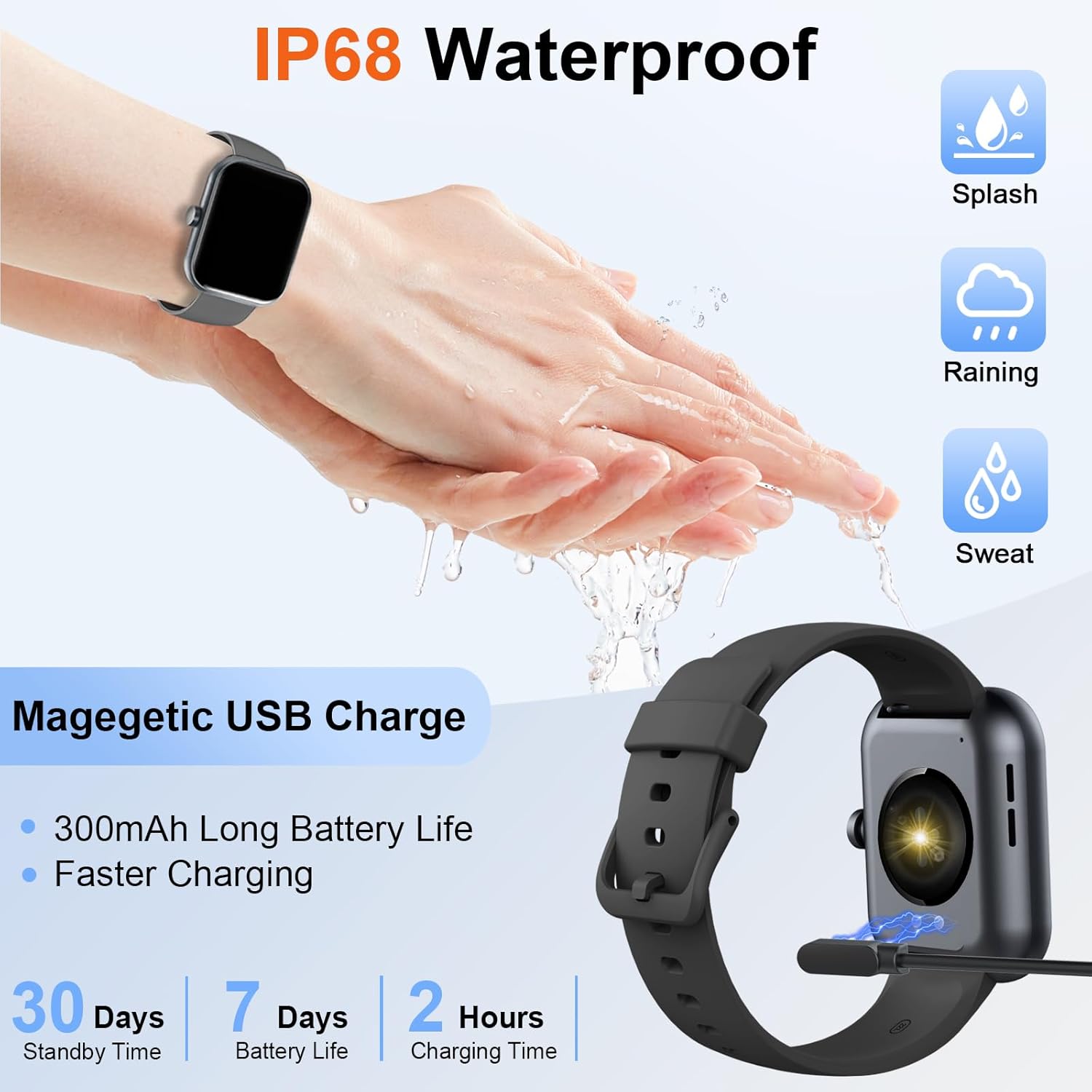
Image: The Donerton P32 Smartwatch connected to its magnetic USB charging cable, illustrating the charging process. Icons for IP68 waterproof rating and battery life are also visible.
A full charge typically takes approximately 1.5 to 2 hours. The battery indicator on the screen will show the charging status.
2. App Installation (Glory Fit)
To unlock all features and synchronize data, download the "Glory Fit" app on your smartphone. You can find it on the App Store (for iOS devices) or Google Play Store (for Android devices).
- Scan the QR code in the manual or on the watch screen (if available) to directly download the app.
- Alternatively, search for "Glory Fit" in your phone's app store.
- Install the app and grant necessary permissions for Bluetooth, notifications, and location services.
3. Vinculació de dispositius
Assegureu-vos que el Bluetooth del vostre telèfon intel·ligent estigui activat.
- Open the "Glory Fit" app on your smartphone.
- Navigate to the "Device" or "Mine" section within the app.
- Tap "Add Device" or "Bind Device" and select your Donerton P32 Smartwatch from the list of available Bluetooth devices. The watch name usually appears as "P32" or similar.
- Confirma la sol·licitud d'emparellament tant al telèfon com al rellotge intel·ligent.
- Un cop emparellat, el rellotge sincronitzarà l'hora i les dades amb el telèfon.
Instruccions de funcionament
Navegació bàsica
- Pantalla tàctil: Llisca esquerra/dreta, amunt/avall per navegar pels menús i les funcions. Toca per seleccionar.
- Botó lateral: Press to wake up the screen, return to the previous screen, or go to the main watch face.
- Sentit del canell: The screen will illuminate automatically when you raise your wrist.

Image: The Donerton P32 Smartwatch showcasing its main features through a series of icons, including alarm, sedentary reminder, stopwatch, calorie tracking, step counting, multiple sports modes, find phone function, and a full touch screen interface.
Característiques clau
- Activity Tracking (Pedometer, Distance, Calories): The integrated high-performance motion sensor accurately records your steps, distance covered, and calories burned throughout the day. View detailed statistics in the Glory Fit app.
- Monitor de freqüència cardíaca: The smartwatch continuously tracks your heart rate in real-time. This data helps you monitor your cardiovascular health and optimize workout intensity.
- Seguiment del son: Automatically monitors your sleep duration and quality, distinguishing between light, deep, and REM sleep stages. Access comprehensive sleep analysis in the Glory Fit app to understand your sleep patterns.
- 24 modes esportius: Select from a variety of sports modes to track specific activities. The watch records relevant data for each mode, such as duration, calories, and heart rate.

Image: A man running outdoors, wearing the Donerton P32 Smartwatch. The image highlights the '100+ Sport Modes Fitness Tracker' feature, displaying activity tracking metrics such as steps, distance, and calories on the watch face and a smartphone screen.
- Notificacions de missatges: Receive alerts for incoming calls, SMS messages, and notifications from social media apps (Facebook, Messenger, Twitter, WhatsApp, InstagRAM) directament al canell.
- Bluetooth Call and Answer: Make and receive calls directly from your smartwatch when connected to your phone via Bluetooth.

Image: A man interacting with the Donerton P32 Smartwatch to manage a Bluetooth call. The watch screen displays options for dialing, an incoming call, call history, and contacts, demonstrating its call management capabilities.
- Pronòstic del temps: After setting your location in the app, view current and upcoming weather conditions directly on your smartwatch.
- Despertador: Set alarms through the Glory Fit app to wake you up or remind you of important events.
- Control de música: Controla la reproducció de música al teu telèfon intel·ligent (reproduir, pausar, saltar pistes) directament des del rellotge.
- Recordatori sedentari: The watch can remind you to move if you've been inactive for too long, promoting a healthier lifestyle.
- Cronòmetre i temporitzador: Utilize built-in stopwatch and timer functions for various activities.
- Cerca el telèfon: If your phone is misplaced, use this feature on your watch to make your phone ring (if within Bluetooth range).
- Control de la càmera: Remotely control your smartphone's camera by shaking your wrist while the camera function is active in the app.

Image: The Donerton P32 Smartwatch interface showing a selection of its multifunctional capabilities, including weather forecasts, alarm clock settings, camera remote control, timer, flashlight, and the 'Find Phone' feature.
Manteniment
Resistència a l'aigua (IP68)
The Donerton P32 Smartwatch is IP68 waterproof, meaning it is resistant to daily moisture such as hand washing, bathing, and swimming. It is not necessary to remove it frequently for these activities.
Nota important: Do not use the smartwatch for diving or in hot water environments like hot springs or saunas, as extreme temperatures and high-pressure water can compromise the seal and cause damage.
Neteja
- Netegeu la pantalla i la corretja del rellotge regularment amb un drap suau i sec.
- Per a la brutícia tossuda, utilitzeu una mica damp un drap i després assecar-lo bé.
- Avoid using harsh chemicals or abrasive materials, which can damage the finish.
Cura de la bateria
- Eviteu descarregar completament la bateria amb freqüència.
- Charge the watch when the battery level is low.
- Guardeu el rellotge en un lloc fresc i sec si no l'utilitzeu durant períodes prolongats.
Resolució de problemes
| Problema | Possible solució |
|---|---|
| El rellotge no s'encén | Assegura't que el rellotge estigui completament carregat. Connecta'l al carregador durant almenys 10 minuts. |
| No es pot vincular amb el telèfon | 1. Assegureu-vos que el Bluetooth estigui activat al telèfon. 2. Make sure the watch is within Bluetooth range. 3. Reinicieu el rellotge i el telèfon. 4. Clear Bluetooth cache on your phone (if applicable). 5. Ensure the "Glory Fit" app has necessary permissions. |
| No s'han rebut notificacions | 1. Check if the watch is successfully paired with the app. 2. Ensure notification permissions are granted to the "Glory Fit" app on your phone. 3. Verify that app notifications are enabled within the "Glory Fit" app settings. 4. Make sure your phone's notification settings allow the app to display alerts. |
| Dades de salut inexactes | 1. Ensure the watch is worn snugly on your wrist, about one finger's width from the wrist bone. 2. Keep the sensor clean and free from sweat or dirt. 3. Note that smartwatches are not medical devices and data is for reference only. |
| Durada de la bateria curta | 1. Redueix la brillantor de la pantalla. 2. Limit frequent screen wake-ups. 3. Turn off unnecessary features if not in use. 4. Ensure the watch is fully charged. |
Especificacions
| Característica | Detall |
|---|---|
| Marca | Donerton |
| Número de model | P32 |
| Mida de la pantalla | 1.69 inches TFT-LCD |
| Sistema operatiu | Proprietary (Compatible with Android, iOS) |
| Connectivitat | Bluetooth 5.0 |
| Dispositius compatibles | Smartphones with iOS 9.0+ / Android 5.0+ |
| Tipus de bateria | Polímer de liti |
| Durada de la bateria (ús típic) | Fins a 7 dies |
| Temps d'espera | Fins a 30 dies |
| Temps de càrrega | Approx. 1.5 - 2 hours |
| Resistència a l'aigua | IP68 |
| Nom de l'aplicació | Glòria Fit |
Garantia i Suport
For warranty information and customer support, please refer to the documentation provided with your purchase or contact Donerton customer service directly. Details are typically available on the official Donerton weblloc web o a través del vostre distribuïdor.