
1. Introducció
This manual provides detailed instructions for the installation, operation, and maintenance of your Axis Communications M3064-V Mini Dome Camera. This camera is designed for indoor surveillance, offering HDTV 720p video quality, dust resistance, and IK08 impact protection. Please read this manual thoroughly before using the product to ensure proper functionality and safety.
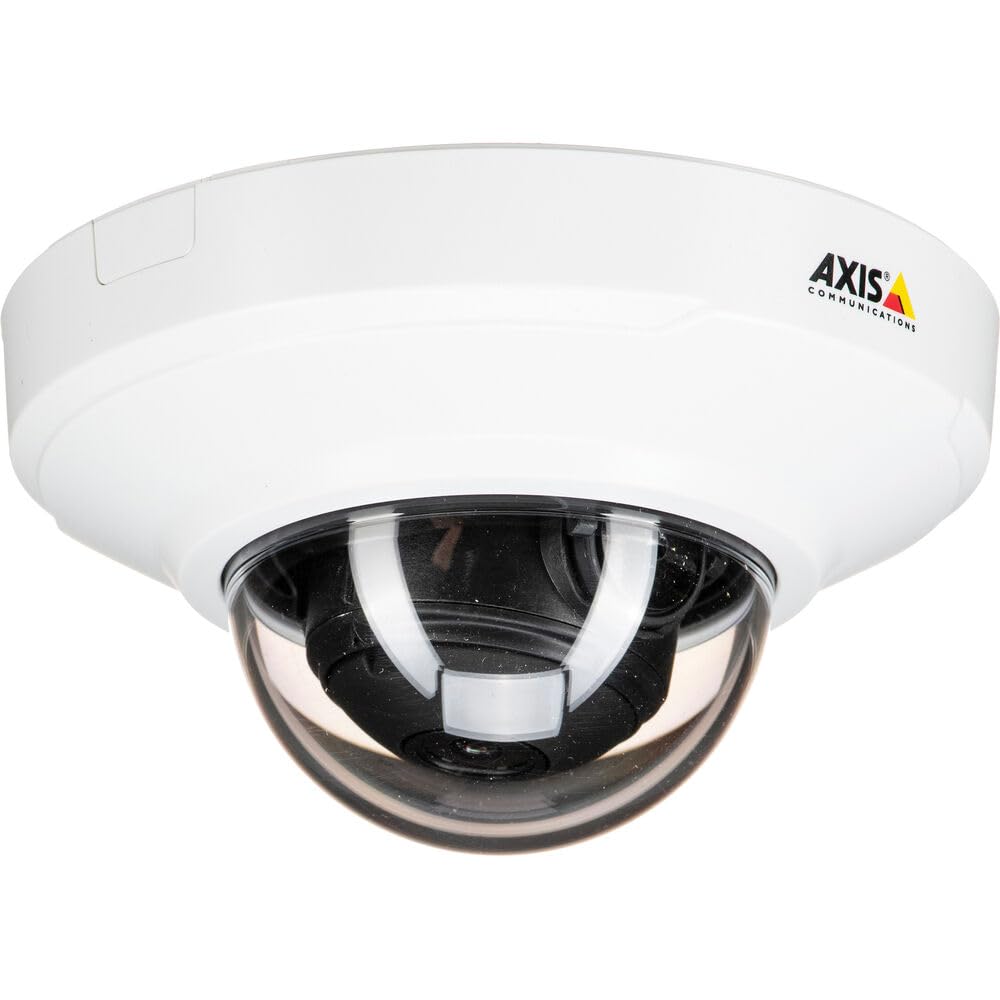
Figura 1: Frontal view of the Axis M3064-V Mini Dome Camera. This image shows the compact dome design suitable for discreet indoor surveillance.
2. Informació de seguretat
- Font d'alimentació: Use only the specified power supply (AC/DC, 220 Volts, 1.6 Watts) to prevent damage or fire.
- Instal·lació: Installation should be performed by qualified personnel and comply with all local electrical codes. Ensure the mounting surface can support the camera's weight.
- Medi ambient: This camera is designed for indoor use. While dust-resistant and IK08 rated, avoid exposing it to extreme temperatures, direct water spray, or corrosive substances.
- Neteja: Desconnecteu l'alimentació abans de netejar. Feu servir un drap suau i sec. No utilitzeu netejadors líquids ni en aerosol.
- Manteniment: No intenteu atendre aquest producte vosaltres mateixos. Consulteu tots els serveis a personal de servei qualificat.
3. Contingut del paquet
Verifiqueu que tots els articles siguin presents al paquet. Si falta algun article o està malmès, poseu-vos en contacte amb el vostre proveïdor.
- Axis M3064-V Mini Dome Camera (1 unit)
- Guia d'instal·lació
- Suport de muntatge
- Cargols de muntatge i tacs de paret
- Resistorx L-key
4. Configuració i instal·lació
4.1 Muntatge de la càmera
The Axis M3064-V camera can be mounted on a ceiling or wall. Ensure the mounting surface is stable and can support the camera's weight.
- Prepara la superfície: Choose a suitable location. Use the mounting bracket as a template to mark drill holes.
- Forats: Drill pilot holes for the mounting screws. Insert wall plugs if necessary.
- Fixeu el suport: Fixeu el suport de muntatge a la superfície amb els cargols proporcionats.
- Connectar els cables: Route the network cable (wired connectivity) through the bracket and connect it to the camera's Ethernet port.
- Connecta la càmera: Secure the camera body to the mounting bracket. Ensure it clicks into place or is fastened according to the specific bracket design.

Figure 2: Illustrative diagram of the camera mounting process on a ceiling. This shows the steps from marking holes to securing the camera.
4.2 Engegada i connexió de xarxa
- Connexió per cable: Connect an Ethernet cable from your network switch or router to the camera's Ethernet port. The camera supports Power over Ethernet (PoE), simplifying power delivery.
- Connexió Wi-Fi: The camera supports Wi-Fi connectivity. After initial wired setup, you can configure wireless settings via the camera's web interfície.
- Font d'alimentació: If not using PoE, connect a compatible AC/DC power adapter (220V, 1.6W) to the camera's power input.
- Accés inicial: Once powered, the camera will obtain an IP address from your network (DHCP). Use an Axis IP Utility tool or your network router's client list to find the camera's IP address.
5. Instruccions de funcionament
5.1 Accessing the Camera Interface
Obre a web browser (e.g., Chrome, Firefox) and enter the camera's IP address in the address bar. You will be prompted to create a new password for the root user upon first access. Follow the on-screen instructions.
5.2 Viu View and Video Settings
- Viu View: The main interface provides a live video feed. You can adjust the viewing angle remotely if the camera supports pan/tilt/zoom (PTZ) functions, though this model features a fixed dome with 3x optical zoom.
- Resolució: The camera supports HDTV 720p video capture resolution. You can configure streaming profiles for different quality and frame rate needs.
- Visió nocturna: The camera includes Night Color functionality, providing enhanced visibility in low-light conditions. This feature can be configured in the image settings.
- Zoom òptic: Utilize the 3x optical zoom feature through the web interface to focus on specific areas within the 83-degree viewangle de ing.
5.3 Enregistrament i emmagatzematge
La càmera admet diverses opcions de gravació:
- Emmagatzematge perimetral: The camera has 128 GB of flash memory installed for local recording. Insert a compatible microSD card (not included) for additional storage.
- Gravador de vídeo en xarxa (NVR): Integrate the camera with an NVR or video management system (VMS) for centralized recording and management.
- Event-Based Recording: Configure motion detection or other event triggers to start recording, saving storage space.
6. Manteniment
6.1 Neteja de la càmera
Una neteja regular ajuda a mantenir una qualitat d'imatge òptima.
- Apagar: Always disconnect the camera from its power source before cleaning.
- Lent: Gently wipe the lens cover with a soft, lint-free cloth. For stubborn dirt, slightly dampen the cloth with water or a mild lens cleaning solution. Avoid abrasive materials.
- Habitatge: Wipe the camera housing with a soft, dry cloth. Do not use strong detergents or solvents.
6.2 actualitzacions de microprogramari
Reviseu periòdicament les comunicacions d'Axis website for firmware updates. Keeping your camera's firmware up-to-date ensures optimal performance, security, and access to new features. Follow the instructions provided with the firmware update package.
7. Solució De Problemes
| Problema | Causa possible | Solució |
|---|---|---|
| La càmera no s'encén | No power supply; Faulty PoE switch/injector; Damaged cable. | Check power connection. Verify PoE functionality. Test with a different Ethernet cable or power adapter. |
| Sense canal de vídeo | Network connectivity issue; Incorrect IP address; Firewall blocking access; Camera not configured. | Verify network connection. Confirm camera's IP address. Check firewall settings. Ensure camera is properly configured via its web interfície. |
| Mala qualitat d'imatge | Dirty lens; Incorrect focus; Low light conditions; Network bandwidth issues. | Clean the lens. Adjust focus settings in the web interface. Ensure adequate lighting or verify Night Color settings. Check network bandwidth. |
| No es pot accedir web interfície | Incorrect IP address; Network issue; Browser compatibility. | Confirm IP address. Ping the camera's IP. Try a different web browser. Clear browser cache. |
8. Especificacions
| Característica | Detall |
|---|---|
| Nom del model | M3064-V |
| Número de model | 01716-001 |
| Marca | Comunicacions de l'eix |
| Factor de forma | Cúpula |
| Tecnologia de connectivitat | Cablejat, Wi-Fi |
| Resolució de captura de vídeo | 720p (HDTV) |
| Resolució de fixes efectius | 64 MP (Note: This might refer to sensor resolution, actual video output is 720p) |
| Resolució del sensor fotogràfic | 5 MP |
| Viewangle ing | 83 graus |
| Zoom òptic | 3x |
| Visió nocturna | Color nocturn |
| Classificació impermeable | IP42 (Dust-resistant) |
| Protecció contra impactes | IK08 |
| Font d'alimentació | AC/DC, PoE |
| Voltage | 220 Volts |
| Wattage | 1.6 watts |
| Mida de la memòria flash instal·lada | 128 GB |
| Dimensions de l'article (LxWxH) | 3.98 x 3.98 x 2.2 polzades |
| Pes de l'article | 150 grams |
| Color | Negre / Blanc |
9. Garantia i Suport
9.1 Garantia del producte
Axis Communications products typically come with a limited manufacturer's warranty. Please refer to the warranty card included with your product or visit the official Axis Communications website for detailed warranty terms and conditions specific to the M3064-V model. Keep your proof of purchase for warranty claims.
9.2 Suport tècnic
For technical assistance, troubleshooting beyond this manual, or service inquiries, please contact Axis Communications customer support. You can find contact information, FAQs, and additional resources on the official Axis Communications support website. When contacting support, please have your product model number (M3064-V or 01716-001) and serial number ready.
Recursos en línia: www.axis.com/support