
Introducció
Gràcies per la compraasing the LEXiBOOK Cyber Arcade Mini Handheld Game Console. This manual provides essential information for the safe and efficient use of your device. Please read it thoroughly before operation and retain it for future reference.

Imatge: Frontal view of the LEXiBOOK Cyber Arcade Mini handheld game console, showing the screen, directional pad, and action buttons.
Contingut del paquet
- 1 x LEXiBOOK Cyber Arcade Mini Handheld Game Console (Model JL1890)
- 1 x Manual d'usuari

Image: The LEXiBOOK Cyber Arcade Mini handheld game console in its retail packaging, highlighting the "8-in-1" games and 1.8" LCD screen.
Configuració
1. Instal·lació de la bateria
The LEXiBOOK Cyber Arcade Mini requires 3 x LR03/AAA alkaline batteries (not included) for operation.
- Localitza la tapa del compartiment de la bateria a la part posterior de la consola.
- Using a small screwdriver, carefully unscrew the battery compartment cover.
- Insert 3 new LR03/AAA alkaline batteries, ensuring correct polarity (+/-).
- Substituïu la tapa del compartiment de la bateria i fixeu-la amb el cargol.
Important: Do not mix old and new batteries. Do not mix alkaline, standard (carbon-zinc), or rechargeable (nickel-cadmium) batteries. Remove batteries if the device will not be used for an extended period.
Instruccions de funcionament
1. Encendre/apagar
- To power on the console, press the Botó d'encesa (usually marked with a circle and a vertical line) located on the top left of the console.
- To power off the console, press and hold the Botó d'encesa fins que s'apagui la pantalla.
2. Selecció de joc
- Once powered on, the main menu will display a list of available games.
- Utilitza el Coixinet direccional (D-Pad) on the left side of the console to navigate through the game list.
- Premeu el botó Botó INICI or a designated action button (e.g., 'A' or 'B') to select and launch a game.
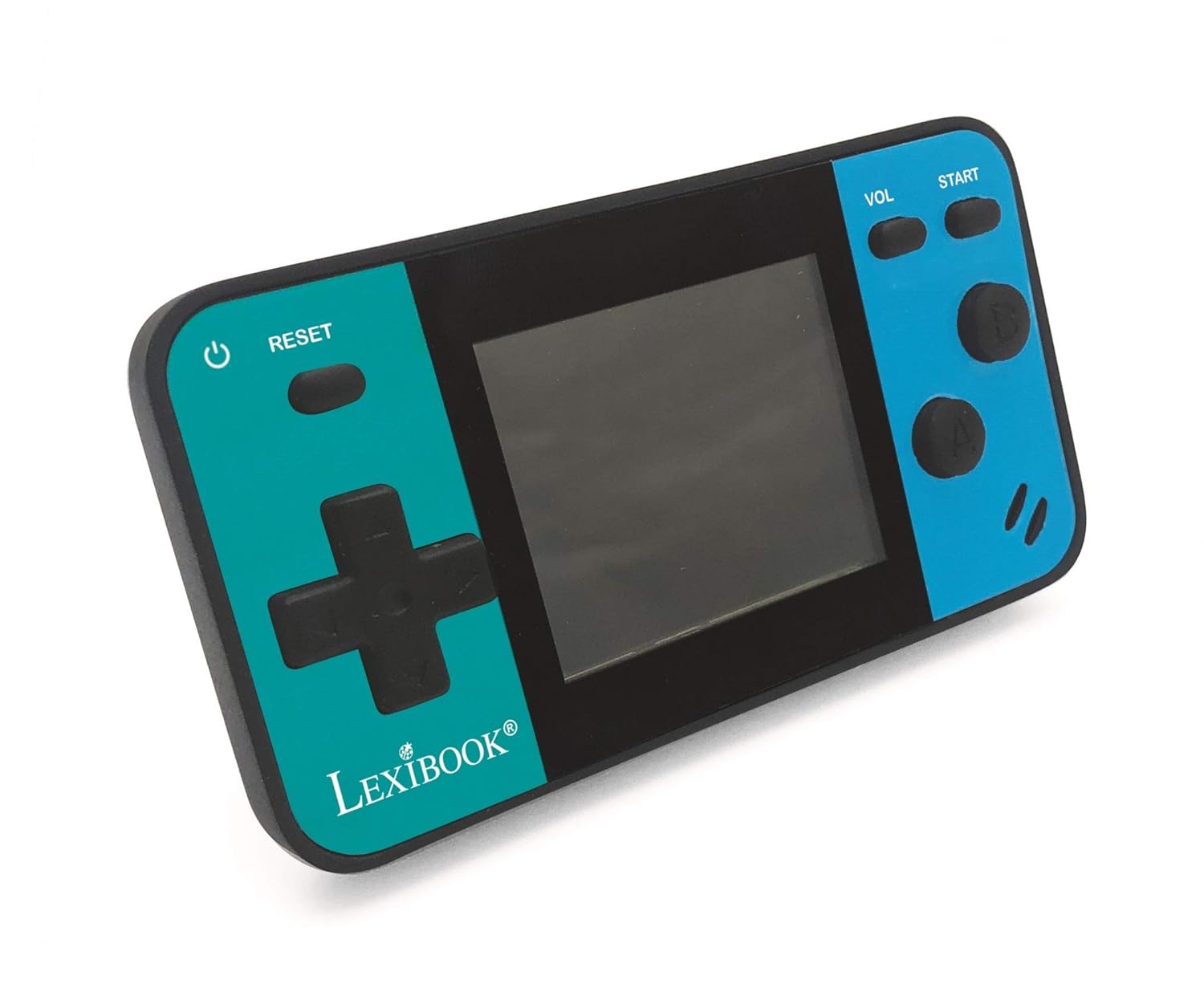
Image: A person holding the LEXiBOOK Cyber Arcade Mini, actively playing one of the built-in games on its 1.8-inch color LCD screen.
3. Gameplay Controls
- Coixinet direccional (D-Pad): Used for movement and navigation within games.
- Action Buttons (A, B, etc.): Used for jumping, shooting, interacting, and other in-game actions. Specific functions vary by game.
- Botó INICI: Typically used to start games, pause, or confirm selections.
- Botó VOL: Ajusta el nivell de volum de l'altaveu integrat.
- Botó de reset: Resets the current game or returns to the main menu.
4. Ajust de volum
Premeu el botó Botó VOL repeatedly to cycle through different volume levels or mute the sound.
Manteniment
- Keep the console dry. Avoid exposure to moisture or liquids.
- Clean the console with a soft, dry cloth. Do not use abrasive cleaners or solvents.
- Guardeu la consola en un lloc fresc i sec, allunyat de la llum solar directa i de temperatures extremes.
- Do not attempt to disassemble or modify the console, as this will void the warranty and may cause damage.
Resolució de problemes
| Problema | Causa possible | Solució |
|---|---|---|
| La consola no s'encén. | Les bateries estan esgotades o instal·lades incorrectament. | Replace batteries with new LR03/AAA alkaline batteries, ensuring correct polarity. |
| La pantalla està en blanc o parpelleja. | Low battery power; internal connection issue. | Canvieu les piles. Si el problema persisteix, poseu-vos en contacte amb el servei d'atenció al client. |
| Sense so o amb un volum baix. | Volume is muted or set too low. | Premeu el botó Botó VOL to increase volume or unmute. |
| El joc es bloqueja o falla. | Error de programari. | Premeu el botó Botó RESET to restart the game or return to the main menu. If frequent, replace batteries. |
Especificacions
- Model: JL1890
- Pantalla: 1.8" (4.5 cm) Color LCD
- Jocs: 8 built-in games (8-bit graphics)
- Font d'alimentació: 3 piles LR03/AAA (no incloses)
- Dimensions: Aproximadament 3.7 x 2.01 x 0.91 polzades (9.4 x 5.1 x 2.3 cm)
- Pes: Aproximadament 0.08 kg (0.18 lliures)
- Material: Plàstic
- Edat recomanada: 3+ anys
Garantia i Suport
For warranty information or technical support, please refer to the contact details provided on the product packaging or visit the official LEXiBOOK weblloc web. Conserveu el rebut de compra com a comprovant de compra.
Assistència en línia: www.lexibook.com