
1. Introducció
This manual provides comprehensive instructions for the safe and effective use of your UBeesize Magnetic Extendable Phone Tripod. Please read this manual thoroughly before operating the device and retain it for future reference.

Image 1.1: The UBeesize Magnetic Extendable Phone Tripod shown in both its extended tripod configuration with a phone attached and its compact, folded selfie stick form.
2. Components del producte
El paquet inclou els articles següents:
- UBeesize Magnetic Extendable Phone Tripod (Selfie Stick)
- Detachable Bluetooth Remote Control (with 1 Lithium Metal battery included)
- Metal Ring (for non-MagSafe compatible devices)
3. Instruccions de configuració
- Desplegant el trípode: Hold the main body of the tripod and gently pull the legs outwards until they lock into place, forming a stable base.
- Estenent el pal: Grasp the handle and pull upwards to extend the aluminum pole to your desired height, up to 64 inches. Ensure all sections are securely extended.
- Adjuntant el teu telèfon:
- For MagSafe Compatible iPhones (iPhone 12-17 series or MagSafe cases): Align your iPhone's MagSafe area with the magnetic holder on the tripod. The strong N52 magnets will securely snap your phone into place.
- For Android Phones or Non-MagSafe iPhones: Attach the provided metal ring to the back of your phone or phone case. Ensure it is centered for optimal magnetic connection. Then, align the metal ring with the magnetic holder on the tripod.

Image 3.1: Illustration of phone compatibility, demonstrating direct MagSafe attachment and the use of a metal ring for other devices.
4. Instruccions de funcionament
4.1 Magnetic Phone Attachment
The tripod features an N52 magnetic holder for secure phone attachment. This allows for quick and easy mounting and dismounting of your device.
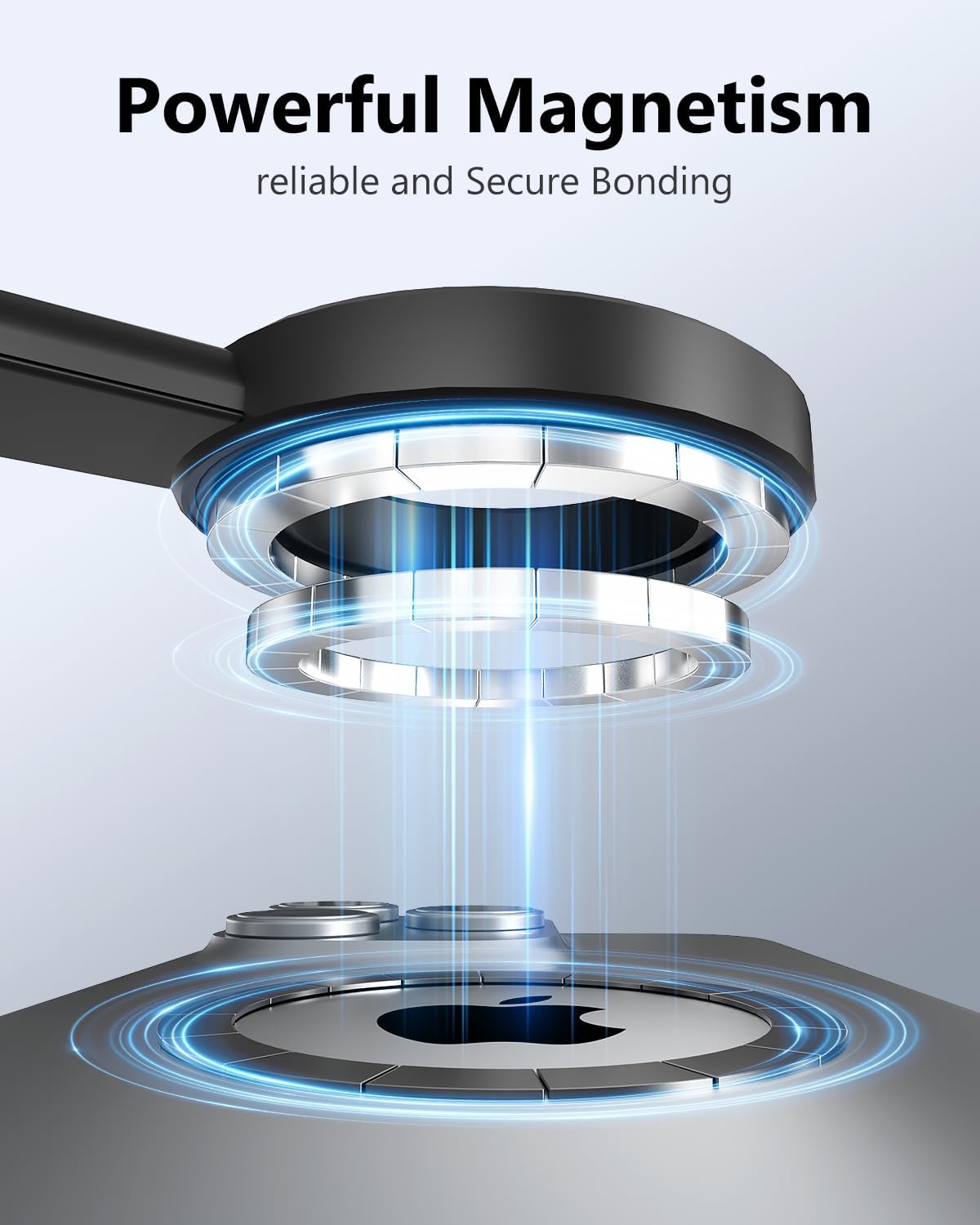
Imatge 4.1: Un primer pla view illustrating the powerful magnetic connection between the tripod holder and a smartphone.
4.2 Ajust de l'alçada i l'angle
The tripod can extend from 12 inches to 64 inches. To adjust the height, simply pull or push the extendable pole sections. The ball head allows for 210° vertical and 360° horizontal rotation, enabling various shooting angles.
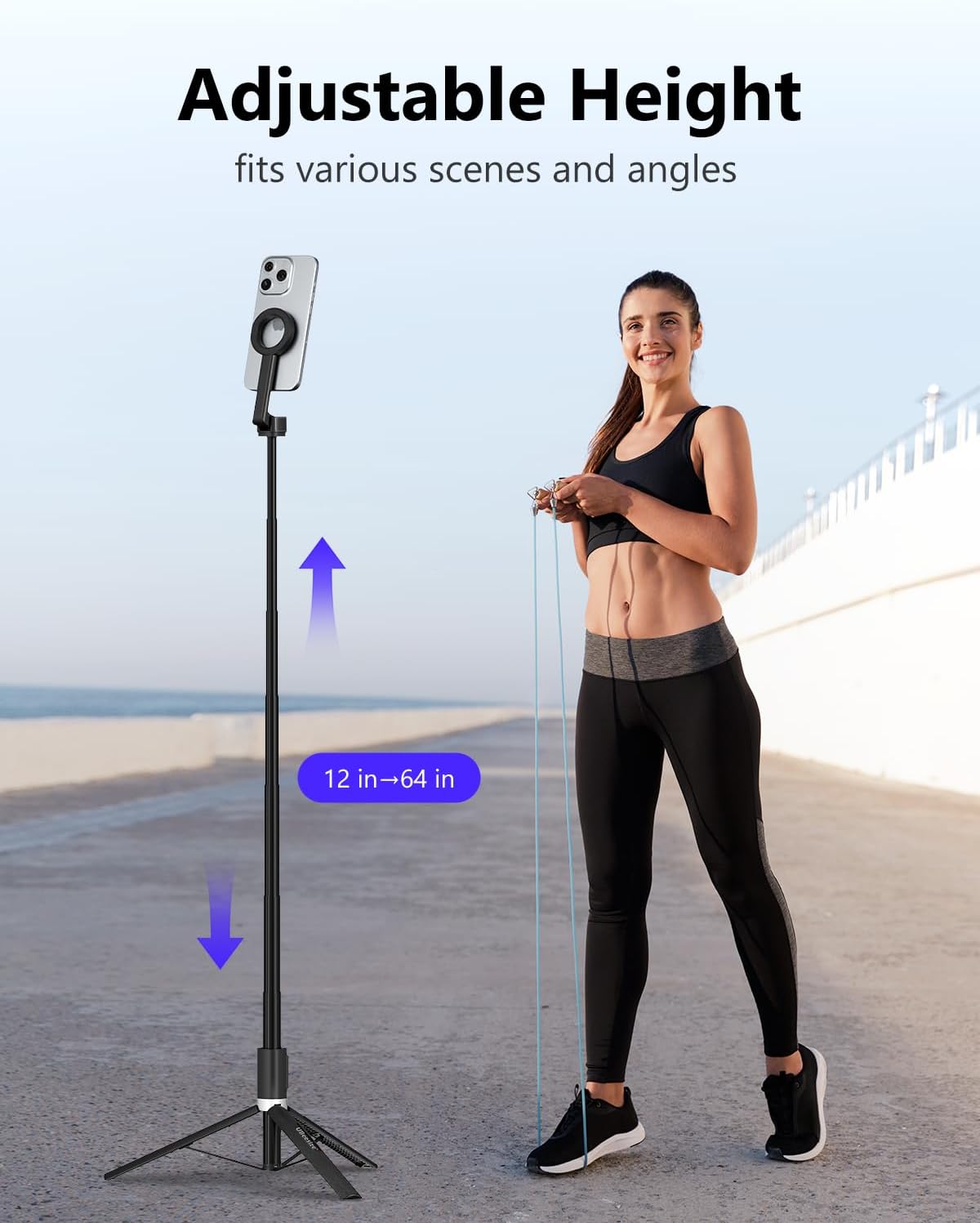
Image 4.2: A user demonstrating the adjustable height feature of the tripod, extending from 12 inches to 64 inches.

Image 4.3: A user adjusting the flexible rotation of the phone holder to achieve a desired shooting angle, such as a flat-lay.
4.3 Using the Detachable Remote Control
- Maridatge: Turn on the remote control. On your phone, go to Bluetooth settings and select "XS Series" to pair.
- Funcionament: Once paired, use the remote to trigger your phone's camera shutter for photos or to start/stop video recording. The remote has a range of approximately 33 feet (10 meters).

Image 4.4: A hand holding the detachable remote control, demonstrating its use for capturing photos or videos from a distance.
5. Compatibilitat
The UBeesize Magnetic Extendable Phone Tripod is compatible with:
- MagSafe Compatible iPhones: iPhone 12, 12 mini, 12 Pro, 12 Pro Max, iPhone 13, 13 Pro, 13 Pro Max, iPhone 14, 14 Pro, 14 Pro Max, iPhone 15, 15 Plus, 15 Pro, 15 Pro Max, iPhone 17, 17 Plus, 17 Pro, 17 Pro Max.
- Dispositius Android: Samsung Galaxy S21/S22 series, Galaxy Z Flip, Note series, Google Pixel series, OnePlus series, and other Android phones when used with the included metal ring.
6. Manteniment
- Clean the tripod with a soft, dry cloth. Avoid using abrasive cleaners or solvents.
- Ensure the magnetic surface is free of debris to maintain a strong connection.
- Store the tripod in a cool, dry place when not in use.
- Periodically check all moving parts for smooth operation and ensure screws are tight.
7. Solució De Problemes
- El comandament a distància no es vincula:
- Assegureu-vos que el comandament a distància estigui encès.
- Comproveu la pila del comandament a distància. Substituïu-la si cal.
- Make sure Bluetooth is enabled on your phone and the remote is within range.
- Oblida't del dispositiu a la configuració de Bluetooth del telèfon i intenta tornar-lo a emparellar.
- El telèfon no es subjecta correctament:
- Ensure the phone is centered on the magnetic holder.
- If using a non-MagSafe phone, verify the metal ring is properly attached and centered on your phone or case.
- Remove any thick cases that might interfere with the magnetic connection.
- Inestabilitat del trípode:
- Ensure the tripod legs are fully extended and locked into position on a flat, stable surface.
- Do not exceed the maximum weight limit of 2 kilograms.
8. Especificacions
| Característica | Especificació |
|---|---|
| Nom del model | UB-HKXB101BK-01 |
| Material | Alumini |
| Color | Negre |
| Pes de l'article | 14.1 unces (400 grams) |
| Límit de pes | 2 quilos |
| Altura màxima | 64 polzades |
| Longitud plegada | Aproximadament 12 polzades |
| Tipus de capçal de trípode | Ball Heads (210° vertical, 360° horizontal rotation) |
| Control remot | Detachable Bluetooth, 33ft range, 1 Lithium Metal battery (included) |
| Característiques especials | Lightweight, Portable, Magnetic Attachment (N52 magnets) |
9. Garantia i Suport
For warranty information and customer support, please refer to the UBeesize official weblloc web o contacteu directament amb el servei d'atenció al client. Conserveu el rebut de compra per a reclamacions de garantia.