
Amplim DT-8836M
Amplim Digital Forehead Thermometer User Manual
Model: DT-8836M
Benvingut
Gràcies per triar el Amplim Digital Forehead Thermometer. This manual provides essential information for the safe and effective use of your device. Please read it thoroughly before operation and keep it for future reference.
Informació important de seguretat
- L'ús d'aquest termòmetre no pretén substituir la consulta amb el vostre metge.
- Assegureu-vos la polaritat correcta de la bateria durant la instal·lació.
- Mantingueu el dispositiu net i sec.
- No submergiu el termòmetre en aigua o altres líquids.
- Eviteu deixar caure el dispositiu o sotmetre-lo a forts impactes.
- Emmagatzemar en un lloc fresc i sec, lluny de la llum solar directa.
- This device meets CE and FDA standards and regulations.
Producte acabatview
Components
- Termòmetre d'infrarojos
- 2 piles AAA
- Manual d'usuari
- 1-year Warranty Card
- Certificat
Característiques del producte
- Accurate Readings: Advanced infrared technology for quick 1-second rapid home tests without skin contact.
- Touchless Design: Hygienic and convenient for all ages.
- Medical Grade: Hospital-approved professional-grade results.
- Fever Indicator: Alerts to high temperatures with color-coded display.
- Memory Function: Stores previous readings.
- Buzzer ON/OFF: Adjustable audio alerts.
- Fahrenheit/Celsius: Switchable temperature units.

Figura 1: Amplim Digital Forehead Thermometer, showing its ergonomic design and digital display.

Figura 2: Detallada view de la Amplim thermometer with labels pointing to its sensor, ON/SCAN button, Up/Memory button, Down/Memory button, Backlight button, MODE button, Body, and Battery Lid.
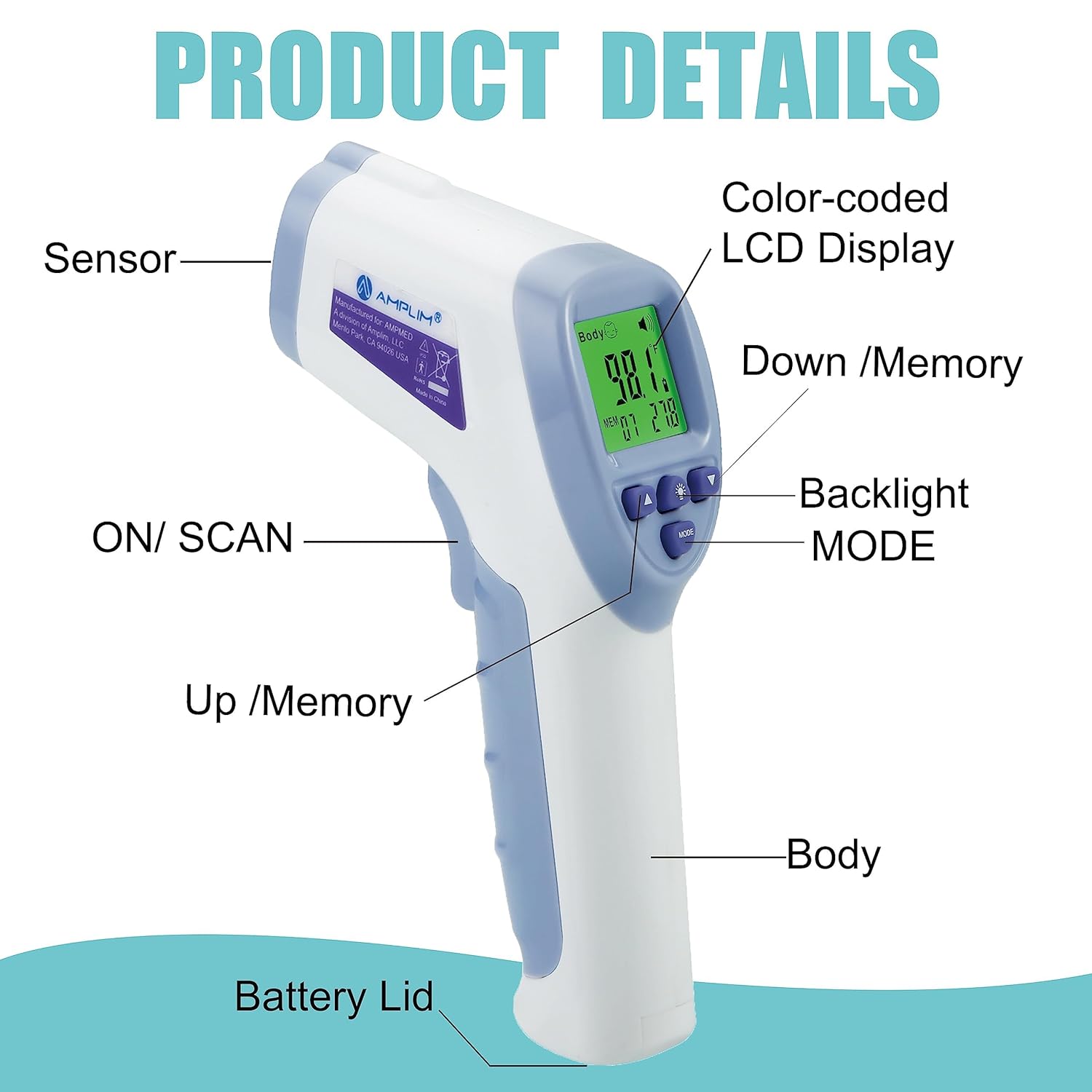
Figure 3: An image highlighting key features of the Amplim thermometer, including color-coded display, battery operation, forehead mode, surface mode, fever alarm, LCD display, accuracy, 32X memory, ultra-fast readings, buzzer ON/OFF, Fahrenheit or Celsius units, no mercury, and 30-second auto power off.
Configuració
Instal·lació de la bateria
- Open the battery compartment lid located at the bottom of the handle.
- Introduïu dues piles AAA, assegurant-vos de la polaritat correcta (+ i -) tal com s'indica a l'interior del compartiment.
- Tanqueu la tapa del compartiment de la bateria amb seguretat.
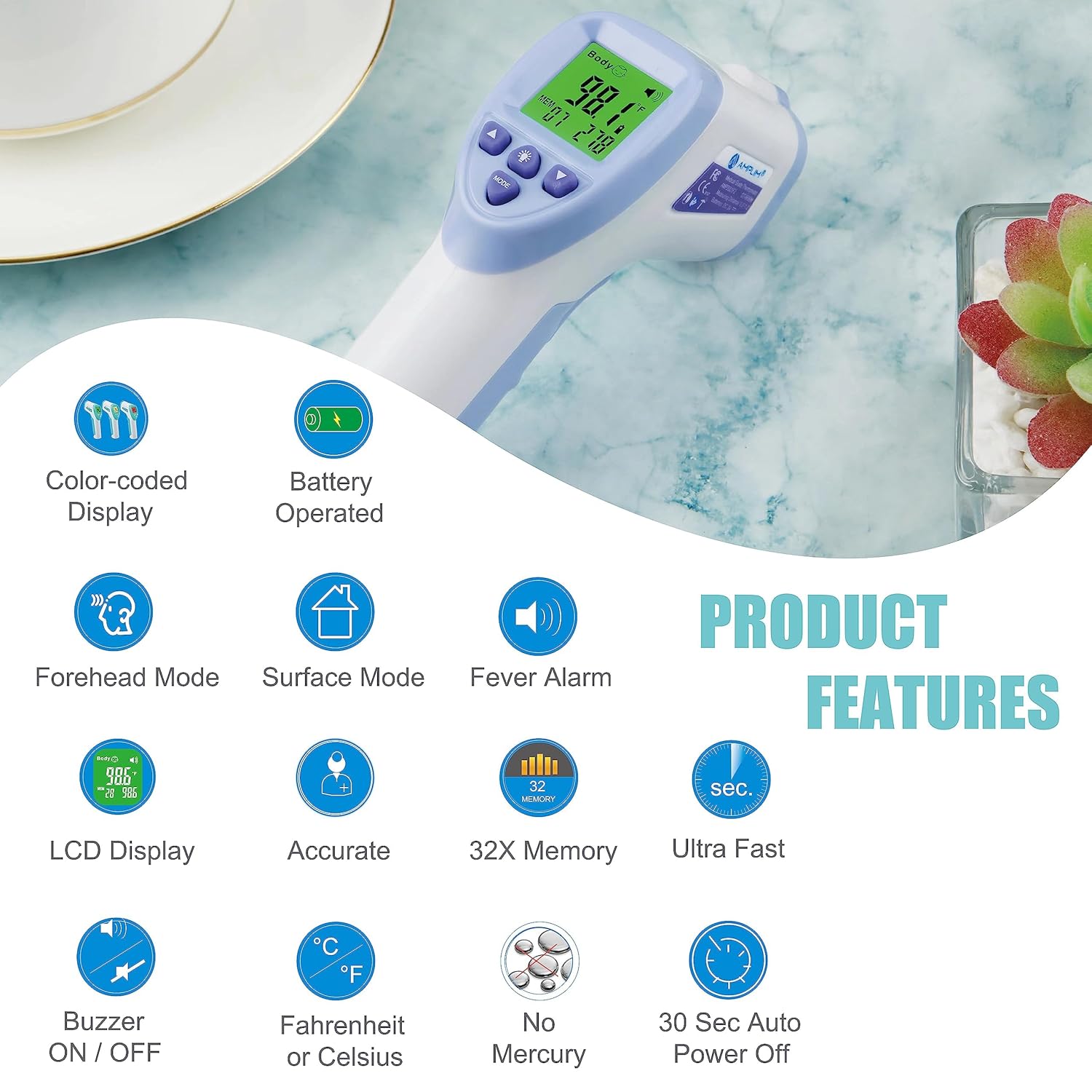
Figura 4: El/La/Els/Les Amplim thermometer with its battery compartment open, showing two AAA batteries being inserted.
Video 1: This video demonstrates the correct battery installation for the Amplim No-Touch Forehead Thermometer, ensuring proper polarity for optimal function. It also shows how to power on the device.
Instruccions de funcionament
Prendre la temperatura del front
- Ensure the thermometer is in Forehead Mode (usually indicated by a body icon on the display).
- Position the thermometer probe 0.3"-1.2" (1-3 cm) from the center of the forehead. Ensure there is no hair or perspiration on the forehead.
- Press and release the ON/SCAN button.
- The temperature reading will appear on the display within 1 second.
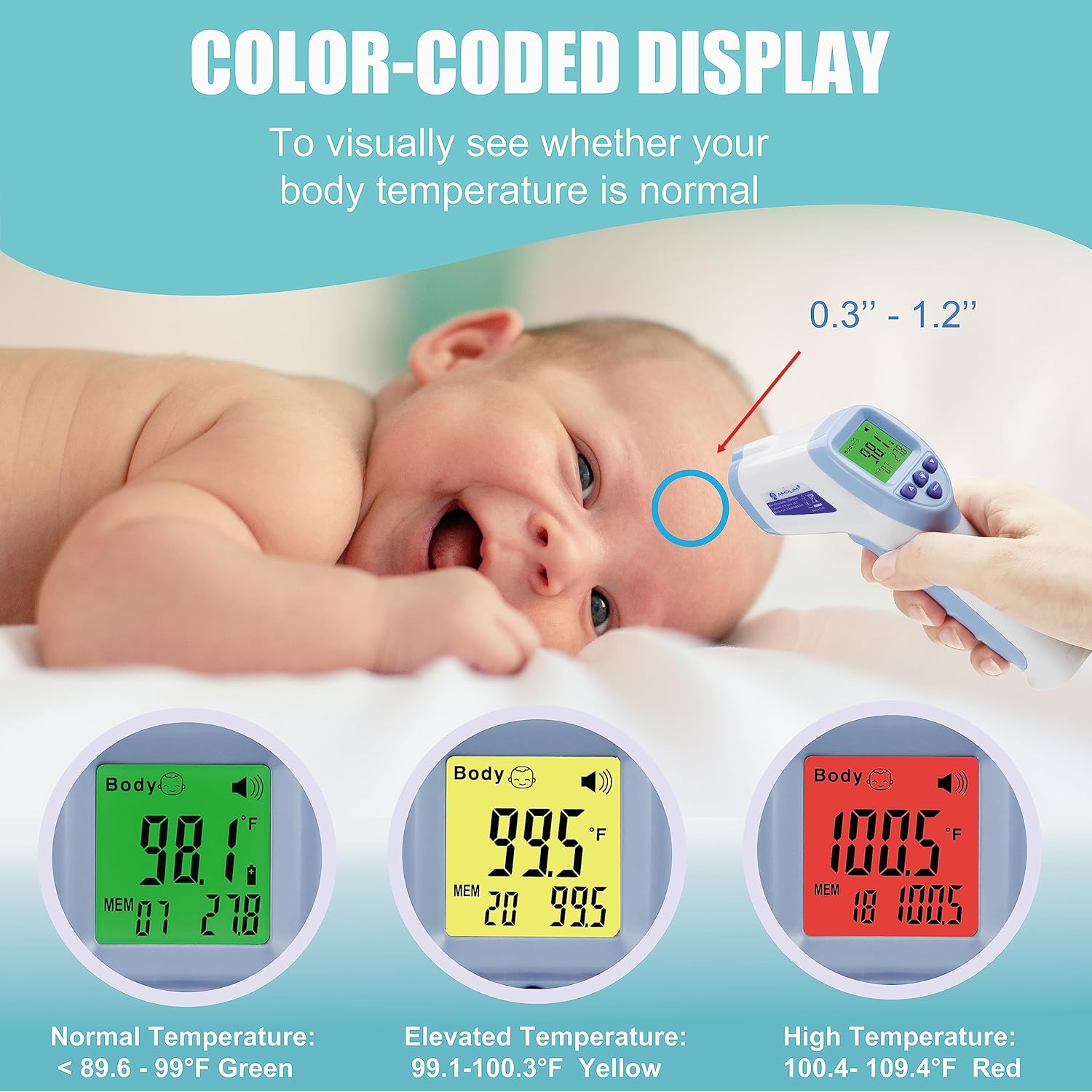
Figure 5: An adult using the Amplim thermometer to take the temperature of a sleeping baby's forehead, demonstrating the non-contact measurement.
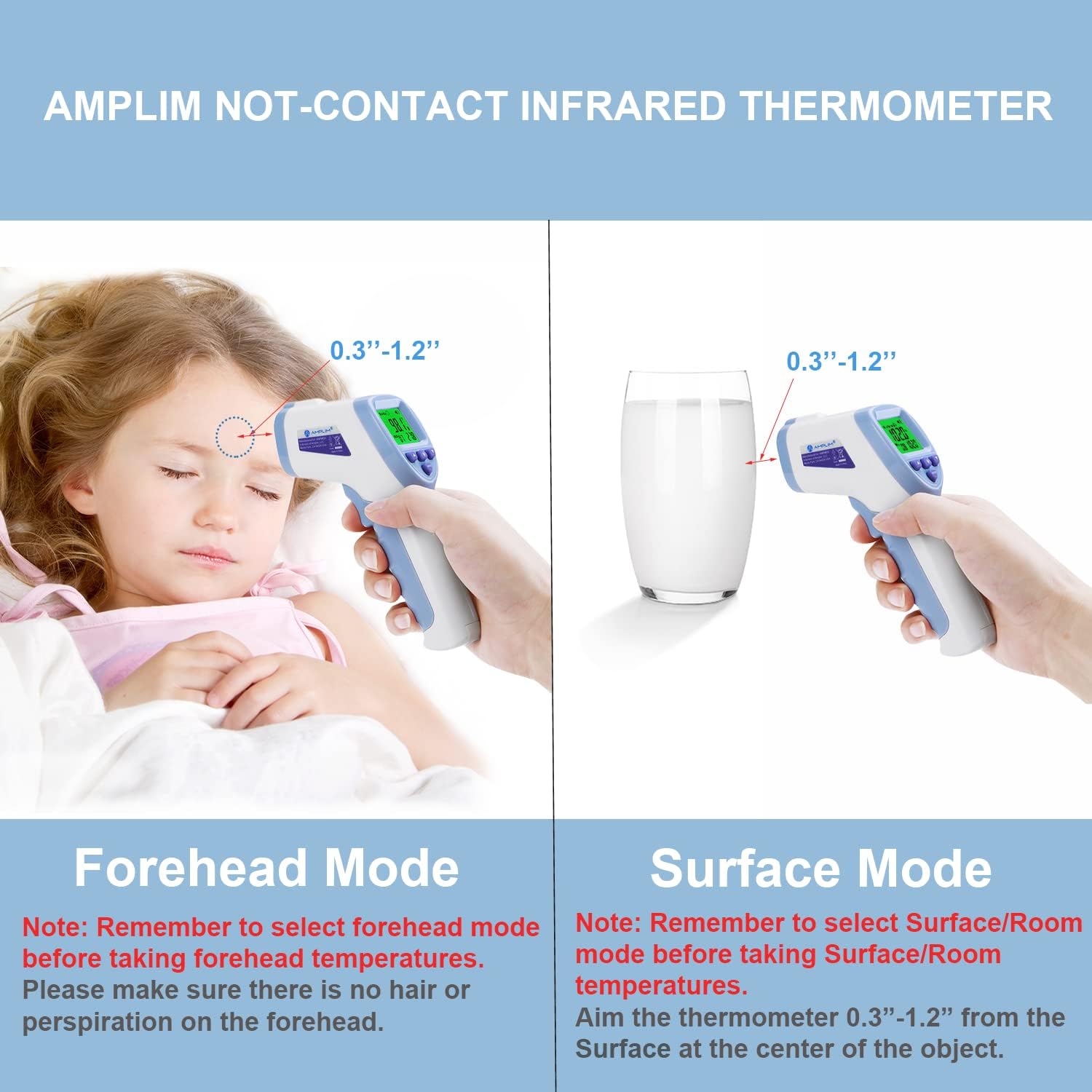
Figure 6: An illustration showing the Amplim thermometer being used in Forehead Mode on a child's forehead and in Surface Mode on a glass of milk, indicating the 0.3"-1.2" measurement distance for both.
Vídeo 2: Aquest vídeo ofereix una visió completaview of using the Amplim non-contact forehead thermometer, demonstrating how to take an accurate temperature reading from the forehead.
Understanding the Display (Color-coded)
The thermometer's display changes color to provide a quick visual indication of the temperature reading:
- Verd: Normal temperature (typically below 99.0°F / 37.2°C).
- groc: Elevated temperature (typically 99.1-100.3°F / 37.3-37.9°C).
- Vermell: High temperature / Fever (typically 100.4-109.4°F / 38.0-43.0°C).
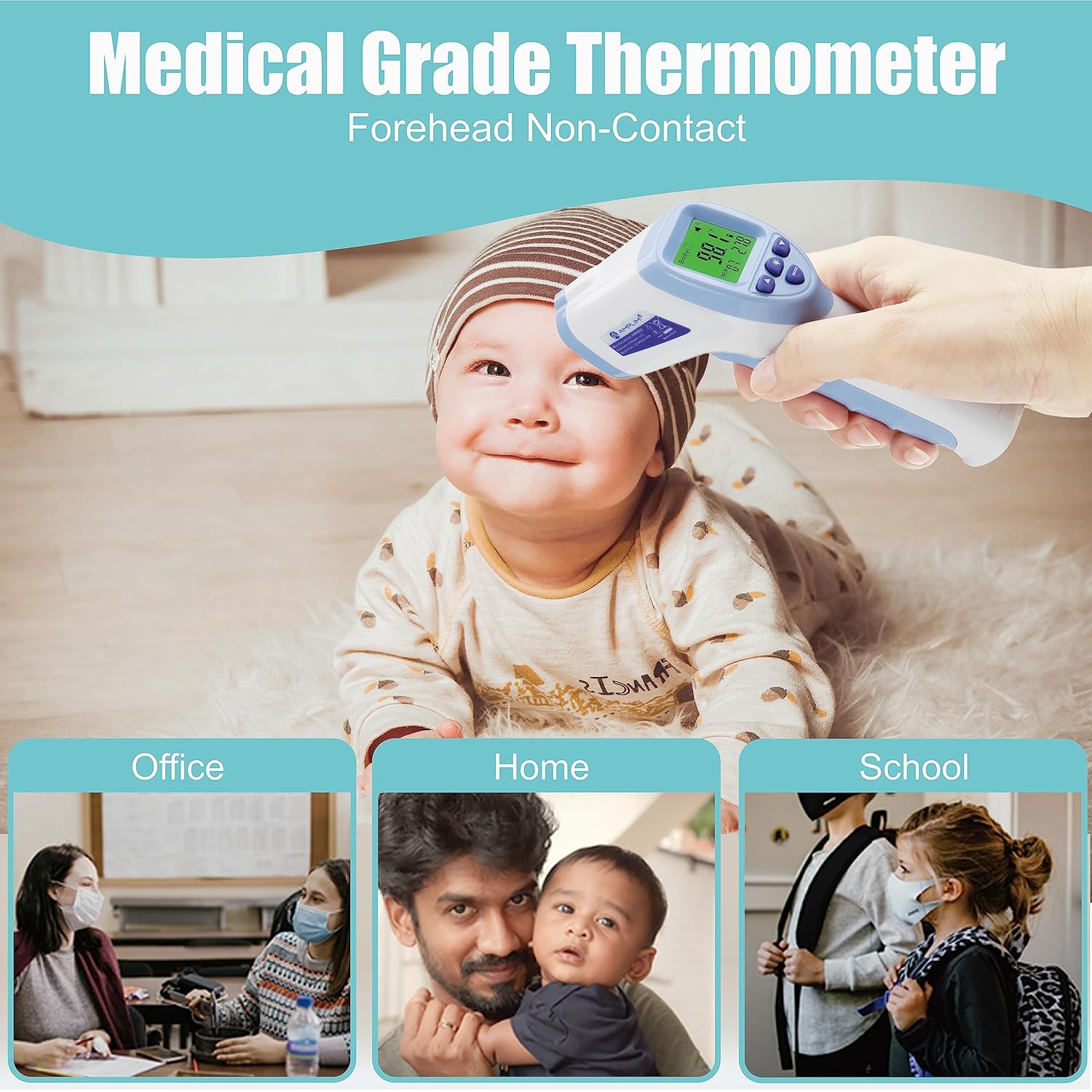
Figura 7: Amplim Thermometer color-coded display for temperature ranges: green for normal, yellow for elevated, and red for high temperature.
Video 3: This video illustrates the color-coded display of the Amplim thermometer, showing how the screen changes color (green, yellow, red) to indicate different temperature ranges.
Il·luminació de fons ON/OFF
To toggle the display backlight on or off, press the Llum de fons button (light bulb icon) on the thermometer's control panel.
Video 4: A short video demonstrating how to toggle the backlight feature on the Amplim thermometer, showing the display illuminating and turning off.
Recordant records
The thermometer stores previous temperature readings. To view ells:
- When the thermometer is powered on, press the Up or Avall arrow buttons to scroll through the stored memory records.
- To clear all memories, hold the Up i Avall botons simultàniament durant 3 segons.
Video 5: This video demonstrates how to access and recall previous temperature readings stored in the Amplim thermometer's memory.
Setting Temperature Unit (°F/°C)
To switch between Fahrenheit (°F) and Celsius (°C):
- With the thermometer powered on, press and hold the MODE button for a few seconds until the unit changes.
- Release the button when your desired unit is displayed.
Video 6: A detailed video demonstrating how to switch between Fahrenheit and Celsius temperature units on the Amplim forehead and ear infrared thermometer.
Manteniment
Neteja i cura
- Netegeu el termòmetre amb un drap suau i sec després de cada ús.
- For disinfection, use an alcohol swab (70% isopropyl alcohol) to gently wipe the probe and the body of the thermometer.
- No utilitzeu productes de neteja abrasius ni submergiu el dispositiu en aigua.
Emmagatzematge
- Store the thermometer in its original packaging or a protective pouch when not in use.
- Keep it in a cool, dry place, away from direct sunlight, extreme temperatures, and humidity.
- Traieu les piles si no heu d'utilitzar el dispositiu durant un període prolongat per evitar fuites.
Resolució de problemes
| Problema | Causa possible | Solució |
|---|---|---|
| Display shows "HI" | Temperature is higher than 109.4°F (43.0°C) or measurement distance is too far. | Ensure proper measurement distance (0.3"-1.2" from forehead). If temperature is genuinely high, seek medical advice. |
| Display shows "LO" | Temperature is lower than 89.6°F (32.0°C) or measurement distance is too far. | Ensure proper measurement distance. If body temperature is too low, seek medical advice. |
| No hi ha pantalla/El dispositiu no s'encén | Les bateries estan esgotades o instal·lades incorrectament. | Canvieu les piles per piles AAA noves, assegurant-vos de la polaritat correcta. |
| Lectures inconsistents | Improper measurement technique, environmental factors, or device malfunction. | Review operating instructions for correct technique. Ensure stable environment. If issues persist, contact customer support. |
Video 7: A brief demonstration of the Amplim non-contact thermometer in use, including a visual of the 'HI' error message that appears when the temperature exceeds the measurement range.
Especificacions
| Característica | Detall |
|---|---|
| Número de model | DT-8836M |
| Dimensions del producte | 0.01 x 0.01 x 0.01 polzades |
| Pes | 2.88 unces |
| Bateries | 2 piles AAA (incloses) |
| Tipus de visualització | LCD |
| Tecnologia de connectivitat | infrarojos |
| Interval de mesura | 32.0 °C - 43.0 °C |
| Distància de mesurament | 1-3 cm (0.3-1.2 polzades) |
| Material | Plàstic |
| Certificacions | CE, FDA |
Garantia i suport
Informació de la garantia
Això Amplim Digital Forehead Thermometer comes with a 1-year Warranty Card. Please refer to the card included in your package for specific terms and conditions.
Atenció al client
For any product issues, questions, or support needs, please contact Amplim customer support at: assistència al client@amplim.com. We are committed to providing assistance.