
Introducció
This manual provides comprehensive instructions for the WARRKY USB C to HDMI Cable, designed for high-quality video and audio transmission from USB-C enabled devices to HDMI displays. Please read this guide carefully to ensure proper setup and optimal performance.
Setup: Connecting Your WARRKY USB C to HDMI Cable
The WARRKY USB C to HDMI Cable is designed for effortless plug-and-play functionality. Follow these steps to connect your devices:
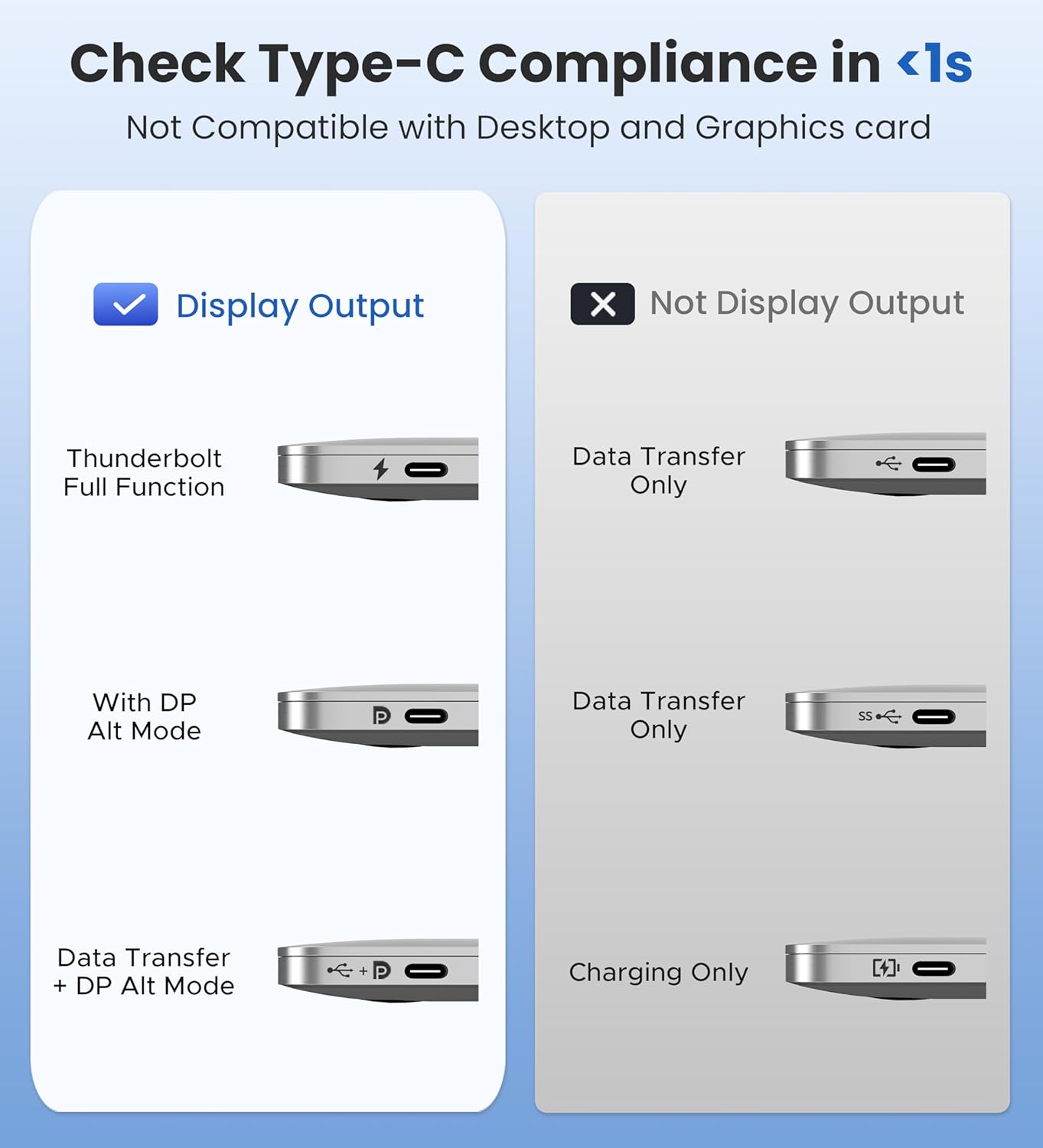
- Identify the USB-C port on your source device (e.g., smartphone, tablet, laptop). Ensure it supports video output (DP Alt Mode) or is a Thunderbolt 3/4/5 port.
- Connect the USB-C end of the WARRKY cable to the USB-C port on your source device.
- Connect the HDMI end of the WARRKY cable to an available HDMI input port on your display device (e.g., TV, monitor, projector).
- Select the correct HDMI input source on your display device.
Modes de funcionament
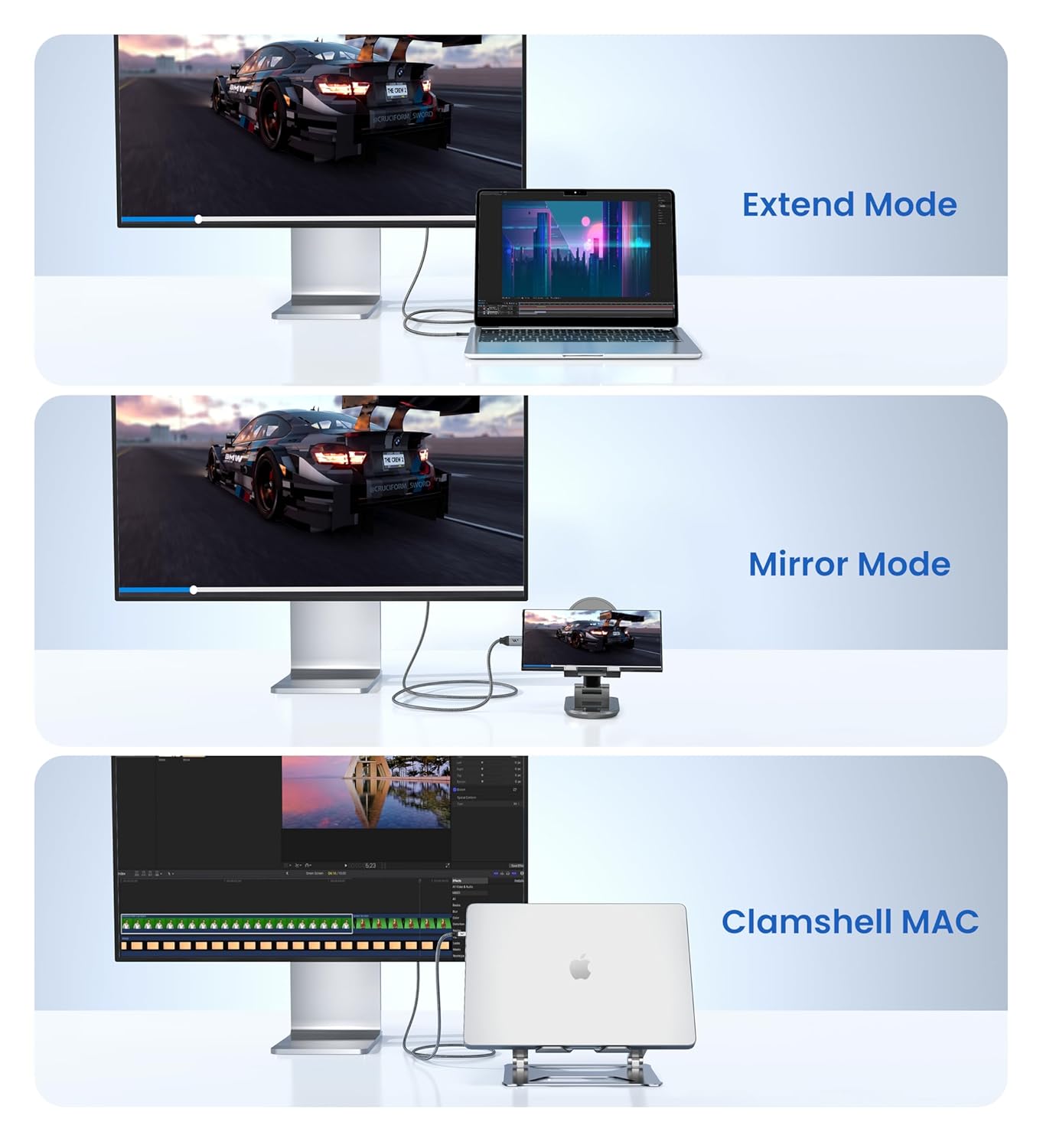
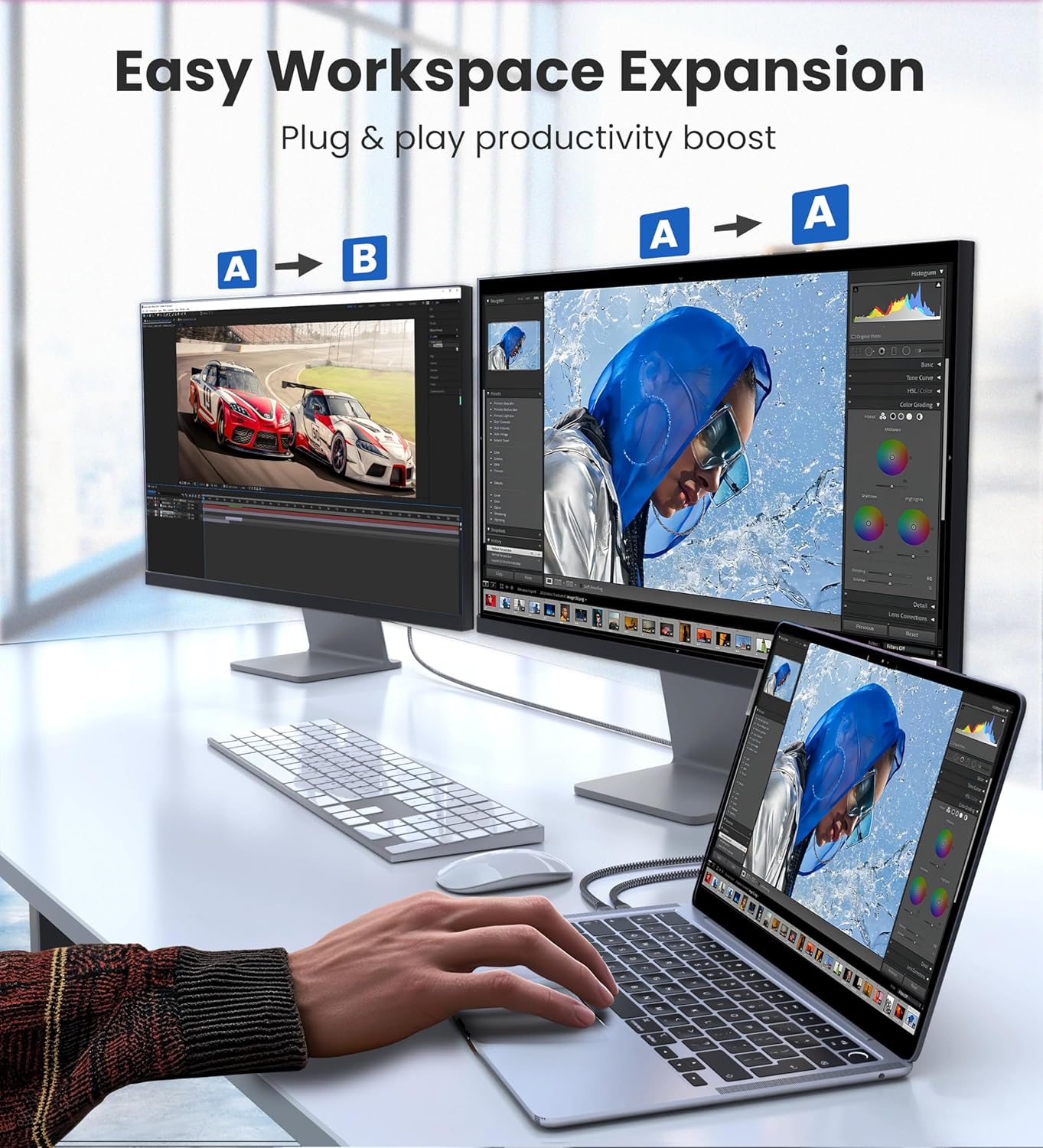
The WARRKY USB C to HDMI Cable supports various display modes to enhance your viewing and productivity:
- Mode mirall: Duplicate your source device's screen onto the larger display. Ideal for presentations or sharing content with an audience.
- Mode d'ampliació: Expand your desktop across multiple screens, allowing for increased workspace and multitasking.
- Clamshell Mode (for MacBooks): Close your MacBook lid while connected to an external display, using the external display as your primary screen.

Compatibilitat
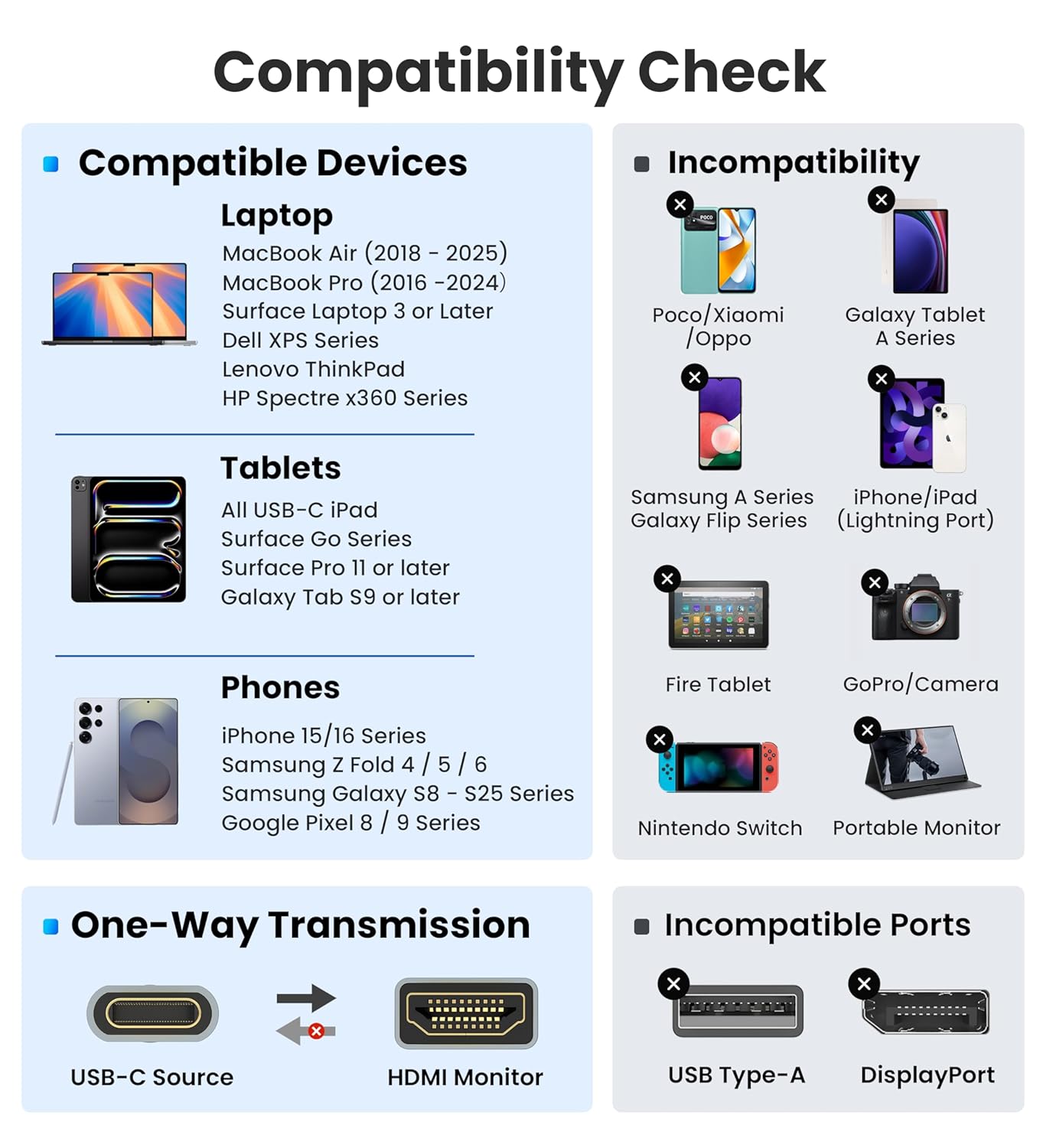
This cable is designed for Type C ports with video output capability (DP Alt Mode) and Thunderbolt 3 & 4.
Dispositius compatibles (llista parcial):
- Telèfons intel·ligents: iPhone 15 Series, Samsung Galaxy S8/S9/S10/S20/S21/S22/S23, Note 8/9/10/20, LG V40, Steam Deck.
- Tauletes: iPad Pro (2021 and later), Surface Book 2/3, Surface Laptop 3.
- Portàtils: Apple MacBook Pro (2016 and later), iMac (2017 and later), MacBook Air (2018 and later), Mac Studio, Mac Pro, Dell XPS 15/13, HP Chromebook x360.
Incompatible Devices/Ports (Partial List):
- Devices without DP Alt Mode (e.g., some older Android phones, Nintendo Switch without a dock, Fire Tablet, GoPro/Camera).
- Ports USB tipus A.
- DisplayPort inputs (this is a USB-C to HDMI cable, not DisplayPort).
Please note: This is a one-way cable, designed exclusively for transmission from USB-C host devices to HDMI displays.



Característiques i disseny del producte
The WARRKY USB C to HDMI Cable is built with premium materials and thoughtful design for optimal performance and durability.
- Connectors xapats en or: Ensures secure, high-speed data transmission and interference-free performance.
- Uni-body Molding: Provides an unbreakable connection, enhancing longevity.
- Aluminum Case: Efficiently dissipates heat, allowing for extended usage without performance degradation.
- Filferro de coure més gruixut: Minimizes signal loss, delivering maximum conductivity for an impeccable audio-visual experience.
- Nylon Braided Cable Jacket: Offers worry-free usage, preventing fraying, heating, or kinking. Tested for over 16,000 bends.
- Non-Slip Thumb Grip: Ensures a comfortable and secure plug-in experience.
- Bonus Velcro Tie: Adds convenience for cable management and travel.


Resolució de problemes
1. No Signal on Display
- Ensure your USB-C port supports video signal output (DP Alt Mode).
- Assegureu-vos que el vostre ordinador portàtil estigui connectat a l'alimentació de CA.
- Per a algunes pantalles que no detecten i canvien automàticament les fonts d'entrada, ajusteu-les manualment per seleccionar la font d'entrada HDMI correcta.
- For displays with multiple HDMI ports, try with another port.
- Make sure all connections are tight, and then reboot your devices to see if there is any difference.
- Intenta actualitzar els firmwares de l'oficial del fabricant websites (e.g., motherboard BIOS, UEFI of the laptop).
2. Screen is Flickering
- Baixeu la resolució i la freqüència de refresc.
- Dust accumulation may lead to poor connection. Please wipe the ports with an insulated cotton pad before connecting.
3. Sense àudio
- Check System Preferences > Sound > Output. Change the audio output from your laptop to TV or other device.
- Update Realtek Audio Driver for Windows 10 (64-bit) or latest Audio Driver from the manufacturer Official Weblloc.
4. Stop Working After a While
- Re-plug and make sure all connections are tight. If there are any problems, get immediate tech support within 18 hours.
5. Does Not Support 4K@60Hz
- Supported resolutions and refresh rates depend on the specifications of the host devices and connected displays. For example, if your desktop supports 4K@60Hz output, while your display can only support up to 2K@60Hz, then the final outcome would only be 2K@60Hz.
Especificacions
| Característica | Detall |
|---|---|
| Marca | Warrky |
| Model | WARRKY-AV-CH13B3 |
| Tipus de connector | Input: USB-C Male (DP Alt Mode), Output: HDMI Male |
| Tipus de cable | One-way cable (USB-C host to HDMI display) |
| Dispositius compatibles | Smartphones, Tablets, Personal Computers, Monitors, Televisions, Projectors, Laptops (with DP Alt Mode or Thunderbolt 3/4/5) |
| Característica especial | Ultra-alta definició 4K |
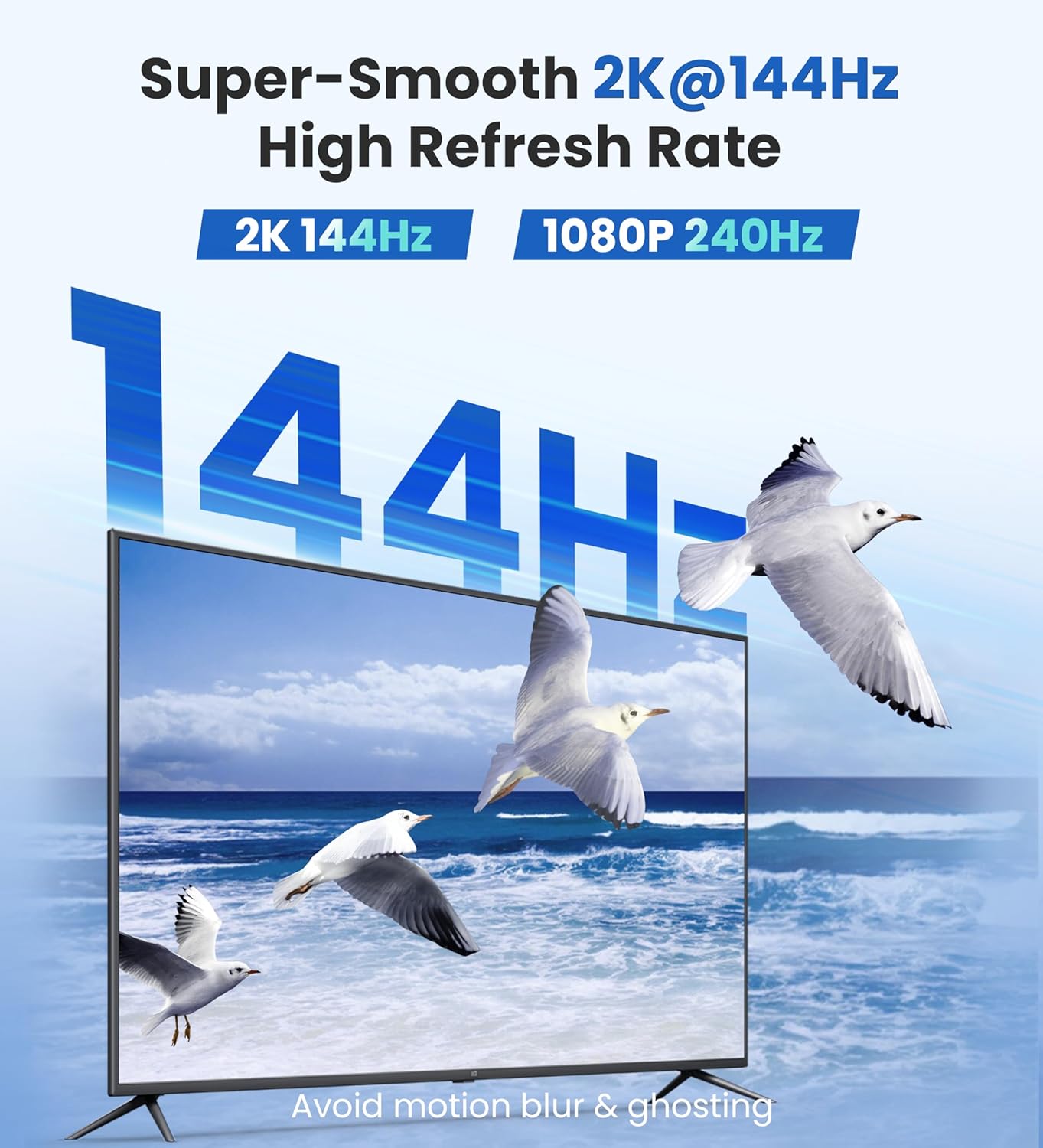
| Suport a la resolució | 4K@60Hz, 1440P/2K@144Hz, 1080P@240Hz |
| Velocitat de transferència de dades | 18 gigabits per segon |
| Connector Gènere | Mascle a Mascle |
| Material exterior | Trenat de niló |
| Pes de l'article | 9 grams |
| Longitud | 6 peus (1.8 metres) |
| UPC | 769638630750 |

Garantia i assistència al client
WARRKY provides a life-time warranty for this product. For any problems or suggestions, please contact WARRKY customer support.
- Garantia de per vida: Upgrade to Lifetime Warranty via www.warrky.com.
- Suport professional: Get immediate tech support within 18 hours by contacting support@warrky.com.
- Suggestions or Critiques: We care deeply about your feelings and are here to listen: oficial@warrky.com.

