
MageGee Storm Pink
MageGee Pink Gaming Keyboard User Manual
Model: Storm Pink
Introducció
Thank you for choosing the MageGee Pink Gaming Keyboard. This mechanical keyboard is designed to enhance your gaming and typing experience with its responsive blue switches, dynamic backlighting, and durable construction. This manual provides detailed instructions for setup, operation, maintenance, and troubleshooting to ensure optimal performance.

Configuració
The MageGee Pink Gaming Keyboard is designed for simple plug-and-play functionality, requiring no additional drivers for most operating systems.
Connexió del teclat
- Localitza un port USB disponible a l'ordinador (PC o Mac).
- Insert the USB connector of the keyboard into the USB port. The keyboard features a gold-plated USB port for stable data transmission.
- Wait for your operating system to recognize the device. This usually happens automatically within a few seconds.
- The keyboard's backlight will illuminate upon successful connection, indicating it is ready for use.

Instruccions de funcionament
This section details the various functions and features of your MageGee Gaming Keyboard.
Característiques clau
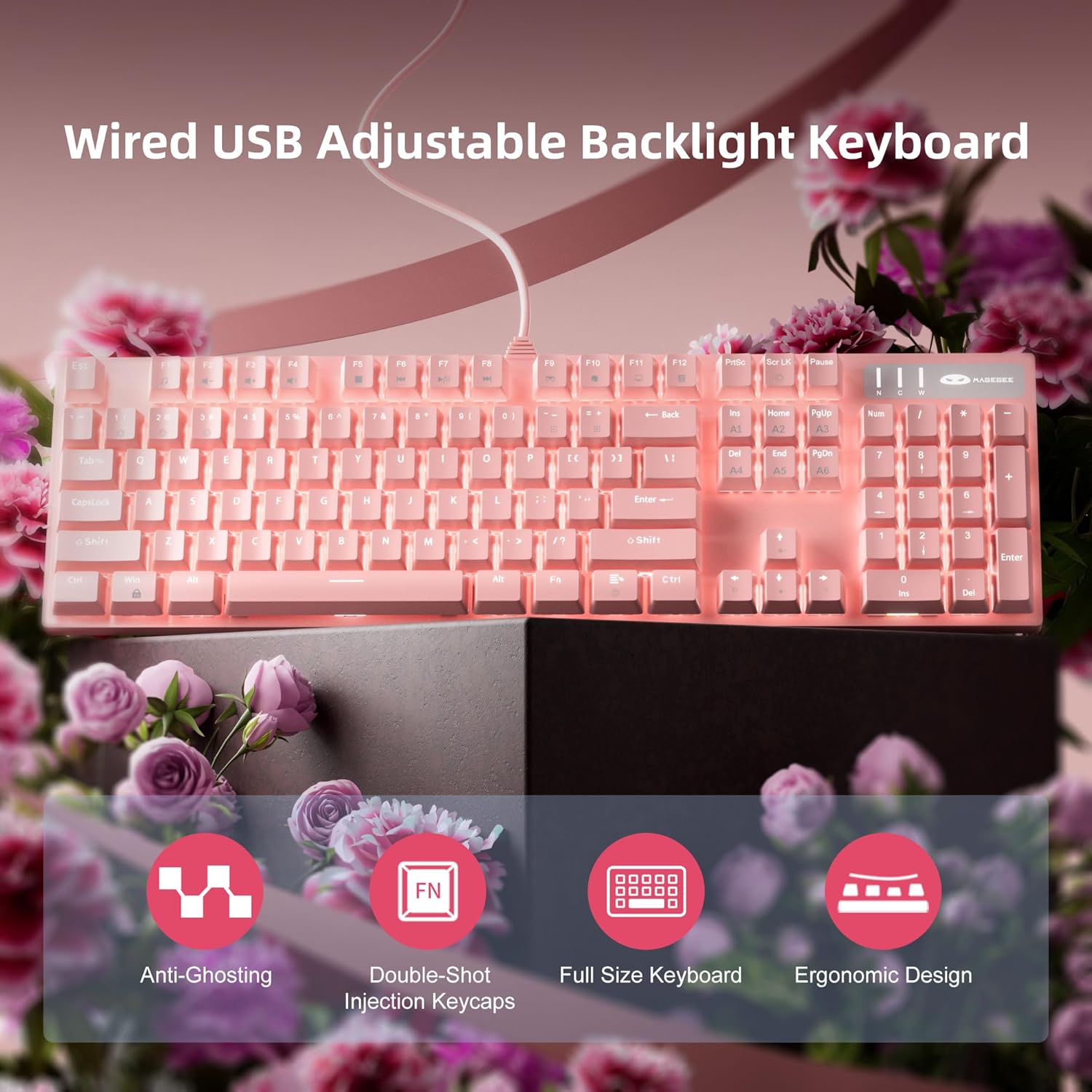
- Professional Blue Switches: Equipped with linear, top-to-bottom switches that offer a smooth and responsive typing experience with a distinct tactile and audible click.
- N-key Rollover: Features 100% anti-ghosting across all 104 keys, ensuring that every simultaneous key press is registered accurately, crucial for fast-paced gaming.
- Retroil·luminació dinàmica: Offers 18 distinct backlight models to customize your typing environment.
- Durabilitat extrema: Built with a solid base and double injection ABS keycaps, designed for long-term use and resistance to wear.
- Àmplia compatibilitat: Supports Windows 10, Windows 8, Windows 7, Mac OS X, Windows XP, Windows VISTA, and other common operating systems.
Control de la llum de fons
The keyboard offers various backlight settings for customization:
- Ajusta la brillantor: Premeu FN + Up Arrow Key to increase backlight brightness. Press FN + Down Arrow Key to decrease backlight brightness.
- Canvia el mode de retroiluminació: The keyboard has 18 different backlight modes. Refer to the keyboard's function key combinations (e.g., FN + F1-F12, or specific keys) to cycle through these modes. Detailed mode switching instructions may vary; experimentation is encouraged.

Manteniment
Una cura adequada allargarà la vida útil i mantindrà el rendiment del teclat.
- Neteja: Use a soft, dry cloth to wipe down the keyboard surface. For deeper cleaning, use compressed air to remove dust and debris from between the keycaps.
- Eliminació de la tapa de les tecles: The double injection ABS keycaps are designed for durability. If you need to remove keycaps for cleaning or replacement, use a keycap puller to avoid damaging the switches. Gently pull straight up on the keycap.
- Vessaments de líquids: While the keyboard is designed to be splash-proof, avoid direct exposure to large amounts of liquid. In case of a spill, immediately disconnect the keyboard from your computer and allow it to dry completely before reconnecting.

Resolució de problemes
If you encounter issues with your keyboard, try the following solutions:
| Problema | Possible solució |
|---|---|
| El teclat no respon |
|
| La retroiluminació no funciona o és tènue |
|
| Les claus no es registren o s'escriuen dues vegades |
|
Especificacions
| Característica | Detall |
|---|---|
| Dimensions del producte | 17 x 5 x 1.5 polzades |
| Pes de l'article | 2.74 lliures |
| Fabricant | MageGee |
| Número de model | Storm Pink |
| Tecnologia de connectivitat | USB |
| Descripció del teclat | Mecànica |
| Usos recomanats | Jocs |
| Característica especial | Lighting, Multimedia Keyboard |
| Color | Rosa |
| Nombre de claus | 104 (Full Size) |
| Suport de color de retroiluminació | RGB (Adjustable) |
| Estil | Modern |
| Primera data disponible | 17 d'abril de 2020 |
Garantia i Suport
MageGee products are built with quality and durability in mind. For specific warranty information, please refer to the warranty card included with your product or visit the official MageGee website. If you require technical assistance or have questions not covered in this manual, please contact MageGee customer support through their official channels.
Per obtenir més informació i actualitzacions del producte, visiteu MageGee Store on Amazon.
Ask a question about this manual
Ask about setup, troubleshooting, compatibility, parts, safety, or missing instructions. Manuals+ will review the question and use this page’s manual context to help answer it.