
Introducció
Thank you for choosing the Perixx PERIBOARD-317 Backlit USB Keyboard. This full-size wired keyboard is designed for comfortable daily typing, featuring large print keys and white LED backlighting for enhanced visibility in various lighting conditions. Its low-profile keys offer a quiet and responsive typing experience. This manual provides essential information for setting up, operating, maintaining, and troubleshooting your keyboard.
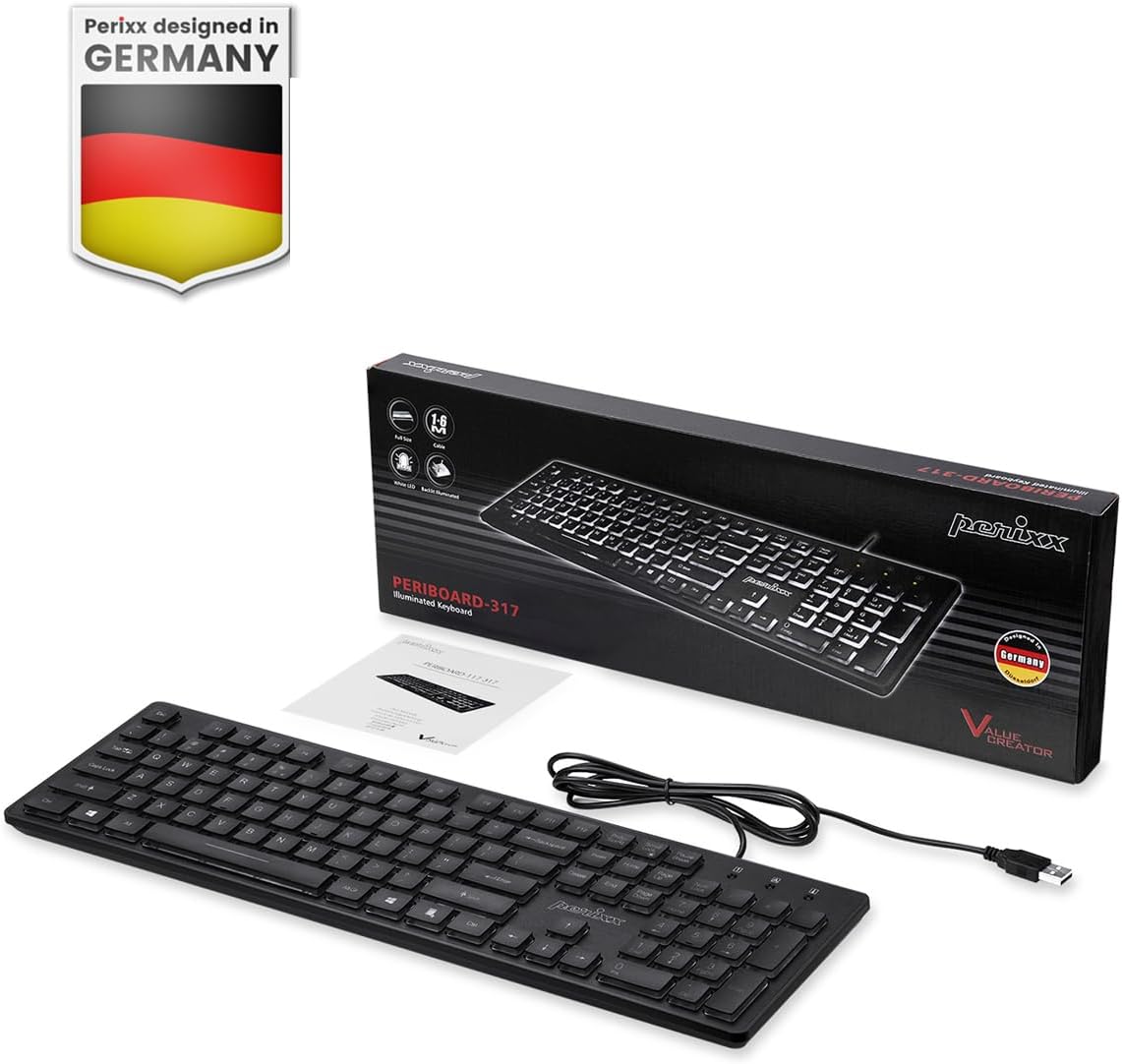
Image: Perixx PERIBOARD-317 keyboard and its contents.
1. Configuració
1.1 Contingut del paquet
- Perixx PERIBOARD-317 Keyboard
- Manual d'usuari
1.2 Requisits del sistema
- Compatible with Windows 7, 8, 10, and 11.
- Available USB-A port.
1.3 Connexió del teclat
- Unpack the Perixx PERIBOARD-317 keyboard from its packaging.
- Localitzeu un port USB-A disponible al vostre ordinador.
- Plug the USB-A cable of the keyboard into the USB-A port on your computer.
- The keyboard is plug-and-play; no additional drivers or software installation is required. Your computer will automatically detect and configure the device.

Image: Connecting the Perixx PERIBOARD-317 keyboard via USB.
2. Instruccions de funcionament
2.1 Mecanografia bàsica
The Perixx PERIBOARD-317 features a standard full-size Italian QWERTY layout with 105 keys. The large print characters on the keys are designed for improved visibility, making typing easier for users with visual impairments or in low-light environments.

Image: Large print keys for enhanced visibility.
Control de retroiluminació 2.2
The keyboard is equipped with a bright, uniformly distributed white LED backlight. This feature allows for comfortable typing in dimly lit conditions.
- Turning On/Off the Backlight: Locate the backlight control key (often indicated by a sun or light bulb icon, or a dedicated function key combination). Press this key to toggle the backlight on or off.
- Ajust de brillantor: If available, use the designated brightness control keys (often function keys combined with Fn) to increase or decrease the backlight intensity.

Image: White LED backlighting for clear visibility.

Image: Easy typing in low-light conditions with the illuminated keys.
2.3 Scroll Lock and Backlight Interaction
Please note the interaction between the backlight and the Scroll Lock function:
- When the backlight is active, the Scroll Lock function is disabled.
- When the backlight is turned off, the Scroll Lock function is enabled.
2.4 Experiència de mecanografia
El low-profile keys with wider surfaces provide a responsive, quiet, and precise typing experience. The high-quality ABS key printing is designed to resist wear, and the membrane switches are rated for 5 million keystrokes.

Image: Quiet and responsive typing experience.

Image: Low-profile chiclet keys for comfortable typing.
3. Manteniment
3.1 Neteja del teclat
Per mantenir el rendiment i l'aspecte del teclat:
- Desconnecteu el teclat de l'ordinador abans de netejar-lo.
- Utilitzeu un drap suau i sense pelusa lleugerament dampEsbandiu amb aigua o una solució netejadora suau per netejar les tecles i la superfície.
- Eviteu ruixar líquids directament sobre el teclat.
- Per a la pols i les restes entre les tecles, feu servir aire comprimit.
3.2 Emmagatzematge
Store the keyboard in a dry environment, away from extreme temperatures and direct sunlight, when not in use for extended periods.
4. Solució De Problemes
4.1 El teclat no respon
- Assegureu-vos que el cable USB estigui ben connectat tant al teclat com al port USB de l'ordinador.
- Prova de connectar el teclat a un port USB diferent de l'ordinador.
- Reinicieu l'ordinador.
- Prova el teclat en un altre ordinador per determinar si el problema és del teclat o de l'ordinador.
4.2 La retroiluminació no funciona
- Ensure the backlight is turned on using the dedicated backlight control key.
- Check if the brightness level is set too low. Adjust it using the brightness control keys.
- Verify that the Scroll Lock function is not interfering (refer to section 2.3).
4.3 Keys Not Registering or Repeating
- Netegeu les tecles afectades tal com es descriu a la secció Manteniment.
- Ensure no debris is lodged under the keycap.
- If the issue persists, it may indicate a hardware problem. Refer to the Warranty and Support section.
5. Especificacions
| Característica | Detall |
|---|---|
| Marca | Perixx |
| Nom del model | PERIBOARD-317 IT B |
| Número de model | 11629 |
| Tecnologia de connectivitat | USB (per cable) |
| Descripció del teclat | Full-size, Backlit |
| Usos recomanats | Daily use, study |
| Característica especial | Backlit (White LED), Large Print Keys |
| Compatibilitat amb el color de la retroiluminació del teclat | Monocromàtic |
| Dimensions del producte (L x A x A) | 44L x 12.9W x 2.7H cm |
| Font d'alimentació | Elèctric amb cable |
| Tipus de canvi | Linear (Membrane) |
| Disposició del teclat | QWERTY (Italian) |
| Nombre de claus | 105 |
| Sistemes operatius compatibles | Windows 7, 8, 10, 11 |
| Material de l'habitatge | Plàstic ABS |
| Pes de l'article | 530 grams |
| Fabricant | Perixx |
| Número de peça del fabricant | PB-317IT-11629 |
| País d'origen | Xina |
6. Garantia i Suport
6.1 Informació de la garantia
The Perixx PERIBOARD-317 keyboard is covered by a limited 24-month warranty from the date of purchase. This warranty covers manufacturing defects and workmanship under normal use.
6.2 Com obtenir suport
For warranty claims, technical assistance, or product inquiries, please visit the official Perixx website. Warranty replacement requests (RMA) are generally processed within 48-72 hours.
Per a més informació, visiteu: www.perixx.com

Image: Perixx - Designed in Germany.