
1. Producte acabatview
The MEIZE 10-inch Android Tablet K105 is a versatile device designed for both productivity and entertainment. Featuring a 10.1-inch HD display, a quad-core processor, and the Android 9.0 Pie operating system, it offers a smooth user experience. This tablet supports dual SIM cards for cellular connectivity and includes a 6000mAh battery for extended usage.

Imatge: Frontal view of the MEIZE 10-inch Android Tablet K105, displaying its home screen with various application icons.
2. Què hi ha a la caixa
Upon unboxing your MEIZE K105 tablet, please verify that all the following items are included:
- MEIZE 10-inch Android Tablet K105
- Adaptador de CA
- Cable USB
- Manual d'usuari (aquest document)

Image: The MEIZE tablet alongside its included accessories, such as the charging cable and power adapter.
3. Disseny i components del producte
Familiarize yourself with the physical layout of your tablet:
- Botó d'encesa: Situat al lateral, s'utilitza per encendre/apagar la tauleta o activar/reposar la pantalla.
- Botons de volum: Ajusta el nivell de sortida d'àudio.
- Port USB: Per a càrrega i transferència de dades.
- Auriculars Jack: Per connectar auriculars amb cable.
- Càmera frontal: For video calls and selfies (2.0 MP).
- Càmera posterior: Per fer fotos i vídeos (5.0 MP).
- Ponent: Sortida d'àudio.
- Ranura per a targetes SIM/SD: Houses the dual SIM card slots and the microSD card slot for expandable storage.

Imatge: Primer pla view of the MEIZE tablet's side, showing the open cover for the SD card and dual SIM card slots.

Image: Diagram highlighting the locations of the 2.0 MP front camera and 5.0 MP rear camera on the MEIZE tablet.
4. Configuració
4.1 Càrrega de la tauleta
Before first use, fully charge your tablet. Connect the USB cable to the tablet's USB port and the AC adapter, then plug the adapter into a power outlet. The battery indicator on the screen will show charging status.
4.2 Engegada/apagada
- Per encendre: Press and hold the Power button until the MEIZE logo appears.
- Per apagar: Mantingueu premut el botó d'engegada fins que aparegui el menú d'opcions d'engegada i, a continuació, seleccioneu "Apagar".
- Per dormir/despertar-se: Premeu breument el botó d'engegada.
4.3 Assistent de configuració inicial
The first time you power on the tablet, you will be guided through an initial setup process. Follow the on-screen prompts to select your language, connect to Wi-Fi, set up your Google account, and configure other basic settings.
4.4 Inserció de targetes SIM i targeta SD
The MEIZE K105 supports dual SIM cards and expandable storage via a microSD card.
- Locate the SIM/SD card slot cover on the side of the tablet.
- Obriu la coberta amb cura.
- Insert your SIM cards into the designated SIM1 and SIM2 slots with the gold contacts facing down.
- Insert your microSD card (up to 128GB, not included) into the SD card slot until it clicks into place.
- Tanqueu bé la tapa de la ranura.

Image: Detailed diagram showing how to correctly insert SIM cards (SIM1, SIM2) and an SD card into their respective slots on the MEIZE tablet.
5. Funcionament de la tauleta
5.1 Navegació per la pantalla d'inici
The home screen is your central hub. Swipe left or right to access different panels. Tap on app icons to open applications. Swipe down from the top of the screen to access the notification panel and quick settings.
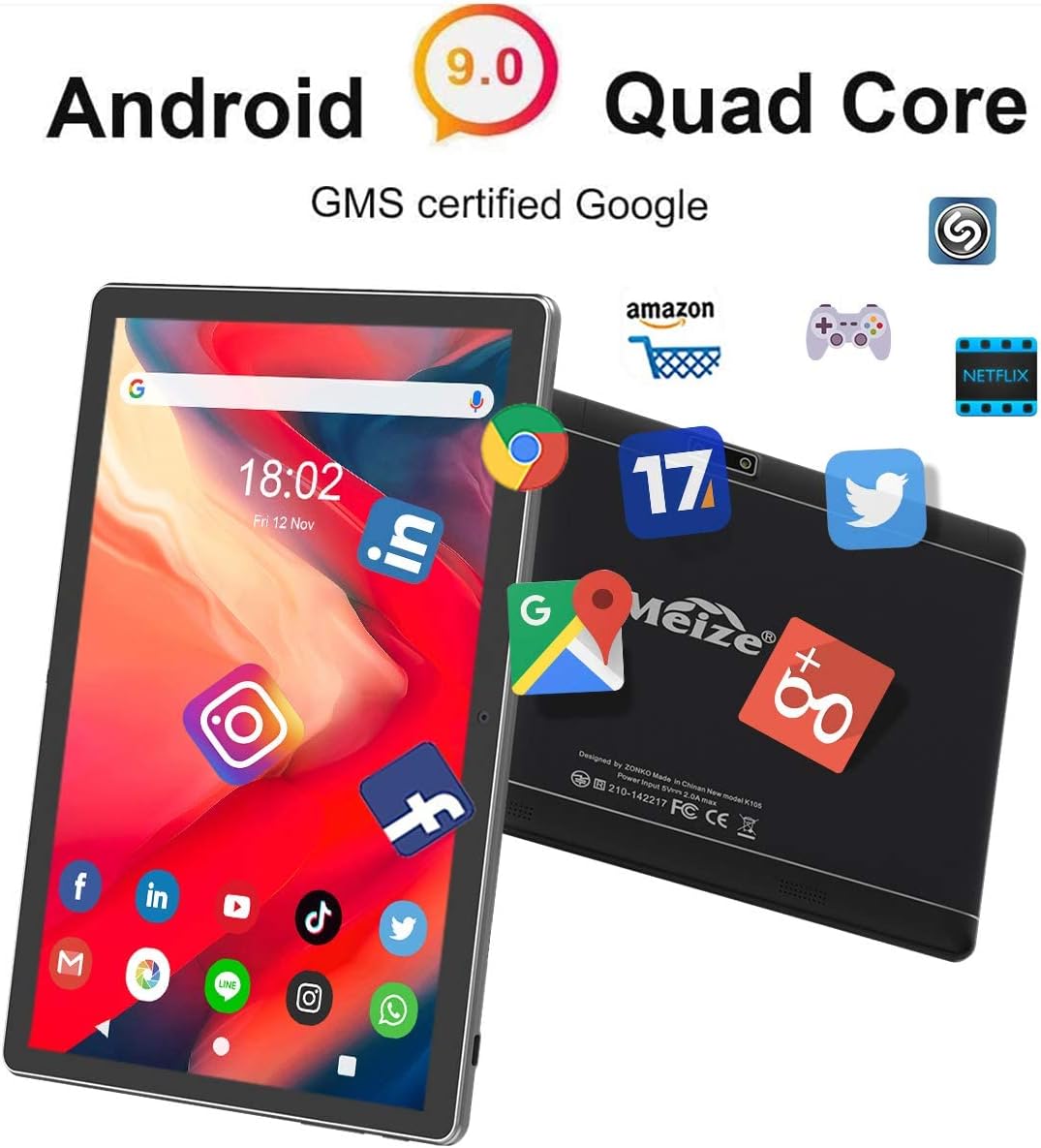
Image: The MEIZE tablet displaying its home screen filled with various application icons, demonstrating the user interface.
5.2 Connexió a Wi-Fi
- Vés a Configuració > Xarxa i Internet > Wi-Fi.
- Activa la Wi-Fi.
- Seleccioneu la xarxa Wi-Fi que vulgueu de la llista.
- Introduïu la contrasenya si us demana i, a continuació, toqueu Connecta't.
5.3 Vinculació Bluetooth
- Vés a Configuració > Dispositius connectats > Bluetooth.
- Activa el Bluetooth.
- Ensure the device you wish to pair is in pairing mode.
- Seleccioneu el dispositiu de la llista de dispositius disponibles i seguiu les instruccions que apareixen a la pantalla per completar l'emparellament.
5.4 Making Calls and Using Cellular Data
With inserted SIM cards, your tablet can function as a large phone. Use the pre-installed Phone app to make calls and the Messages app for SMS. Ensure mobile data is enabled in Configuració > Xarxa i Internet > Xarxa mòbil to use cellular data.
5.5 Ús de la càmera
Open the Camera app from your home screen or app drawer. You can switch between front and rear cameras, select photo or video mode, and adjust basic settings like flash or timer.
5.6 Gestió de l'emmagatzematge
Your tablet comes with 32GB of internal storage. You can expand this by inserting a microSD card (up to 128GB). To view ús d'emmagatzematge, aneu a Configuració > Emmagatzematge.
5.7 Installing and Uninstalling Apps
- Instal·lar: Open the Google Play Store app, search for your desired app, and tap Instal·lar.
- Desinstal·la: Vés a Configuració > Aplicacions i notificacions, seleccioneu l'aplicació i toqueu Desinstal·la. Alternatively, long-press the app icon on the home screen or app drawer and drag it to "Uninstall."

Image: A person holding the MEIZE tablet, watching a video, demonstrating its use for entertainment.
6. Manteniment
6.1 Neteja
Feu servir un drap suau i sense borrissol per netejar la pantalla i el cos de la tauleta. Eviteu utilitzar productes químics agressius o materials abrasius que puguin danyar la superfície.
6.2 Cura de la bateria
To prolong battery life, avoid exposing the tablet to extreme temperatures. It is recommended to keep the battery charge between 20% and 80% for optimal longevity. Avoid completely draining the battery frequently.
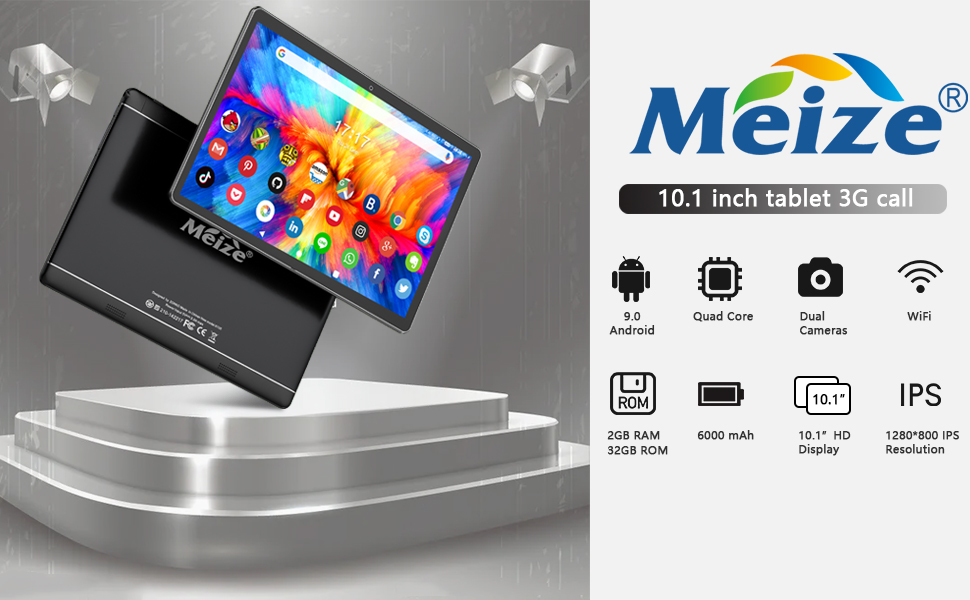
Image: Graphic illustrating the 6000mAh battery capacity of the MEIZE tablet, highlighting its endurance for video, browsing, and e-book reading.
6.3 Actualitzacions de programari
Comproveu periòdicament si hi ha actualitzacions del sistema per assegurar-vos que la tauleta tingui les funcions i els pegats de seguretat més recents. Aneu a Configuració > Sistema > Avançat > Actualització del sistema.
6.4 Backup Data
Regularly back up important data to a cloud service or external storage device to prevent data loss.
7. Solució De Problemes
If you encounter issues with your tablet, try the following solutions:
- La tauleta no s'encén: Ensure the tablet is charged. Connect it to the charger for at least 30 minutes before attempting to power on again.
- La tauleta és lenta o no respon: Close unused applications. Restart the tablet. Clear cache data from apps in Configuració > Aplicacions i notificacions.
- Problemes de connexió Wi-Fi: Ensure Wi-Fi is enabled. Restart your Wi-Fi router. Forget the network in tablet settings and reconnect.
- Les aplicacions es bloquegen: Ensure the app is updated to the latest version. Clear the app's cache and data in Configuració > Aplicacions i notificacions. Reinstall the app if necessary.
- Restabliment de fàbrica (últim recurs): Si els problemes persisteixen, és possible que hàgiu de restablir les dades de fàbrica. Warning: This will erase all data on your tablet. Vés a Configuració > Sistema > Avançat > Restablir opcions > Esborra totes les dades (restabliment de fàbrica).
Per a problemes que no es resolguin amb aquests passos, poseu-vos en contacte amb l'atenció al client.
8. Especificacions
Key technical specifications for the MEIZE 10-inch Android Tablet K105:
| Característica | Especificació |
|---|---|
| Mida de la pantalla | 10.1 polzades |
| Resolució de pantalla | 1280 x 800 (HD) |
| Sistema operatiu | Android 9 Pie |
| Processador | Quad-core d'1.3 GHz |
| RAM | 2 GB |
| Emmagatzematge intern | 32 GB |
| Emmagatzematge ampliable | Up to 128GB (microSD) |
| Càmera posterior | 5 MP |
| Càmera frontal | 2 MP |
| Capacitat de la bateria | 6000 mAh |
| Connectivitat sense fil | Wi-Fi (802.11bgn), Bluetooth, GPS |
| Cellular Support | Dual SIM (2G/3G) |
| Pes de l'article | 1.85 lliures |
| Dimensions del producte | 9.84 x 6 x 0.5 polzades |
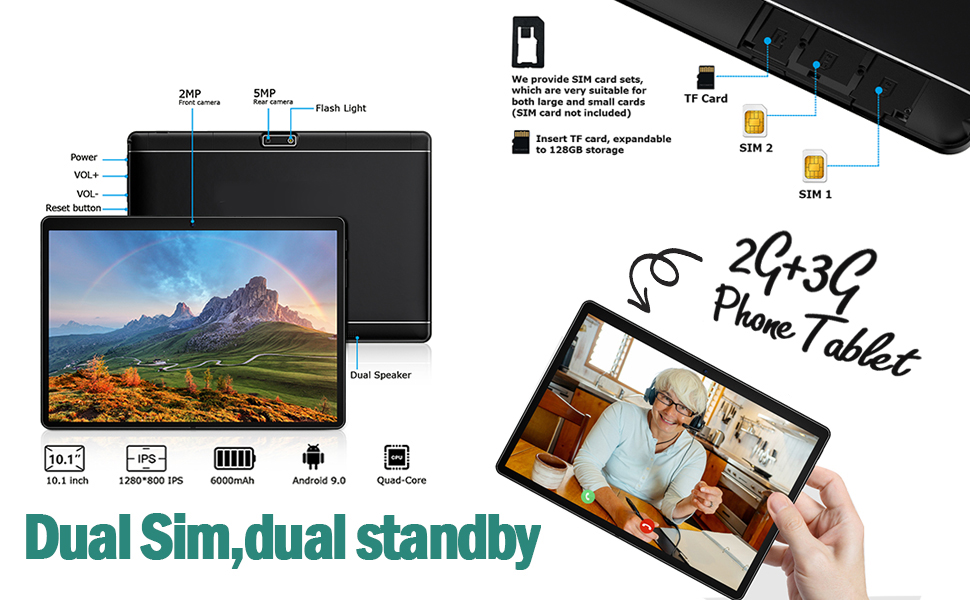
Image: A visual summary of the MEIZE tablet's technical specifications, including processor, memory, camera, and battery details.
9. Garantia i Suport
MEIZE provides a 1-year return and exchange service for this product. If you have any questions or require assistance, please contact our customer service team. We are available to assist you 24 hours a day.
For customer service inquiries, please refer to the contact information provided with your purchase or visit the official MEIZE support weblloc.