
Introducció
This manual provides detailed instructions for the installation, operation, and maintenance of your Thermaltake S100 TG Mini Tower PC Case. The S100 TG is designed for compact builds, offering high expandability and efficient cooling within a sleek form factor. It features a tempered glass swing door panel for easy access and component visibility.
Característiques del producte
- Tempered Glass Swing Door Panel: The left side panel is made of durable tempered glass and features a swing door design for convenient access to internal components.
- Compact Design with High Expandability: Despite its mini-tower form factor, the S100 TG supports graphics cards up to 330mm in length and CPU coolers up to 165mm in height.
- Opcions d'emmagatzematge versàtils: Equipped with drive bays supporting two 3.5-inch drives and two 2.5-inch drives.
- Efficient Cooling Support: Capable of accommodating up to a 280mm liquid cooling radiator at the front, ensuring optimal thermal performance.
- Comprehensive Dust Protection: Features removable dust filters on the top and bottom to prevent dust accumulation and maintain system longevity.
- Ports d'E/S pràctics: Front I/O panel includes one USB 3.0 port, two USB 2.0 ports, and audio jacks for easy peripheral connectivity.
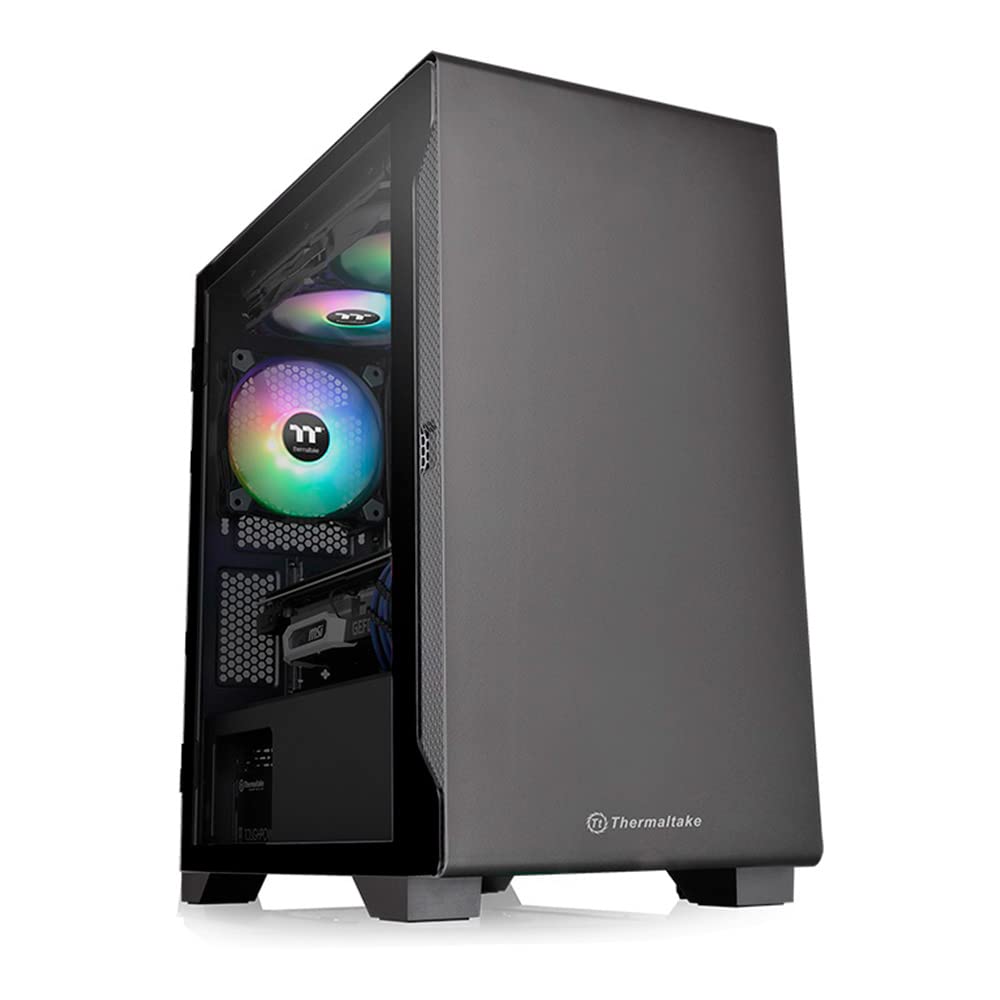
Imatge: Frontal i lateral view of the Thermaltake S100 TG Mini Tower PC Case, showcasing its tempered glass panel.
Especificacions
| Marca | Thermaltake |
| Nom del model | S100 TG (CA-1Q9-00S1WN-00) |
| Tipus de cas | Mini Torre |
| Compatibilitat amb la placa base | Micro ATX, Mini ITX |
| Material | Vidre temperat, acer |
| Color | Negre |
| Dimensions del producte (P x A x A) | 41.1 cm x 22 cm x 41.1 cm |
| Pes del producte | 6.1 kg |
| Ranures d'expansió | 4 |
| Badies d'unitats internes | 2 x 3.5-inch, 2 x 2.5-inch |
| Ports d'E / S frontals | 1 x USB 3.0, 2 x USB 2.0, Audio Jacks |
| Fans inclosos | 1 x 120mm Rear Fan |
| Alçada màxima del refrigerador de la CPU | 165 mm |
| Longitud màxima de la GPU | 330 mm |
| Longitud màxima de la PSU | 160 mm (with HDD Rack), 200 mm (without HDD Rack) |
| Suport del radiador (davanter) | Fins a 280 mm |
| Origen | Xina |

Image: Detailed dimensions and component clearance for the S100 TG case, including CPU cooler height and GPU length.
Configuració i instal·lació
Before beginning installation, ensure you have all necessary components and tools.
- Preparar el cas: Place the case on a stable, flat surface. Open the tempered glass swing door panel by gently pulling it open.
- Instal·leu la placa base: Secure your Micro ATX or Mini-ITX motherboard onto the standoffs provided inside the case. Ensure all screws are tightened appropriately.
- Instal·leu el refrigerador de CPU: If using an air cooler, install it before or after the motherboard, depending on its design. Ensure it does not exceed the maximum height of 165mm. For liquid cooling, install the radiator (up to 280mm) at the front of the case.
- Instal·leu la targeta gràfica: Insert your graphics card into the appropriate PCIe slot. The case supports cards up to 330mm in length. Secure it with screws.
- Instal·leu les unitats d'emmagatzematge: Mount your 3.5-inch and 2.5-inch drives into the designated drive bays.
- Install Power Supply Unit (PSU): Install the PSU at the rear bottom of the case. Ensure proper cable management for optimal airflow.
- Connectar els cables: Connect all power cables from the PSU to your components (motherboard, GPU, drives). Connect front panel I/O cables (USB, audio, power/reset switches) to the motherboard.
- Gestió de cables: Utilize the cable routing options behind the motherboard tray to keep cables tidy and improve airflow.
- Tanca el cas: Once all components are installed and cables are managed, close the tempered glass swing door panel.
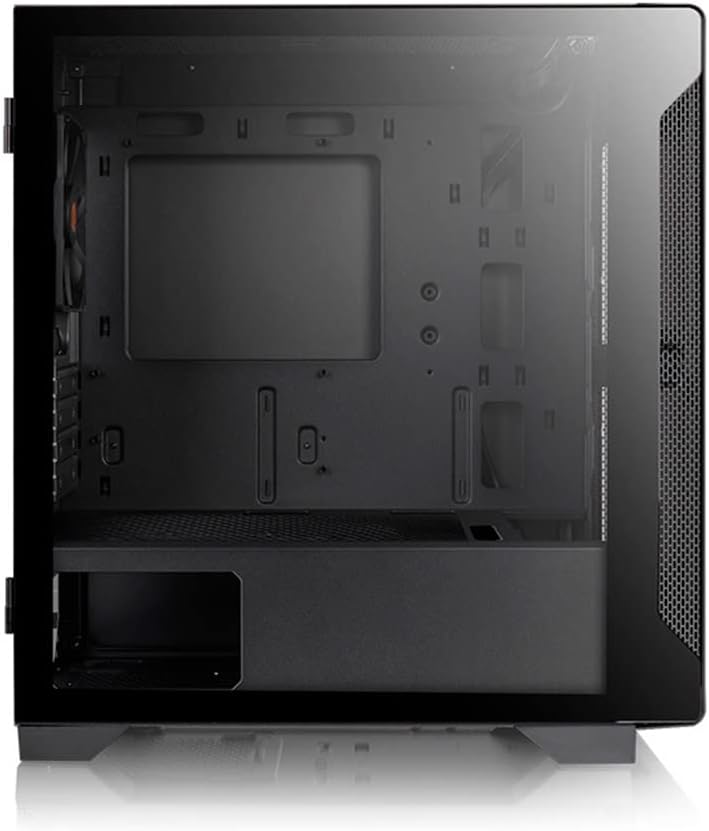
Image: Internal layout of the S100 TG case, illustrating space for motherboard, GPU, and drive bays.
Instruccions de funcionament
The Thermaltake S100 TG PC case is designed for straightforward operation.
- Encès/apagat: Use the power button located on the top front panel to turn your system on or off.
- Connectivitat USB: Connect USB devices to the front panel USB 3.0 and USB 2.0 ports.
- Connectivitat d'àudio: Use the front panel audio jacks for headphones and microphones.
- Flux d'aire: Ensure the case has adequate clearance around its intake and exhaust vents for optimal airflow. Avoid blocking the front, top, or rear fan areas.
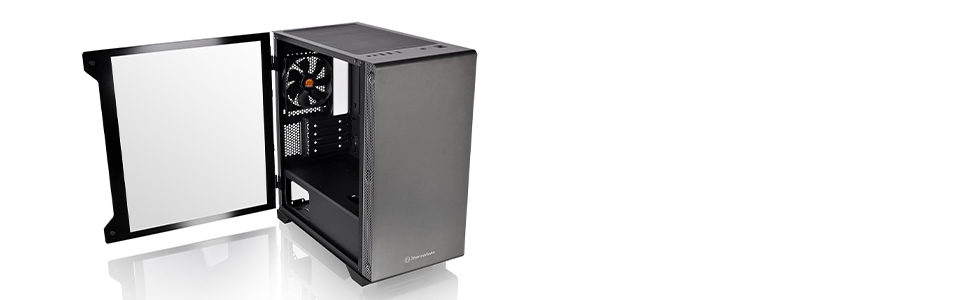
Imatge: Frontal view highlighting the I/O ports and the compact, simple design of the S100 TG case.
Manteniment
Un manteniment regular ajuda a garantir la longevitat i el rendiment òptim dels components del teu PC.
- Neteja del filtre de pols: The S100 TG is equipped with removable dust filters on the top and bottom. Regularly remove and clean these filters to prevent dust buildup, which can impede airflow and cause overheating.
- Neteja interior: Periodically open the tempered glass panel and use compressed air to remove dust from internal components such as fans, heatsinks, and graphics cards. Ensure the system is powered off and unplugged before cleaning.
- Neteja exterior: Netegeu les superfícies exteriors de la carcassa amb un drap suau iamp drap. Eviteu utilitzar productes químics agressius o materials abrasius que puguin danyar l'acabat o el vidre temperat.

Image: Illustration of the removable dust filters located on the top and bottom of the S100 TG case for easy cleaning.
Resolució de problemes
If you encounter issues with your PC case, consider the following common solutions:
- El sistema no s'encén:
- Comproveu totes les connexions d'alimentació de la font d'alimentació a la placa base i els components.
- Ensure the front panel power switch cable is correctly connected to the motherboard.
- Verify the PSU is switched on.
- Problemes de sobreescalfament:
- Netegeu els filtres de pols i els components interns tal com es descriu a la secció Manteniment.
- Assegureu-vos que tots els ventiladors de la caixa estiguin instal·lats correctament i funcionin.
- Verify that there is adequate airflow around the case.
- Ports del panell frontal que no funcionen:
- Check that the USB and audio cables from the front panel are securely connected to the correct headers on your motherboard.
- Noise from Case Fans:
- Ensure fan screws are tightened.
- Check for any cables obstructing fan blades.
- Consider replacing noisy fans if they are old or damaged.
Garantia i Suport
The Thermaltake S100 TG PC Case comes with a 2 any de garantia from the date of delivery. To claim warranty service, the delivery note is required. Please note that the warranty is limited to use within Japan. For further support or inquiries, please visit the official Thermaltake weblloc web o poseu-vos en contacte amb el vostre distribuïdor local.
Vídeo del producteview
Vídeo: Un overview of the Thermaltake S100 TG Mini Tower PC Case, highlighting its compact size, I/O ports, cooling capabilities, and dust protection features.


