
1. Introducció
This manual provides detailed instructions for the proper use, setup, maintenance, and troubleshooting of your MoKo Industrial Endoscope Borescope Inspection Camera. This multi-function inspection system features a 4.3-inch QVCA color LCD screen and powerful recording capabilities. It is designed for a wide range of applications, including vehicle repair, home inspections, electrical wiring checks, sewer drain pipe dredging, and HVAC repair.

Figure 1.1: MoKo Industrial Endoscope Borescope Inspection Camera
2. Característiques del producte
The MoKo Industrial Endoscope Borescope Inspection Camera is equipped with several key features to enhance its functionality and ease of use:
- 10-Meter Semi-Rigid Cable with LED: The 8mm diameter metal gooseneck cable maintains its shape for precise positioning in various environments. It features 6 adjustable LED lights to illuminate dark inspection areas, making it suitable for checking car, boat, and aircraft engines, blocked drains, mechanical devices, and HVAC systems.
- Built-in 4.3-inch LCD Screen and Grip: The integrated 4.3-inch LCD color screen allows for direct viewing of recorded content, eliminating the need for external devices or app installations. An ergonomic handle grip ensures comfortable and convenient operation. The detachable design facilitates easy transport and storage.
- IP67 Waterproof HD Camera: The camera supports 1080P resolution and is rated IP67 waterproof, enabling operation in wet or damp environments, including underwater inspections, and within gaps and holes. This provides clear images and accurate color reproduction.
- High Capacity 1700mAh Battery: A built-in rechargeable 1700mAh Lithium battery provides approximately 3 hours of continuous operation on a full charge. The device supports TF cards up to 64GB for storage (TF card not included).
- Extended Focal Range: The camera offers an enlarged focal distance from 1.6 inches to 198 inches, ensuring a smooth refresh rate and delivering clear images with outstanding color reproduction across various distances.

Figure 2.1: Endoscope Control Panel and Ports
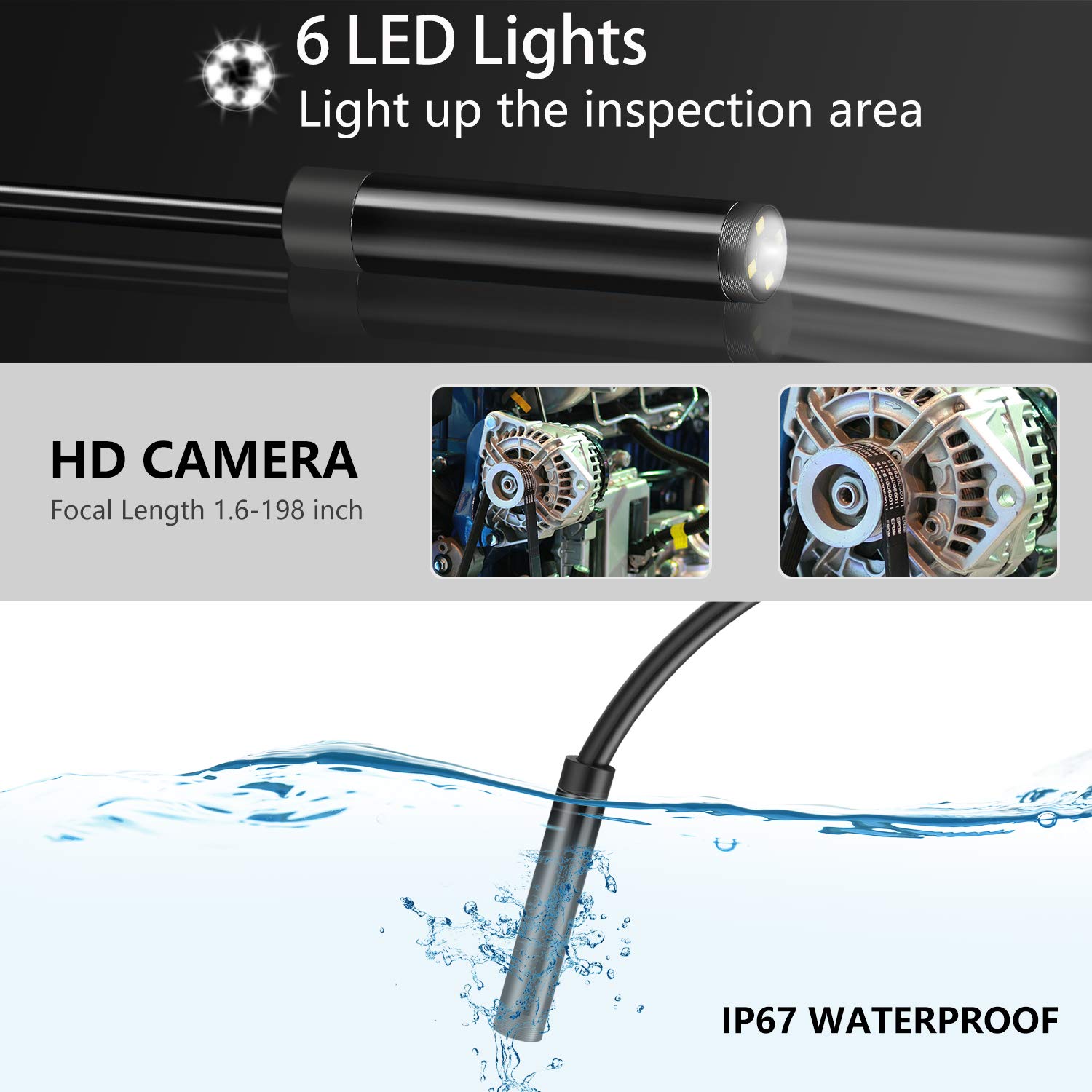
Figure 2.2: HD Camera with LED Lights and Waterproof Capability

Figure 2.3: USB Rechargeable Battery
3. Contingut del paquet
Si us plau, verifiqueu que tots els elements siguin presents al paquet:
- MoKo Industrial Endoscope Borescope Inspection Camera Unit
- Semi-Rigid Probe Cable with Camera and LED Lights
- Cable de càrrega USB
- Manual d'usuari
- Bonus Accessories: Camera protective cover, Mirror, Magnet, Hook

Figure 3.1: Bonus Accessories
4. Configuració
Follow these steps to set up your endoscope camera:
- Carregueu la bateria: Before first use, fully charge the built-in 1700mAh Lithium battery. Connect the display unit to the handle, then use the provided USB cable to connect the device to a 5V 1A power adapter (not included). The charging indicator will show the charging status.
- Inseriu la targeta TF (opcional): If you wish to save photos or videos, insert a TF (microSD) card (Class 10 or higher, FAT32 format, up to 64GB) into the MicroTF card slot on the side of the display unit. Ensure the card is inserted correctly.
- Connecteu accessoris (opcional): For specific inspection needs, you can screw on the camera protective cover, mirror, magnet, or hook onto the camera head.
5. Instruccions de funcionament
Learn how to operate your endoscope camera for effective inspections:
- Encès/apagat: Press and hold the Power/Setting button (usually located on the right side of the display unit) to turn the device on or off. The LCD screen will illuminate.
- Ajustar les llums LED: Use the UP/Light adjustment button to increase the brightness of the LED lights on the camera probe. Use the DOWN button to decrease brightness. Adjust as needed for optimal visibility in dark areas.
- Captura fotos: Mentre viewing the live feed, press the Photo/Video Confirm (OK) button to take a still photograph. The image will be saved to the inserted TF card.
- Grava vídeos: To start recording a video, press and hold the Photo/Video Confirm (OK) button. Press and hold it again to stop recording. Videos will be saved to the TF card.
- Navega Files: Press the Return/File Browse button to enter the file browsing mode. Use the UP and DOWN buttons to navigate through your saved photos and videos. Press the OK button to view un seleccionat file. Press the Return/File Browse button again to exit file browsing and return to live view.
- Perform Inspection: Carefully insert the semi-rigid probe into the area you wish to inspect. Use the flexible nature of the cable to maneuver the camera. Observe the live feed on the LCD screen.
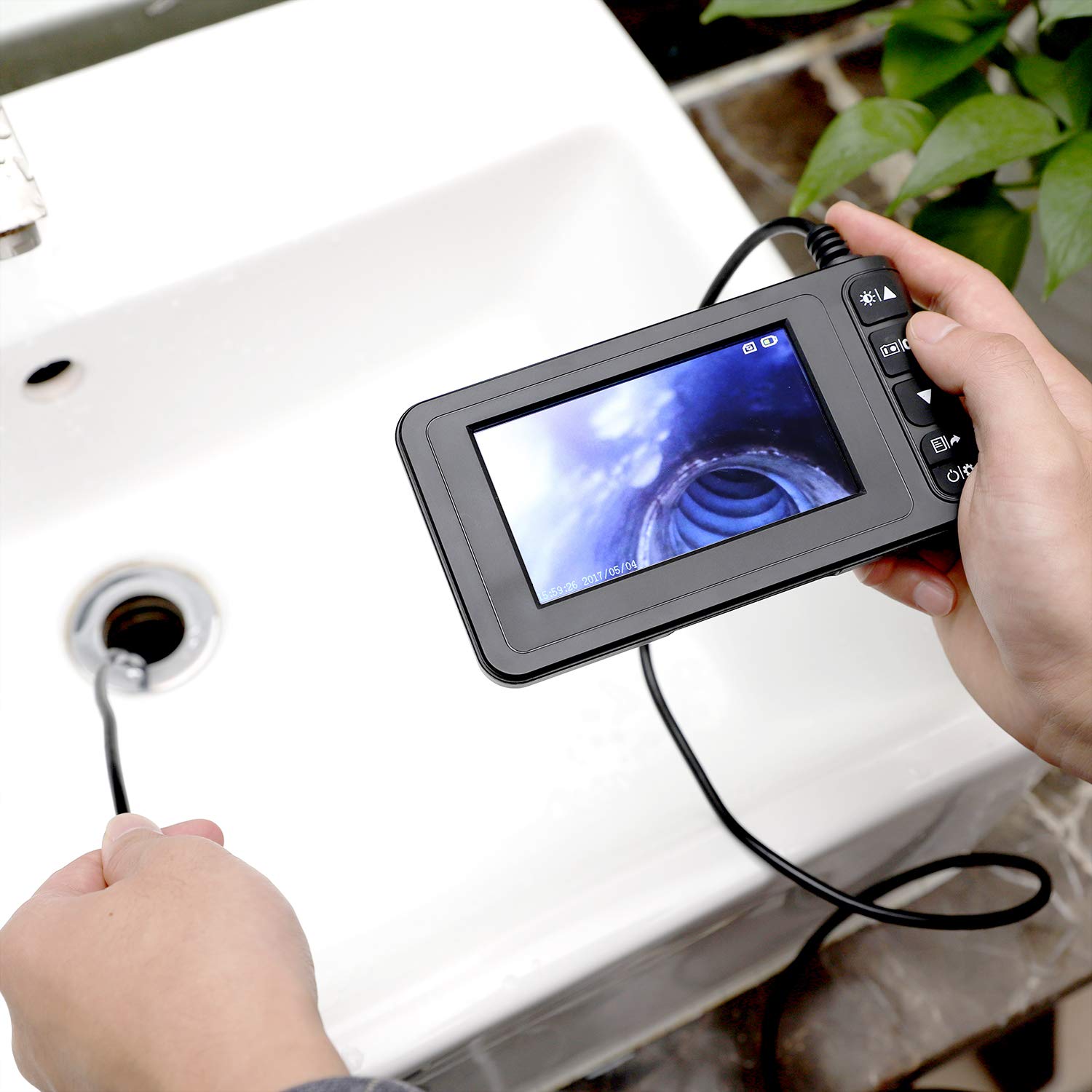
Figure 5.1: Endoscope in Use for Drain Inspection
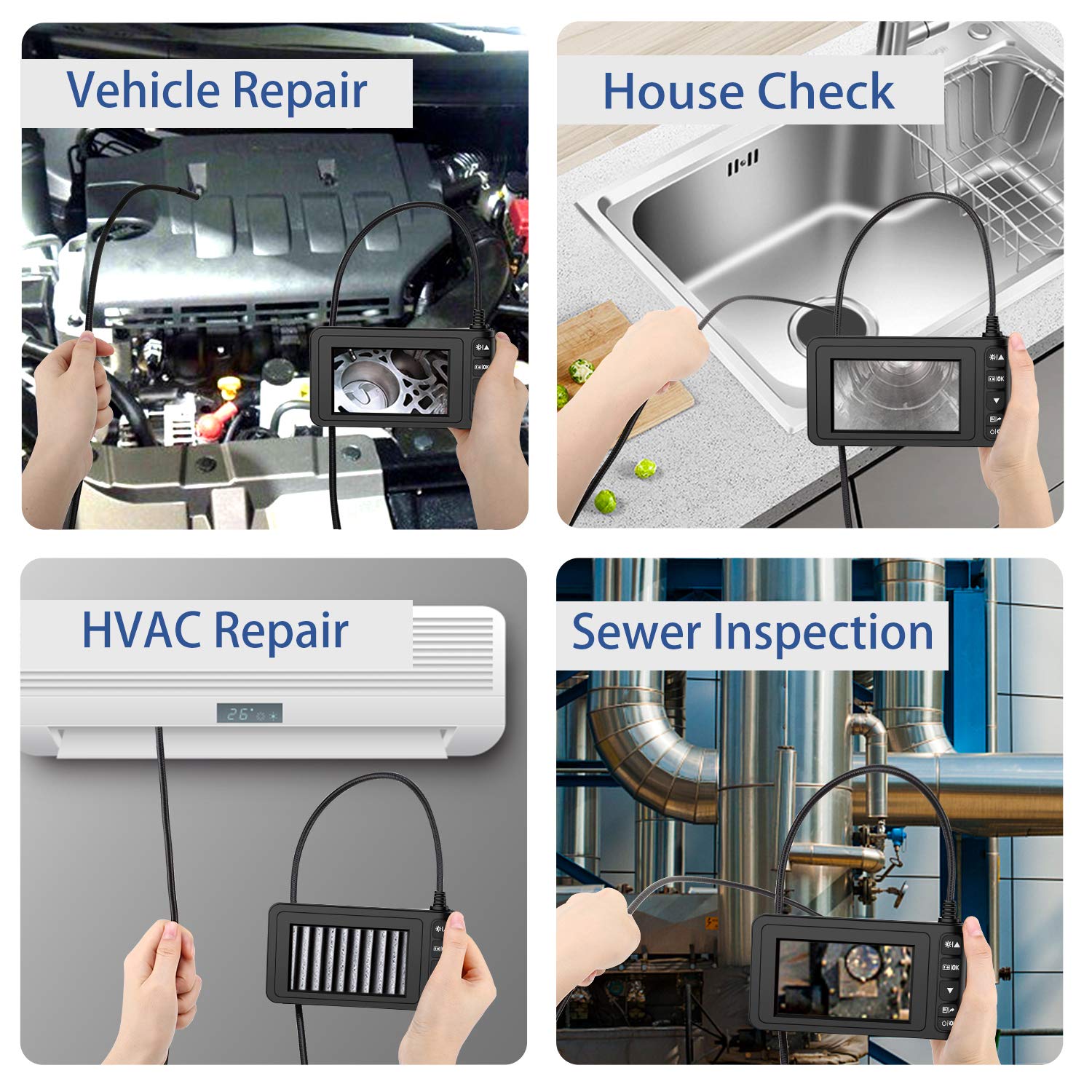
Figura 5.2: Escenaris d'aplicació comuns
6. Manteniment
Proper maintenance ensures the longevity and optimal performance of your endoscope camera:
- Neteja: Després de cada ús, especialment en ambients bruts o humits, netegeu suaument la sonda i el cable de la càmera amb un drap suau i sec.amp cloth. For the display unit, use a dry, soft cloth. Do not use abrasive cleaners or solvents.
- Emmagatzematge: Guardeu l'endoscopi en un lloc fresc i sec, allunyat de la llum solar directa i de temperatures extremes. Enrotlleu el cable sense apretar-lo per evitar que es doblegui o es faci malbé.
- Cura de la bateria: To maintain battery health, avoid fully discharging the battery frequently. If storing for an extended period, charge the battery to about 50% every few months.
- Lent de la càmera: Ensure the camera lens is clean and free of debris for clear images. If necessary, use a lens cleaning cloth.
7. Solució De Problemes
If you encounter issues with your MoKo Industrial Endoscope, refer to the following common problems and solutions:
- El dispositiu no s'encén:
- Assegureu-vos que la bateria estigui prou carregada. Connecteu el dispositiu a una font d'alimentació i deixeu-lo carregar durant almenys 30 minuts abans d'intentar tornar-lo a encendre.
- If the device is unresponsive, try pressing the reset button (if available, often a small pinhole) with a thin object.
- Poor Image Quality / Blurry Image:
- Check if the camera lens is clean. Wipe it gently with a soft, lint-free cloth.
- Adjust the LED light brightness using the UP/DOWN buttons to improve visibility in dark areas.
- Assegureu-vos que l'objecte sigui viewed is within the camera's focal range (1.6 to 198 inches). Move the camera closer or further away as needed.
- In extremely dark or reflective environments, image quality may be affected.
- Cannot Save Photos/Videos:
- Verify that a TF card is inserted correctly into the slot.
- Ensure the TF card is formatted to FAT32 and is Class 10 or higher.
- Check if the TF card has sufficient free space. Delete unnecessary files or replace the card if full.
- Cable is Too Flexible / Hard to Maneuver:
- While the cable is semi-rigid, for very long or complex paths, it may require additional support or guidance. Consider using a guide wire or a stiffer conduit if available for specific applications.
8. Especificacions
| Característica | Especificació |
|---|---|
| Dimensions del producte | 7.87 x 6.02 x 2.48 polzades; 1.17 lliures |
| Bateries | Necessita 1 bateria de ions de liti (inclosa) |
| Data de primera disponibilitat | 8 de maig de 2020 |
| Fabricant | MoKo |
| ASIN | B088B8CF9H |
| Rang d'enfocament macro | 1.6-198 polzades |
| Modes de tir | Sota l'aigua |
| Tipus de control d'exposició | Automàtic |
| Color | Negre |
| Resolució de captura de vídeo | 1080p |
9. Garantia i Suport
For warranty information or technical support, please contact MoKo customer service through their official channels. Refer to the product packaging or the MoKo brand store on Amazon for contact details.
MoKo Brand Store: Visit the MoKo Store on Amazon