
1. Introducció
Thank you for choosing the SBS Twin True Wireless Stereo Urban Earbuds BT480. These earbuds offer a seamless audio experience with true wireless stereo technology, multifunction controls, and voice assistant compatibility. This manual provides essential information for setup, operation, and maintenance to ensure optimal performance.
2. Contingut del paquet
- SBS Twin True Wireless Stereo Urban Earbuds (Left and Right)
- 500 mAh Charging Dock
- USB-Micro USB Charging Cable
- Manual d'usuari (aquest document)
3. Producte acabatview
The SBS BT480 Urban Earbuds are designed for convenience and portability. The charging dock not only protects your earbuds but also provides multiple recharges on the go.
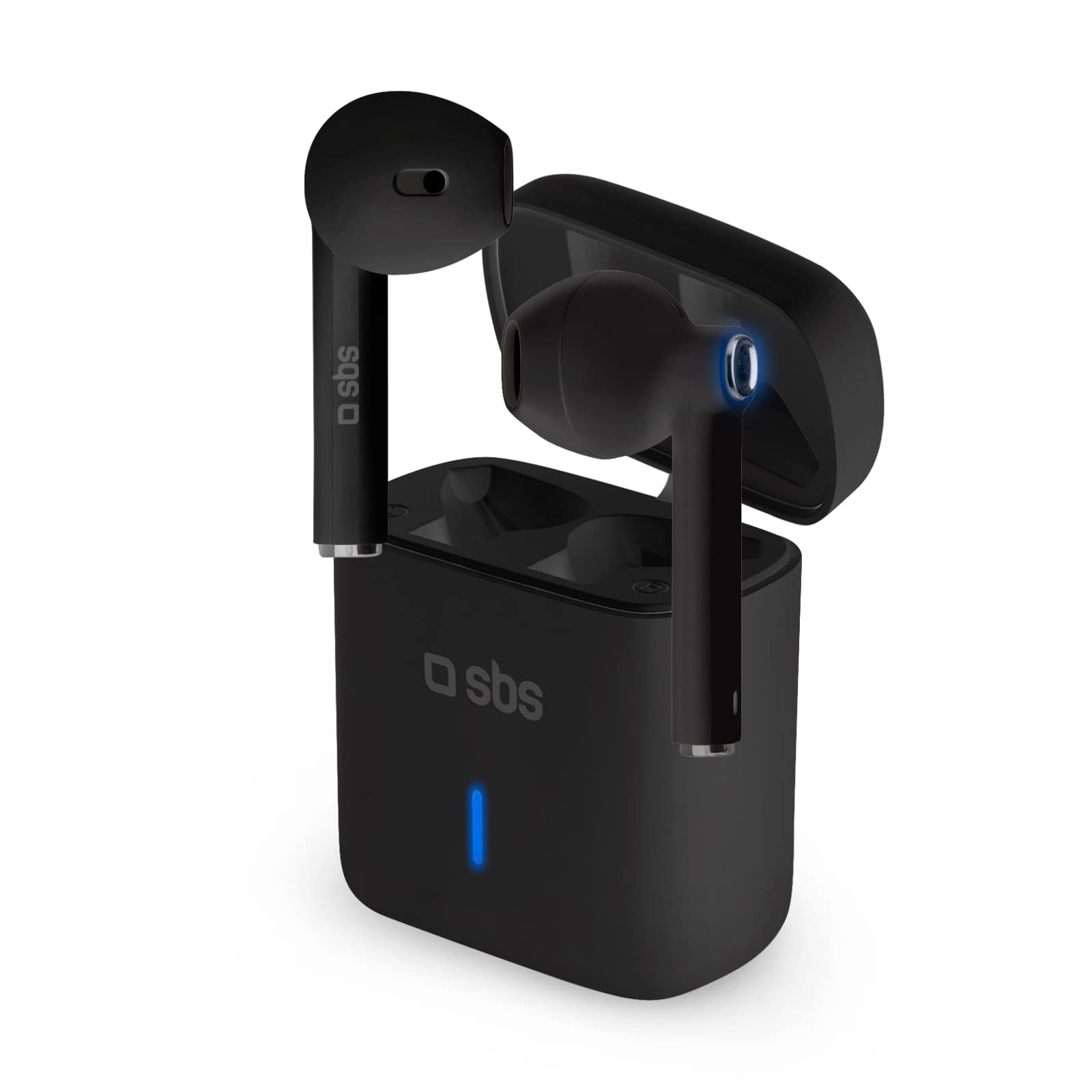
Image: SBS BT480 Urban Earbuds in their charging case. The image shows the black earbuds partially inserted into their matching black charging case, with a blue indicator light visible on the front of the case.
Components dels auriculars:
- Multifunction Touch Button: For music control, call management, and voice assistant activation.
- Micròfon: Integrated for calls and voice assistant.
- Contactes de càrrega: Situat a la part inferior de cada auricular.
- Indicador LED: Mostra l'estat de l'emparellament i el nivell de la bateria.
Components de la base de càrrega:
- Ranures de càrrega per a auriculars: Subjecta i carrega els auriculars de manera segura.
- Port de càrrega: Micro USB port for charging the dock itself.
- Indicador LED: Shows charging status of the dock.
4. Càrrega
Charging the Charging Dock:
- Connect the supplied USB-Micro USB cable to the charging port on the dock.
- Connecteu l'altre extrem del cable a una font d'alimentació USB (per exemple, un ordinador, un adaptador de paret).
- The dock's LED indicator will show its charging status. A full charge provides up to 4 full recharges for the earbuds.
Càrrega dels auriculars:
- Place the earbuds into their respective charging slots in the charging dock. Ensure the charging contacts align.
- The earbuds will automatically begin charging. The earbud LED indicators will show their charging status.
- Una càrrega completa proporciona aproximadament 3.5 hores d'ús continu.
5. Configuració i emparellament
Initial Pairing with Your Device:
- Encès: Remove both earbuds from the charging dock. They will automatically power on and connect to each other (True Wireless Stereo).
- Mode Bluetooth: The earbuds will enter pairing mode, indicated by a flashing LED on one of the earbuds.
- Activa el Bluetooth: Al telèfon intel·ligent o a un altre dispositiu amb Bluetooth, aneu a la configuració de Bluetooth.
- Seleccioneu el dispositiu: Cerca available devices and select "SBS BT480 Urban" from the list.
- Confirmació: Once paired, the earbud LED indicator will stop flashing, and you may hear an audible confirmation.
Nota: After initial pairing, the earbuds will automatically connect to the last paired device when removed from the charging dock, provided Bluetooth is enabled on your device.
6. Instruccions de funcionament
Control de música:
- Reproduir/pausa: Press the multifunction touch button on either earbud once.
- Pista següent: (Specific instruction not provided, typically double-tap right earbud)
- Pista anterior: (Specific instruction not provided, typically double-tap left earbud)
Gestió de trucades:
- Respon a la trucada: Press the multifunction touch button on either earbud once.
- Finalitzar la trucada: Press the multifunction touch button on either earbud once during a call.
- Rebutja la trucada: Press and hold the multifunction touch button on either earbud for a few seconds.
- Torna a marcar l'últim número: (Specific instruction not provided, typically triple-tap)
Activació de l'Assistent de veu:
- Activa Siri/Assistent de Google: Press and hold the multifunction touch button on either earbud for a few seconds until you hear a prompt.
7. Manteniment
- Neteja: Use a soft, dry cloth to clean the earbuds and charging dock. Do not use abrasive cleaners or solvents.
- Emmagatzematge: When not in use, store the earbuds in the charging dock to protect them and keep them charged.
- Eviteu l'aigua: Aquests auriculars no són impermeables. Eviteu l'exposició a l'aigua o a la humitat excessiva.
- Temperatura: No exposeu el dispositiu a temperatures extremes.
8. Solució De Problemes
| Problema | Possible solució |
|---|---|
| Els auriculars no s'encenen. | Ensure earbuds are charged. Place them in the charging dock for a few minutes, then remove. |
| Els auriculars no s'aparellen amb el dispositiu. | 1. Assegureu-vos que el Bluetooth estigui habilitat al vostre dispositiu. 2. Make sure earbuds are in pairing mode (flashing LED). 3. Forget "SBS BT480 Urban" from your device's Bluetooth list and try pairing again. 4. Ensure earbuds are sufficiently charged. |
| Només funciona un auricular. | 1. Place both earbuds back into the charging dock, then remove them simultaneously to allow them to re-sync. 2. Ensure both earbuds are charged. |
| Mala qualitat d'àudio. | 1. Ensure earbuds are fully charged. 2. Move closer to your paired device to avoid interference. 3. Check for obstructions between the earbuds and your device. |
| Charging dock not charging. | 1. Check the USB-Micro USB cable for damage. 2. Try a different USB power source. 3. Ensure the cable is securely connected to both the dock and the power source. |
9. Especificacions
- Nom del model: BT480 Urban
- Número de model: 8018417292668
- Connectivitat: Sense fil (Bluetooth)
- Factor de forma: In-orella
- Micròfon: Integrat
- Tipus de bateria: Polímer de liti
- Earbud Usage Time: Approximately 3.5 hours (per charge)
- Charging Dock Capacity: 500 mAh
- Earbud Recharges from Dock: Fins a 4 càrregues completes
- Components inclosos: Estació de càrrega
- Dispositius compatibles: Laptop, Tablet, Mobile Phone
- Color: Negre
10. Garantia i assistència
For warranty information and technical support, please refer to the documentation provided with your purchase or visit the official SBS weblloc web. Conserveu el comprovant de compra per a qualsevol reclamació de garantia.