
1. Producte acabatview
The UXD Adjustable Foldable Cell Phone and Tablet Stand (Model UXD-PS01) is designed to provide a stable and adjustable viewing solution for your mobile devices. Its robust construction and non-slip features ensure your device remains secure while offering versatile viewing angles and portability.
Característiques principals:
- Construcció sòlida: Features metal support rods and a weighted base for enhanced stability.
- Protecció antilliscant: Equipped with silicone pads on the top and base to prevent scratches and sliding.
- Disseny ajustable: Allows for multiple viewing angles and height adjustments.
- Plegable i portàtil: Compact design for easy carrying and storage.
- Charging Access: Includes a reserved charging hole for convenient device charging.
2. Instruccions de configuració
Follow these steps to set up your UXD stand:
- Desplegueu el suport: Gently unfold the stand from its compact, folded position. The base and the device holder will articulate.
- Ajusta l'alçada: Extend the telescopic rod to your desired height. Ensure it clicks securely into place.
- Ajust d'angle: Tilt the device holder to achieve your preferred viewing angle. The hinges are designed to hold the position firmly.
- Col·loca el dispositiu: Carefully place your cell phone or tablet onto the silicone-padded holder. Ensure it rests securely within the grooves.

Image: The UXD stand demonstrating its adjustable height and viewangles d'ajust.
Video: A demonstration of the UXD stand's setup, adjustment, and portability.
3. Instruccions de funcionament
The UXD stand is designed for ease of use across various scenarios:
- Ús d'escriptori: Position the stand on your desk for comfortable viewing during work, video calls, or entertainment.
- Ús a la cuina: Utilize the stand to view recipes on your tablet or phone while cooking, keeping your device clean and at eye level.
- Tauleta de nit: Place your device on the stand on your nightstand to easily check notifications or use it as an alarm clock.
- Càrrega: The stand features a reserved charging hole, allowing you to connect a charging cable to your device while it is on the stand.
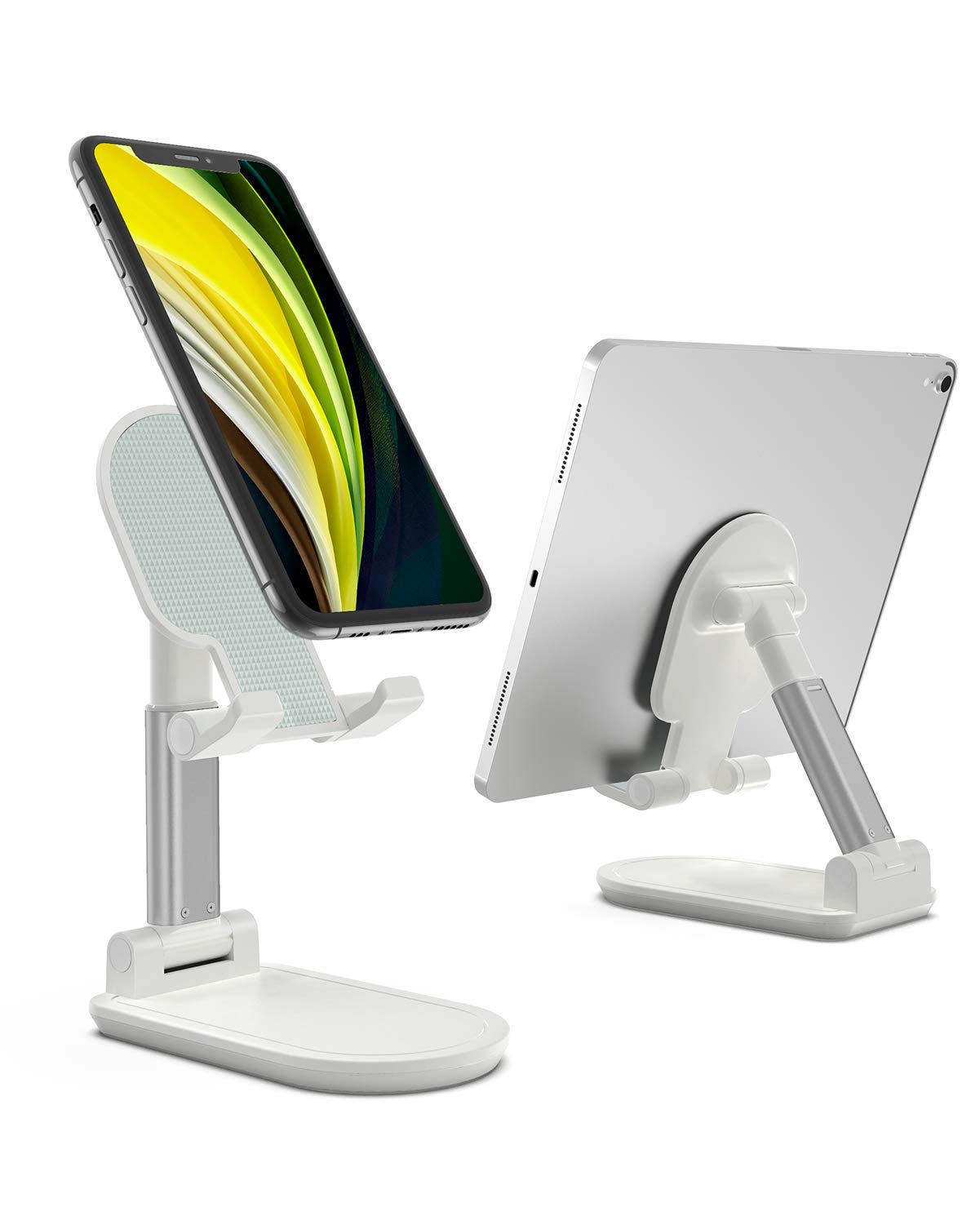
Image: A cell phone positioned on the UXD stand, illustrating stable desktop use.

Image: An iPad Pro resting on the UXD stand, showcasing its ability to hold larger tablets.

Image: The UXD stand being used in a kitchen for recipe viewing and for a home live broadcast setup.
4. Compatibilitat
The UXD stand is widely compatible with various smart devices, including those with thick cases. Compatible devices include, but are not limited to:
- iPhones: iPhone 12 / 12 Pro / 12 Pro Max / 12 Mini / 11 Pro / Xs / Xs Max / Xr / X / 8 / 8 Plus / 7 Plus / 7 / 6
- iPads: iPad 2020 (10.2-inch) / mini / 2019 / Air
- Samsung galaxy: S10 / S10+ / S9 / S9+ / S8 / S8+
- Altres dispositius: Samsung Tab, Google Nexus, Kindle, Huawei Mate series, P series, Nova series, Lenovo A series, K series, Sony Xperia series, Moto Z series, Moto E series.
5. Manteniment
To ensure the longevity and optimal performance of your UXD stand, follow these maintenance guidelines:
- Neteja: Netegeu el suport amb un drap suauamp cloth. Avoid using abrasive cleaners or solvents that may damage the finish or silicone pads.
- Emmagatzematge: When not in use, fold the stand into its compact form. Store it in a dry place away from extreme temperatures.
- Inspecció: Periodically check the hinges and joints for any signs of wear. Ensure the silicone pads are intact for maximum grip and protection.
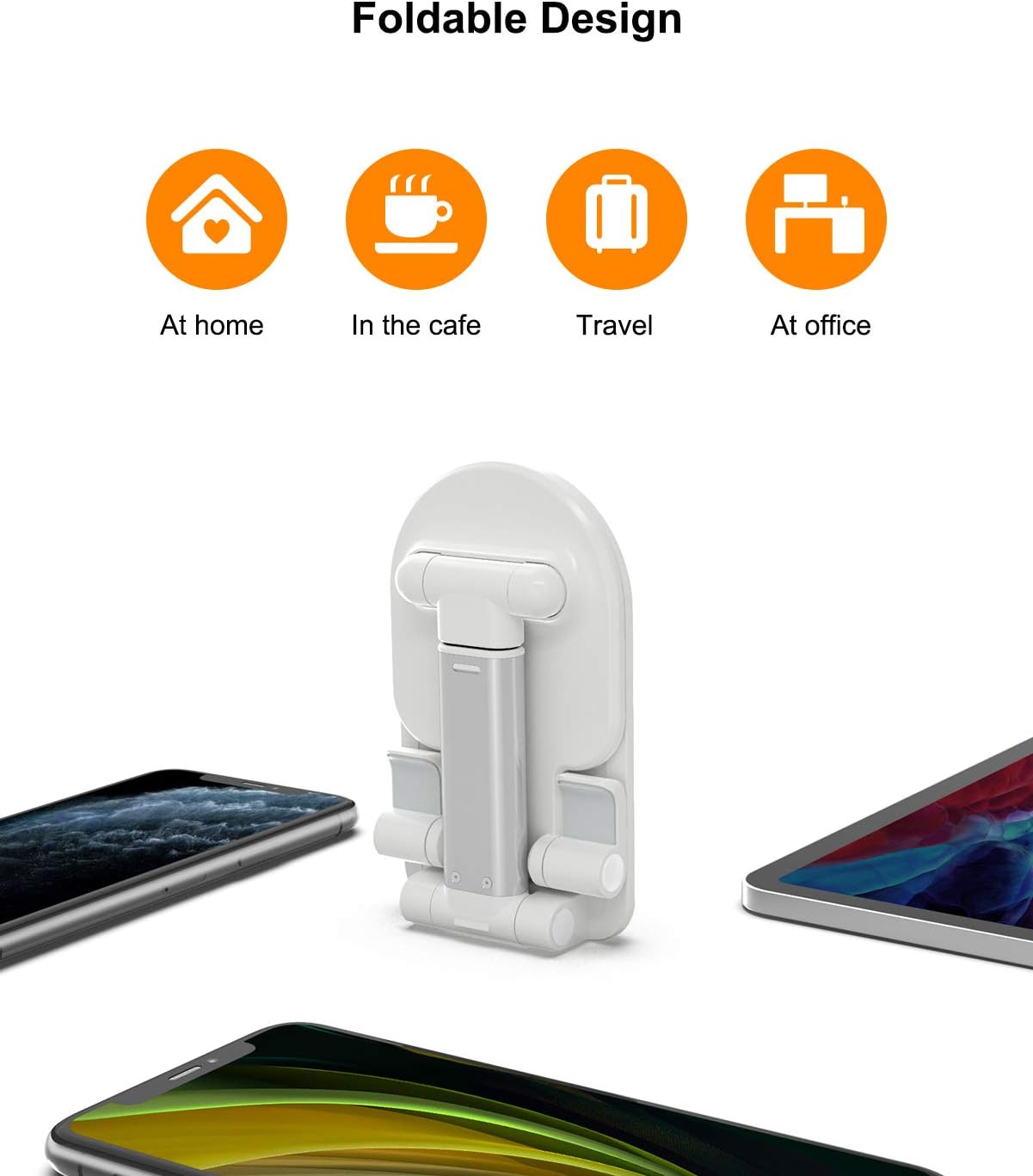
Image: The UXD stand shown in its fully folded, compact design for easy storage and transport.
6. Solució De Problemes
If you encounter any issues with your UXD stand, refer to the following common solutions:
- La posició de suport es nota inestable: Ensure the stand is placed on a flat, stable surface. Verify that the telescopic rod is fully extended and locked, and the device holder is securely positioned.
- Device slipping: Confirm that your device is centered on the silicone-padded holder. The non-slip pads are designed to prevent movement, but extreme angles or off-center placement can reduce stability.
- Difficulty adjusting hinges: The hinges are designed to be firm to maintain position. Apply steady, gentle pressure when adjusting. If they become too stiff or loose, contact customer support.
7. Especificacions
| Característica | Detall |
|---|---|
| Número de model | UXD-PS01 |
| Dimensions del producte | 5.31 x 3.35 x 1.38 polzades (plegat) |
| Pes de l'article | 0.64 unces (aproximadament 18.14 grams) |
| Característiques especials | Ajustable, plegable |
| Material | Metal support rods, silicone pads |
8. Garantia i Suport
UXD is committed to providing high-quality products and customer satisfaction. This product comes with a standard manufacturer's warranty against defects in materials and workmanship under normal use.
For any questions, concerns, or technical assistance, please contact our customer support team. We offer 7/24-hour after-sale service to ensure you receive prompt and helpful support.
Informació de contacte: Please refer to the product packaging or the official UXD weblloc web per obtenir les dades de contacte d'atenció al client més actualitzades.