
1. Introducció
This manual provides detailed instructions for the proper use, setup, operation, and maintenance of your Other HF-Q3 Wireless Bluetooth 2.1 Multifunction Sub-woofer Speaker. Please read this manual thoroughly before operating the device to ensure optimal performance and longevity.
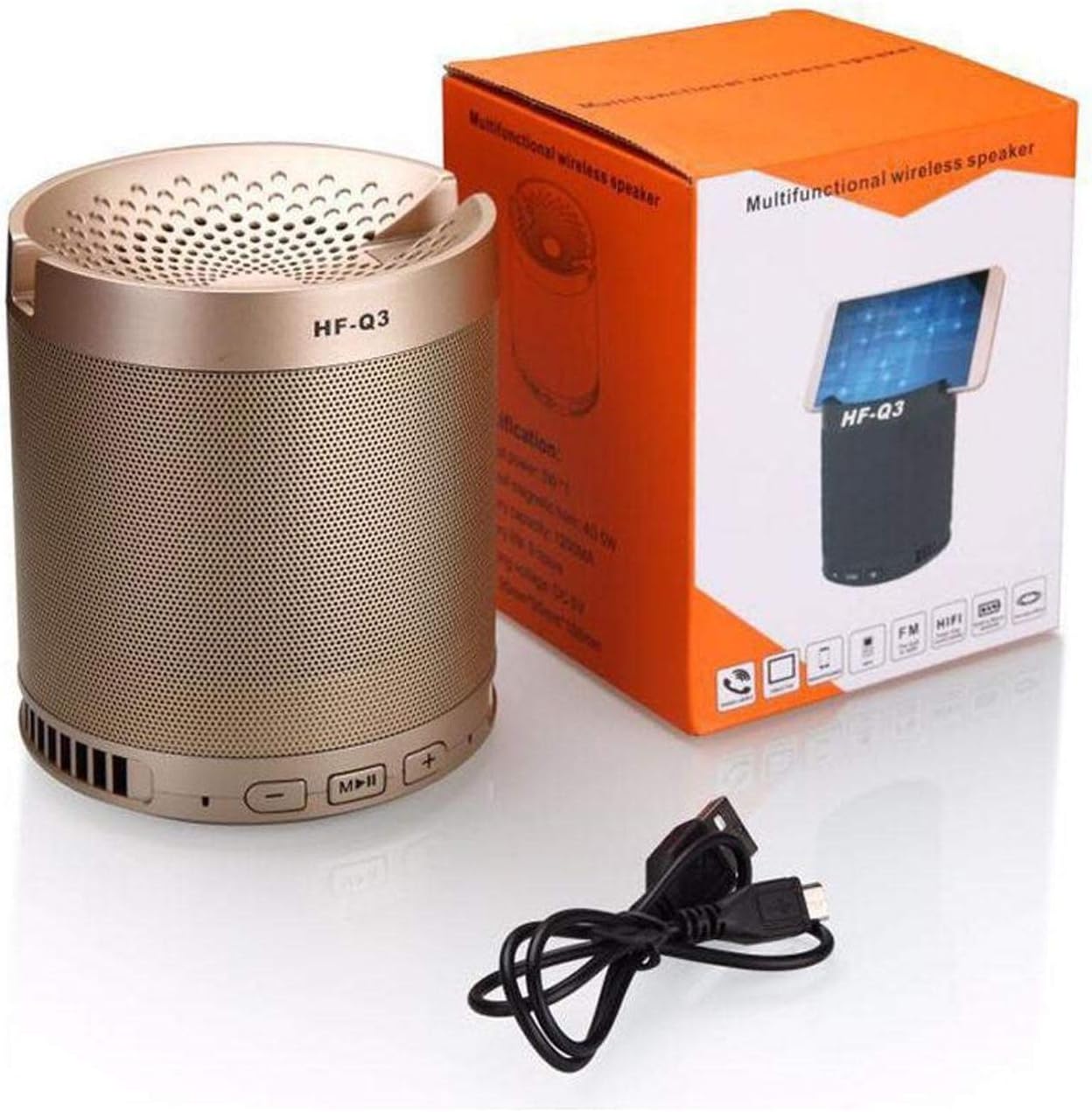
Figura 1.1: The HF-Q3 Wireless Bluetooth Speaker, its retail packaging, and a USB charging cable. This image illustrates the product as it appears when unboxed, highlighting its compact cylindrical design and included accessories.
2. Característiques del producte
- Connectivitat sense fils: Bluetooth per a una transmissió d'àudio sense interrupcions.
- Multifunction Design: Combines speaker functionality with a built-in phone stand.
- Sub-woofer Speaker: Designed to deliver enhanced bass audio.
- Portàtil: Compacte i lleuger per a un fàcil transport.
- Entrada d'àudio: Supports Audio Jack (AUX) connection.
- Potència de sortida: Nominal output of 40-50 Watts.

Figura 2.1: The HF-Q3 speaker demonstrating its integrated phone stand feature. A smartphone is shown resting securely in the top groove of the speaker, illustrating its dual functionality.
3. Contingut del paquet
Si us plau, comproveu el paquet per veure si hi ha els elements següents:
- HF-Q3 Wireless Bluetooth Speaker
- Cable de càrrega USB
- Manual d'usuari (aquest document)
4. Configuració
4.1 Càrrega de l'altaveu
- Connect the small end of the provided USB charging cable to the charging port on the speaker.
- Connecteu l'extrem més gran del cable USB a un adaptador de corrent USB (no inclòs) o al port USB d'un ordinador.
- The charging indicator light (if present) will illuminate, typically red, during charging.
- Once fully charged, the indicator light may change color (e.g., turn off or turn blue/green). Disconnect the speaker from the charger.
4.2 Engegada/apagada
- Per encendre: Press and hold the Power button (often integrated with the Play/Pause button) for a few seconds until you hear an audible prompt or see an indicator light.
- Per apagar: Premeu i manteniu premut el botó d'engegada de nou durant uns segons fins que sentiu un missatge audible o l'indicador lluminós s'apagui.
5. Instruccions de funcionament

Figura 5.1: Un detallat view of the control panel located on the top edge of the HF-Q3 speaker. Buttons for volume control (- and +) and media playback (Play/Pause/Mode) are clearly visible, indicating their positions for user interaction.
5.1 Vinculació Bluetooth
- Ensure the speaker is powered on and in Bluetooth pairing mode. An indicator light (often blue) will flash rapidly, and you may hear an audible prompt.
- Al telèfon intel·ligent, la tauleta o un altre dispositiu compatible amb Bluetooth, navegueu fins a la configuració de Bluetooth.
- Scan for available devices. You should see "HF-Q3" or a similar name appear in the list.
- Select "HF-Q3" to initiate pairing.
- Un cop emparellat, l'altaveu emetrà una confirmació audible i el llum indicador de Bluetooth normalment deixarà de parpellejar i romandrà fix.
5.2 Ús dels botons de control
- Play/Pause Button (M/||):
- Press once to Play or Pause audio.
- Press and hold to switch between modes (Bluetooth, AUX, FM Radio if available).
- Botó per baixar el volum / pista anterior (-):
- Premeu una vegada per baixar el volum.
- Manteniu premut per anar a la pista anterior.
- Botó Pujar volum / Pista següent (+):
- Premeu una vegada per augmentar el volum.
- Manteniu premut per anar a la pista següent.
5.3 Mode d'entrada AUX
- Connecteu un extrem d'un cable d'àudio de 3.5 mm (no inclòs) al port AUX de l'altaveu.
- Connect the other end of the audio cable to the audio output jack of your device (e.g., smartphone, MP3 player).
- The speaker should automatically switch to AUX mode, or you may need to press the Mode button (often the Play/Pause button) to select AUX.
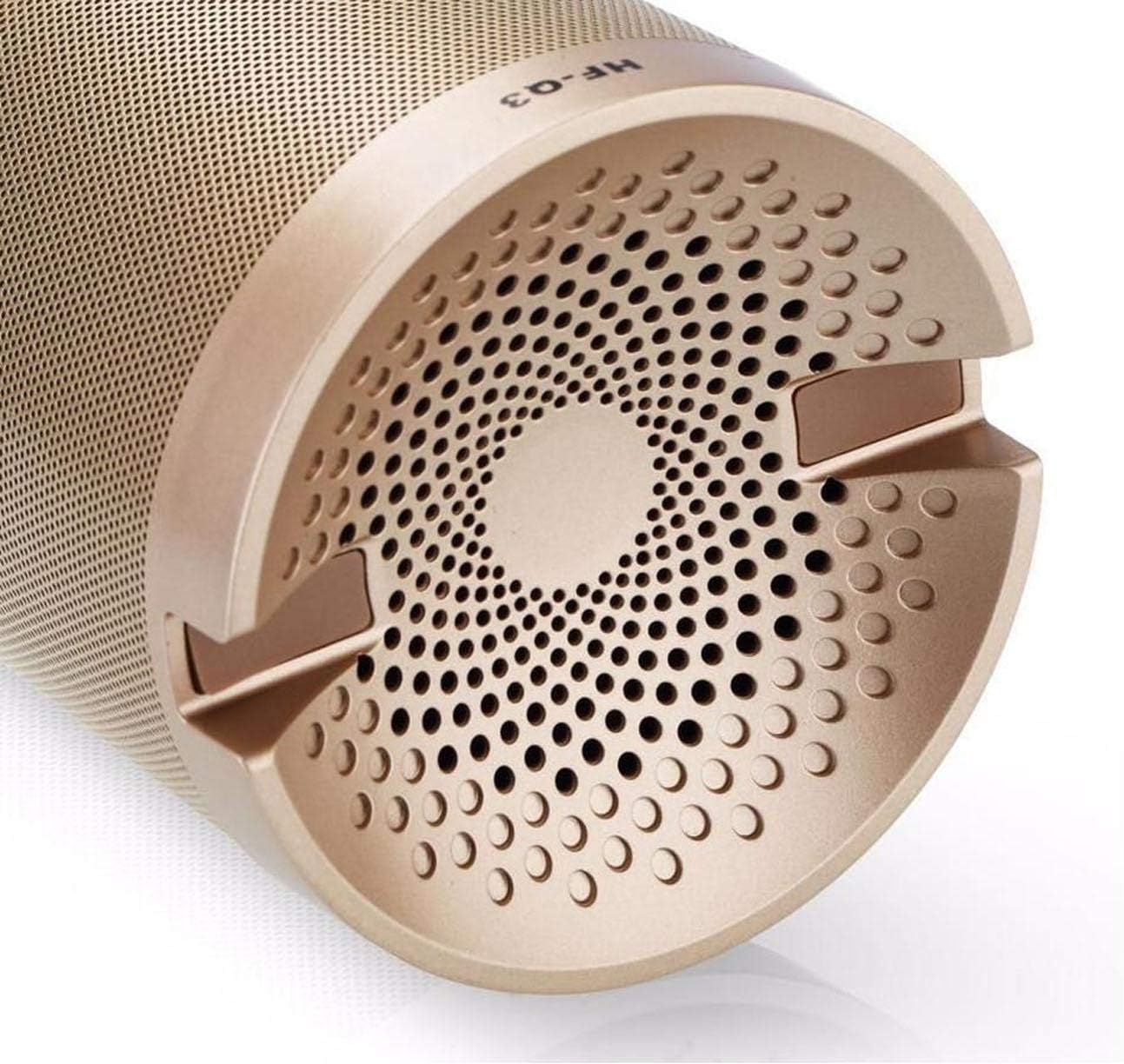
Figura 5.2: The underside of the HF-Q3 speaker, revealing the charging port and the AUX input port. This view is crucial for understanding how to connect power and external audio sources to the device.
6. Manteniment
- Neteja: Feu servir un drap suau i sec per netejar la superfície de l'altaveu. No utilitzeu productes de neteja abrasius ni dissolvents.
- Emmagatzematge: Guardeu l'altaveu en un lloc fresc i sec, allunyat de la llum solar directa i de temperatures extremes.
- Cura de la bateria: Per allargar la durada de la bateria, eviteu descarregar completament l'altaveu amb freqüència. Carregueu-lo regularment, fins i tot si no l'utilitzeu durant períodes prolongats.
- Exposició a l'aigua: Aquest altaveu no és impermeable. Eviteu l'exposició a l'aigua o a una humitat elevada.
7. Solució De Problemes
| Problema | Causa possible | Solució |
|---|---|---|
| L'altaveu no s'encén. | Bateria baixa o sense càrrega. | Carregueu l'altaveu amb el cable USB proporcionat. |
| No hi ha so de l’altaveu. | Volum massa baix, mode incorrecte o dispositiu no connectat. | Increase speaker and device volume. Ensure correct mode (Bluetooth/AUX) is selected. Re-pair Bluetooth or re-connect AUX cable. |
| No es pot emparellar per Bluetooth. | Speaker not in pairing mode, device Bluetooth off, or too far away. | Ensure speaker is in pairing mode (flashing indicator). Turn Bluetooth on your device. Move device closer to the speaker (within 10 meters). |
| Mala qualitat d'àudio. | Interference, low battery, or source audio quality. | Move speaker closer to the source device. Charge the speaker. Try a different audio source or file. |
8. Especificacions
| Nom del model: | HF-Q3 |
| Marca: | Altres |
| Tipus d'altaveu: | Bluetooth Speakers, Sub-woofer |
| Tecnologia de connectivitat: | Wireless (Bluetooth), Wired (Audio Jack) |
| Sortida nominal: | 40 - 50 watts |
| Mode de sortida d'àudio: | estèreo |
| Dispositius compatibles: | Telèfons intel·ligents, tauletes, ordinadors portàtils, televisors |
| Forma: | Cilindre |
| Pes del producte: | Aproximadament 1.16 lliures |
9. Garantia i Suport
Per obtenir informació sobre la garantia i assistència al client, consulteu la documentació proporcionada en el moment de la compra o poseu-vos en contacte amb el vostre distribuïdor. Conserveu el comprovant de compra per a qualsevol reclamació de garantia.
For further assistance, please visit the manufacturer's weblloc o poseu-vos en contacte amb el seu departament d'atenció al client.