
1. Producte acabatview
The Wipro 10 Amp Smart Plug allows you to control electrical appliances remotely via your smartphone or voice commands. It integrates seamlessly into your smart home ecosystem, offering features like scheduling and energy consumption monitoring for connected devices. This smart plug operates on a secured 2.4GHz Wi-Fi network and does not require a separate hub.
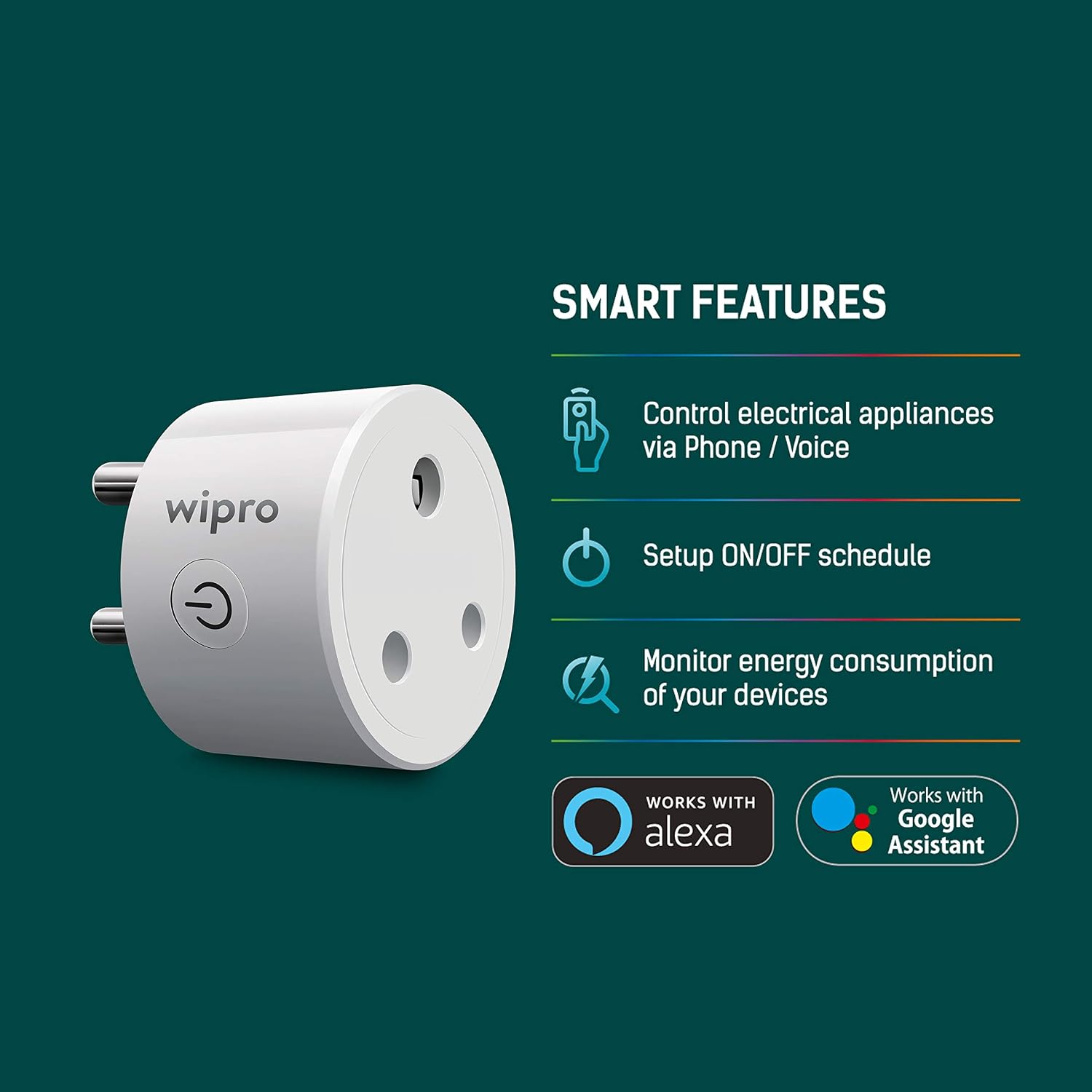
Image: Wipro 10 Amp Smart Plug highlighting its smart features including control via phone/voice, ON/OFF scheduling, and energy consumption monitoring.
Característiques principals:
- Comandament a distància: Control connected appliances from anywhere using the Wipro Smart app.
- Programació: Set up ON/OFF schedules, timers, and countdowns to automate device operation and optimize energy usage.
- Control de veu: Compatible amb Amazon Alexa i Google Assistant per a un control amb mans lliures.
- Monitorització energètica: Monitor the energy consumption of devices plugged into the smart plug via the app.
- No es requereix concentrador: Es connecta directament a la teva xarxa Wi-Fi de 2.4 GHz existent.
2. Guia de configuració
Follow these steps to set up your Wipro 10 Amp Smart Plug:
- Descarrega l'aplicació: Install and open the Wipro Next Smart Home app on your mobile device.
- Registra't/Inici de sessió: Register with your email ID and follow the on-screen instructions to log in to the app.
- Afegeix un dispositiu: Tap on "Add Device" or the "+" icon in the top right corner, then select "Add Device."
- Connectar: Plug your Wipro Smart Plug into a power outlet. Ensure the device is in pairing mode (refer to the device's LED indicator for status).
- Detecció de dispositius: The app will automatically detect the device. If not, select the appropriate device from the available options.
- Connecta't a Wi-Fi: Confirm your 2.4GHz Wi-Fi network and enter the password. The smart plug only supports 2.4GHz Wi-Fi.
- Finalitza la configuració: Tap on "Add" and then the "+" icon next to the device name. Once connected, tap "Done" to complete the setup and begin using your smart plug.

Image: Step-by-step visual guide for setting up the Wipro Smart Plug using the Wipro Next Smart Home app.
3. Instruccions de funcionament
3.1. Using the Wipro Next Smart Home App
- ON/OFF manual: Open the app, select your smart plug, and tap the power icon to turn the connected appliance on or off instantly.
- Programació: Navigate to the scheduling section within the device settings to create custom schedules, timers, or countdowns for automated operation.
- Monitorització energètica: Access the energy monitoring feature in the app to view real-time and historical power consumption data for the connected device.
3.2. Control per veu
The Wipro Smart Plug is compatible with Amazon Alexa and Google Assistant. To enable voice control:
- Comptes d'enllaç: In your Alexa or Google Home app, search for the "Wipro Next Smart Home" skill/service and link your Wipro account.
- Descobriu els dispositius: Once linked, ask Alexa or Google Assistant to discover new devices.
- Comandaments de veu: Utilitzeu ordres com ara:
- "Alexa, activa [Nom del dispositiu]"
- "Ei Google, desactiva [Nom del dispositiu]"
- "Alexa, set [Device Name] to 50%" (if applicable for dimmable devices, though not for this plug)

Image: Illustration of using voice commands with Amazon Alexa and Google Assistant to control devices connected to the Wipro Smart Plug.
4. Manteniment
To ensure optimal performance and longevity of your Wipro 10 Amp Smart Plug:
- Neteja: Desconnecta l'endoll intel·ligent de la presa de corrent abans de netejar-lo. Fes servir un drap suau i sec per netejar la superfície. No utilitzis netejadors líquids ni aerosols.
- Medi ambient: Keep the smart plug in a dry environment, away from water, moisture, and extreme temperatures.
- Protecció de sobrecàrrega: No supereu la capacitat de càrrega màxima de 10 Amps. Overloading can damage the device and pose a safety risk.
- Inspecció: Periodically inspect the plug for any signs of damage or wear. If damaged, discontinue use and contact customer support.
5. Solució De Problemes
If you encounter issues with your Wipro 10 Amp Smart Plug, refer to the following troubleshooting tips:
- El dispositiu no es connecta a la Wi-Fi:
- Ensure your Wi-Fi network is 2.4GHz. The smart plug does not support 5GHz networks.
- Check if your Wi-Fi password is entered correctly in the app.
- Move the smart plug closer to your Wi-Fi router to improve signal strength.
- Restart your Wi-Fi router and try connecting again.
- El dispositiu no respon:
- Verify that the smart plug is securely plugged into a working power outlet.
- Check if the connected appliance is powered on and functioning correctly.
- Unplug the smart plug for 10 seconds and then plug it back in to perform a soft reset.
- Ensure your Wipro Next Smart Home app is updated to the latest version.
- El control per veu no funciona:
- Confirm that your Wipro Next Smart Home account is correctly linked to your Alexa or Google Home app.
- Ensure the device name used in voice commands matches the name set in the Wipro app and the voice assistant app.
- Prova de redescobrir dispositius a l'aplicació Alexa o Google Home.
- Energy Monitoring Inaccurate/Not Displaying:
- Ensure the smart plug is continuously connected to Wi-Fi for data logging.
- Verify that the connected appliance is drawing power.
6. Especificacions

Imatge: Frontal view of the Wipro 10 Amp Smart Plug, showing the power button and plug configuration.
| Especificació | Valor |
|---|---|
| Marca | Wipro |
| Model | 10 Amp Endoll intel·ligent |
| Color | Negre |
| Voltage | 220 Volts |
| Ampedat | 10 Amps |
| Material | Alumini |
| Tipus de connector | Connectar-se |
| Nombre de pols | 2 |
| Number Of Wires | 3 |
| Pes de l'article | 72.6 grams |
| Components inclosos | 1 Endoll intel·ligent |
7. Garantia i Suport
7.1. Informació de la garantia
The Wipro 10 Amp Smart Plug comes with a 1 any de garantia des de la data de compra. Aquesta garantia cobreix els defectes de fabricació en condicions d'ús normal. Conserveu el rebut de compra com a comprovant de compra per a reclamacions de garantia.
7.2. Atenció al client
For technical assistance, warranty claims, or any other inquiries, please contact Wipro customer support:
- Fabricant: Wipro Enterprises (P) Ltd
- Adreça: Doddakanelli, Sarjapur Road, Bangalore-560035, India
- Número gratuït: 1-800-425-1969