
Popglory P22
Manual d'usuari del rellotge intel·ligent Popglory P22
Model: P22
1. Introducció
This manual provides detailed instructions for the setup, operation, and maintenance of your Popglory P22 Smartwatch. Please read this manual thoroughly before using the device to ensure proper function and to maximize your user experience.
The Popglory P22 Smartwatch is designed to assist you in monitoring your daily activities and health metrics, including heart rate, blood pressure, blood oxygen, and sleep patterns. It also offers various sports modes and smart notifications when connected to your smartphone.

Image 1.1: Popglory P22 Smartwatch (Rose)
2. Configuració
2.1. Càrrega del dispositiu
Before first use, fully charge your smartwatch. Connect the magnetic charging cable to the charging contacts on the back of the watch and plug the USB end into a standard USB power adapter (not included) or a computer USB port. The watch display will indicate charging status.
2.2. Instal·lació de l'aplicació
The Popglory P22 Smartwatch requires the HeroBandIII application for full functionality. Scan the QR code provided in the watch packaging or search for "HeroBandIII" in your smartphone's app store (Google Play Store for Android, Apple App Store for iOS).
2.3. Vinculació de dispositius
- Assegureu-vos que el Bluetooth del vostre telèfon intel·ligent estigui activat.
- Obriu l'aplicació HeroBandIII al vostre telèfon intel·ligent.
- Follow the in-app instructions to add a new device. Select "P22" from the list of available devices.
- Confirma la sol·licitud d'emparellament tant al teu telèfon intel·ligent com al rellotge intel·ligent.
Un cop emparellat, el rellotge sincronitzarà les dades amb l'aplicació.
3. Instruccions de funcionament
3.1. Navegació bàsica
- Llisca cap amunt: Accés a les notificacions.
- Llisca cap avall: Access quick settings (brightness, mute, battery, weather).
- Llisca cap a l'esquerra/dreta: Navigate through main features (activity data, heart rate, sports modes, weather, music control, etc.).
- Premeu el botó lateral: Return to the main watch face or wake the screen.
3.2. Esferes de rellotge personalitzades
The smartwatch supports custom watch faces. You can select from over 200 integrated watch faces via the HeroBandIII app or upload a personal photo to personalize your display.

Image 3.1: Custom Watch Faces
3.3. Monitorització de la salut
The P22 Smartwatch monitors several health metrics. Please note that these measurements are for reference only and should not be used for medical diagnosis.
- Freqüència cardíaca: Access the heart rate interface on the watch to measure your current heart rate. Continuous monitoring can be enabled via the app.
- Pressió arterial: Navigate to the blood pressure interface to initiate a measurement.
- Oxigen en sang (SpO2): Select the SpO2 function to measure your blood oxygen saturation.
- Seguiment del son: The watch automatically tracks your sleep patterns (deep sleep, light sleep, awake time) when worn during sleep. View detailed sleep data in the HeroBandIII app.
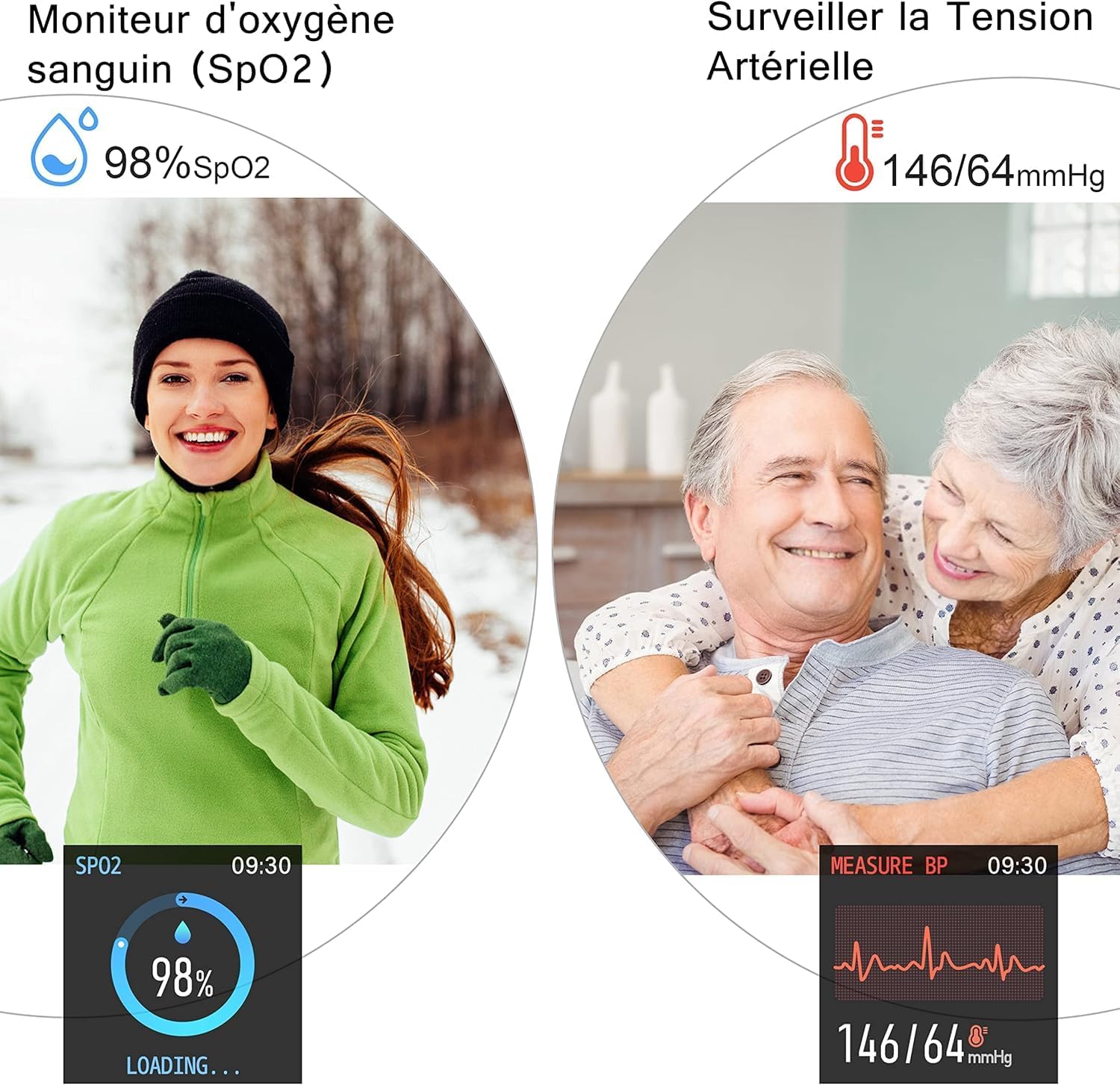
Image 3.2: SpO2 and Blood Pressure Monitoring
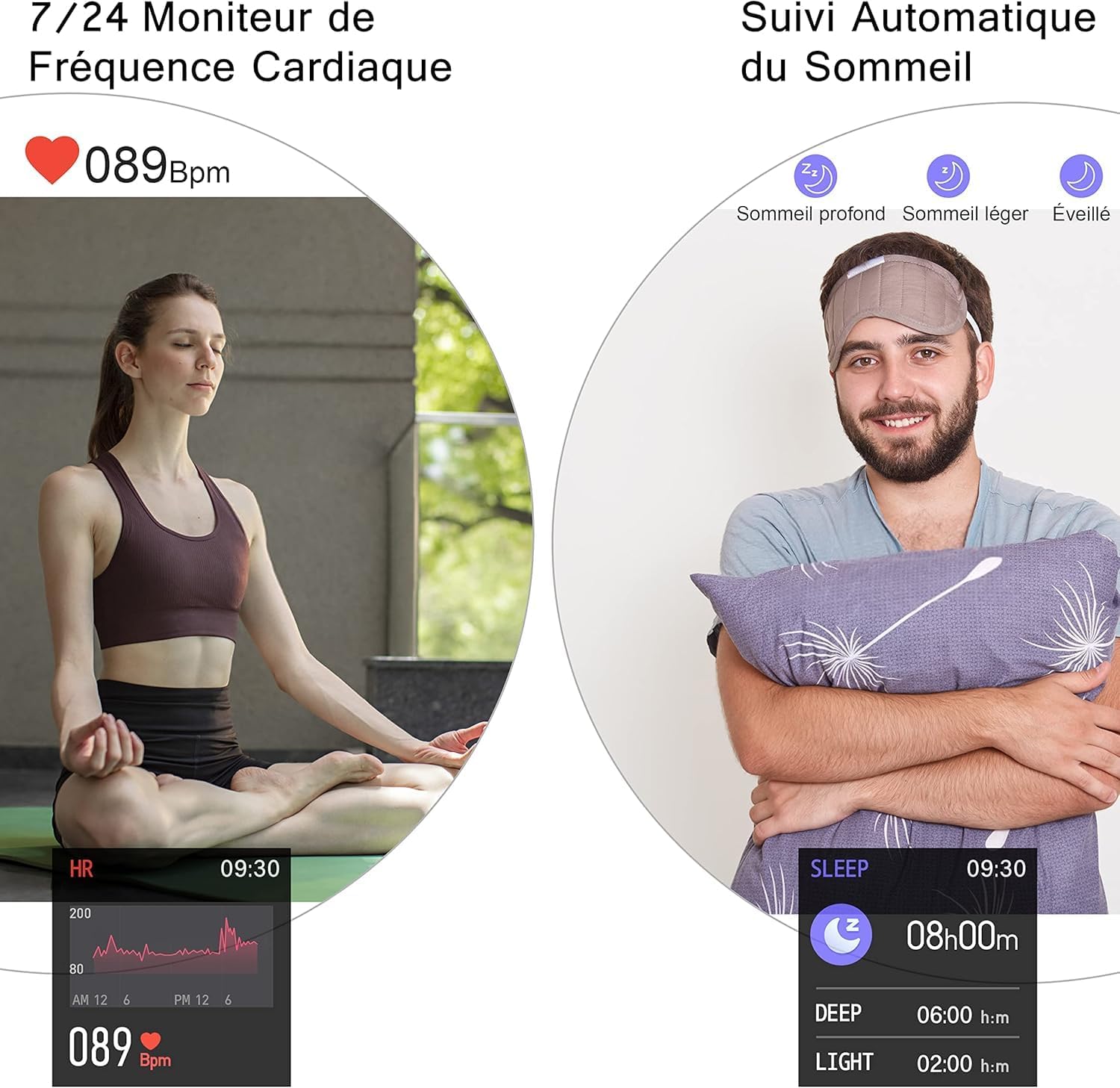
Image 3.3: Heart Rate and Sleep Monitoring
3.4. Modes esportius
The smartwatch features multiple sports modes to track your workouts. Select a mode to record data such as steps, calories burned, distance, and active minutes.
- Available modes include: Walking, Running, Cycling, Jump Rope, Badminton, Basketball, Football.

Image 3.4: Multi-Sport Mode Tracking
3.5. Notificacions intel·ligents
Receive notifications for incoming calls, SMS messages, and social media alerts directly on your watch when connected to your smartphone. Lift your wrist to automatically illuminate the screen and view missatges.
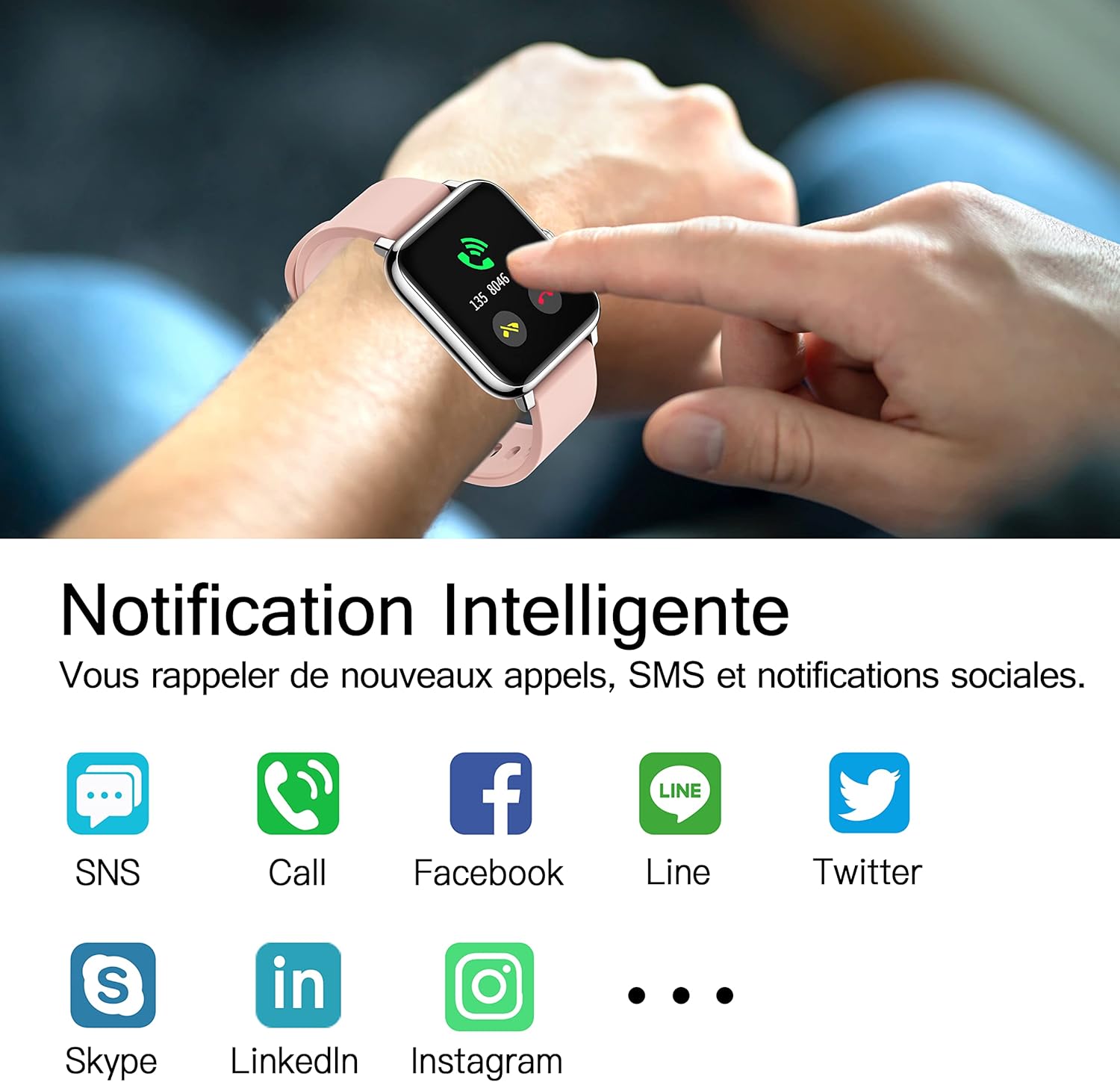
Image 3.5: Smart Notifications
3.6. Característiques addicionals
- Control de música: Controla la reproducció de música al teu telèfon intel·ligent directament des del rellotge.
- Pronòstic del temps: View current weather conditions and forecasts after setting your location in the HeroBandIII app.
- Alarma: Set alarms via the app, and the watch will vibrate to alert you.
- Cronòmetre i temporitzador: Utilize the stopwatch and timer functions for various activities.
- Recordatori sedentari: Rebre recordatoris per mudar-se després de períodes d'inactivitat.
- Càmera remota: Use the watch as a remote shutter for your smartphone's camera.
- Ajust de brillantor: Adjust screen brightness directly from the watch's quick settings.
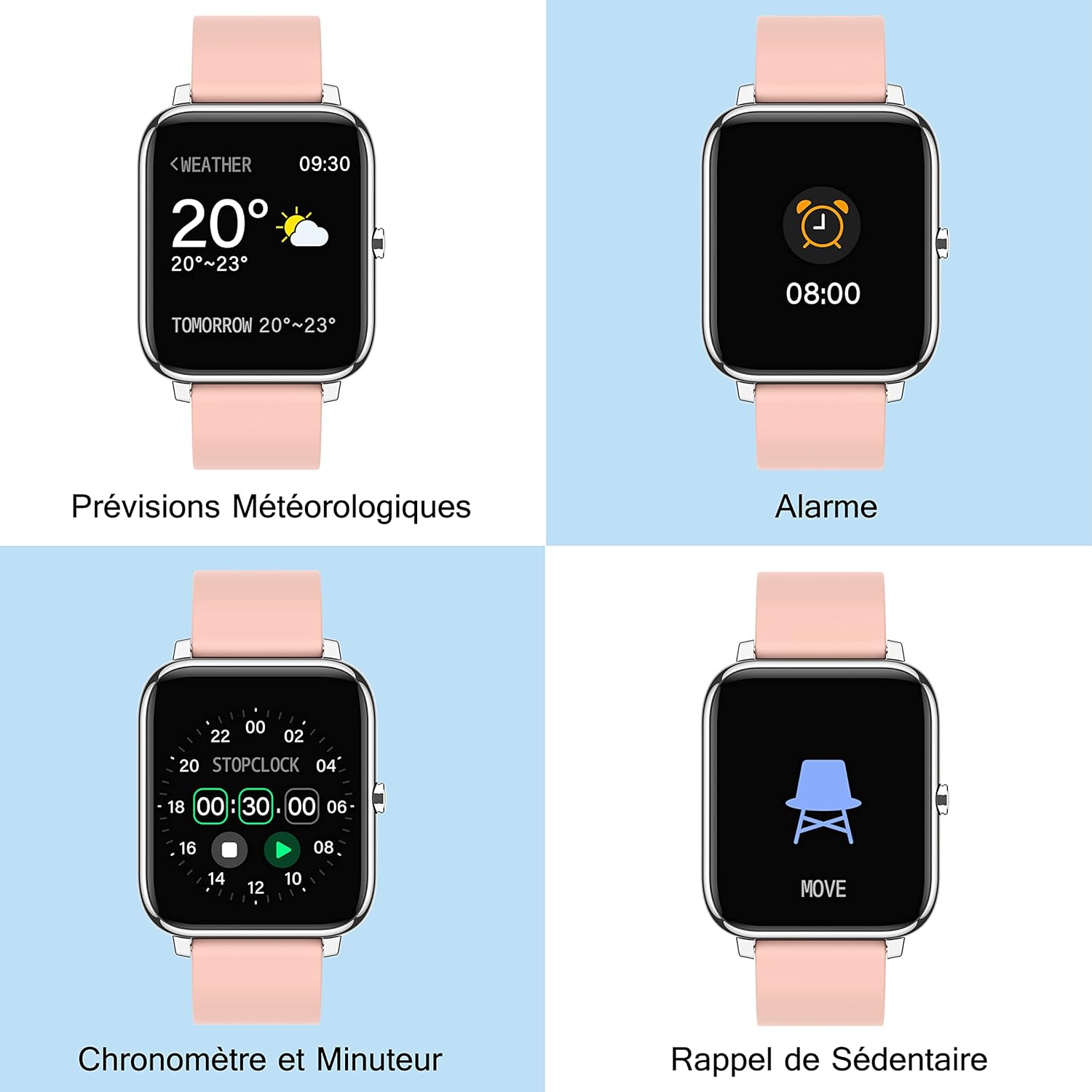
Image 3.6: Additional Smartwatch Functions
4. Manteniment
4.1. Neteja
Regularly clean your smartwatch and strap to prevent skin irritation and maintain device performance. Use a soft, damp drap per netejar la pantalla i la corretja. Eviteu utilitzar productes químics agressius o materials abrasius.
4.2. Resistència a l'aigua
The Popglory P22 Smartwatch is designed to be resistant to splashes and sweat. It is not recommended for swimming, showering, or prolonged submersion in water. Avoid exposing the watch to hot water or steam.
4.3. Emmagatzematge
Store the smartwatch in a cool, dry place when not in use. Avoid extreme temperatures and direct sunlight.
5. Solució De Problemes
| Problema | Causa possible | Solució |
|---|---|---|
| El rellotge no s'encén | Bateria baixa | Charge the watch for at least 10-15 minutes. |
| No es pot emparellar amb el telèfon intel·ligent | Bluetooth desactivat, problema amb l'aplicació, rellotge no detectable | Ensure Bluetooth is on. Restart watch and phone. Reinstall HeroBandIII app. Ensure watch is not paired to another device. |
| No s'han rebut notificacions | App permissions, Bluetooth connection lost, DND mode | Check app notification permissions. Ensure watch is connected via Bluetooth. Disable Do Not Disturb mode on watch/app. |
| Dades de salut inexactes | Improper fit, movement during measurement | Ensure the watch is worn snugly on the wrist. Remain still during measurements. Remember data is for reference only. |
| La pantalla no respon | Software glitch, low battery | Restart the watch (if possible). Charge the watch. |
6. Especificacions
- Marca: Popglory
- Nom del model: P22
- Mida de la pantalla: 1.4 polzades
- Compatibilitat del sistema operatiu: Android 4.4+/iOS 9.0+
- Connectivitat: Bluetooth
- Tipus de bateria: Polímer de liti
- Característiques especials: Heart Rate Monitor, Blood Pressure Monitor, Blood Oxygen Monitor, Sleep Tracker, Pedometer, Calorie Tracker, Distance Tracker, Multi-Sport Modes, Notification Alerts, Music Control, Weather Forecast, Alarm, Stopwatch, Timer, Sedentary Reminder, Remote Camera Control, Brightness Adjustment.
- GPS: No integrat
- Forma: Rectangular
7. Garantia i Suport
For warranty information and customer support, please refer to the documentation included with your purchase or contact Popglory customer service through their official website or the HeroBandIII application. Please have your model number (P22) and purchase details ready when contacting support.
Ask a question about this manual
Ask about setup, troubleshooting, compatibility, parts, safety, or missing instructions. Manuals+ will review the question and use this page’s manual context to help answer it.