
Introducció
Welcome to your new Hotmoon Smart Light Bulbs. These RGBW LED bulbs offer 16 million colors, warm white (2700K), and smart control features. This manual provides detailed instructions for installation, operation, and troubleshooting to ensure optimal performance and a seamless smart lighting experience.
Informació important de seguretat
- Llegiu totes les instruccions abans de la instal·lació i l'ús.
- Do not use with dimmers other than those controlled by the Smart Life app or compatible voice assistants.
- Ensure power is off at the switch before installing or removing the bulb.
- Suitable for indoor use in dry locations only.
- Vol. Operatiutage: 100-240 V AC.
- No exposar a l'aigua ni a la humitat.
Contingut del paquet
- 4 x Hotmoon 9W Smart LED Light Bulbs
- 1 x Manual d'usuari
Especificacions
| Wattage | 9W |
| Flux lluminós | 900 LM |
| Temperatura de color | 2700K + RGB |
| Tipus de bombeta | A19 |
| Tipus de base | E26 |
| Entrada Voltage | 100-240V AC |
| Tipus sense fil | Wi-Fi de 2.4 GHz (5 GHz no compatibles) |
| Vida Mitjana | Aproximadament 20,000 hores |
| Mètode de control | App (Smart Life), Voice (Alexa, Google Home), IFTTT |
| Certificacions | CE, FCC |
Guia de configuració
1. Instal·lació física
- Ensure the power switch to the light fixture is in the OFF position.
- Carefully screw the smart bulb into a standard E26 light socket.
- Turn on the power switch to the light fixture. The bulb should light up.
2. Baixeu l'aplicació Smart Life
- Cerca "Smart Life" in your mobile device's app store (iOS App Store or Google Play Store).
- Baixeu i instal·leu l'aplicació.
- Registra un compte nou o inicia la sessió si ja en tens un.
3. Pair the Smart Bulb with Wi-Fi
- Open the Smart Life app on your mobile device.
- Tap the "+" icon in the top right corner or select "Add Device".
- Navigate to "Lighting" and select "Light Source (Wi-Fi)".
- Ensure the smart bulb is blinking rapidly. If it is not, turn the light switch OFF-ON-OFF-ON-OFF-ON (3 cycles) to reset the bulb until it blinks rapidly.
- Confirm the bulb is blinking rapidly in the app.
- Introduïu el nom i la contrasenya de la vostra xarxa Wi-Fi de 2.4 GHz. Nota: No s'admeten xarxes Wi-Fi de 5 GHz. Ensure your phone is connected to the 2.4GHz network during this process.
- Follow the on-screen instructions in the app to complete the pairing process. Once connected, you can rename your bulb for easier control.
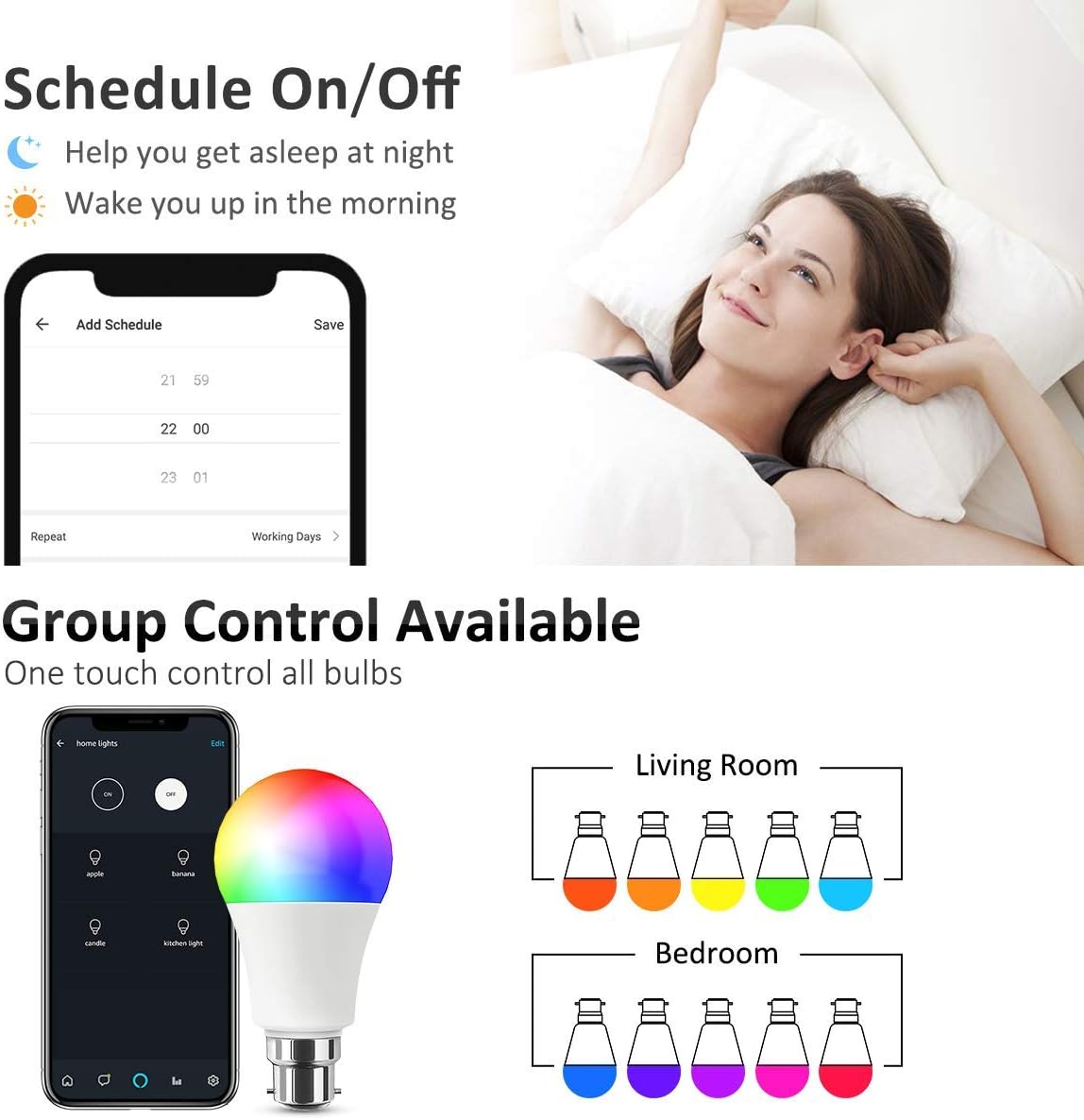
Image: Smart Life App interface for scheduling and group control.
4. Connect to Voice Assistants (Optional)
- Per a Amazon Alexa:
- Obriu l'aplicació Amazon Alexa.
- Go to "Skills & Games", search for "Smart Life".
- Enable the skill and link your Smart Life account using your Smart Life app credentials.
- Discover devices. Alexa will find your smart bulbs.
- Per a Google Home:
- Obriu l'aplicació Google Home.
- Tap the "+" icon -> "Set up device" -> "Works with Google".
- Cerca "Smart Life" and link your account using your Smart Life app credentials.
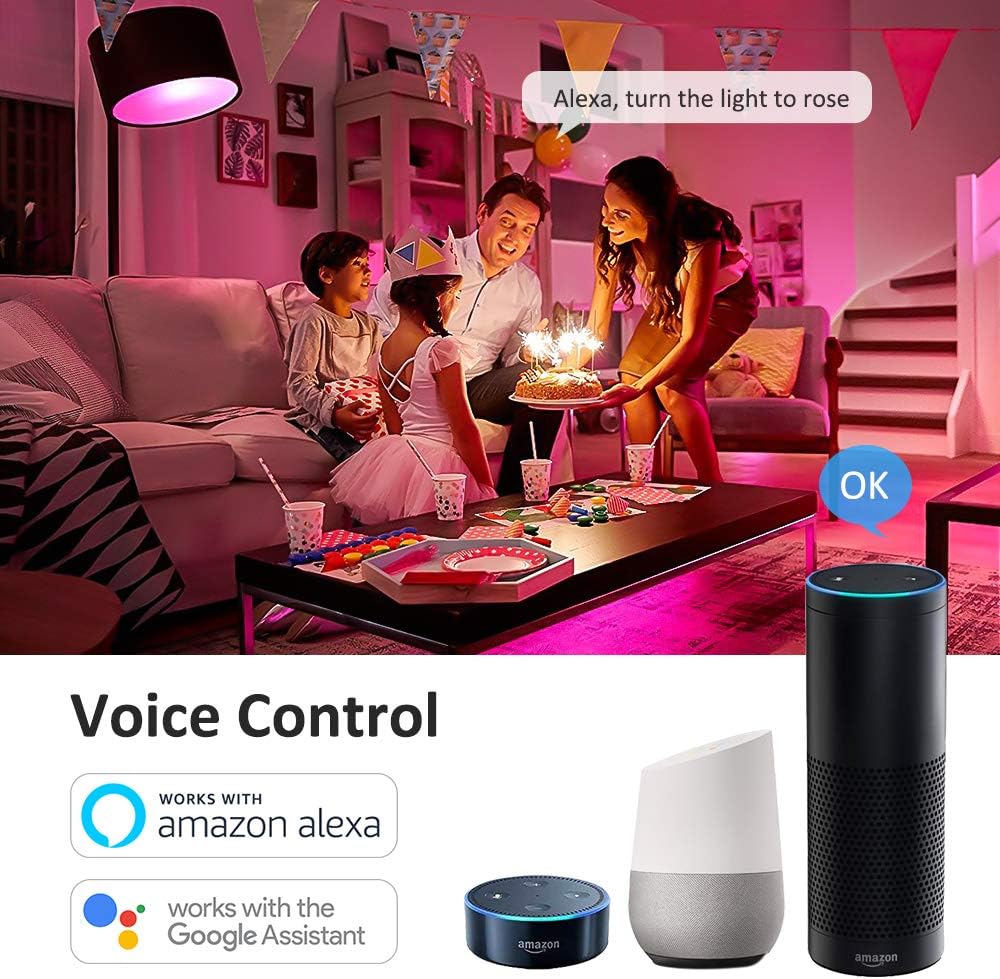
Imatge: Integració del control per veu amb Amazon Alexa i Google Assistant.
Instruccions de funcionament
1. Basic Control via Smart Life App
- On/Off: Toca la icona de la bombeta a l'aplicació per activar/desactivar l'encès.
- Brillantor: Adjust the slider to set the desired brightness level (0-100%).
- Canvi de color: Select from 16 million colors using the intuitive color wheel.
- Blanc càlid: Adjust the color temperature slider to achieve various shades of warm white light (2700K).
- Modes d'escena: Choose from 8 pre-set scene modes (e.g., Night, Read, Meeting, Leisure, Soft, Rainbow, Shine, Gorgeous) to instantly change the room's atmosphere.

Image: Smart Life App interface demonstrating Warm White, Color, and Scene modes.

Imatge: Example of 16 million colors and 8 lighting scenes in a room setting.
2. Control per veu
Once connected to Amazon Alexa or Google Home, you can control your smart bulbs using simple voice commands:
- "Alexa, turn on the [Bulb Name]."
- "Hey Google, set the [Bulb Name] to blue."
- "Alexa, dim the [Bulb Name] to 50%."
- "Ei Google, canvia [Nom de la bombeta] a blanc càlid."
3. Timer and Schedule Functions
Utilize the Smart Life app to set custom schedules and timers for your bulbs:
- Horari: Program your lights to turn on or off at specific times, such as waking you up in the morning or turning off when you leave home.
- Temporitzador: Set a countdown timer for the light to turn off after a specified duration.
4. Control de grup
The Smart Life app allows you to group multiple smart bulbs together. This enables you to control all grouped bulbs simultaneously with a single command, creating a unified lighting experience for a room or area.

Image: Remote control and group control functionality via the Smart Life App.
Manteniment
- Clean the bulb with a soft, dry cloth only. Do not use liquid cleaners or abrasive materials.
- There are no user-serviceable parts inside the bulb. Do not attempt to disassemble or repair the product.
- Ensure the bulb is cool before handling or cleaning.
Resolució de problemes
- Bulb not pairing/connecting to Wi-Fi:
- Assegureu-vos que la vostra xarxa Wi-Fi sigui de 2.4 GHz. Les xarxes de 5 GHz no són compatibles.
- Check the Wi-Fi signal strength near the bulb. Move the bulb closer to your router if necessary.
- Reset the bulb by cycling the power switch OFF-ON-OFF-ON-OFF-ON (3 cycles) until it blinks rapidly, then attempt pairing again.
- Ensure your mobile device is connected to the same 2.4GHz Wi-Fi network during the pairing process.
- El control per veu no funciona:
- Verify that the Smart Life skill/service is enabled and correctly linked to your Amazon Alexa or Google Home account.
- Ensure the device names in the Smart Life app match the names you are using for voice commands.
- Prova de redescobrir dispositius a l'aplicació Alexa o Google Home.
- Bulb not responding or showing incorrect colors:
- Check the bulb's power supply by turning the light switch off and on.
- Try resetting the bulb by cycling power (OFF-ON-OFF-ON-OFF-ON).
- Ensure the Smart Life app is updated to the latest version.
- If a single bulb consistently malfunctions after troubleshooting, it may be defective.
Garantia i Suport
Hotmoon smart light bulbs come with a standard manufacturer's warranty. Please refer to the original purchase documentation or product packaging for specific warranty terms and duration.
For technical support, warranty claims, or any questions regarding your Hotmoon Smart Light Bulbs, please contact Hotmoon customer service through your retailer or the contact information provided with your purchase. Please have your model number (HM-LB07-RGBW-US-4-B) and proof of purchase ready when contacting support.