
1. Introducció
This manual provides detailed instructions for the HXSJ J600 Mechanical Gaming Mouse. Please read this guide thoroughly to ensure proper setup, operation, and maintenance of your device. The HXSJ J600 is designed for gaming enthusiasts, featuring customizable macro programming, adjustable DPI, and dynamic LED lighting.
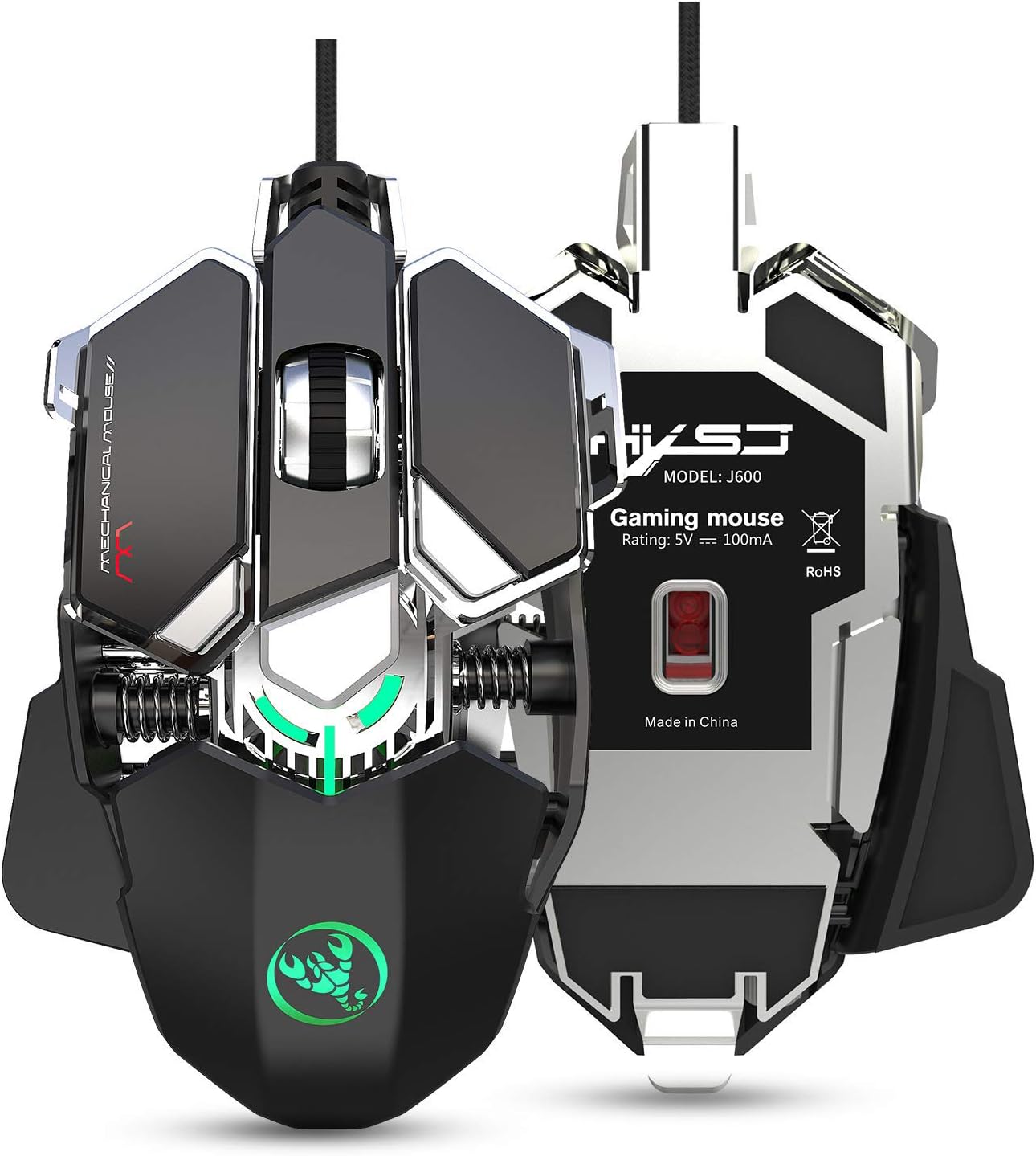
Imatge 1.1: The HXSJ J600 Mechanical Gaming Mouse, showcasing its ergonomic design and illuminated features. This image provides a general view del producte.
2. Producte acabatview
2.1 Característiques clau
- 9 tecles programables: Full-key customization for macros and functions.
- DPI ajustable: Six-level DPI settings (800-1600-2400-3200-4800-6400) for precise control.
- Advanced Gaming Chip: Utilizes a professional A6653 game chip for stable transmission and accurate analysis.
- Il·luminació LED dinàmica: Cool LED variable light effects with 16 million RGB full-color breathing lights and multiple mode changes.
- Disseny ergonòmic: Human body engineering design for comfortable use during extended gaming sessions.
- Construcció duradora: Integrated aluminum alloy sandblasted metal floor design and electroplated skeleton structure.
2.2 Mouse Components

Imatge 2.1: Acabatview of the HXSJ J600 mouse buttons in Office Mode. Key components include Left Button (1), Right Button (2), Middle Button/Scroll Wheel (3), Forward (4), Back button (5), Display Desktop (6), DPI- (7), DPI+ (8), and Fire Key3 (9).

Imatge 2.2: Explotat view illustrating the modular structure design of the HXSJ J600. Key internal components shown are the braided wire, spraying process, right button (dumb UV process), spray sanding border, million click life micro switch, fixed decorative spring, PCP board, electroplated skeleton structure, sandblasting base, metal screw decoration, and UPE foot stickers.
3. Configuració
- Connecteu el ratolí: Plug the USB connector of the HXSJ J600 mouse into an available USB port on your computer. The mouse is plug-and-play.
- Instal·lació del controlador:
- Download the macro programming software from the official HXSJ weblloc.
- Run the "setup.exe" file to install the driver software.
- Once the installation is complete, a "J600" drive icon will appear on your desktop.
- Ús inicial: Ensure the mouse is successfully connected and functioning normally before proceeding with customization.
4. Instruccions de funcionament
4.1 Button Settings and Macro Programming
The HXSJ J600 features 9 programmable buttons. The installed driver software allows for custom settings and macro editing to enhance your gaming experience.
- Open the "J600" driver software from your desktop.
- Navigate to the "Button settings" section. Here, you can assign custom functions to buttons 1-9.
- For advanced customization, go to "Custom Settings" to access the macro editing interface. You can create and edit macros to support various game effects.
4.2 Ajust de DPI
The mouse supports 6-level adjustable DPI settings. You can cycle through these settings using the dedicated DPI+ and DPI- buttons on the mouse.
- Default DPI values: 800, 1600, 2400, 3200, 4800, 6400.
- Each DPI level is indicated by a specific LED color, providing visual feedback when switching.

Imatge 4.1: Visual representation of DPI switching and corresponding LED colors. DPI levels are 800 (Green), 1600 (Purple), 2400 (Blue), 3200 (Red), 4800 (Yellow), and 6400 (Cyan-blue).

Imatge 4.2: The HXSJ J600 mouse demonstrating its 6400 DPI high precision capability, ensuring stable transmission and accurate analysis for various applications including gaming.
4.3 Configuració del LED
The HXSJ J600 features customizable LED lighting effects.

Imatge 4.3: The HXSJ J600 mouse displaying its 16 million RGB full-color breathing lights, offering various lighting modes and adjustable switching speeds.
Within the driver software, you can configure LED settings:
- Sempre activat: LED lights remain constantly illuminated.
- Custom Breath: LED lights pulse with a customizable breathing effect.
- Spectral Cycle: LED lights cycle through a spectrum of colors.
- Apagat: LED lights are turned off.
4.4 Mouse Parameters
The driver software allows you to fine-tune various mouse parameters:
- Pointer Precision: Adjust the accuracy of the mouse pointer.
- Velocitat de la roda: Control the scrolling speed of the mouse wheel.
- Velocitat de doble clic: Set the required speed for a double-click to register.
4.5 Desar la configuració
After making any adjustments in the driver software, click "Applications" and then "Save Configuration." To ensure all customizations are active, you should restart the driver software the next time you use the mouse.
5. Manteniment
To ensure the longevity and optimal performance of your HXSJ J600 Mechanical Gaming Mouse, follow these simple maintenance guidelines:
- Neteja: Netegeu regularment la superfície del ratolí amb un drap suau i sec. Per a la brutícia persistent, netegeu lleugerament.ampRenta el drap amb aigua. Evita utilitzar productes químics agressius o materials abrasius.
- Cura del cable: Eviteu doblegar bruscament o estirar excessivament el cable USB per evitar danys.
- Emmagatzematge: Store the mouse in a clean, dry environment away from extreme temperatures and direct sunlight when not in use.
6. Solució De Problemes
If you encounter any issues with your HXSJ J600 Mechanical Gaming Mouse, please refer to the following common solutions:
- El ratolí no respon: Ensure the USB cable is securely plugged into a functional USB port on your computer. Try a different USB port.
- Problemes del controlador: If customization settings are not applying, ensure the driver software is correctly installed and running. Try reinstalling the driver if problems persist.
- DPI or LED Not Changing: Verify that you are using the correct buttons for DPI adjustment and that the driver software settings are saved.
- Botons que no responen: Check the button assignments in the driver software. If a button is physically stuck, gently clean around it.
For further assistance, please contact HXSJ customer support.
7. Especificacions
| Característica | Especificació |
|---|---|
| Model de producte | J600 Mechanical Macros Define the game mouse |
| Les claus | 9 tecles programables |
| Nivells de DPI | 800-1600-2400-3200-4800-6400 (adjustable) |
| Efecte LED | Cool LED variable light effect, 16 million RGB full-color breathing lights |
| Voltage / Actual | CC 5 V / 100 mA |
| Interfície | USB (Plug and Play) |
| Canvia la vida | 20 milions de cicles |
| Longitud del cable | 150 cm |
| Pes de l'article | 137.5 g |
| Mida de l'article (L*W*H) | 130 * 80 * 35 mm |
| Sistema operatiu compatible | Windows 2000 / XP / win7 / win8 / win10 / Vista 32bit / IOS or latest |
| Plataforma de maquinari | PC |
| Tipus de material | Metall |
| Orientació de la mà | D'acord |
8. Garantia i Suport
For information regarding warranty coverage and technical support for your HXSJ J600 Mechanical Gaming Mouse, please refer to the warranty card included with your product or visit the official HXSJ website. You can also contact HXSJ customer service for assistance with any product-related inquiries or issues.