
1. Introducció
Thank you for choosing the Philips 27" Frameless Full HD IPS Monitor (Model: 273V7QJAB-B-R). This monitor is designed to provide a superior visual experience with stunning edge-to-edge images, eye-care features, and a compact, slim design. This manual will guide you through the installation, operation, and maintenance of your new display.
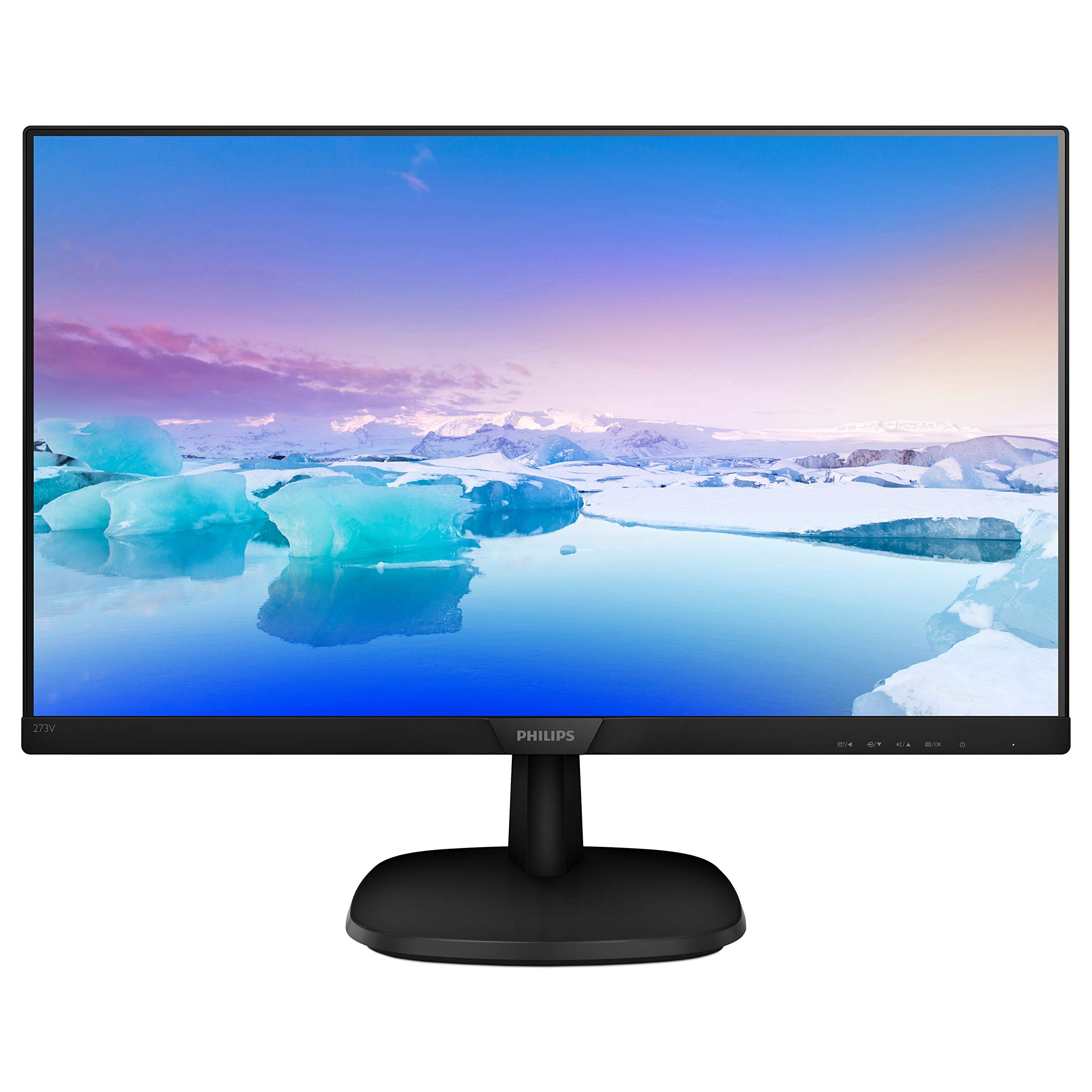
Figure 1: Philips 27" Frameless Full HD IPS Monitor (Model: 273V7QJAB-B-R)
2. Configuració
2.1 Desembalatge
Carefully remove all components from the packaging. Ensure all items listed in the packing list are present and undamaged. Keep the original packaging for future transport or service needs.
2.2 Muntatge del suport
Attach the monitor stand base to the stand column, then secure the assembled stand to the back of the monitor panel. Ensure all screws are tightened appropriately to prevent instability. The stand is designed for easy assembly and provides tilt adjustment for optimal viewing.
2.3 Cables de connexió
Locate the input ports on the back of the monitor. This monitor supports multiple connectivity options:
- HDMI: Connect an HDMI cable from your computer or other device to one of the HDMI ports on the monitor.
- DisplayPort: Connect a DisplayPort cable from your computer to the DisplayPort on the monitor.
- VGA: Connect a VGA cable from your computer to the VGA port on the monitor.
- Entrada/Sortida d'àudio: Use the audio input for external audio sources and the audio output for headphones or external speakers, if not using the built-in speakers.
- Potència: Connecteu el cable d'alimentació al monitor i després a una presa de corrent.
Assegureu-vos que totes les connexions estiguin ben connectades abans d'encendre el monitor.
3. Instruccions de funcionament
3.1 Encès/Apagat
Press the power button, typically located on the back or bottom right of the monitor, to turn the monitor on or off. A small LED indicator will show the power status.
3.2 Navegació pel menú en pantalla (OSD)
The monitor features a single joystick-like button, usually located on the back, for navigating the OSD menu. This button allows you to access and adjust various settings:
- Premsa: Activates the OSD menu or confirms a selection.
- Moure amunt/avall: Navega per les opcions del menú o ajusta els valors.
- Mou a l'esquerra/dreta: Navigates through sub-menus or adjusts values.
3.3 Selecció d'entrada
From the OSD menu, select 'Input' to choose between connected sources such as HDMI, DisplayPort, or VGA. The monitor will automatically detect active inputs, but manual selection may be necessary.
3.4 Configuració de la imatge
Access the 'Picture' menu in the OSD to adjust display characteristics:
- Brillantor: Ajusta la luminància general de la pantalla.
- Contrast: Controla la diferència entre les zones clares i fosques.
- SmartImage: Select from various preset modes (e.g., Office, Photo, Movie, Game, Economy) to optimize display settings for different content types.
- Sincronització adaptativa: Enable or disable Adaptive Sync for smoother gameplay by synchronizing the monitor's refresh rate with your graphics card.
- Format d'imatge: Adjust the aspect ratio (e.g., Wide Screen).
- Mode LowBlue: Reduce blue light emission to minimize eye strain during prolonged use.
3.5 Configuració d'àudio
The monitor includes built-in speakers. Adjust the volume through the OSD menu under 'Audio'. You can also mute the sound or select audio input sources.
4. Manteniment
4.1 Neteja de la pantalla
Per netejar la pantalla, netegeu-la suaument amb un drap suau i sense borrissol. Per a marques difícils, fregueu-la suaument.ampen the cloth with water or a mild, non-abrasive screen cleaner. Avoid using harsh chemicals or abrasive materials that could damage the glossy screen finish.
4.2 Neteja de la Casing
Netegeu el monitor casing with a soft, dry cloth. Do not use any liquid cleaners directly on the casing per evitar danys als components interns.
4.3 Atenció general
Eviteu col·locar objectes pesats sobre el monitor o els seus cables. Manteniu el monitor allunyat de la llum solar directa, la calor excessiva i la humitat. Assegureu-vos que hi hagi una ventilació adequada al voltant del monitor per evitar el sobreescalfament.
5. Solució De Problemes
If you encounter issues with your Philips monitor, please refer to the following common troubleshooting steps before contacting support:
| Problema | Causa possible | Solució |
|---|---|---|
| Sense poder | Cable d'alimentació no connectat o presa de corrent no funciona. | Ensure the power cable is securely connected to the monitor and a working power outlet. Check the power indicator light. |
| No image/signal | Video cable not connected or incorrect input selected. | Verify the video cable (HDMI, DisplayPort, VGA) is securely connected to both the monitor and your device. Use the OSD menu to select the correct input source. |
| Mala qualitat d'imatge | Incorrect resolution, brightness/contrast settings, or cable issue. | Adjust resolution to 1920x1080. Check brightness and contrast settings in the OSD. Try a different video cable if possible. |
| No hi ha so dels altaveus integrats | Volume too low, muted, or incorrect audio source. | Increase volume via OSD or computer settings. Ensure the monitor is not muted. Check audio input settings in the OSD. |
6. Especificacions
| Característica | Detall |
|---|---|
| Marca | Philips |
| Número de model | 273V7QJAB-B-R |
| Mida de la pantalla | 27 polzades |
| Tipus de visualització | IPS WLED |
| Resolució | Full HD (1920x1080) |
| Temps de resposta | 4 ms |
| Relació de contrast | 10,000,000:1 (Image Contrast Ratio) |
| Screen Finish | brillant |
| Connectivitat | VGA (Analog), HDMI (digital, HDCP), DisplayPort 1.2 |
| Àudio | Built-In Speakers, Audio In/Out |
| Característiques addicionals | Flicker-Free, Frameless, Tilt Adjustment, Wall Mountable |
7. Garantia i Suport
7.1 Garantia limitada
This Philips monitor comes with a Garantia limitada de 90 dies. Please retain your proof of purchase for warranty claims. The warranty covers manufacturing defects and malfunctions under normal use. It does not cover damage caused by misuse, accidents, unauthorized modifications, or external factors.
7.2 Atenció al client
For technical assistance, troubleshooting beyond this manual, or warranty inquiries, please contact Philips customer support. Refer to the contact information provided with your product packaging or visit the official Philips website for your region's support details.
When contacting support, please have your monitor's model number (273V7QJAB-B-R) and serial number ready.