
Introducció
This manual provides detailed instructions for setting up, operating, and maintaining your Brookstone WiFi Camera. This smart home security camera offers features such as live HD video streaming, night vision, motion detection, and two-way audio communication, accessible via a dedicated mobile application.

Imatge: Frontal view of the Brookstone WiFi Camera, illustrating its compact design.
Configuració
Follow these steps to set up your Brookstone WiFi Camera:
- Desempaquetar la càmera: Carefully remove all components from the packaging. Ensure you have the camera, power adapter, and mounting kit.
- Encès: Connect the camera to a power source using the provided 5V/1A DC power adapter. The camera will power on and indicate its status, usually with an LED light.
- Descarrega l'aplicació: Download the "Brookstone Smart App" from the Apple App Store (for iOS 8.0 or higher) or Google Play Store (for Android 8.0 or higher) on your smartphone.
- Registra't/Iniciar sessió: Open the Brookstone Smart App and follow the on-screen instructions to create an account or log in if you already have one.
- Afegeix un dispositiu: In the app, select the option to add a new device. Choose the Brookstone WiFi Camera from the list of available devices.
- Connecta't a Wi-Fi: The app will guide you to connect the camera to your existing 2.4GHz Wi-Fi network. You may need to scan a QR code displayed on your phone screen using the camera's lens. Ensure your phone is close to the camera and your Wi-Fi signal is strong.

Imatge: Part posterior view of the camera, highlighting the QR code and device ID (e.g., ID: 0008K8LL25ABM1EV) necessary for app pairing.
- Muntatge (opcional): Use the provided mounting kit to install the camera on a wall or ceiling if desired. Ensure the camera is securely fastened and positioned for optimal viewing.

Imatge: Més deview of camera features including motion detection, Wi-Fi connectivity, night vision, two-way audio, and cloud/local storage.
Instruccions de funcionament
Once your camera is set up, you can utilize its various functions through the Brookstone Smart App:
- Transmissió de vídeo en directe: Obre l'aplicació i selecciona la càmera per view a live HD video feed (1280x720 resolution, up to 20 fps) from anywhere.
- Àudio bidireccional: Use the built-in microphone and speaker to communicate in real-time. Tap the microphone icon in the app to speak, and listen through the camera's speaker.

Image: The Brookstone Smart App interface demonstrating the two-way audio function, allowing users to speak and listen through the camera.
- Alertes de detecció de moviment: The camera features a dynamic range motion sensor. Enable motion detection in the app to receive real-time alerts on your smartphone when movement is detected.

Image: A smartphone screen showing a push notification from the Brookstone Smart app, indicating that movement has been detected.
- Visió nocturna: The camera automatically switches to night vision mode (8-10m range) in low-light conditions, providing clear surveillance 24/7.

Image: A visual comparison demonstrating the camera's night vision capability, showing a nursery room clearly visible in darkness.
- Enregistrament i emmagatzematge de vídeo:
- Targeta micro SD: Insert a Micro SD card (up to 128GB, not included) into the camera's slot for local video storage. The camera uses H.264 compression for efficient storage.
- Emmagatzematge al núvol: The camera supports cloud storage services for saving video footage. Refer to the app for subscription details and options.
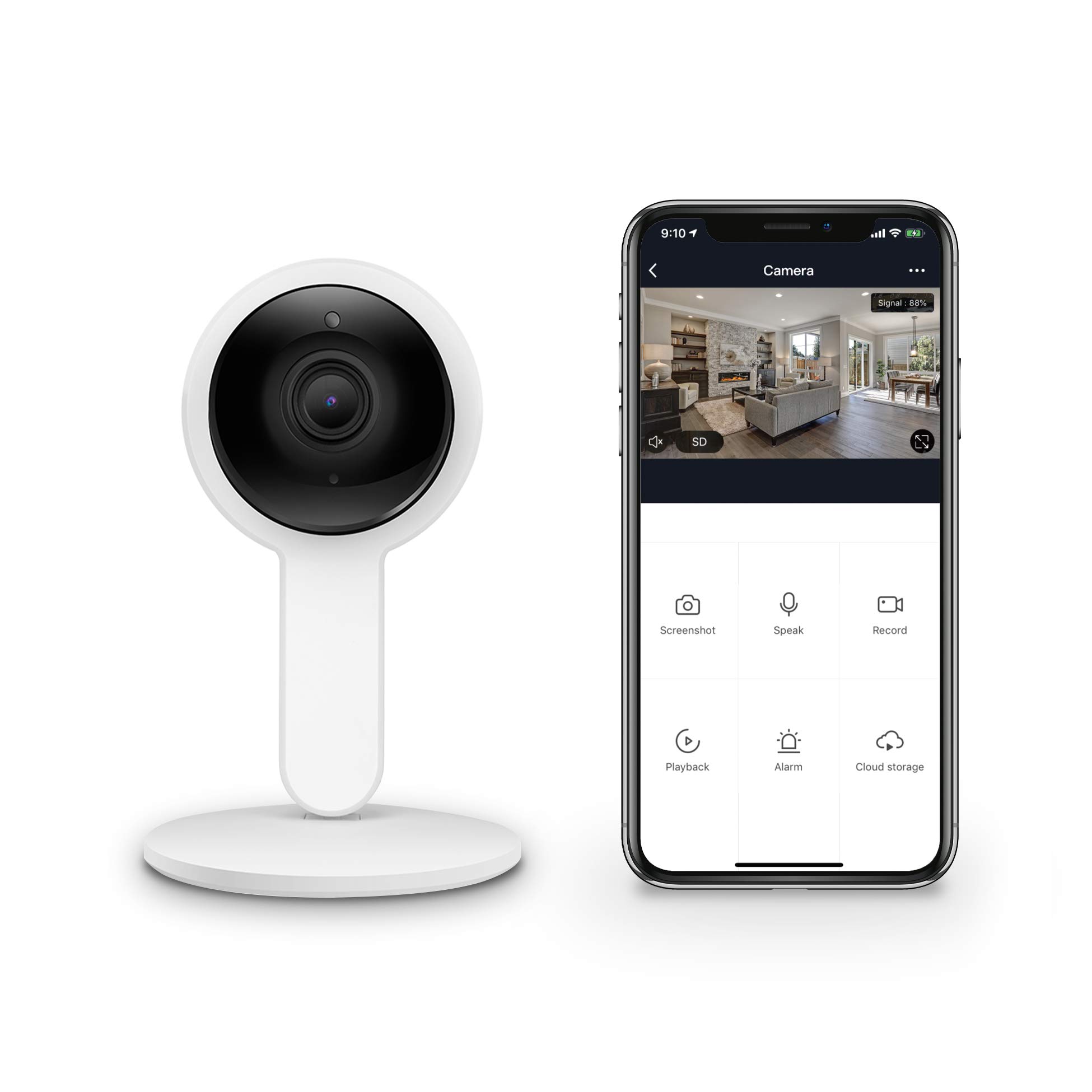
Image: A diagram illustrating the dual storage options for video footage: encrypted cloud storage and local storage via a Micro SD card.
Manteniment
- Neteja: Feu servir un drap suau i sec per netejar la lent i el cos de la càmera. Eviteu productes de neteja o dissolvents abrasius.
- Actualitzacions de programari: Regularly check the Brookstone Smart App for firmware updates. Keeping your camera's software up-to-date ensures optimal performance and security.
- Gestió de targetes Micro SD: Si feu servir una targeta Micro SD, reescalfeu-la periòdicament.view i gestionar els foo emmagatzematstage. Format the card through the app if necessary to maintain performance.
Resolució de problemes
- Camera will not connect to Wi-Fi:
- Assegureu-vos que la vostra xarxa Wi-Fi sigui de 2.4 GHz. La càmera no admet xarxes de 5 GHz.
- Verifiqueu que la contrasenya del Wi-Fi sigui correcta.
- Place the camera closer to your Wi-Fi router during setup.
- Restart your router and the camera, then try the setup process again.
- Comprova si el sistema operatiu del teu telèfon compleix els requisits mínims (Android 8.0+ o iOS 8.0+).
- QR code scanning fails:
- Ensure the phone screen brightness is high enough.
- Hold the phone at an appropriate distance (typically 15-30 cm or 6-12 inches) from the camera lens.
- Clean the camera lens to ensure no obstructions.
- Ensure there is sufficient lighting for the camera to read the QR code.
- Video quality is poor or delayed:
- Comprova la velocitat de la teva connexió a Internet. Cal una connexió estable i ràpida per a una transmissió òptima.
- Reduce the video quality setting in the app if your network bandwidth is limited.
- Ensure the camera is within good range of your Wi-Fi router.
- Motion detection is too sensitive or not detecting:
- Adjust the motion detection sensitivity settings within the Brookstone Smart App.
- Define specific detection zones to reduce false alarms from irrelevant areas.
Especificacions
| Resolució | 1280x720 (720p) |
| Píxels efectius | 1 megapíxels |
| Velocitat de fotogrames | Fins a 20 fps |
| Gamma de visió nocturna | 8-10 metres |
| Àudio | Built-in Microphone & Speaker (Two-Way Audio) |
| Emmagatzematge | Targeta Micro SD (fins a 128 GB), emmagatzematge al núvol |
| Compressió de vídeo | H.264 |
| Poder | 5 V/1 A (CC) |
| Connectivitat | Wi-Fi (només 2.4 GHz) |
| Compatibilitat de sistemes operatius | Android 8.0 o superior, iOS 8.0 o superior |
| Ús interior/exterior | Interior |
| Tipus de muntatge | Ceiling Mount (kit included) |
| Color | Blanc |
Garantia i Suport
For warranty information, technical support, or further assistance, please refer to the official Brookstone weblloc web o contacteu directament amb el servei d'atenció al client. Conserveu el rebut de compra per a reclamacions de garantia.
Official Brookstone Weblloc: www.brookstone.com