
Producte acabatview
The FLEXISPOT EN2 Electric Standing Desk is designed to provide a versatile and ergonomic workspace. This whole-piece standing desk features a motorized height adjustment system, programmable memory presets, and integrated power solutions to enhance productivity and comfort.

Imatge: The FLEXISPOT EN2 Electric Standing Desk in a home office, showcasing its spacious black tabletop and black frame. Two computer monitors are set up on the desk, with a chair positioned for sitting. A water cooler is visible to the left.
Informació important i de seguretat
- Seguiu sempre atentament les instruccions de muntatge.
- Use the desk on a stable surface.
- Keep the desk away from heat sources.
- Do not exceed the maximum weight recommendation of 154 pounds (55 kg) for the desk surface.
- Keep children and pets away from the desk when it is in motion.
- Assembly may require an electric drill, which is not included.
Muntatge i muntatge
The FLEXISPOT EN2 desk is designed for straightforward assembly. Ensure all parts are present and refer to the detailed instructions provided in the packaging. An electric drill may be required for certain steps.
El muntatge s'acabaview:
- Desembaleu tots els components i verifiqueu-los amb la llista de peces.
- Assemble the desk frame, attaching the feet and crossbeam.
- Attach the desktop to the assembled frame using the provided screws.
- Install the control panel and connect all necessary cables.
- Attach the removable desktop power outlet and cable management device.
For a visual guide on assembly, please refer to the video below:
Vídeo: A seller-provided video demonstrating the assembly process of a FLEXISPOT electric standing desk, showing the frame construction and desktop attachment.
Instruccions de funcionament
Ajust d'alçada:
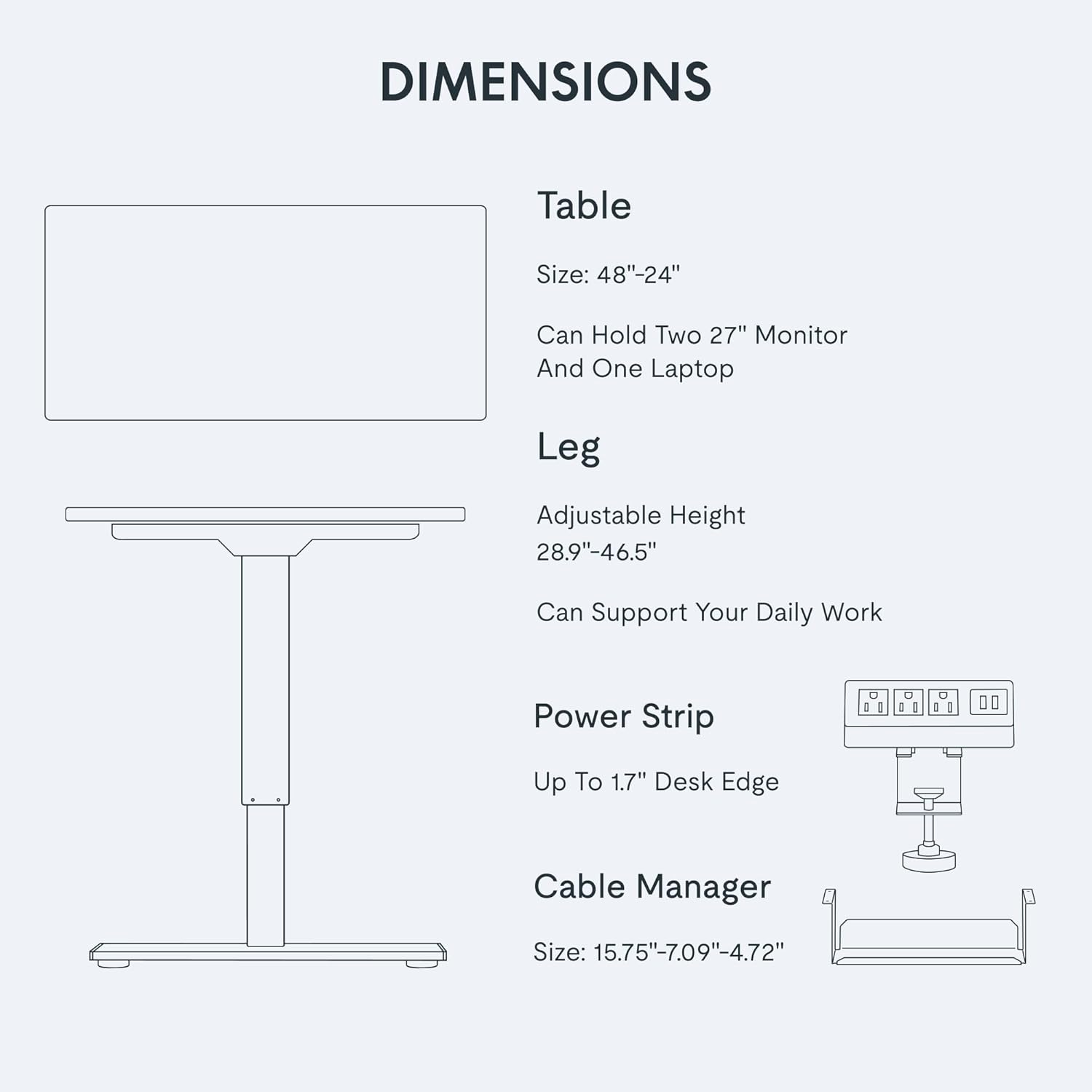
The desk features a 6-button digital controller for easy height adjustment. Use the up and down arrows to manually adjust the desk height. The motorized system adjusts smoothly from 28.1 inches to 45.7 inches.
Preajustos de memòria:
The controller includes four programmable memory presets (buttons 1, 2, 3, 4). To set a preset:
- Ajusteu l'escriptori a l'alçada desitjada utilitzant les fletxes amunt/avall.
- Press and hold one of the number buttons (1-4) until the display flashes or beeps, indicating the height is saved.
- Per recuperar una alçada desada, només cal que premeu el botó numèric corresponent.
Imatge: Un primer pla view of the FLEXISPOT EN2's digital control panel, highlighting the LED display, up/down arrows, and four height setting buttons.
Removable Desktop Power Outlet:
The desktop is equipped with 3 AC power outlets and 2 USB charging ports. This unit can be clipped to the back or side of your desk for convenient access to power for your electronic devices.
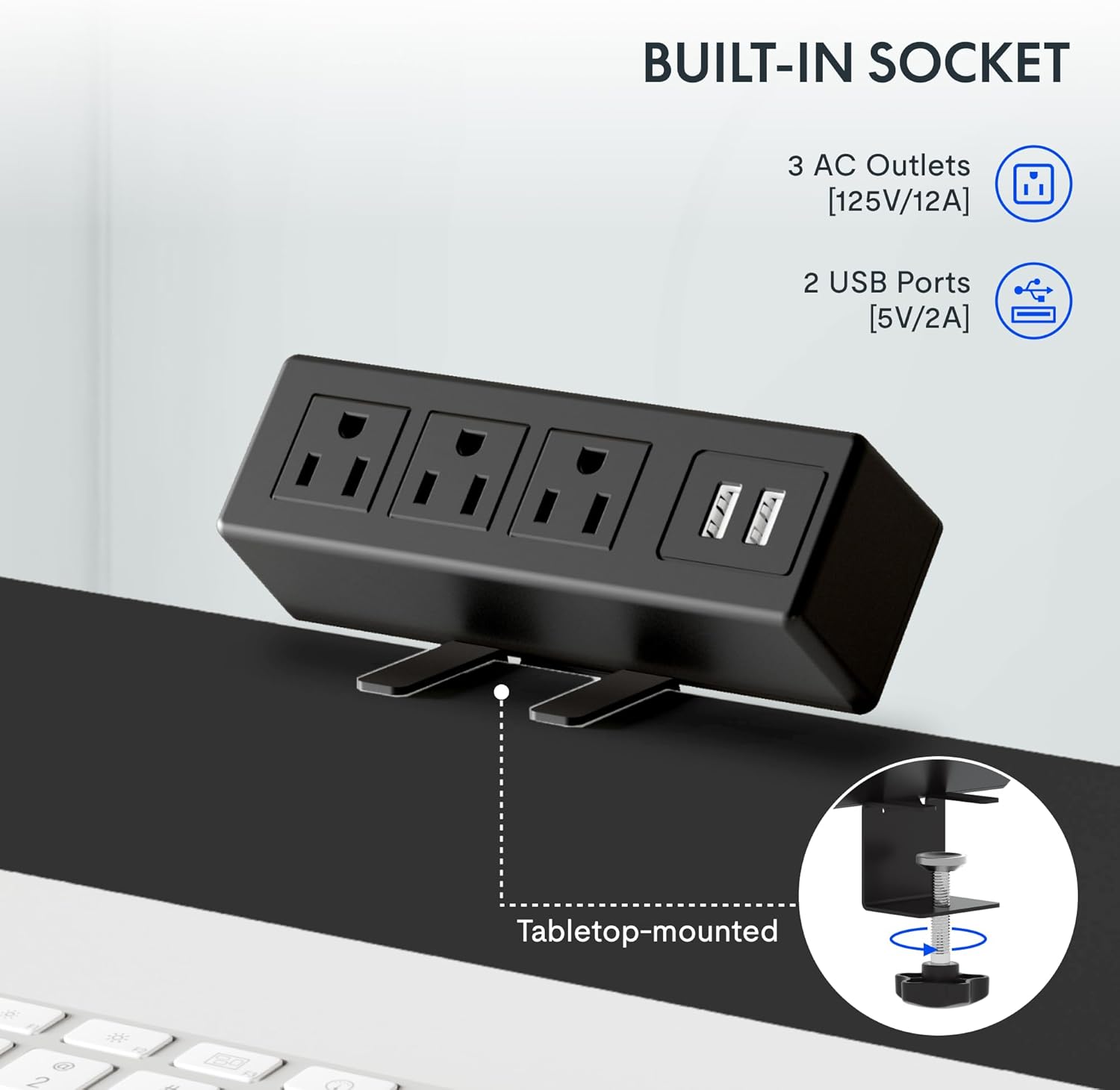
Imatge: A detailed shot of the removable desktop power outlet, showing its three AC outlets and two USB ports, designed to clamp onto the desk edge.
Manteniment
To ensure the longevity and optimal performance of your FLEXISPOT EN2 desk, follow these maintenance guidelines:
- Neteja: Netegeu la superfície de l'escriptori amb un drap suau iamp tela. Eviteu netejadors abrasius o productes químics durs que puguin danyar l'acabat.
- Cura del motor: The motor is designed for quiet operation. Avoid obstructing the motor or lifting mechanisms.
- Gestió de cables: Regularly check and organize cables using the provided cable management device to prevent tangles and damage.
- Distribució de pes: Distribuïu el pes uniformement per tot l'escriptori per evitar esforços al motor i al bastidor.
Resolució de problemes
If you encounter any issues with your FLEXISPOT EN2 desk, refer to the following common troubleshooting tips:
- L'escriptori no es mou:
- Comproveu si el cable d'alimentació està ben connectat tant a l'escriptori com a la presa de corrent.
- Assegureu-vos que no hi hagi obstacles que impedeixin que l'escriptori es mogui amunt o avall.
- Reset the system by unplugging the desk for 10 seconds and then plugging it back in.
- Moviment desigual:
- Comproveu que l'escriptori estigui col·locat sobre una superfície plana.
- Assegureu-vos que el pes estigui distribuït uniformement sobre l'escriptori.
- Soroll durant el funcionament:
- A quiet motor operation (less than 50 dB) is normal. Excessive noise may indicate an obstruction or loose component. Inspect the moving parts for any issues.
Si els problemes persisteixen, poseu-vos en contacte amb l'atenció al client.
Especificacions
| Característica | Detall |
|---|---|
| Marca | FLEXISPOT |
| Número de model | EN2 |
| Dimensions de l'escriptori | 48" d'amplada x 24" de profunditat |
| Interval d'ajust d'altura | 28.1" a 45.7" |
| Capacitat màxima de pes | 154 lliures (55 kg) |
| Material d'escriptori | Fusta certificada per l'FSC |
| Material del marc | Industrial-grade Steel |
| Nivell de soroll | Menys de 50 dB |
| Endoll | 3 AC outlets, 2 USB charging ports |
| Tipus de controlador | 6-button digital with 4 memory presets |
Garantia i Suport
FLEXISPOT provides the following warranty for your EN2 Electric Standing Desk:
- 5 any de garantia: Covers frames, motors, and other mechanical devices.
- 2 any de garantia: Covers controllers, switches, and electronics.
For technical support, warranty claims, or any questions regarding your product, please visit the official FLEXISPOT weblloc web o poseu-vos en contacte amb el seu departament d'atenció al client. Conserveu el rebut de compra per validar la garantia.
Podeu trobar més informació i suport a FLEXISPOT Store on Amazon.