
1. Introducció
Thank you for choosing the ODK Corner Desk. This manual provides detailed instructions for the assembly, operation, maintenance, and troubleshooting of your new desk. Please read this manual carefully before assembly and retain it for future reference. This desk is designed to efficiently utilize corner spaces, providing a functional workstation with a smooth keyboard tray and convenient storage shelves.

Image 1.1: The ODK Corner Desk, showcasing its compact design and utility in a modern room.
2. Informació de seguretat
- Munta sempre l'escriptori sobre una superfície suau i neta per evitar ratllades.
- Assegureu-vos que tots els cargols i elements de fixació estiguin ben ajustats abans d'utilitzar-los. Comproveu-los periòdicament i torneu-los a apretar si cal.
- Do not overload the desk or shelves. The desk has a maximum weight capacity of 220 pounds (approximately 100 kg).
- Mantingueu les peces petites i els materials d'embalatge lluny dels nens per evitar perills d'asfixia.
- Use the desk on a level surface to ensure stability and prevent tipping.
- Eviteu col·locar objectes calents directament sobre la superfície de l'escriptori sense protecció.
3. Contingut del paquet
Si us plau, verifiqueu que tots els components que s'enumeren a continuació siguin presents abans de començar el muntatge. Si falta alguna peça o hi ha alguna peça danyada, poseu-vos en contacte amb el servei d'atenció al client.
| Part | Descripció | Quantitat |
|---|---|---|
| A | Panell d'escriptori | 1 |
| B | Prestatgeria inferior | 1 |
| C | Cama del marc esquerre | 1 |
| D | Cama del marc dret | 1 |
| E | Barra de suport posterior | 1 |
| F | Safata del teclat | 1 |
| G | Keyboard Tray Rails | 2 |
| H | Hardware Pack (screws, wrench, screwdriver) | 1 |
4. Muntatge i muntatge
Assembly is designed to be straightforward and can typically be completed by one person by following these step-by-step instructions. All necessary tools are included in the hardware pack.
- Desempaquetar i identificar les peces: Carefully remove all components from the packaging. Lay them out on a clean, soft surface to prevent damage. Refer to the "Package Contents" section to identify each part.
- Muntar el marc: Attach the Left Frame Leg (C) and Right Frame Leg (D) to the Back Support Bar (E) using the provided screws from the Hardware Pack (H). Ensure the frame is stable.
- Adjunta l'escriptori: Place the Desktop Panel (A) onto the assembled frame. Align the pre-drilled holes on the desktop with the holes on the frame. Secure the desktop using the appropriate screws.
- Instal·leu el prestatge d'emmagatzematge inferior: Position the Lower Storage Shelf (B) between the frame legs at the designated height. Secure it to the frame using screws.
- Install the Keyboard Tray:
- Attach the Keyboard Tray Rails (G) to the underside of the Desktop Panel (A) using the smaller screws. Ensure the rails are oriented correctly for smooth sliding.
- Attach the Keyboard Tray (F) to the Keyboard Tray Rails (G). Gently slide the tray into place.
- Comprovació final: Once all parts are assembled, gently lift and move the desk to its desired location. Ensure all screws are tightened and the desk is stable.

Image 4.1: Dimensional diagram of the ODK Corner Desk, showing its triangular shape and measurements.
5. Instruccions de funcionament
5.1 Ús de la safata del teclat
The ODK Corner Desk features an integrated pull-out keyboard tray for ergonomic typing and to save desktop space. To use, gently pull the tray outwards until it reaches its full extension. To retract, push the tray back into its housing under the desktop.
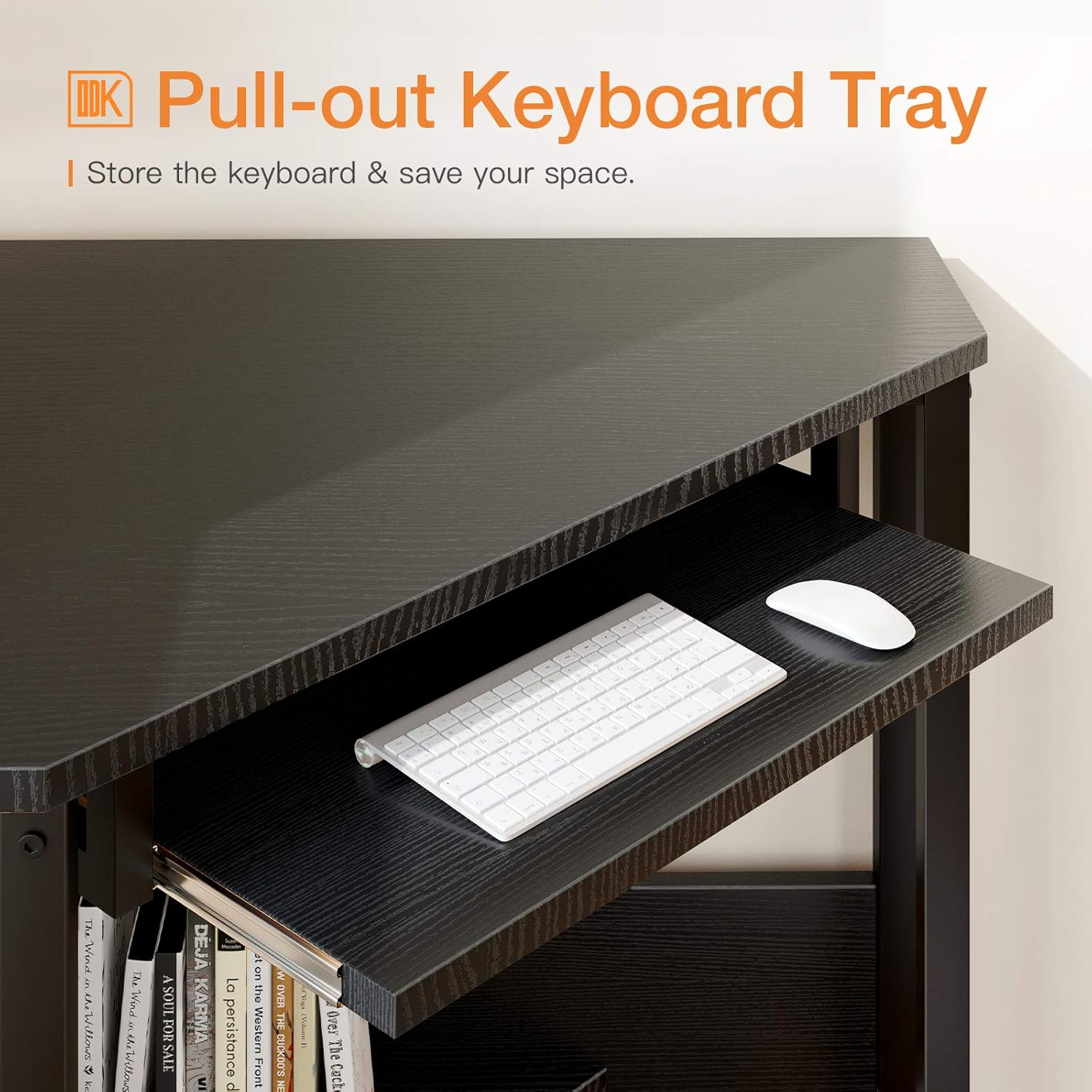
Image 5.1: The pull-out keyboard tray, designed to store your keyboard and mouse, optimizing desktop space.
5.2 Utilizing Storage Shelves
The open shelf below the desk provides additional storage for books, office supplies, or decorative items. Arrange your items to keep your workspace organized and clutter-free.

Image 5.2: The lower storage shelf, ideal for organizing books and other office essentials.
6. Manteniment
To ensure the longevity and appearance of your ODK Corner Desk, follow these maintenance guidelines:
- Neteja: Netegeu l'escriptori i el marc amb un drap suauamp cloth. Avoid using harsh chemicals, abrasive cleaners, or polishes that may damage the surface. The desktop is designed to be waterproof and scratch-resistant, making cleaning easy.
- Vessaments: Immediately wipe up any spills to prevent water damage, although the desktop is water-resistant.
- Protecció: Use coasters for drinks and placemats for hot items to further protect the surface.
- Elements de fixació: Reviseu periòdicament tots els cargols i perns per assegurar-vos que estiguin ben ajustats. Torneu-los a apretar si detecteu alguna fluïdesa.

Image 6.1: The premium desktop surface, engineered for durability, water resistance, and scratch resistance.
7. Solució De Problemes
If you encounter any issues with your ODK Corner Desk, refer to the following common problems and solutions:
- L'escriptori és tambaleant:
- Assegureu-vos que tots els cargols i perns estiguin completament apretats.
- Verify the desk is placed on a level surface. Adjust the leveling feet (if present) or use shims if the floor is uneven.
- Keyboard Tray Does Not Slide Smoothly:
- Check that the keyboard tray rails are installed correctly and are not obstructed.
- Ensure no debris is caught in the sliding mechanism. Clean the rails if necessary.
- Verify that the screws attaching the tray to the rails are not overtightened or misaligned.
- Peces que falten o danyades:
- Before assembly, carefully check all parts against the "Package Contents" list.
- If any parts are missing or damaged upon arrival, do not proceed with assembly. Contact ODK customer service immediately for assistance.
8. Especificacions
Key specifications for the ODK Corner Desk, Model AT-ZJZ-51*48:
| Característica | Detall |
|---|---|
| Marca | ODK |
| Número de model | AT-ZJZ-51*48 |
| Color | Negre |
| Forma | Triangular (Corner) |
| Dimensions totals (L x A x A) | 28.3 polzades x 28.3 polzades x 29.9 polzades (71.9 cm x 71.9 cm x 75.9 cm) |
| Material d'escriptori | Engineered Wood (Premium Desktop) |
| Material del marc | Alloy Steel (Thick Metal Frame) |
| Capacitat de pes | Fins a 220 lliures (aproximadament 100 kg) |
| Característiques especials | Integrated Pull-out Keyboard Tray, Lower Storage Shelf, Waterproof & Scratch-resistant Desktop |
| Pes de l'article | 13.7 quilos |
9. Garantia i Suport
ODK is committed to providing high-quality products and excellent customer service. While specific warranty details are not provided in this manual, your satisfaction is our priority.
If you have any questions, concerns, or require assistance with your ODK Corner Desk, please do not hesitate to contact our professional after-sales support team. We aim to respond to all inquiries within 24 hours and resolve any issues to your satisfaction.
Si us plau, consulteu la documentació de la vostra compra o la del venedor. weblloc web per conèixer els termes de garantia i la informació de contacte específics.