
Introducció
Thank you for choosing the Ivation Oversized 36" Large Digital LED Clock. This manual provides essential information for the safe and efficient operation of your new clock. Please read it thoroughly before use and retain it for future reference.
Informació de seguretat
- Assegureu-vos que el rellotge estigui col·locat sobre una superfície estable o fixat de manera segura a la paret per evitar que caigui.
- Use only the provided AC adapter. Using an incompatible adapter may damage the device or pose a fire hazard.
- Do not expose the clock to water, excessive moisture, or extreme temperatures.
- Mantenir fora de l'abast dels nens i mascotes.
- No intenteu desmuntar ni reparar el rellotge vosaltres mateixos. Poseu-vos en contacte amb personal de servei qualificat per obtenir ajuda.
- Unplug the clock from the power outlet during lightning storms or when unused for long periods.
Contingut del paquet
- Ivation Oversized 36" Large Digital LED Clock
- Control remot
- AC Power Adapter (10-ft cable)
- Maquinari de muntatge (cargols i ancoratges)
- Manual d'instruccions
Producte acabatview
The Ivation Oversized 36" Large Digital LED Clock features a large, easy-to-read display with multiple functions including time, date, temperature, stopwatch, timer, and alarms. Its sleek design and adjustable brightness make it suitable for various environments.

Image: The Ivation 36 inch Digital LED Clock displaying 12:44:12 PM. The image highlights its dimensions: 8.75 inches in height, 1.75 inches in depth, and 36 inches in width. It also indicates AM/PM and 12/24 Time display options.
Configuració
- Connexió d'alimentació: Connect the provided AC power adapter to the clock's power input port and then plug it into a standard electrical outlet. The clock will power on and display the default time.
- Còpia de seguretat de la bateria: The clock includes a built-in battery retention system that preserves time and date settings during power outages, eliminant la necessitat de reprogramació.
- Col·locació: The clock can be placed on a shelf or mounted on a wall. For wall mounting, use the built-in mounting holes on the back of the clock and the included hardware. Ensure the mounting surface is sturdy enough to support the clock's weight.
Instruccions de funcionament
All functions of the clock are controlled using the included remote control. Ensure the remote has working batteries and is pointed towards the clock's sensor for optimal response.

Image: A detailed diagram of the remote control for the Ivation Digital LED Clock. Key buttons are labeled, including 'Clock', 'Display', 'Mute', 'Brightness', 'Stopwatch', 'Countdown', 'Alarm', 'Set/Enter', 'F/C', 'AM/PM 12/24', and a number pad.
1. Configuració de l'hora i la data
- Premeu el botó Rellotge button to ensure the clock is displaying the current time.
- Premeu el botó Set/Enter button on the remote. The hour digits will begin to flash.
- Use the number pad (0-9) to enter the desired hour.
- Premeu Set/Enter to move to the minute digits, then enter the desired minutes.
- Repeat for seconds.
- After setting the time, the date setting will appear. Enter the month, day, and year using the number pad, pressing Set/Enter after each entry.
- Premeu Set/Enter one last time to confirm all settings.
2. Format 12/24 hores
- While the clock is displaying time, press the AM/PM 12/24 per alternar entre els formats de 12 hores (amb indicador AM/PM) i 24 hores.
3. Ajust de brillantor
- Premeu el botó Brillantor button repeatedly to cycle through 6 different brightness levels. Select the level that best suits your environment.

Image: The Ivation Digital LED Clock illustrating its 6 adjustable brightness levels, from dim to bright. It also features an icon indicating that the clock saves the current time even when powered off, thanks to its time memory function.
4. Using Stopwatch
- Premeu el botó Cronòmetre button. The display will show 00:00:00.
- Premeu Inici/Parada per començar a cronometrar.
- Premeu Inici/Parada de nou per fer una pausa.
- Per reiniciar, premeu Set/Enter mentre el cronòmetre està en pausa.
5. Using Countdown Timer
- Premeu el botó Compte enrere button. The display will show 00:00:00.
- Premeu Set/EnterEls dígits de les hores parpellejaran.
- Use the number pad to enter the desired countdown time (hours, minutes, seconds), pressing Set/Enter after each.
- Premeu Inici/Parada per començar el compte enrere.
- Premeu Inici/Parada de nou per fer una pausa.
- Quan el compte enrere arribi a zero, sonarà una alarma. Premeu qualsevol botó per aturar l'alarma.
6. Setting Alarms (Up to 8)
- Premeu el botó Alarma button. The display will show 'AL 1' (Alarm 1).
- Premeu Set/EnterEls dígits de les hores parpellejaran.
- Use the number pad to enter the desired alarm time (hours, minutes), pressing Set/Enter after each.
- Després de configurar l'hora, premeu Set/Enter to activate the alarm. An alarm icon will appear on the display.
- To set additional alarms (up to 8), press the Alarma button again to cycle to 'AL 2', 'AL 3', etc., and repeat the steps.
- To deactivate an alarm, navigate to the specific alarm ('AL X') and press Set/Enter fins que la icona de l'alarma desaparegui.

Image: The Ivation Digital LED Clock showcasing its multi-function display. It shows an alarm set for 6:00:00, a timer/stopwatch at 00:31:28, the date as 3/07/25, and the current temperature at 68°F.
7. Displaying Date and Temperature
- Premeu el botó Mostra button to cycle through Time, Date, and Temperature displays.
- To switch between Fahrenheit (°F) and Celsius (°C) for temperature, press the F / C button while the temperature is displayed.
8. Funció de silenci
- Premeu el botó Silenciar button to toggle alert sounds (for alarms and timers) on or off.
9. Ús del control remot
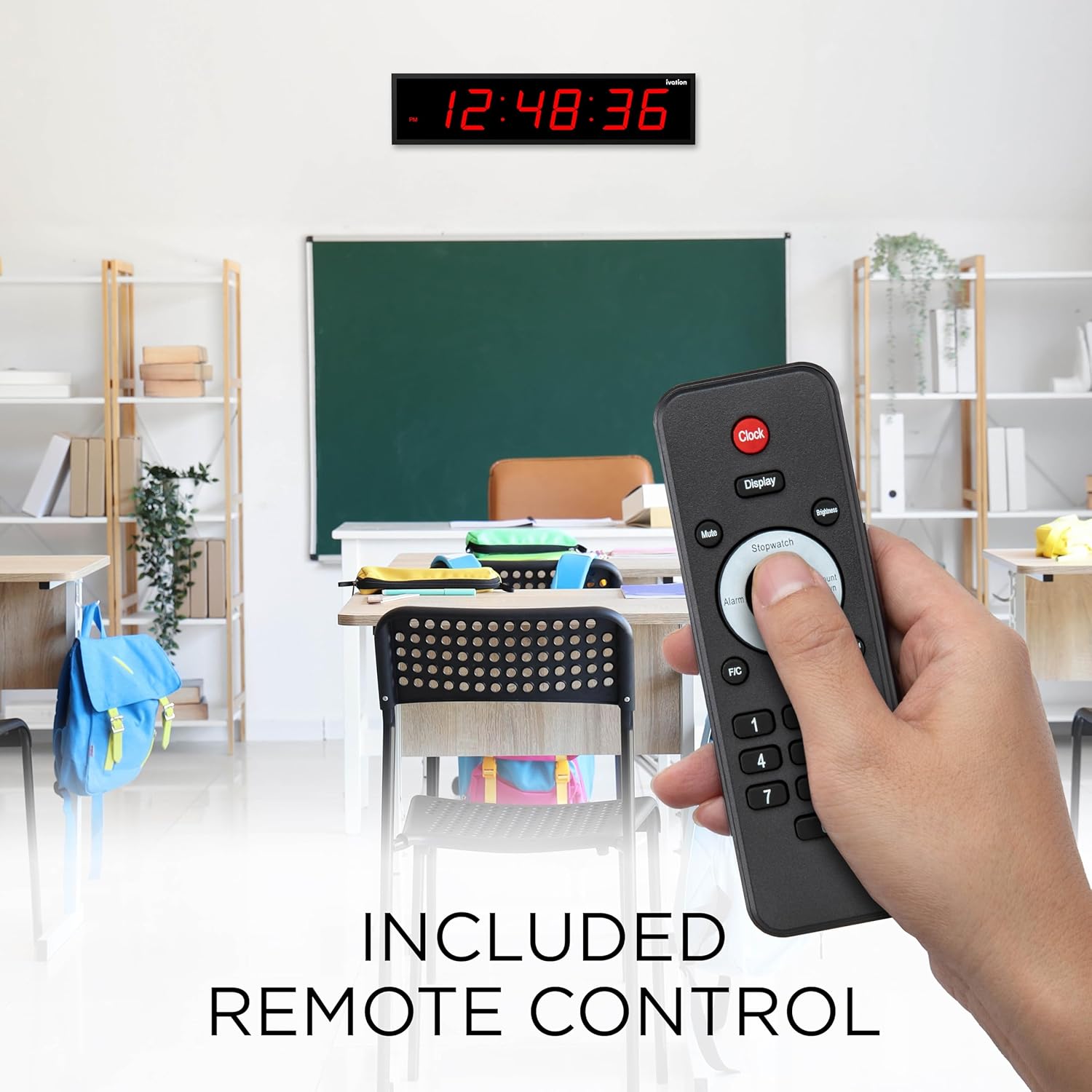
Image: A hand holding the remote control for the Ivation Digital LED Clock, demonstrating its use in a classroom environment. The clock is visible on the wall in the background, displaying the time.
The remote control provides full functionality for setting and adjusting all clock features. Point the remote directly at the clock's infrared receiver, typically located on the right upper corner of the clock face, for best performance.
Video: An official product video from DBROTH, titled "Ivation Timer LED Clocks." This video demonstrates various features and uses of the Ivation Digital LED Clock, including its timer functionality.
Manteniment
- Neteja: Netegeu la superfície del rellotge amb un drap suau i sec. No utilitzeu productes de neteja abrasius ni dissolvents.
- Bateries de control remot: If the remote control becomes unresponsive, replace its batteries (typically 2x AAA, not included). Refer to the remote's battery compartment for specific battery type and polarity.
- Emmagatzematge: If storing the clock for an extended period, unplug it from the power source. The internal battery backup will maintain settings.
Resolució de problemes
| Problema | Causa possible | Solució |
|---|---|---|
| El rellotge no s'encén. | L'adaptador de corrent no està connectat o està defectuós. | Ensure the power adapter is securely plugged into the clock and a working outlet. Test the outlet with another device. |
| El comandament a distància no respon. | Low or dead batteries in remote. Obstruction between remote and clock. | Replace remote control batteries. Ensure a clear line of sight to the clock's IR sensor. Point remote towards the upper right corner of the clock. |
| Time/Date settings are lost after power outage. | Internal backup battery issue (rare). | While the clock has a built-in retention system, if this occurs, reset the time and date manually. If the issue persists, contact support. |
| La pantalla és massa brillant o massa tènue. | Cal ajustar el nivell de brillantor. | Press the 'Brightness' button on the remote to cycle through the 6 available brightness levels. |
| La lectura de temperatura és inexacta. | External factors affecting sensor. | Ensure the clock is not placed near heat sources, direct sunlight, or drafts that could affect the internal temperature sensor. The sensor provides an ambient room temperature reading. |
Especificacions
- Número de model: JID0136TRED
- Dimensions: 30"D x 8"W x 6"H (Product dimensions from specifications, note: title implies 36" length, image shows 36" length, this DWH might be packaging or incorrect)
- Mida de la pantalla: 5.25" digits (from product title), 59.84 Inches (Screen Size from specifications, likely diagonal or total display area)
- Color: Pantalla LED vermella
- Material: Durable Aluminum
- Nivells de brillantor: 6
- Opcions d'alarma: 8
- Potència: AC Adapter (10-ft cable)
- Pes: 4 lliures
- UPC: 843812137836
Garantia i Suport
Ivation products are designed for reliability and performance. For warranty information, technical support, or customer service inquiries, please refer to the contact information provided on the product packaging or visit the official Ivation website. Please have your model number (JID0136TRED) and purchase date available when contacting support.