1. Introducció
This manual provides comprehensive instructions for the GRUNDIG DTR 4500 Micro Hi-Fi System. Learn about its features, setup, operation, and maintenance. The DTR 4500 combines modern digital radio (DAB+/FM tuner) with rich, balanced sound from its 2.0 stereo speaker system and 10W RMS output. Enjoy music via DAB+/FM radio or connect your smartphone/tablet via Bluetooth 5.0 audio streaming. It includes a programmable dual alarm with snooze and sleep timer functions. The high-resolution 2.4-inch TFT color display with 3 brightness levels ensures clear readability.
2. Informació de seguretat
Please read these safety instructions carefully before using the device and keep them for future reference. Incorrect use may result in electric shock, fire, or other hazards.
- No exposeu el dispositiu a la pluja o la humitat.
- No obstruïu cap obertura de ventilació.
- Assegureu-vos que la font d'alimentació adequada voltage tal com s'indica al dispositiu.
- No obriu el dispositiu casing; demaneu totes les tasques de manteniment a personal qualificat.
- Mantingueu el dispositiu allunyat de fonts de calor, llum solar directa i camps magnètics forts.
- Desconnecteu el dispositiu durant les tempestes amb llamps o quan no l'utilitzeu durant llargs períodes.
3. Contingut del paquet
Verifiqueu que tots els elements siguin presents al paquet:
- GRUNDIG DTR 4500 Micro Hi-Fi System
- Adaptador d'alimentació
- Comandament a distància (amb 2 piles AAA incloses)
- Manual d'usuari (aquest document)
4. Producte acabatview
Familiarize yourself with the main components and controls of your GRUNDIG DTR 4500.

Figura 1: Tauler frontal - This image displays the front of the GRUNDIG DTR 4500, highlighting the central display screen, control knob for volume and navigation, and various buttons for tuning, mode selection, menu, alarm, and preset/Bluetooth pairing. The speakers are visible on the sides.
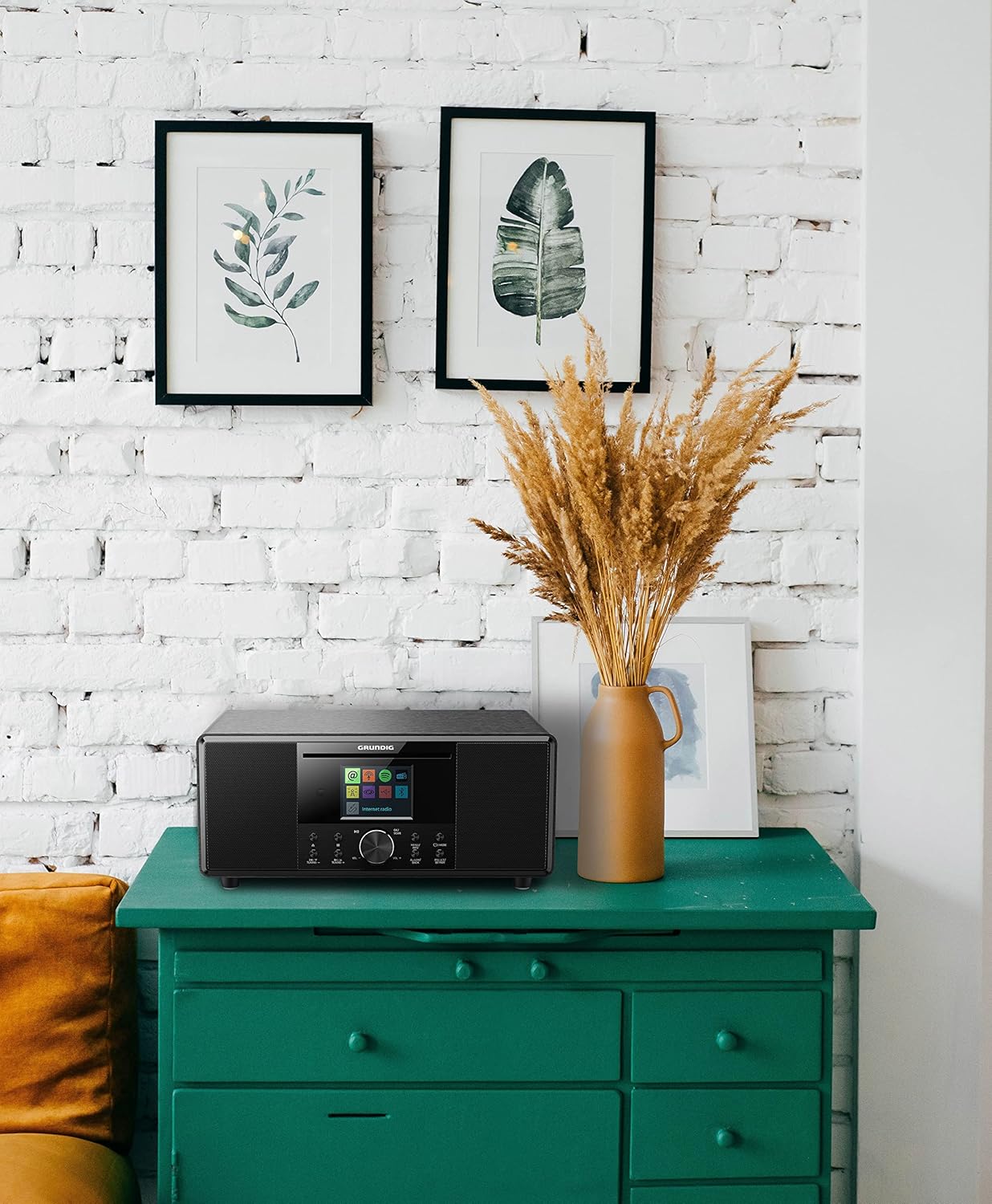
Figure 2: Lifestyle View - The GRUNDIG DTR 4500 is shown placed on a green cabinet in a room with white brick walls and decorative frames, illustrating its compact size and aesthetic integration into a home environment.

Figura 3: Frontal inclinat View - A slightly angled view of the GRUNDIG DTR 4500, showcasing its brushed black finish and the side speaker grille, providing a better perspective of its design and dimensions.

Figure 4: Alternative Angled View - Similar to Figure 3, this image offers another angled perspective of the DTR 4500, emphasizing its compact form factor and the integration of the display and controls.
Controls i visualització:
- Visualització: 2.4-inch TFT color display with 3 brightness levels.
- Botó de control: For volume adjustment (VOL+/-) and menu navigation (NAVIGATE). Press to confirm (OK/SCAN).
- Botó d'alimentació / mode: Turns the unit on/off and switches between modes.
- Tuning Buttons (▲/TUNING+, ▼/TUNING-): For adjusting radio frequencies or navigating menus.
- Preset/BT Pair Button: Saves/recalls radio presets or initiates Bluetooth pairing.
- Botó de menú/informació: Accesses system menus or displays information.
- Alarm/Back Button: Sets alarms or returns to the previous menu.
5. Configuració
5.1. Connexió d'alimentació
- Connect the power adapter to the DC IN port on the back of the DTR 4500.
- Connecteu l'adaptador de corrent a una presa de corrent.
- The unit will power on or enter standby mode.
5.2. Configuració inicial
Upon first power-on, the device may guide you through an initial setup process, including language selection and time/date settings. Follow the on-screen prompts.
6. Instruccions de funcionament
6.1. Engegada/Apagada i Selecció de Mode
- Premeu el botó Potència/Mode botó per encendre o apagar la unitat.
- Premeu el botó Potència/Mode button repeatedly to cycle through available modes: DAB+ Radio, FM Radio, Bluetooth, CD (if applicable), USB.
6.2. Funcionament de la ràdio DAB+
- Seleccioneu el mode DAB+ amb el botó Potència/Mode botó.
- The unit will automatically scan for available DAB+ stations upon first use or if no stations are found.
- Utilitza el Tuning ▲/▼ botons o Botó de control to navigate through the station list.
- Premeu el botó OK/SCAN button (center of control knob) to select a station.
- To save a preset: Press and hold Preset/BT Pair, select a preset number, and press OK/SCAN.
- Per recuperar una predefinició: premeu breument Preset/BT Pair, select the preset number, and press OK/SCAN.
6.3. Funcionament de la ràdio FM
- Seleccioneu el mode FM amb el botó Potència/Mode botó.
- Premeu OK/SCAN to auto-scan for available FM stations.
- Utilitza el Tuning ▲/▼ buttons for manual tuning or to step through scanned stations.
- Saving and recalling presets works similarly to DAB+ mode.
6.4. Transmissió d'àudio per Bluetooth
- Seleccioneu el mode Bluetooth amb el botó Potència/Mode button. The display will show "Pairing" or "Waiting for connection".
- Al telèfon intel·ligent o a la tauleta, activeu el Bluetooth i cerqueu "GRUNDIG DTR 4500".
- Select the device to pair. Once connected, the display will confirm.
- Play audio from your device, and it will stream wirelessly to the DTR 4500.
- Per desconnectar o emparellar amb un dispositiu nou, manteniu premut el botó Preset/BT Pair botó.
6.5. CD/MP3 Playback (if applicable)
The product description mentions CD R/RW/MP3, but some reviews indicate a lack of CD player. Please verify your specific model. If equipped:
- Inseriu un CD a la ranura per a CD.
- Seleccioneu el mode CD amb el botó Potència/Mode botó.
- Playback should start automatically. Use the Tuning ▲/▼ botons per saltar pistes.
6.6. USB Playback/Charging
The DTR 4500 features a USB port for playing MP3 files from a USB drive or charging compatible devices.
- Inseriu una unitat flash USB que contingui MP3 files al port USB.
- Seleccioneu el mode USB amb el botó Potència/Mode botó.
- Utilitza el Botó de control i OK/SCAN button to navigate and select files.
- To charge a device, simply connect it to the USB port.
6.7. Alarm, Sleep, and Snooze Functions
- Configuració d'alarmes: Premeu el botó Alarm/Back button to access alarm settings. You can set two independent alarms with different sources (buzzer, radio) and volumes.
- Temporitzador de son: Access the Sleep Timer function via the Menú/Informació button. Set a duration (e.g., 15, 30, 60 minutes) after which the unit will automatically turn off.
- Dormitar: When an alarm sounds, press any button (except Power) to activate the snooze function, pausing the alarm for a short period.
6.8. Configuració de la pantalla
Adjust the brightness of the 2.4-inch TFT color display through the system menu. There are three levels of brightness available for optimal readability in various lighting conditions.
7. Manteniment
7.1. Neteja
- Netegeu la unitat amb un drap suau i sec.
- No utilitzeu netejadors abrasius, ceres ni dissolvents.
- Per a marques difícils, esbandiu lleugeramentampen el drap amb aigua.
7.2. Emmagatzematge
Si guardeu la unitat durant un període prolongat, desendolleu-la de la presa de corrent i guardeu-la en un lloc fresc i sec.
8. Solució De Problemes
| Problema | Causa possible | Solució |
|---|---|---|
| Sense poder | L'adaptador de corrent no està connectat o la presa de corrent està defectuosa. | Comproveu les connexions d'alimentació. Proveu una altra presa de corrent. |
| Sense so | Volume too low, mute activated, or incorrect source selected. | Increase volume. Check if mute is active. Ensure correct input source is selected. |
| Mala recepció de ràdio | Senyal feble, antena no estesa o interferències. | Extend the antenna fully. Reposition the unit. Perform a new station scan. |
| L'aparellament de Bluetooth falla | Device too far, Bluetooth not enabled on source, or unit not in pairing mode. | Ensure devices are close. Enable Bluetooth on your device. Put DTR 4500 in pairing mode. |
| El comandament a distància no funciona | Batteries depleted or incorrect orientation. Obstruction between remote and unit. | Replace batteries (2x AAA). Ensure clear line of sight to the unit's sensor. |
9. Especificacions
| Característica | Detall |
|---|---|
| Marca | Grundig |
| Número de model | DTR 4500 |
| Color | Negre |
| Tecnologia de connectivitat | Bluetooth (V5.0) |
| Tecnologia d'afinació | DAB+, FM (RDS) |
| Bandes de ràdio compatibles | AM/FM |
| Sortida d'àudio | Stereo 2.0, 10W RMS |
| Mostra | 2.4-inch TFT Color LCD with 3 brightness levels |
| Característiques especials | Portable, Dual Alarm, Sleep Timer, Snooze, Remote Control |
| Dispositius compatibles | Laptop, Smartphone, Tablet, Earphones |
| Font d'alimentació | Mixed (AC Adapter) |
| Piles (comandament a distància) | 2 AAA (inclosos) |
| Dimensions del producte | 21L x 11.5W x 12H cm |
| Fabricant | Grundig (Germany) |
10. Garantia i Suport
For warranty information and technical support, please refer to the warranty card included with your product or visit the official Grundig weblloc web. Conserveu el comprovant de compra per a qualsevol reclamació de garantia.
For further assistance, you may contact Grundig customer service through their official channels.