
Introducció
Thank you for choosing BEBEN T9 Wireless Earbuds. These earbuds are designed to provide a high-quality audio experience with advanced features such as Bluetooth 5.3 connectivity, intelligent touch control, and a long-lasting battery. This manual will guide you through the setup, operation, and maintenance of your new earbuds to ensure optimal performance and longevity.
Què hi ha a la caixa
- BEBEN T9 Wireless Earbuds (Left and Right)
- Estoig de càrrega
- Cable de càrrega USB (tipus C)
- Manual d'usuari
Producte acabatview
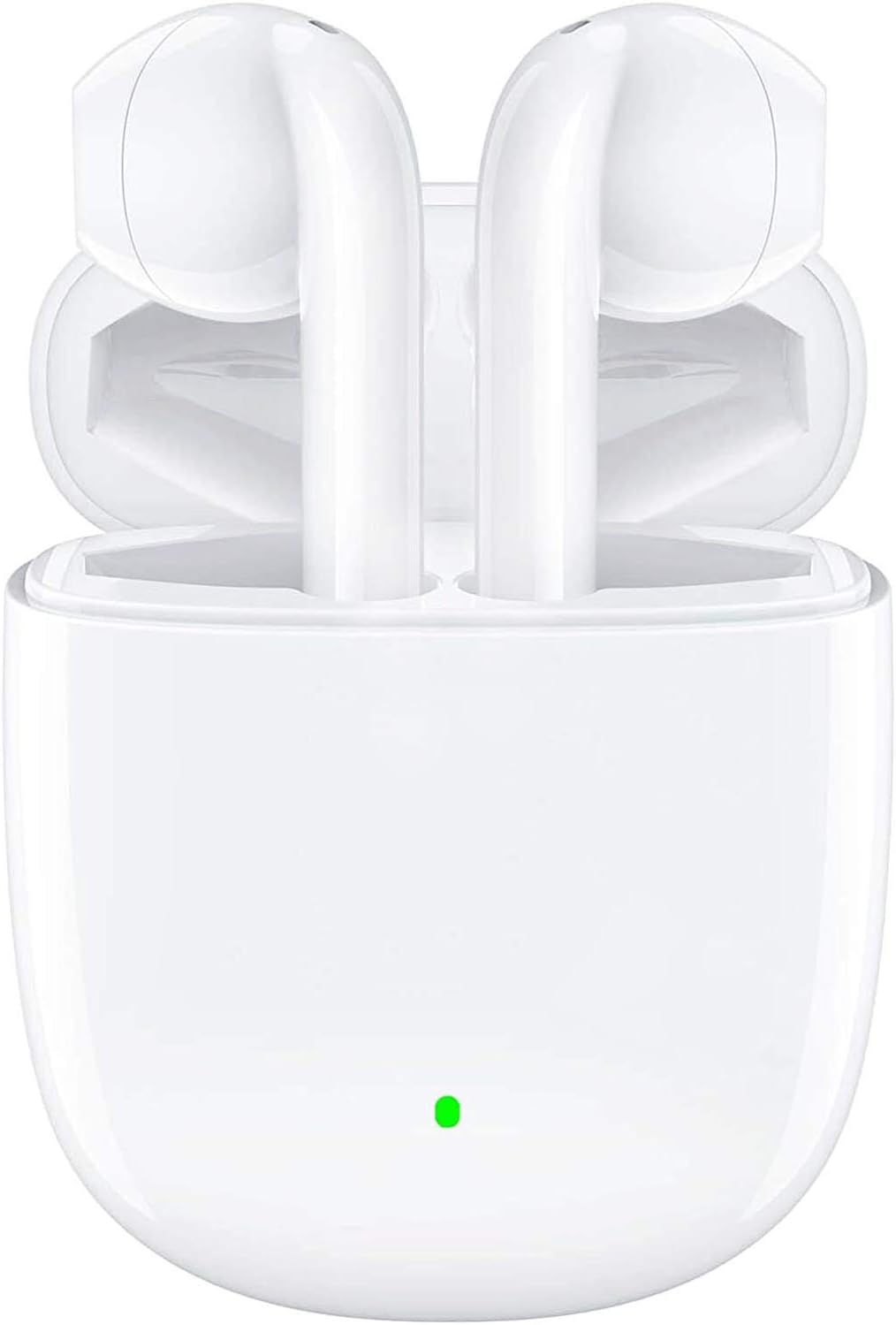
The BEBEN T9 Wireless Earbuds are housed in a compact charging case, designed for portability and convenience. The earbuds feature an ergonomic semi-in-ear design for comfortable wear.

Each earbud is equipped with a 14mm dynamic driver, engineered to deliver high-fidelity stereo sound with clear audio reproduction.

The charging case is designed to be pocket-sized, making it easy to carry your earbuds and charge them on the go. Its dimensions are approximately 2.2 inches by 1.85 inches by 0.86 inches.
Configuració
1. Càrrega dels auriculars i l'estoig
Before first use, ensure both the earbuds and the charging case are fully charged. The charging case provides extended battery life for your earbuds.
- Col·loqueu els auriculars a la caixa de càrrega.
- Connect the provided USB Type-C charging cable to the charging port on the case and to a compatible USB power source (e.g., wall adapter, computer USB port, power bank).
- The indicator light on the charging case will show charging status. A full charge typically takes about 1.5 hours.
- Once fully charged, the earbuds offer 4 to 5 hours of continuous use, and the charging case provides multiple recharges for a total playtime of up to 35 hours.

The earbuds and case support Type-C fast charging, providing up to 35 hours of total playtime with the charging case's backup power.
2. Emparellament amb el dispositiu (emparellament en un sol pas)
The BEBEN T9 earbuds feature a convenient one-step pairing process thanks to Bluetooth 5.3 technology.
- Ensure Bluetooth is enabled on your smartphone, tablet, or other Bluetooth-enabled device.
- Obriu la tapa de la caixa de càrrega. Els auriculars s'encendran automàticament i entraran en mode de vinculació.
- Al dispositiu, cerca dispositius Bluetooth i selecciona "T9" de la llista.
- Un cop connectats, sentireu un to de confirmació i els auriculars estaran a punt per al seu ús.
- Després de l'emparellament inicial, els auriculars es connectaran automàticament a l'últim dispositiu emparellat quan obriu l'estoig de càrrega.

The earbuds offer one-step pairing, automatically connecting to your device when the charging case is opened.
Instruccions de funcionament
Control tàctil intel·ligent
The T9 earbuds utilize intelligent touch controls for various functions. Gently tap the touch area on either earbud to perform the following actions:

The earbuds feature intelligent touch controls for easy management of music playback, calls, and voice assistant activation.
| Acció | Toqueu Comandament |
|---|---|
| Reproducció/pausa de música | Un sol toc a qualsevol dels auriculars |
| Respondre/Finalitzar la trucada | Un sol toc a qualsevol dels auriculars |
| Rebutja la trucada | Press and hold for 2 seconds on either earbud |
| Següent Cançó | Toqueu dues vegades l'auricular dret |
| Cançó anterior | Toqueu dues vegades l'auricular esquerre |
| Puja el volum | Toqueu tres vegades l'auricular dret |
| Baixa el volum | Toqueu tres vegades l'auricular esquerre |
| Activa l'assistent de veu (Siri/Assistent de Google) | Press and hold for 3 seconds on either earbud |
Single Earbud Mode vs. Binaural Mode
The T9 wireless earbuds allow flexible usage, supporting both single earbud (mono) and binaural (stereo) modes. You can switch between modes seamlessly.
- Mode auricular únic: You can use either the left or right earbud independently. Simply take one earbud out of the charging case, and it will connect to your device. This is useful for situations where you need to be aware of your surroundings.
- Mode binaural: To use both earbuds for stereo sound, take both earbuds out of the charging case. They will automatically connect to each other and then to your device.
- Canvi de modes: If you are using one earbud and wish to switch to binaural mode, simply take the other earbud out of the case. They will automatically connect. If you are using both and wish to switch to single mode, place one earbud back into the charging case; the other will continue to function.

The earbuds support flexible usage, allowing for single earbud use, binaural stereo sound, or even sharing one earbud with another person.
Manteniment
Neteja
Una neteja regular ajuda a mantenir la qualitat del so i la higiene.
- Feu servir un drap suau, sec i sense borrissol per netejar els auriculars i l'estoig de càrrega.
- Per a la brutícia persistent, lleugerament dampal drap amb aigua o un netejador suau i no abrasiu.
- No utilitzeu productes químics agressius, alcohol ni materials abrasius.
- Assegureu-vos que els contactes de càrrega dels auriculars i de la funda estiguin nets i secs.
Emmagatzematge
Quan no els utilitzeu, guardeu els auriculars a la seva funda de càrrega per protegir-los i mantenir-los carregats.
- Emmagatzemar en un lloc fresc i sec, allunyat de temperatures extremes i de la llum solar directa.
- Eviteu emmagatzemar en ambients polsegosos o bruts.
Resistència a l'aigua
The BEBEN T9 earbuds are designed with a waterproof exterior, making them suitable for sports and fitness activities where they may encounter sweat or light splashes. However, they are not designed for submersion in water. Avoid prolonged exposure to water or using them while swimming or showering.
Resolució de problemes
| Problema | Possible solució |
|---|---|
| Els auriculars no s'emparellan/connecten | Ensure earbuds are charged. Turn off and on Bluetooth on your device. Forget "T9" in your device's Bluetooth settings and re-pair. Place earbuds back in case, close lid, then open again. |
| Només funciona un auricular | Ensure both earbuds are charged. Place both earbuds back in the charging case, close the lid for 5 seconds, then open it again. They should automatically re-sync. |
| Volum baix o mala qualitat de so | Adjust volume on both your device and using the earbud touch controls. Ensure earbuds are clean and free of debris. Check if the earbuds are properly seated in your ears. |
| Els auriculars no es carreguen | Ensure the charging cable is securely connected to both the case and the power source. Check if the charging contacts on the earbuds and inside the case are clean. Try a different USB port or cable. |
| Els controls tàctils no responen | Assegura't que els dits estiguin nets i secs. Prova de reiniciar els auriculars posant-los a l'estoig i traient-los. |
Especificacions
| Característica | Detall |
|---|---|
| Nom del model | T9 |
| Tecnologia de connectivitat | Sense fil (Bluetooth) |
| Tecnologia de comunicació sense fils | Bluetooth 5.3 |
| Interval Bluetooth | Fins a 10 metres (33 peus) |
| Tipus de controlador d'àudio | Conductor dinàmic |
| Mida del controlador d'àudio | 13 mil·límetres |
| Durada de la bateria (auriculars) | 4-5 hours (continuous use) |
| Temps de reproducció total (amb estoig de càrrega) | Fins a 35 hores |
| Port de càrrega | USB tipus C |
| Mètode de control | Control tàctil |
| Nivell de resistència a l'aigua | Waterproof (suitable for sweat/light splashes) |
| Col·locació de l'orella | In-ear (disseny semi-in-ear) |
| Dimensions del producte | 3.15 x 3.15 x 3.15 polzades |
| Pes de l'article | 3.2 unces |
Garantia i Suport
BEBEN products are manufactured to high standards and undergo rigorous quality checks. For specific warranty information, please refer to the warranty card included with your product or visit the official BEBEN weblloc.
If you encounter any issues or have questions regarding your BEBEN T9 Wireless Earbuds, please contact BEBEN customer support through the retailer's platform or the contact information provided on the official BEBEN weblloc. Si us plau, tingueu a punt el model del producte i els detalls de compra quan us poseu en contacte amb el servei d'assistència.