
Moultrie Mobile 6000 Cellular Trail Camera User Manual
Model: MCG-13478
Introducció
This manual provides essential information for the proper setup, operation, and maintenance of your Moultrie Mobile 6000 Cellular Trail Camera. Please read these instructions thoroughly before using the device to ensure optimal performance and longevity.
Contingut del paquet
Verifiqueu que tots els elements que s'enumeren a continuació s'inclouen al vostre paquet:
- One (1) Moultrie Mobile XV-6000 Cellular Game Camera
- One (1) Heavy-duty camera strap (8-foot long by 1-inch wide)
- One (1) Moultrie Window Decal
Configuració
1. Instal·lació de la bateria
The Moultrie Mobile 6000 requires 12 AA batteries (not included) for operation. Ensure batteries are inserted with correct polarity as indicated inside the battery compartment.
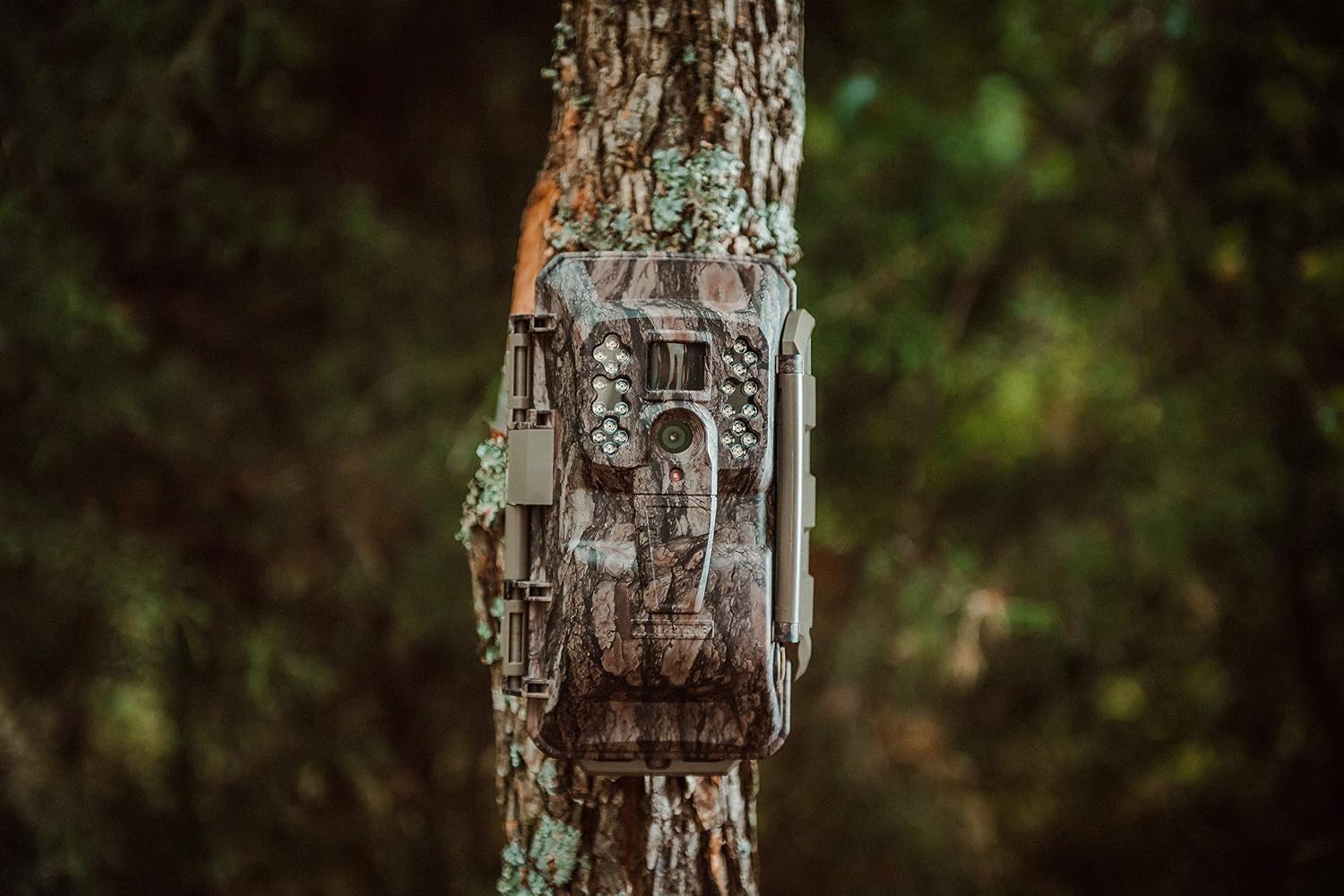
Image: Open camera showing the battery compartment.
2. Instal·lació de la targeta SD
Insert a compatible SD card (up to 32GB, Class 10 or higher recommended) into the designated SD card slot. The camera stores images and videos on this card. Ensure the card is formatted before first use.
3. Muntatge de la càmera
Use the provided heavy-duty strap to securely mount the camera to a tree or post. Position the camera at an appropriate height and angle to capture the desired area. Ensure the camera is stable and not prone to movement from wind or wildlife.

Image: Moultrie Mobile 6000 mounted on a tree.
4. App Setup and Activation
Download the Moultrie Mobile app on your smartphone. Follow the in-app instructions to create an account, add your camera, and activate its cellular service plan. This process links your camera to your mobile device for remote management and image viewing.

Image: Smartphone displaying the Moultrie Mobile app.
Instruccions de funcionament
1. Encès / apagat
Locate the power switch inside the camera's housing. Slide the switch to the 'ON' position to power on the camera. To power off, slide the switch to 'OFF'.

Image: Internal controls of the Moultrie Mobile 6000 camera.
2. Captura d'imatges i vídeo
The camera features a 0.9-second trigger speed to capture motion. It records 16MP still images and HD 720p video. Still images are transmitted to your Moultrie Mobile account via the Verizon 4G network. Video recordings are stored on the installed SD card and are not transmitted wirelessly.
3. Transmissió cel·lular
Once activated, the camera will automatically transmit captured images to your Moultrie Mobile account. You can view these images through the Moultrie Mobile app on your smartphone or via the web portal on a computer. Ensure the camera has adequate cellular signal for reliable transmission.
4. Ajustar la configuració
All camera settings, including capture mode (photo/video), detection delay, and transmission frequency, can be adjusted remotely through the Moultrie Mobile app. Changes made in the app will be applied to the camera during its next communication cycle.
Manteniment
1. Substitució de la bateria
Regularly check the battery level via the Moultrie Mobile app. Replace all batteries simultaneously with fresh, high-quality AA batteries to ensure consistent performance. Avoid mixing old and new batteries or different battery types.
2. Gestió de targetes SD
Periodically check the remaining storage on your SD card. Format the SD card every few months or when changing cards to prevent data corruption and ensure optimal recording performance. Back up any desired images or videos before formatting.
3. Neteja
Gently clean the camera lens and PIR sensor window with a soft, lint-free cloth. Avoid abrasive materials or harsh chemicals. Ensure the camera housing is free of dirt, debris, and moisture, especially around seals and openings.
4. Emmagatzematge
When not in use for extended periods, remove batteries and the SD card. Store the camera in a cool, dry place away from direct sunlight and extreme temperatures.
Resolució de problemes
- Sense energia: Ensure batteries are correctly installed and fully charged. Check for corrosion in the battery compartment.
- No Images Transmitting: Verify cellular signal strength in the camera's location via the app. Confirm your Moultrie Mobile plan is active and not exceeding data limits. Check SD card for proper installation and sufficient space.
- Mala qualitat d'imatge: Clean the camera lens. Ensure the camera is mounted securely to prevent movement. Check for obstructions in front of the lens or PIR sensor.
- La càmera no s'activa: Adjust the PIR sensitivity settings in the app. Ensure the camera is positioned to cover the desired area.
- Esgotament excessiu de la bateria: This can be caused by low signal strength, frequent transmissions, or extreme temperatures. Consider using an external power source or high-capacity batteries in challenging conditions.
Especificacions
| Nom del model | MCG-13478 |
| Resolució de fixes efectius | 16 MP |
| Resolució de captura de vídeo | 720p |
| Velocitat de desencadenament | 0.9 segons |
| Tecnologia de connectivitat | Wireless (Cellular, Wi-Fi) |
| Tecnologia sense fils | Cellular (Verizon 4G) |
| Mètode de control | App |
| Font d'alimentació | AC/DC, 12 Volts (requires 12 AA batteries) |
| Potència de la bateria | 6000 milionsampabans de l'hora (mAh) |
| Visió nocturna | Night Color, 24 IR LEDs |
| Tipus de memòria flash | SD |
| Classificació impermeable | IP65 |
| Ús interior/exterior | A l'aire lliure |
| Dimensions de l'article | 10.5 x 6.45 x 4.55 polzades |
Garantia i Suport
Garantia del fabricant
The Moultrie Mobile 6000 Cellular Trail Camera is covered by a Garantia del fabricant de 2 anys des de la data de compra. Aquesta garantia cobreix els defectes de materials i de fabricació en condicions d'ús normal. Conserveu el comprovant de compra per a reclamacions de garantia.
Atenció al client
For technical assistance, troubleshooting, or warranty inquiries, please refer to the official Moultrie Mobile website or contact their customer support directly. Contact information can typically be found on the product packaging or the official brand weblloc.


