
1. Introducció
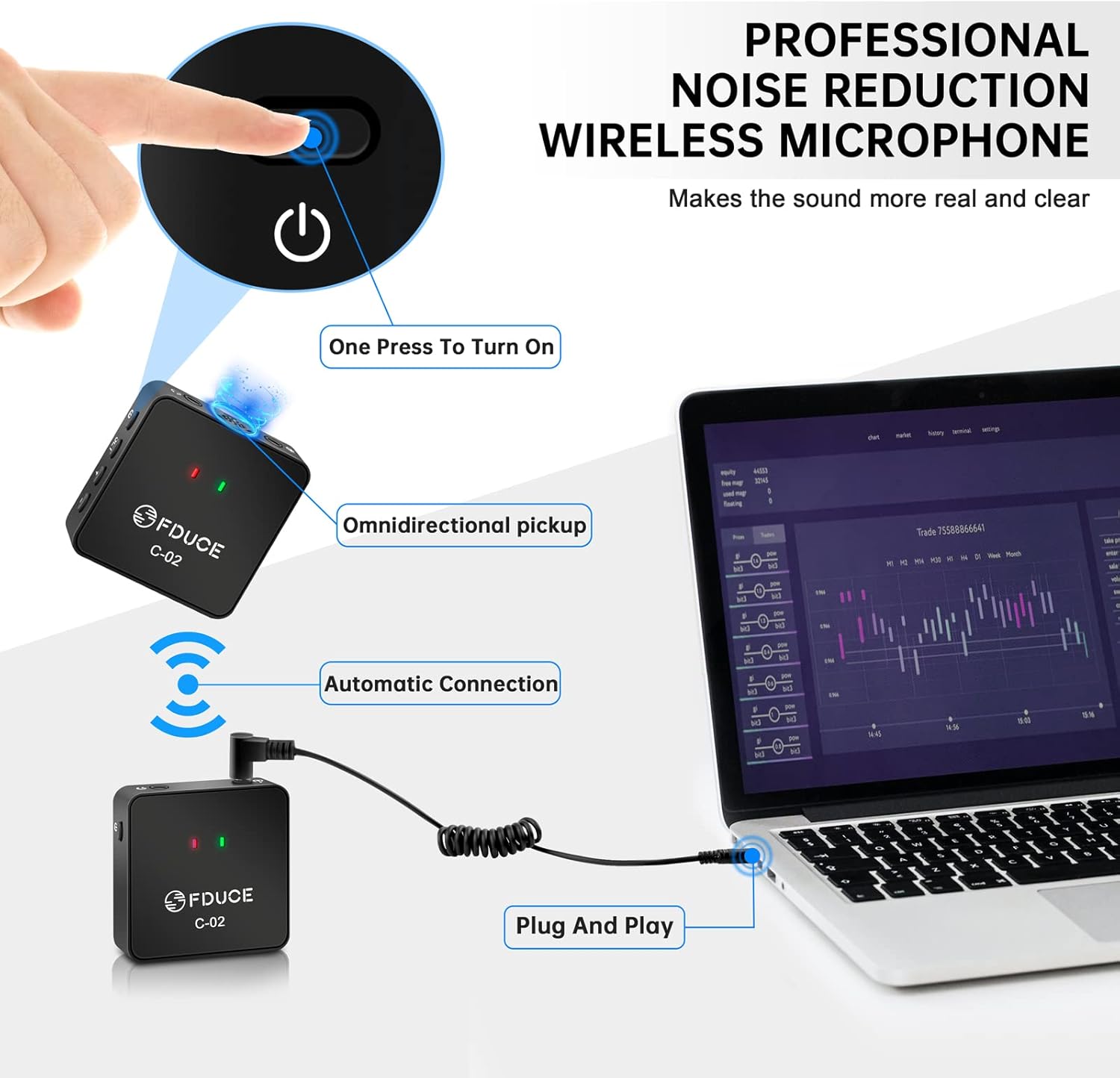
The FDUCE Dual UHF Wireless Lavalier Microphone System C-02 is designed for high-quality audio recording with smartphones, cameras, and other compatible devices. This system includes two transmitters and one receiver, enabling simultaneous recording from two sources. Its compact design, stable UHF signal, and omnidirectional pickup make it suitable for various applications such as interviews, podcasts, streaming, and video recording.
2. Què hi ha a la caixa
Carefully unpack your FDUCE C-02 system and ensure all components are present:
- 2 x Transmitters (Microphone A, Microphone B)
- 1 x receptor
- 2 x Parabrises peluts
- 2 x Furry Windshield Fixers
- 1 x Camera TRS Cable (3.5mm)
- 1 x Mobile TRRS Phone Cable (3.5mm)
- 1 x cable de càrrega tipus C
- 1 x Manual d'usuari
Video: An unboxing demonstration of the FDUCE C-02 Wireless Lavalier Microphone System, showing all included accessories and how they are packaged.
3. Producte acabatview
Emissor (TX)
- Micròfon integrat: Omnidirectional sound pickup.
- Entrada de micròfon extern: 3.5mm jack for connecting an external lavalier microphone (not included).
- Sortida d'auriculars: Per a la monitorització d'àudio en temps real.
- Botó ON/OFF: Encendre/apagar la unitat.
- Frequency Modulation (SET) Button: To switch UHF channels.
- Botons de volum +/-: Ajusta el volum d’entrada del micròfon.
- Indicador d'alimentació: Mostra l'estat de la bateria.
- Indicador de connexió: Shows pairing status with the receiver.
Receptor (RX)
- 3.5mm TRS Jack: Output for connecting to cameras, smartphones (with appropriate cable/adapter), or other recording devices.
- Sortida d'auriculars: Per a la monitorització d'àudio en temps real.
- Botó ON/OFF: Encendre/apagar la unitat.
- Type-C Charging Cable Port: Per carregar el receptor.
- Indicador d'alimentació: Shows battery status (flashes when low).
- Indicador de connexió: Shows pairing status with transmitters.

4. Instruccions de configuració
4.1 Configuració inicial i emparellament
- Dispositius de càrrega: Ensure both transmitters and the receiver are fully charged using the provided Type-C charging cable.
- Encès: Press and hold the ON/OFF button on each transmitter and the receiver. The units will automatically connect within approximately 3 seconds. The connection indicator light will turn solid blue or green when paired.
- Install Windshields: For outdoor use or to reduce plosive sounds, attach the furry windshields to the built-in microphones on the transmitters.
4.2 Connexió a una càmera
- Connect one end of the 3.5mm TRS cable (camera cable) to the 3.5mm TRS output jack on the receiver.
- Connect the other end of the TRS cable to the microphone input jack on your camera.
- Mount the receiver to your camera's hot shoe or cold shoe mount if available.
4.3 Connexió a un telèfon intel·ligent
- Connect one end of the 3.5mm TRRS phone cable to the 3.5mm TRS output jack on the receiver.
- Connect the other end of the TRRS cable to your smartphone's 3.5mm audio jack.
- For iPhones without a 3.5mm jack: You will need a Lightning to 3.5mm jack adapter (not included). Ensure the adapter supports audio input/recording functions, not just audio output. Connect the TRRS cable to the adapter, then the adapter to your iPhone.

Video: A step-by-step guide on correctly connecting the FDUCE lavalier microphone system to an iPhone, including adapter usage.
5. Instruccions de funcionament
5.1 Encès/Apagat
Press and hold the ON/OFF button on each transmitter and the receiver for approximately 2 seconds to power them on or off.
5.2 Ajust de volum
Use the Volume +/- buttons on the transmitters to adjust the input gain of the microphones. Monitor the audio output through the receiver's headphone jack to achieve optimal levels.
5.3 Channel Switching (Transmitters)
In case of interference or noise, press the 'SET' button on the transmitter to switch to an available UHF channel. The receiver will automatically adjust its frequency to match the transmitter.
6. UHF Frequency Modulation
The FDUCE C-02 system utilizes UHF frequency modulation for stable and interference-resistant signal transmission. It offers 30 adjustable channels to minimize signal conflicts.
- Transmitter Channel A (Red Light): Operates within the frequency band range of 520.5-549.5 MHz.
- Transmitter Channel B (Blue Light): Operates within the frequency band range of 550.5-579.5 MHz.
If you experience interference, simply press the 'SET' button on the affected transmitter to cycle through the available channels until a clear signal is established. The receiver will automatically synchronize.

7. Compatibilitat
The FDUCE C-02 Wireless Lavalier Microphone System is compatible with a wide range of devices:
- Smartphones (iPhone/Android)
- Cameras (DSLR, Mirrorless, Camcorders)
- Portàtils
- Ordinadors d'escriptori
Nota: Devices without a 3.5mm interface will require a standard adapter (not included) for connection. Ensure the adapter supports audio input/recording functionality.

8. Aplicacions
This dual wireless lavalier microphone system is ideal for scenarios requiring high-quality audio capture from two individuals simultaneously:
- Interviews: Capture clear audio from both interviewer i interviewee.
- Vlogs i YouTube: Enhance audio quality for video content.
- Podcasts: Record multiple speakers with professional sound.
- Online Teaching & Streaming: Ensure clear communication for virtual sessions.
- ASMR Recording: Capture subtle sounds with high sensitivity.


9. Manteniment
To ensure the longevity and optimal performance of your FDUCE C-02 system, follow these maintenance guidelines:
- Neteja: Feu servir un drap suau i sec per netejar les unitats. Eviteu utilitzar productes químics agressius o materials abrasius.
- Emmagatzematge: Store the microphone system in a cool, dry place away from direct sunlight and extreme temperatures.
- Cura de la bateria: Fully charge the units before long-term storage. Recharge periodically if not used for extended periods to maintain battery health.
- Cura del cable: Manipuleu els cables amb cura per evitar danys. Eviteu doblegar-los bruscament o estirar-los massa.
10. Solució De Problemes
If you encounter issues with your FDUCE C-02 system, refer to the following common problems and solutions:
| Problema | Causa possible | Solució |
|---|---|---|
| No sound input during recording. | Incorrect cable connection; adapter not supporting recording; low battery; units not paired. | Ensure TRRS cable is used for smartphones. Verify adapter supports recording. Check battery levels. Confirm units are paired (solid indicator light). |
| Audio interference or noise. | Nearby electronic devices; conflicting UHF channel; excessive distance. | Move away from other wireless devices. Press 'SET' button on transmitter to change channel. Reduce distance between transmitter and receiver (max 50m/164ft). |
| Volum d'àudio baix. | Transmitter volume too low; recording device input gain too low. | Increase volume using +/- buttons on the transmitter. Adjust input gain settings on your recording device (camera/smartphone). |
| Units not pairing. | Units too far apart; interference; power issue. | Ensure units are within close proximity during initial pairing. Power cycle both units. Check for strong interference sources. |
11. Especificacions
| Característica | Detall |
|---|---|
| Marca | FDUCE |
| Número de model | C-02 (FDUCE lavalier microphone) |
| Factor de forma del micròfon | Lavalier (amb clip) |
| Patró polar | Omnidireccional |
| Tecnologia de connectivitat | Auxiliary, UHF Wireless |
| Nombre de canals | 30 (UHF adjustable) |
| Resposta de freqüència | 520.5 MHz (Transmitter A: 520.5-549.5 MHz, Transmitter B: 550.5-579.5 MHz) |
| Ràtio senyal / soroll | 80 dB |
| Sensibilitat d'àudio | 10 decibels |
| Font d'alimentació | Battery Powered (Type-C Rechargeable) |
| Pes de l'article | 30 Grams (approx. 1.06 ounces per unit) |
| Material | Plàstic |
| Color | Negre |
| Dispositius compatibles | Camera, Smartphone, Laptop |
| Característica especial | Control de volum |
| abast sense fils | Up to 50 meters (164 feet) without interference |
12. Garantia i Suport
FDUCE products are designed for reliability and performance. For warranty information, please refer to the documentation included with your purchase or contact FDUCE customer support directly. Keep your proof of purchase for any warranty claims.
For further assistance, technical support, or inquiries, please visit the official FDUCE weblloc o poseu-vos en contacte amb el seu departament d'atenció al client.