
SIMJAR QF02A
Simjar Wireless RF Key Finder Locator Tracker (Model QF02A) Instruction Manual
Your guide to setting up and using your Simjar Key Finder.
1. Introducció
Thank you for choosing the Simjar Wireless RF Key Finder Locator Tracker. This device is designed to help you quickly locate misplaced items such as keys, wallets, phones, or luggage. By attaching a receiver to your valuable items and using the remote control, you can easily find them through an audible alert and flashing LED light.

Image: The Simjar Wireless RF Key Finder system, showing the remote control and two color-coded receivers.
2. Contingut del paquet
Si us plau, verifiqueu que tots els elements siguin presents al vostre paquet:
- 1 x transmissor de control remot
- 2 x Color-Coded Receivers (Red, Purple)
- 3 x CR2032 Lithium Ion Batteries (pre-installed or included separately)
- 2 x Key Rings
- 2 x Double-Sided Adhesive Tapes (Velcro)
- 1 x Manual d'usuari (aquest document)

Image: All components included in the Simjar Key Finder package.
3. Instruccions de configuració
3.1 Instal·lació de la bateria
The key finder system requires CR2032 Lithium Ion batteries. Ensure batteries are correctly installed in both the remote control and the receivers.
- Locate the battery compartment on the back of the receiver or remote.
- Use a small tool (such as a coin or the provided metal rod) to gently twist and open the battery cover.
- Introduïu la pila CR2032 amb el costat positiu (+) cap amunt.
- Replace the battery cover and twist to secure it. Ensure it is firmly closed to maintain contact.

Image: Visual instructions for opening the battery compartment and inserting CR2032 batteries into the devices.
3.2 Attaching Receivers to Items
Connect the color-coded receivers to items you frequently misplace using the provided key rings or double-sided adhesive tapes.
- Using Key Rings: Attach the receiver to your keys, luggage, or other items with a loop using the metal key rings.
- Ús de cinta adhesiva: For flat surfaces like wallets, remote controls, or phones, peel off the backing from the double-sided adhesive tape and firmly press it onto the back of the receiver and your item.

Image: Illustration of various methods for attaching the receivers to personal items.

Image: A receiver being attached to a key using a key ring.

Image: A receiver being attached to an item using adhesive tape.
4. Instruccions de funcionament
4.1 Localització dels elements
To find a misplaced item, follow these steps:
- Identify the color of the receiver attached to the item you wish to locate.
- On the remote control, press and release the corresponding color-coded button.
- If the receiver is within range, it will emit an audible beep (up to 90dB) and its LED light will flash, guiding you to the item.
- Follow the sound and light to retrieve your item.
The effective wireless range is approximately 40 meters (131 feet) in an open area. Walls and other obstacles may reduce the signal strength and range.
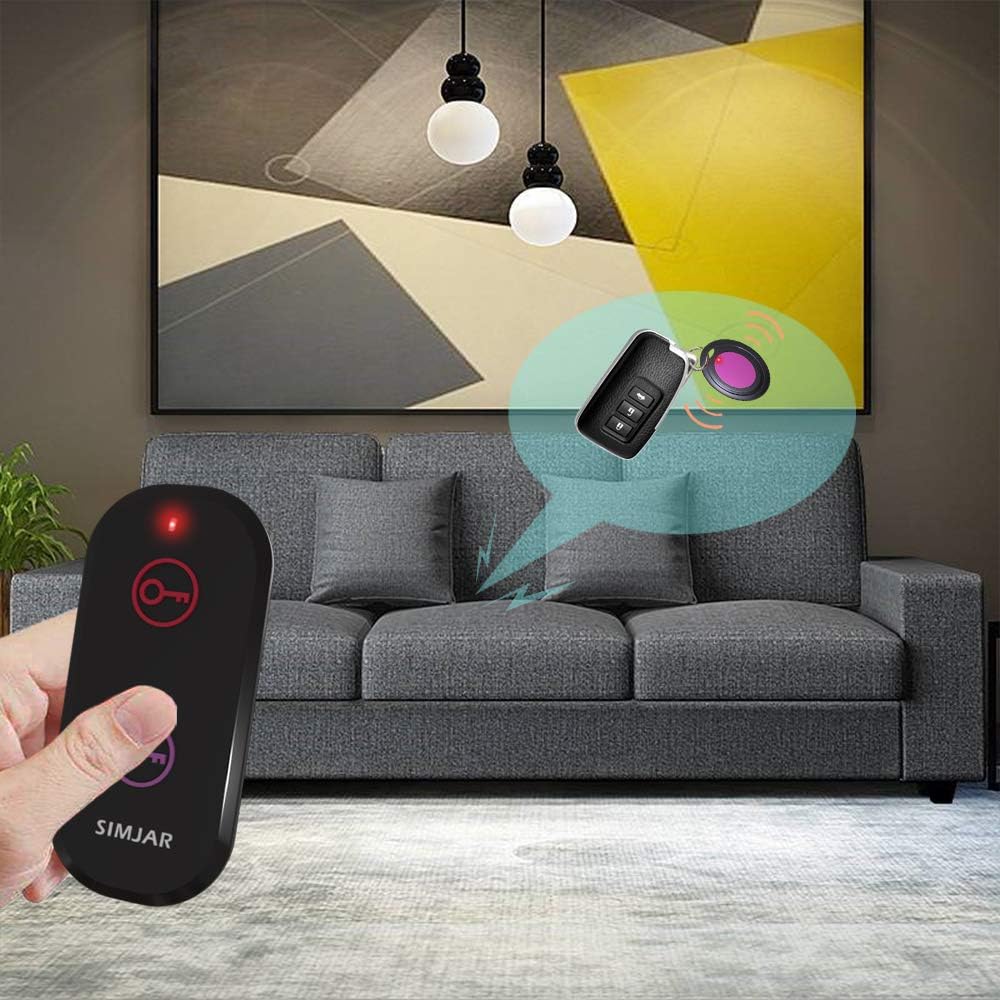
Image: Demonstrates pressing the remote button to activate a receiver.

Image: Visual representation of the key finder's operational range.

Imatge: Examples of items that can be tracked using the Simjar Key Finder.
5. Manteniment
5.1 Substitució de la bateria
When the sound from a receiver becomes faint or the LED light does not flash, it is time to replace the battery. Refer to Section 3.1 for battery installation instructions. Always use CR2032 Lithium Ion batteries for replacement.
5.2 Neteja
Wipe the devices with a soft, dry cloth. Avoid using harsh chemicals or abrasive materials, as these can damage the product's surface.
6. Solució De Problemes
- No sound or light from receiver:
- Check if the receiver's battery is correctly installed and has sufficient power. Replace if necessary.
- Ensure the receiver is within the operational range of the remote control.
- Reduce obstacles between the remote and the receiver.
- El comandament a distància no funciona:
- Verify the remote control's battery is installed correctly and has power. Replace if needed.
- Distància curta:
- The stated range is for open areas. Obstacles like walls, furniture, and electronic devices can significantly reduce the effective range. Try moving closer to the item.
- Low battery levels can also affect range.
7. Especificacions
| Característica | Detall |
|---|---|
| Número de model | QF02A |
| Dimensions del producte | 3.3 x 1.42 x 0.43 inches (Remote) |
| Pes de l'article | 2.11 unces (total) |
| Tecnologia de connectivitat | RF (freqüència de ràdio) |
| abast sense fils | Fins a 40 metres (131 peus) en zona oberta |
| Nivell de so | Fins a 90 dB |
| Piles necessàries | CR2032 Lithium Ion (3 included) |
| Material | Acrilonitril butadiè estirè (ABS) |
8. Garantia i Suport
8.1 Informació de la garantia
Please retain your proof of purchase for any warranty claims. For specific warranty details, refer to the product packaging or contact Simjar customer support.
8.2 Atenció al client
If you encounter any issues or have questions regarding your Simjar Wireless RF Key Finder, please contact Simjar customer support through the retailer's platform or the official Simjar weblloc d'assistència.
Ask a question about this manual
Ask about setup, troubleshooting, compatibility, parts, safety, or missing instructions. Manuals+ will review the question and use this page’s manual context to help answer it.