
1. Introducció
This manual provides essential information for the safe and efficient use of your Amazon Fire HD 10 tablet (2021 release). Please read it thoroughly before operating your device.
Característiques clau
- Fast and Responsive: Powered by an octa-core processor and 3 GB RAM, offering 50% more RAM than the previous generation.
- Bateria de llarga durada: Up to 12 hours of battery life for reading, browsing, video, and music.
- Pantalla viva: 10.1-inch 1080p Full HD display, 10% brighter than the previous generation, with over 2 million pixels.
- AmpEmmagatzematge: Available with 32 GB or 64 GB internal storage, expandable up to 1 TB with a microSD card (sold separately).
- Compatibilitat de l'aplicació: Access to popular apps like Netflix, Facebook, Disney+, Instagram, TikTok, and more via Amazon’s Appstore.
- Eines de productivitat: Supports apps like Microsoft Office, OneNote, and Dropbox for enhanced productivity.
- Disseny durador: Thinner and lighter than the previous generation, with a screen strengthened by aluminosilicate glass.
- Funcionalitat de pantalla dividida: Allows two compatible apps to be open side-by-side for multitasking.
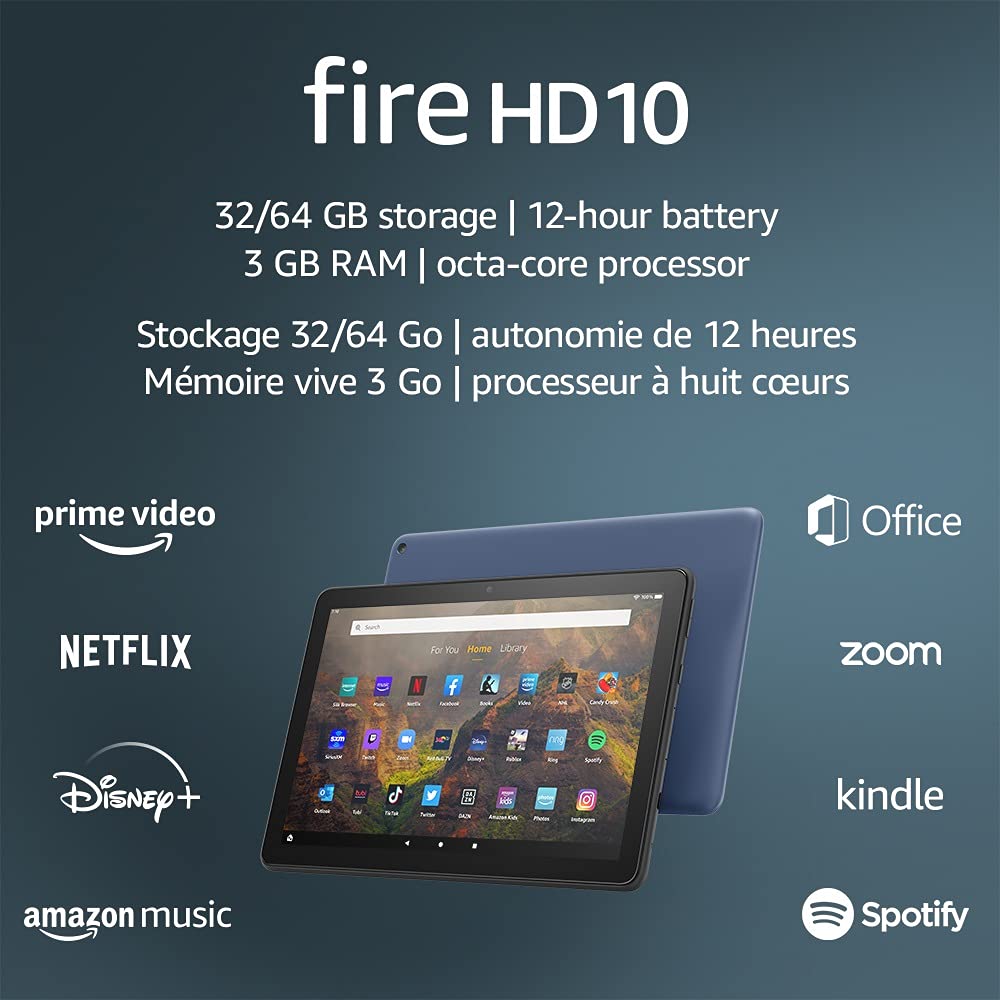
Image 1.1: The Amazon Fire HD 10 tablet highlighting its 32/64 GB storage, 12-hour battery, 3 GB RAM, and octa-core processor, alongside logos of supported applications such as Prime Video, Netflix, Disney+, Amazon Music, Office, Zoom, Kindle, and Spotify.
2. Configuració
2.1 Desembalatge i càrrega inicial
Upon receiving your Fire HD 10 tablet, carefully remove all components from the packaging. Before first use, it is recommended to fully charge the device.
- Connect the provided USB-C (2.0) cable to the tablet's USB-C port.
- Plug the other end of the USB-C cable into the 9W power adapter.
- Connecteu l'adaptador de corrent a una presa de corrent.
- A full charge from 0% to 100% typically takes approximately 4 hours while the device is in standby mode.
2.2 Engegada/apagada
- Per encendre: Press and hold the power button located on the side of the tablet until the Amazon logo appears on the screen.
- Per apagar: Press and hold the power button until a power options menu appears. Select 'Power Off'.
- Per reiniciar: Al menú d'opcions d'energia, seleccioneu "Reiniciar".
Connectivitat Wi-Fi 2.3
To access online content and services, connect your Fire HD 10 to a Wi-Fi network.
- From the Home screen, swipe down from the top to open the Quick Settings panel.
- Toqueu la icona de Wi-Fi.
- Seleccioneu la xarxa Wi-Fi desitjada de la llista de xarxes disponibles.
- Si se us demana, introduïu la contrasenya de xarxa i toqueu "Connecta".
- The tablet supports 2.4 GHz and 5.0 GHz networks. Ad-hoc (peer-to-peer) Wi-Fi networks are not supported.
2.4 Configuració del compte
During the initial setup process, you will be guided to register your Fire HD 10 to an Amazon account. This is necessary to download apps, access Amazon content, and utilize cloud services.
- Follow the on-screen prompts to sign in with an existing Amazon account or create a new one.
- Ensure your account details are accurate for full functionality.
3. Instruccions de funcionament
3.1 Navegació per la interfície
The Fire HD 10 tablet features a touch-sensitive display for interaction.
- Toca: Per seleccionar un element, obriu una aplicació o activeu un botó.
- Llisca: Per desplaçar-se per pàgines, llistes o canviar entre pantalles d'inici.
- Pessiga per fer zoom: Per ampliar o reduir les imatges, web pages, or documents.
- Premsa llarga: Per accedir a menús contextuals o moure icones d'aplicacions.
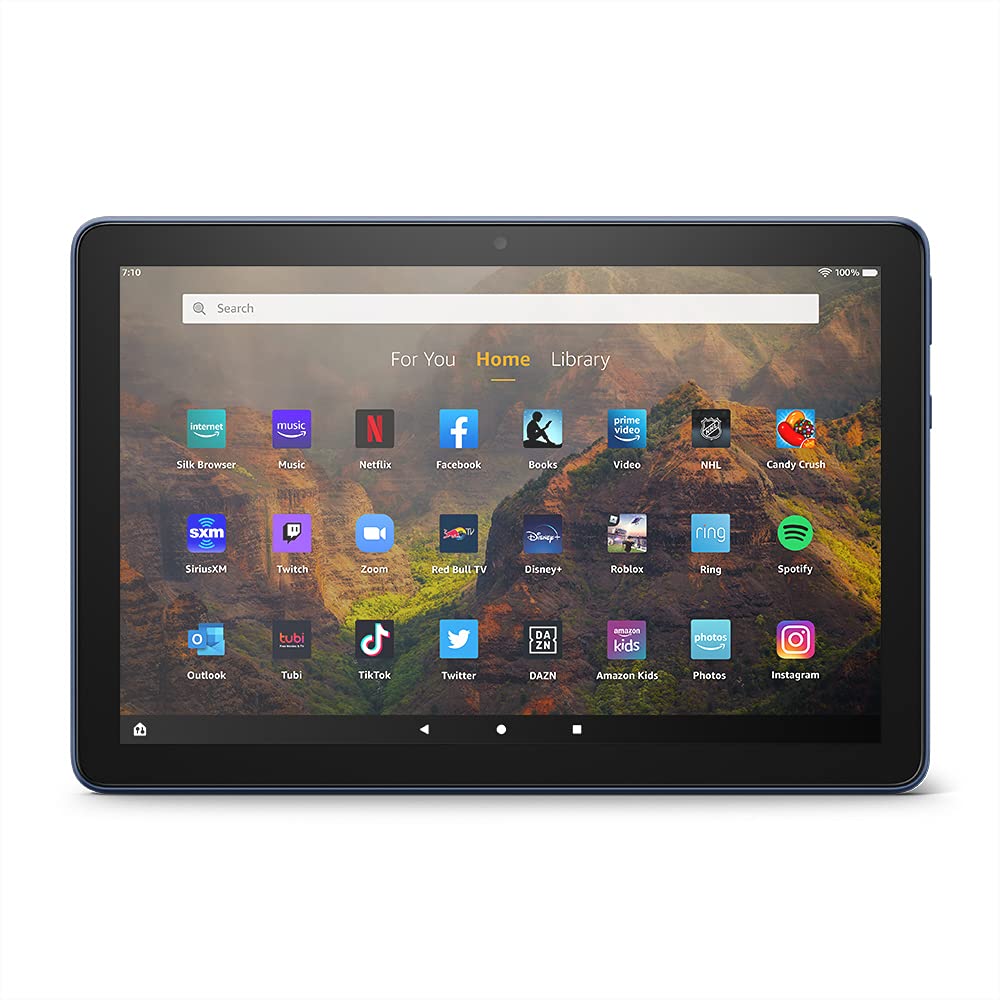
Image 3.1: The Amazon Fire HD 10 tablet's home screen, showcasing a grid of application icons including Silk Browser, Music, Netflix, Facebook, Books, Video, NHL, Candy Crush, SiriusXM, Twitch, Zoom, Red Bull TV, Disney+, Roblox, Ring, Spotify, Outlook, Tubi, TikTok, Twitter, DAZN, Amazon Kids, Photos, and Instagram.
3.2 Ús d'aplicacions
Applications can be downloaded from the Amazon Appstore. Google Play is not supported.
- Tap an app icon on the Home screen to launch it.
- To find new apps, open the 'Appstore' application.
- Some apps may require a subscription for full access.

Image 3.2: A collage of content available on the Amazon Fire HD 10 tablet, featuring book covers like 'The Silent Patient', Amazon Original series and movies such as 'The Wilds', 'Coming to America', 'The Expanse', 'Dune', 'Hanna', 'One Night in Miami', 'Sound of Metal', 'The Marvelous Mrs. Maisel', 'Upload', and 'The Boys', alongside social media app logos for TikTok, Facebook, and Twitter.
3.3 Split Screen Multitasking
The Fire HD 10 supports split screen functionality, allowing two compatible applications to run side-by-side.
- Obriu la primera aplicació que vulgueu utilitzar.
- Swipe up from the bottom of the screen to reveal the navigation bar.
- Long-press the icon of the first app in the recent apps view.
- Select 'Split Screen' from the options.
- Choose a second compatible app from your recent apps or app drawer to fill the other half of the screen.

Image 3.3: The Amazon Fire HD 10 tablet, shown with an optional Bluetooth keyboard case, demonstrating its split-screen capability. Two applications are open simultaneously: a calendar app on the left and a messaging app on the right, illustrating enhanced productivity.
3.4 Ús de la càmera
The tablet is equipped with a 2 MP front-facing camera and a 5 MP rear-facing camera, both capable of 720p HD video recording.
- Open the 'Camera' app from your Home screen or app drawer.
- Toqueu el botó de l'obturador per fer una foto.
- Canvia entre la càmera frontal i la posterior amb la icona de commutació de la càmera.
- Seleccioneu el mode de vídeo per gravar vídeos.
3.5 Audio and Bluetooth
The Fire HD 10 includes dual integrated speakers and a 3.5 mm stereo jack for headphones. It also supports Bluetooth 5.0 LE.
- Connect wired headphones or external speakers via the 3.5 mm jack.
- To pair Bluetooth devices (headphones, speakers, microphones, LE accessories):
- Go to 'Settings' > 'Connected Devices' > 'Bluetooth'.
- Assegureu-vos que el Bluetooth estigui activat.
- Seleccioneu el vostre dispositiu de la llista de dispositius disponibles i seguiu les instruccions d'emparellament.
3.6 Gestió d'emmagatzematge
Your Fire HD 10 comes with either 32 GB or 64 GB of internal storage. You can expand this by up to 1 TB using a microSD card.
- To insert a microSD card: Locate the microSD slot on the side of the tablet, open the cover, and gently insert the card until it clicks into place.
- Manage storage by going to 'Settings' > 'Storage'. Here you can view usage and move compatible apps or media to the microSD card.
4. Manteniment
4.1 Cura de la bateria
- Avoid exposing the tablet to extreme temperatures, as this can degrade battery performance.
- Per a una durada òptima de la bateria, eviteu descarregar-la completament amb freqüència o mantenir-la al 100% de càrrega durant períodes prolongats.
- Use only the provided 9W power adapter and USB-C cable for charging.
4.2 Neteja del dispositiu
- Apagueu la tauleta abans de netejar-la.
- Feu servir un drap suau i sense borrissol per netejar suaument la pantalla i la carcassa.
- Per a taques persistents, lleugerament dampen the cloth with water. Avoid using harsh chemicals, abrasive cleaners, or aerosol sprays.
4.3 Actualitzacions de programari
Amazon periodically releases software updates to improve performance and add new features. Ensure your device is connected to Wi-Fi to receive these updates.
- Updates are typically downloaded and installed automatically.
- You can manually check for updates by going to 'Settings' > 'Device Options' > 'System Updates'.
5. Solució De Problemes
5.1 El dispositiu no respon
- If the device is frozen or unresponsive, press and hold the power button for approximately 20 seconds to force a restart.
- Ensure the device has sufficient battery charge. Connect it to the charger and try powering it on again.
5.2 Problemes de connexió Wi-Fi
- Verify that Wi-Fi is enabled in Quick Settings or 'Settings' > 'Wireless'.
- Ensure you are within range of your Wi-Fi router.
- Reinicieu el vostre encaminador i mòdem Wi-Fi.
- Forget the network in 'Settings' > 'Wireless' and reconnect, re-entering the password if necessary.
5.3 Apps Crashing or Not Loading
- Tanca i torna a obrir l'aplicació.
- Clear the app's cache: Go to 'Settings' > 'Apps & Games' > 'Manage All Applications', select the problematic app, and tap 'Clear Cache'.
- Assegura't que el programari de la tauleta estigui actualitzat.
- Si el problema persisteix, considereu la possibilitat de desinstal·lar i reinstal·lar l'aplicació.
5.4 Durada curta de la bateria
- Redueix la brillantor de la pantalla.
- Tanca les aplicacions que no s'utilitzen i que s'executen en segon pla.
- Desactiva el Wi-Fi o el Bluetooth quan no estiguis en ús.
- Limita l'ús de dades en segon pla per a les aplicacions.
- Check 'Settings' > 'Battery' to identify apps consuming the most power.
6. Especificacions
| Característica | Detall |
|---|---|
| Generació | 11a generació, llançament del 2021 |
| Mostra | Brilliant 10.1” 1080p display (1920 x 1200) with over 2 million pixels (224 ppi). Screen strengthened with aluminosilicate glass. |
| Mida | 247 mm x 166 mm x 9.2 mm |
| Pes | 465 grams (la mida i el pes reals poden variar) |
| CPU i RAM | Octa-core 2.0 GHz amb 3 GB de RAM |
| Emmagatzematge | 32 GB (24.2 GB available) or 64 GB (55.0 GB available) internal storage. Expandable up to 1 TB with microSD card. |
| Durada de la bateria | Up to 12 hours of mixed usage (reading, web, video, music). Varies by settings and usage. |
| Temps de càrrega | Approx. 4 hours (0-100%) with provided 9W adapter in standby. |
| Connectivitat WiFi | Supports 2.4 GHz and 5.0 GHz networks. Does not support ad-hoc networks. |
| Ports | USB-C (2.0) for charging, microSD slot for external storage. |
| Àudio | 3.5 mm stereo jack, dual integrated speakers, external volume controls. |
| Sensors | Accelerometer, ambient light sensors. |
| Especificacions de la càmera | 2 MP front-facing, 5 MP rear-facing cameras with 720p HD video recording. |
| Micròfons | 2 built-in microphones. |
| Serveis de localització | Location-based services via WiFi. |
| Colors disponibles | Black, Denim. |
| Bluetooth | Built-in Bluetooth 5.0 LE with A2DP support for stereo headphones, speakers, microphone, and LE accessories. |
6.1 Funcions d'accessibilitat
The Fire HD 10 tablet includes various accessibility features to assist users. These can be accessed via 'Settings' > 'Accessibility'.
- veuView Lector de pantalla: Provides spoken feedback for users who are blind or visually impaired.
- Lupa de pantalla: Allows users to zoom in/out and pan around the screen.
- Accés amb commutació: Enables interaction for users with motor impairments via compatible Bluetooth devices.
- Lectura en veu alta al Kindle: Alexa can read Kindle books aloud.
- Configuració de la pantalla: Includes options for Closed Captioning, Font Size, Display Size, High Contrast Text, Color Inversion, Color Correction, and Convert Stereo to Mono audio. (Note: Captions are not available for all content.)
7. Garantia i Suport
7.1 Informació de la garantia
Your Amazon Fire HD 10 tablet comes with a 1-year limited warranty and service. Optional 1-year, 2-year, and 3-year extended warranties are available for purchase separately for customers in Canada.
Use of the Fire HD 10 tablet is subject to Amazon's Conditions of Use and associated terms.
7.2 Inclòs a la caixa
The following items are included with your Fire HD 10 tablet:
- Fire HD 10 tablet
- USB-C (2.0) cable
- Adaptador de corrent de 9 W
- Guia d'inici ràpid
7.3 Suport addicional
For additional assistance, please visit the Amazon Device Support website or contact Amazon Customer Service.