
1. Producte acabatview
The VENTION HDMI Extension Cable is designed to extend the reach of your existing HDMI cables, providing seamless 4K video and audio transmission. This male-to-female extender supports resolutions up to 4K at 60Hz and a data transfer rate of 18Gbps, ensuring crystal-clear signals without degradation. Its durable construction and broad compatibility make it suitable for various home and professional setups.

Image: The VENTION HDMI Extension Cable, showcasinels seus connectors mascle i femella.
Característiques principals:
- 4K Video Transmission: Supports resolutions up to 4K 60Hz with an 18Gbps data transfer rate for high-quality video and audio.
- Àmplia compatibilitat: Works with standard HDMI devices such as TV sticks, Blu-ray players, game consoles (PS5/PS4, Xbox), projectors, and laptops.
- Durador i flexible: Features a robust and flexible PVC jacket, gold-plated connectors, and is designed to withstand over 10,000 bends and insertions for stable, loose-free connections.
- Convenient i versàtil: Protects original HDMI ports from wear and tear due to frequent plugging/unplugging. Ideal for home theaters, conference rooms, and gaming setups.
- Qualitat certificada: CE, FCC, and RoHS certified for safety and environmental compliance.
2. Instruccions de configuració
Follow these steps to properly set up your VENTION HDMI Extension Cable:
- Identificació de connectors: The VENTION HDMI Extension Cable has one male HDMI connector and one female HDMI connector. The male end plugs into an existing female HDMI port, and the female end receives another male HDMI cable.
- Connecta al dispositiu d'origen: Plug the male end of your existing HDMI cable into the female port of the VENTION HDMI Extension Cable.
- Connecta al dispositiu de visualització: Plug the male end of the VENTION HDMI Extension Cable into the HDMI input port of your display device (e.g., TV, monitor, projector).
- Connexió segura: Ensure both connections are firm and secure to prevent signal loss or flickering.
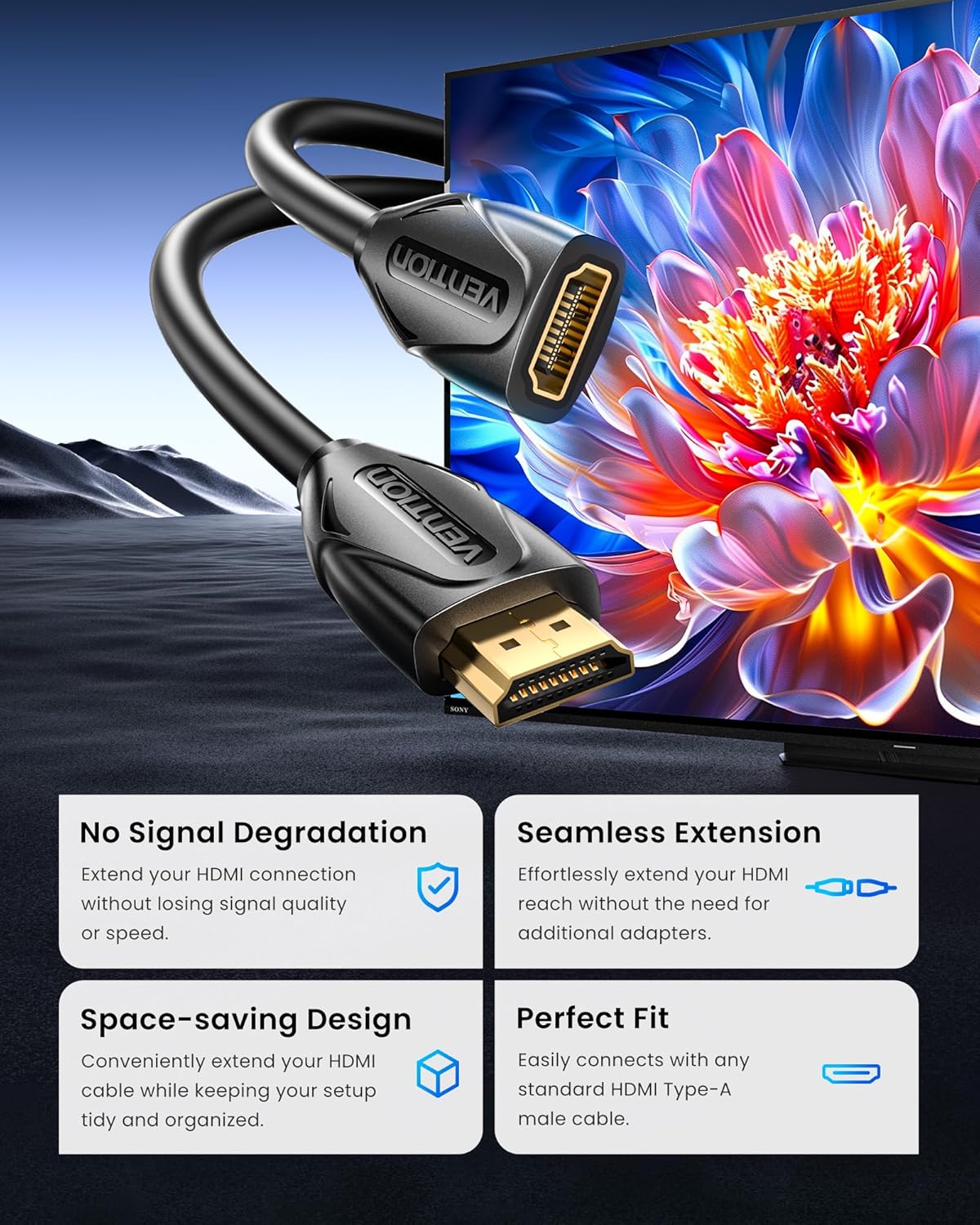
Image: A visual representation of the HDMI extension cable connecting two devices, highlighting no signal degradation and a seamless, space-saving fit.
Compatibilitat:
This cable is compatible with a wide range of devices. Refer to the image below for common input and output devices.

Image: A chart illustrating various compatible input devices (laptops, TV sticks, game consoles, Blu-ray players, Roku streaming players) and output devices (projectors, TVs, displays).
3. Instruccions de funcionament
Once connected, the VENTION HDMI Extension Cable operates automatically, extending your HDMI signal. No additional software or drivers are required.
Modes d'ús:
- Mode mirall: Duplicate your computer's screen onto a larger display.
- Mode estès: Extend your desktop across multiple screens for increased productivity.
- Mode de joc: Enjoy high-definition gaming on a larger screen with minimal latency.

Image: Illustrations demonstrating the Mirror Mode, Extended Mode, and Game Mode functionalities when using the HDMI extension cable.
Rendiment òptim:
For optimal 4K 60Hz performance, ensure that all connected devices and cables (including the original HDMI cable) support 4K 60Hz resolution and the required data transfer rate.

Image: A comparison showing no loss in speed or quality when using the HDMI extension for 4K content, supporting HDR, 4K@60Hz, ARC, and 3D.
4. Manteniment
To ensure the longevity and optimal performance of your VENTION HDMI Extension Cable, follow these maintenance guidelines:
- Neteja: Use a soft, dry cloth to gently wipe the cable and connectors. Avoid using liquid cleaners or abrasive materials.
- Emmagatzematge: When not in use, coil the cable loosely. Avoid sharp bends or kinks, which can damage the internal wiring. Store in a cool, dry place away from direct sunlight and extreme temperatures.
- Manipulació: Always grasp the connector ends when plugging or unplugging the cable. Avoid pulling on the cable itself, as this can strain the connections and lead to damage.
- Protecció: The cable's robust PVC shell and double-layer shielding are designed for durability. However, avoid placing heavy objects on the cable or exposing it to excessive force.

Imatge: Una explosió view of the cable's internal structure, highlighting high-quality copper wire, audio and video synchronous output, double-layer shielding, enhanced stretch design, and an ultra-durable PVC shell.

Image: A comparison demonstrating the stable and smooth signal transmission of the VENTION gold-plated connector versus an unstable signal from another cable, emphasizing lossless transmission.
5. Solució De Problemes
If you encounter issues with your VENTION HDMI Extension Cable, try the following solutions:
| Problema | Causa possible | Solució |
|---|---|---|
| No video/audio signal | Loose connection, incorrect input selection, incompatible resolution. | Ensure all HDMI cables are securely connected. Select the correct HDMI input on your display. Verify that both source and display devices support the chosen resolution. |
| Flickering screen or intermittent signal | Loose connection, cable interference, damaged cable. | Check all connections for tightness. Ensure the cable is not near strong electromagnetic interference sources. Try a different HDMI cable or extension cable to rule out a faulty cable. |
| Poor picture quality (e.g., blurry, distorted) | Resolution mismatch, cable length limitations, signal degradation. | Confirm that your source device is outputting a resolution supported by your display. While this extension cable is designed for minimal signal loss, very long total cable runs (original + extension) might experience some degradation. Ensure the original HDMI cable is also of high quality. |
| Sense àudio | Audio settings, incompatible audio format. | Check audio output settings on your source device. Ensure your display or audio receiver is set to the correct audio input. |
6. Especificacions del producte
| Característica | Detall |
|---|---|
| Marca | VENCIÓ |
| Model | VAA-B06-B300 |
| Tipus de cable | Cable d'extensió HDMI |
| Tipus de connector | HDMI Male-to-Female |
| Longitud | 10 peus (3 metres) |
| Resolució màxima | 4K @ 60 Hz |
| Velocitat de transferència de dades | 18 Gbps |
| Característiques especials | Lightweight, Gold-plated connectors, Double-layer shielding, Environmental protection PVC quilt |
| Dispositius compatibles | TV sticks, Blu-ray players, game consoles (PS5/PS4, Xbox), projectors, laptops, TVs, displays |
| Certificacions | CE, FCC, RoHS |
| Color | Negre |
| Pes de l'article | 194 grams |
| Components inclosos | 1*HDMI Extension Cable |
7. Garantia i Suport
VENTION products are designed for reliability and performance. This product comes with a standard manufacturer's warranty. For specific warranty details, please refer to the product packaging or contact VENTION customer support.
Atenció al client:
If you have any questions, require technical assistance, or need to report an issue, please contact VENTION Official Store customer service through the retailer where you purchased the product. Please have your model number (VAA-B06-B300) and purchase date available.
8. Recursos de vídeo
Vídeo oficial del producte:
Vídeo: Un vídeo oficial del producte de Vention showcasing the features and usage of the HDMI Extension Cable. This video demonstrates the cable's gold-plated interface, environmental protection PVC quilt, and its ability to extend connections for 4K HD visuals.