
Precaucions, advertències i informació normativa
READ AND SAVE THESE INSTRUCTIONS. Follow the instructions in this installation manual. These instructions must be followed to avoid damage to this product and associated equipment. Product operation and reliability depend upon proper installation.
Precaucions generals de seguretat
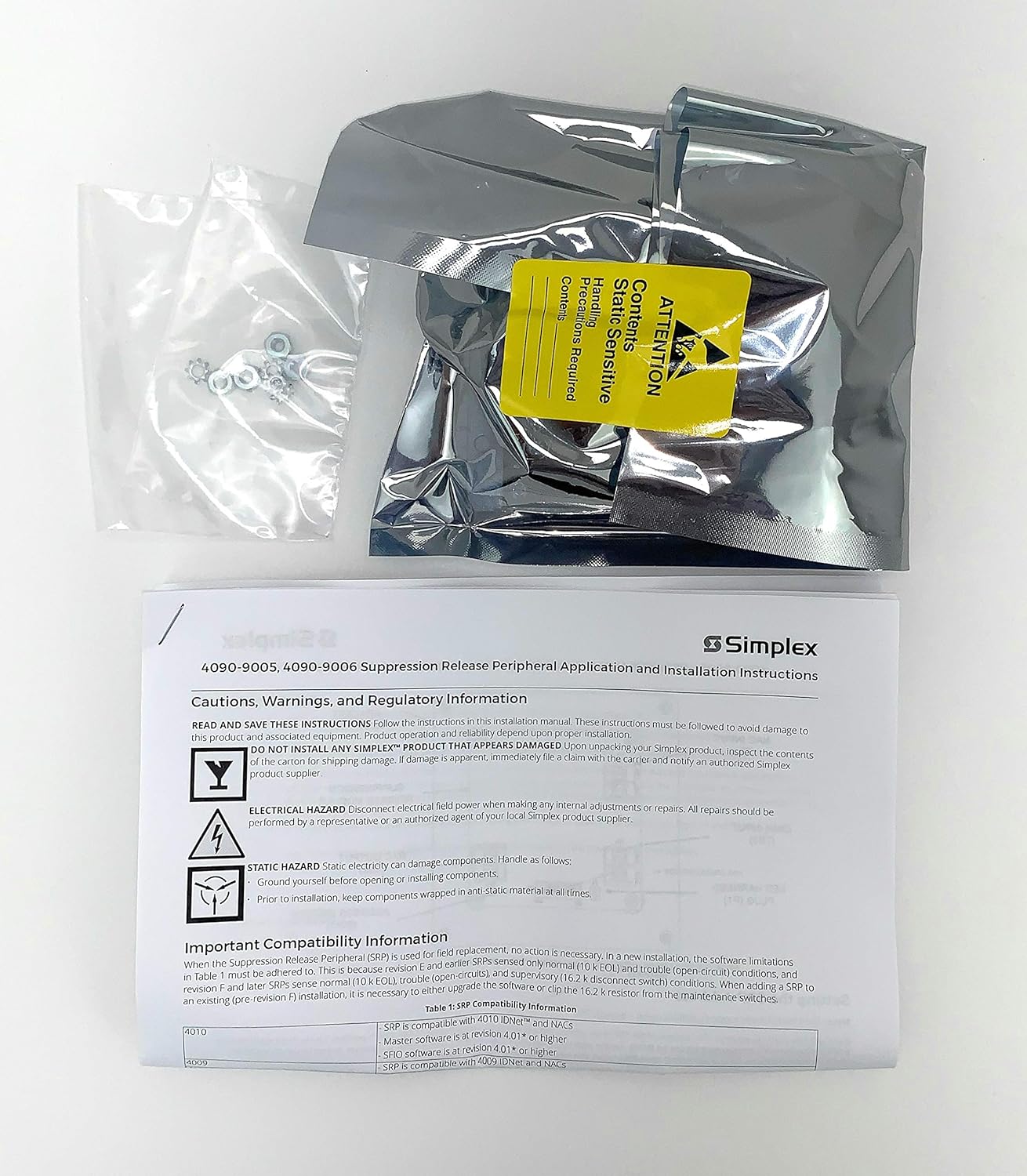
This image shows the SIMPLEX 4090-9005 IDNET Release Peripheral in its anti-static packaging, along with the top portion of its instruction manual. The manual displays the product name and initial safety warnings.
- DO NOT INSTALL ANY SIMPLEX™ PRODUCT THAT APPEARS DAMAGED. En desembalar el producte Simplex, inspeccioneu el contingut de la caixa de cartró per veure si hi ha danys a l'enviament. Si el dany és evident, immediatament file una reclamació amb el transportista i notificar a un proveïdor autoritzat de productes Simplex.
- PERILL ELECTRIC: Disconnect electrical field power when making any internal adjustments or repairs. All repairs should be performed by a representative or an authorized agent of your local Simplex product supplier.
- STATIC HAZARD: L'electricitat estàtica pot danyar els components. Manipular de la següent manera:
- Posa't a terra abans d'obrir o instal·lar components.
- Abans de la instal·lació, mantingueu els components embolcallats amb material antiestàtic en tot moment.
Informació important sobre compatibilitat
When the Suppression Release Peripheral (SRP) is used for field replacement, no action is necessary. In a new installation, the software limitations in Table 1 must be adhered to. This is because revision E and earlier SRPs sensed only normal (10 k EOL) and trouble (open-circuit) conditions, and later SRPs sense normal (10 k EOL), trouble (open-circuit), and supervisory (16.2 k disconnect switch) conditions. When adding an SRP to an existing (pre-revision F) installation, it is necessary to either upgrade the software or clip the 16.2 k resistor from the maintenance switches.
Table 1: SRP Compatibility Information
| Model | Compatibilitat |
|---|---|
| 4010 | SRP is compatible with 4010 IDNet™ and NACs. Master software is at revision 4.01* or higher. SFIO software is at revision 4.01* or higher. |
| 4009 | SRP is compatible with 4009 IDNet and NACs. |
Instruccions de configuració
This section provides general guidelines for the installation and initial setup of the SIMPLEX 4090-9005 IDNET Release Peripheral. Always refer to local codes and regulations for specific installation requirements.
Comprovacions prèvies a la instal·lació
- Verify that all components listed in the packing slip are present and undamaged.
- Ensure the installation environment meets the specified temperature and humidity ranges.
- Confirm compatibility with your existing fire alarm control panel (FACP) as per the "Important Compatibility Information" section.
Passos d'instal·lació
- Disconnect all power from the FACP before beginning installation.
- Ground yourself to prevent electrostatic discharge (ESD) damage to the peripheral.
- Mount the 4090-9005 peripheral in the designated location within the FACP enclosure, following the FACP's specific mounting instructions.
- Connect the IDNet and NAC wiring to the peripheral's terminals as indicated in the wiring diagrams provided with your FACP and this peripheral. Ensure correct polarity.
- If required for compatibility with older systems, clip the 16.2 k resistor from the maintenance switches as detailed in the compatibility section.
- Secure all wiring connections and ensure no loose strands.
- Restore power to the FACP and verify proper operation.
Instruccions de funcionament
The SIMPLEX 4090-9005 IDNET Release Peripheral operates as an interface within a fire alarm system. Its primary function is to facilitate the release of suppression agents based on signals from the fire alarm control panel.
Funcionament normal
- In normal standby mode, the peripheral monitors the IDNet communication loop for commands from the FACP.
- The peripheral's status indicators (if present) should show a normal operating state (e.g., green LED).
Suppression Release Activation
- Upon receiving a release command from the FACP, the peripheral will activate its output to initiate the suppression agent release sequence.
- This activation is typically accompanied by a change in status indicators and may trigger audible/visual alarms connected to the NACs.
Monitorització del sistema
- The peripheral continuously reports its status and any detected faults back to the FACP via the IDNet communication.
- Any trouble conditions (e.g., open circuits, short circuits) will be reported to the FACP for display and logging.
Pautes de manteniment
Regular maintenance ensures the reliable operation of your SIMPLEX 4090-9005 IDNET Release Peripheral and the overall fire suppression system.
Comprovacions rutinàries
- Annually inspect all wiring connections for tightness and signs of corrosion.
- Verify that the peripheral's mounting is secure.
- Check for any visible damage to the unit or its components.
Prova del sistema
- Perform periodic functional tests of the fire alarm and suppression system as required by local codes and manufacturer recommendations.
- Ensure that the peripheral correctly responds to test signals from the FACP.
Neteja
- Keep the peripheral free from dust and debris. Use a soft, dry cloth for cleaning.
- No utilitzeu netejadors líquids ni dissolvents.
Resolució de problemes
This section provides guidance for common issues that may arise with the SIMPLEX 4090-9005 IDNET Release Peripheral. For complex problems, contact an authorized Simplex product supplier.
Problemes comuns i solucions
- El perifèric no respon
Possible causa: Incorrect wiring or power supply issue.
Solució: Verify all wiring connections are secure and correctly terminated. Check the FACP for power supply status and IDNet communication errors.
- Trouble Condition Reported by FACP
Possible causa: Open circuit, short circuit, or incompatible software.
Solució: Inspect IDNet and NAC wiring for faults. Refer to the "Important Compatibility Information" section to ensure FACP software revision is compatible. If necessary, upgrade FACP software or adjust the 16.2 k resistor.
- Suppression Release Fails to Activate
Possible causa: FACP not sending release command, or peripheral fault.
Solució: Check FACP logs for release command status. Verify peripheral status indicators. If the issue persists, contact a qualified service technician.
Especificacions tècniques
| Marca | SIMPLEX |
| Número de model | 4090-9005 |
| Tipus de producte | IDNET Release Peripheral |
| Compatibilitat | 4010 IDNet™ and NACs (Master/SFIO software 4.01* or higher), 4009 IDNet and NACs |
| Font d'alimentació | System Powered (from FACP) |
| Tipus de sensor | Photoelectric (compatible detectors) |
| Alarma | Audible (via connected devices) |
Garantia i Suport
For warranty information, please refer to the documentation provided with your original purchase or contact your authorized Simplex product supplier.
Suport tècnic
If you require technical assistance or have questions regarding the installation, operation, or maintenance of your SIMPLEX 4090-9005 IDNET Release Peripheral, please contact your local authorized Simplex product supplier or the manufacturer's customer service.
Proveïdor: FireSafety2014
Política de devolució: 30 dies