
1. Introducció
Thank you for choosing the Gearlab G4550 Bluetooth Office Headset. This binaural headset is designed for professional use, offering clear communication with its noise-cancelling microphone and an integrated busylight to indicate your availability. This manual provides detailed instructions on how to set up, operate, and maintain your headset to ensure optimal performance.
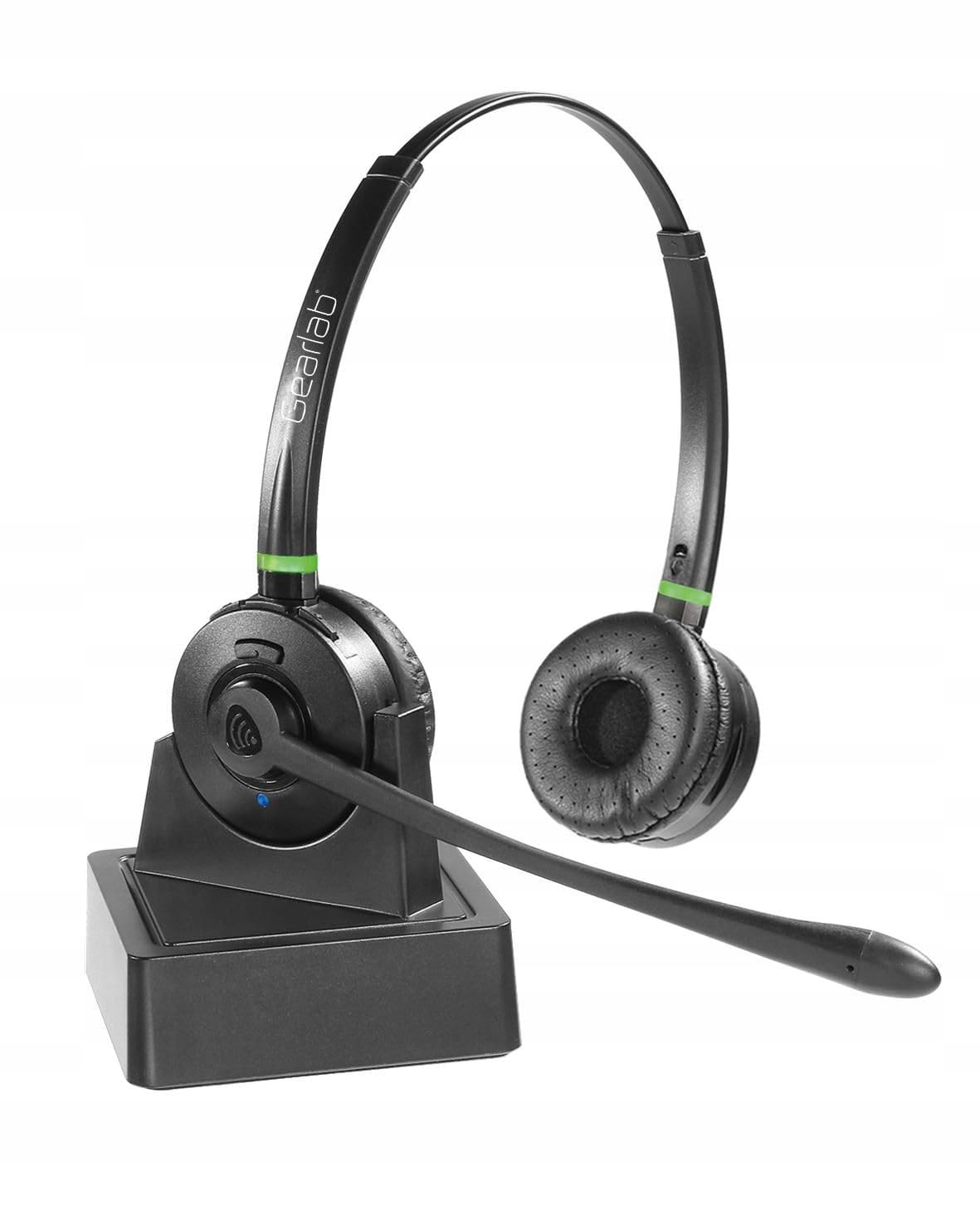
Image 1.1: Gearlab G4550 Bluetooth Office Headset. This image shows the binaural headset with earcups and microphone boom arm.
2. Contingut del paquet
Please check the package contents upon unboxing. If any items are missing or damaged, please contact Gearlab support.
- Gearlab G4550 Bluetooth Office Headset
- Cable de càrrega USB
- Manual d'usuari (aquest document)
- (Other accessories, if applicable, not specified in product data)
3. Característiques del producte
- Binaural headset for immersive audio experience.
- Advanced noise-cancelling microphone for clear voice transmission.
- Integrated busylight to signal availability to colleagues.
- Connectivitat Bluetooth sense fil.
- Construcció de plàstic durador.
4. Configuració
4.1 Càrrega dels auriculars
Before first use, fully charge your headset. Connect the USB charging cable to the headset's charging port and to a power source (e.g., computer USB port or wall adapter). The LED indicator will show charging status and turn off or change color when fully charged.
4.2 Emparellament amb un dispositiu Bluetooth
- Assegureu-vos que els auriculars estan apagats.
- Press and hold the power button for approximately 5-7 seconds until the LED indicator flashes blue and red, indicating pairing mode.
- On your device (smartphone, computer, etc.), enable Bluetooth and search for new devices.
- Select "Gearlab G4550" from the list of available devices.
- Once paired, the LED indicator on the headset will flash blue periodically.
Nota: The headset will automatically attempt to reconnect to the last paired device when powered on.
5. Instruccions de funcionament
5.1 Encès/Apagat
- Encès: Manteniu premut el botó d'encesa durant 2 segons.
- Apagar: Manteniu premut el botó d'encesa durant 3 segons.
5.2 Gestió de trucades
- Respondre/Finalitzar la trucada: Premeu el botó multifunció una vegada.
- Rebutja la trucada: Manteniu premut el botó multifunció durant 2 segons.
- Ajustar el volum: Feu servir els botons de pujar el volum (+) i baixar el volum (-).
- Silenciar el micròfon: Press the Mute button (if available, otherwise use software control).
5.3 Reproducció de música
- Reproduir/pausa: Premeu el botó multifunció una vegada.
- Pista següent: Premeu i manteniu premut el botó de pujar el volum (+) durant 2 segons.
- Pista anterior: Premeu i manteniu premut el botó per baixar el volum (-) durant 2 segons.
5.4 Busylight Function
The integrated busylight automatically activates during calls to indicate to others that you are busy. Some applications may allow manual control of the busylight.
6. Manteniment
- Neteja: Use a soft, dry cloth to clean the headset. Do not use abrasive cleaners or solvents.
- Emmagatzematge: Guardeu els auriculars en un lloc fresc i sec, allunyat de la llum solar directa i de temperatures extremes.
- Cura de la bateria: Per allargar la durada de la bateria, eviteu descarregar-la completament amb freqüència. Carregueu els auriculars regularment, fins i tot si no els feu servir durant períodes prolongats.
7. Solució De Problemes
- Els auriculars no s'encén: Assegureu-vos que els auriculars estiguin completament carregats.
- Cannot pair the headset:
- Assegureu-vos que els auriculars estiguin en mode d'emparellament (el LED parpelleja en blau i vermell).
- Assegureu-vos que el Bluetooth estigui habilitat al vostre dispositiu.
- Apropa els auriculars al dispositiu.
- Prova de reiniciar tant els auriculars com el dispositiu.
- Sense àudio o mala qualitat d'àudio:
- Comproveu els nivells de volum tant dels auriculars com del dispositiu connectat.
- Assegureu-vos que els auriculars estiguin connectats correctament al dispositiu.
- Allunyeu-vos de fonts d'interferències (per exemple, encaminadors Wi-Fi o altres dispositius Bluetooth).
- El micròfon no funciona:
- Assegureu-vos que el micròfon no estigui silenciat.
- Comproveu la configuració del micròfon al dispositiu connectat.
- Position the microphone boom arm correctly near your mouth.
8. Especificacions
| Característica | Especificació |
|---|---|
| Marca | Gearlab |
| Model | G4550 (W125742719, B08HXRPQ58) |
| Tecnologia de connectivitat | Sense fil (Bluetooth) |
| Comunicació sense fils | Bluetooth |
| Material | Plàstic |
| Característica del cable | Sense Cable |
| Dimensions del producte | 2.79 x 24.64 x 16.51 cm |
| Pes de l'article | 2.15 kg |
| Piles incloses | No (bateria interna recarregable) |
| Interval d'edat (descripció) | Adult |
9. Informació de la garantia
Gearlab products are covered by a limited warranty from the date of purchase. Please refer to the warranty card included in your package or visit the official Gearlab weblloc web per obtenir informació detallada sobre els termes i condicions de la garantia. Conserveu el comprovant de compra per a reclamacions de garantia.
10. Suport
For technical assistance, troubleshooting, or product inquiries, please contact Gearlab customer support:
- Weblloc: www.gearlab.com/support (Exampenllaç, substituïu-lo per l'actual si es coneix)
- Correu electrònic: support@gearlab.com (Example email, replace with actual if known)
- Telèfon: Refer to your regional Gearlab weblloc web per a números de contacte locals.
When contacting support, please have your product model (G4550) and purchase details ready.