
ROCCAT ROC-11-748
ROCCAT Burst Pro PC Gaming Mouse Instruction Manual
Model: ROC-11-748
Marca: ROCCAT
Introducció
The ROCCAT Burst Pro is a high-performance PC gaming mouse designed for precision and speed. It features a symmetrical ergonomic shape, a lightweight bionic shell, and advanced optical switches for responsive gameplay. This manual provides essential information for setting up, operating, maintaining, and troubleshooting your Burst Pro gaming mouse.

Image: The ROCCAT Burst Pro PC Gaming Mouse, showcasing its ergonomic design and translucent shell with internal RGB lighting.
Contingut del paquet
Assegureu-vos que tots els elements siguin presents al paquet:
- ROCCAT Burst Pro PC Gaming Mouse
- PhantomFlex Cable (integrated)
- Additional set of heat-treated pure PTFE glides
- Guia d'inici ràpid (no inclosa en aquest manual digital)
Configuració i instal·lació
- Connecteu el ratolí: Plug the USB connector of the PhantomFlex cable into an available USB port on your PC. The mouse is plug-and-play compatible with Windows 7, 8, and 10.
- Driver Installation (Optional but Recommended): For full customization and access to all features, download and install the latest ROCCAT Swarm software from the official ROCCAT website. This software allows for DPI adjustments, button remapping, and RGB lighting customization.
- Col·locació: Col·loqueu el ratolí sobre una superfície neta i plana o sobre una alfombrilla per a un rendiment de seguiment òptim.

Image: The PhantomFlex cable, designed for minimal drag and a near-wireless feel.
Funcionament del ratolí
The ROCCAT Burst Pro is equipped with several advanced features to enhance your gaming and computing experience.
Característiques principals:
- Titan Switch Optical: Utilizes optical actuation for faster response times and a durable 100 million click lifecycle. This technology eliminates traditional mechanical switch debounce, providing a crisp and immediate click.

Imatge: Interna view of the Titan Switch Optical, highlighting its design for speed and durability.
- ROCCAT Owl-Eye Optical Sensor: Provides precise and smooth tracking with up to 19,000 DPI. DPI settings can be adjusted via the dedicated DPI button on the mouse or through the ROCCAT Swarm software.
- ROCCAT Bionic Shell: The translucent honeycomb shell design contributes to the mouse's ultra-lightweight 68g construction while maintaining structural integrity. This design also allows for vibrant RGB lighting effects.

Image: The ROCCAT Burst Pro's lightweight 68g design, featuring its translucent honeycomb shell.
- Heat-Treated Pure PTFE Glides: Pre-tuned for exceptional glide and smooth mouse movements across various surfaces. These glides are designed for durability and low friction.
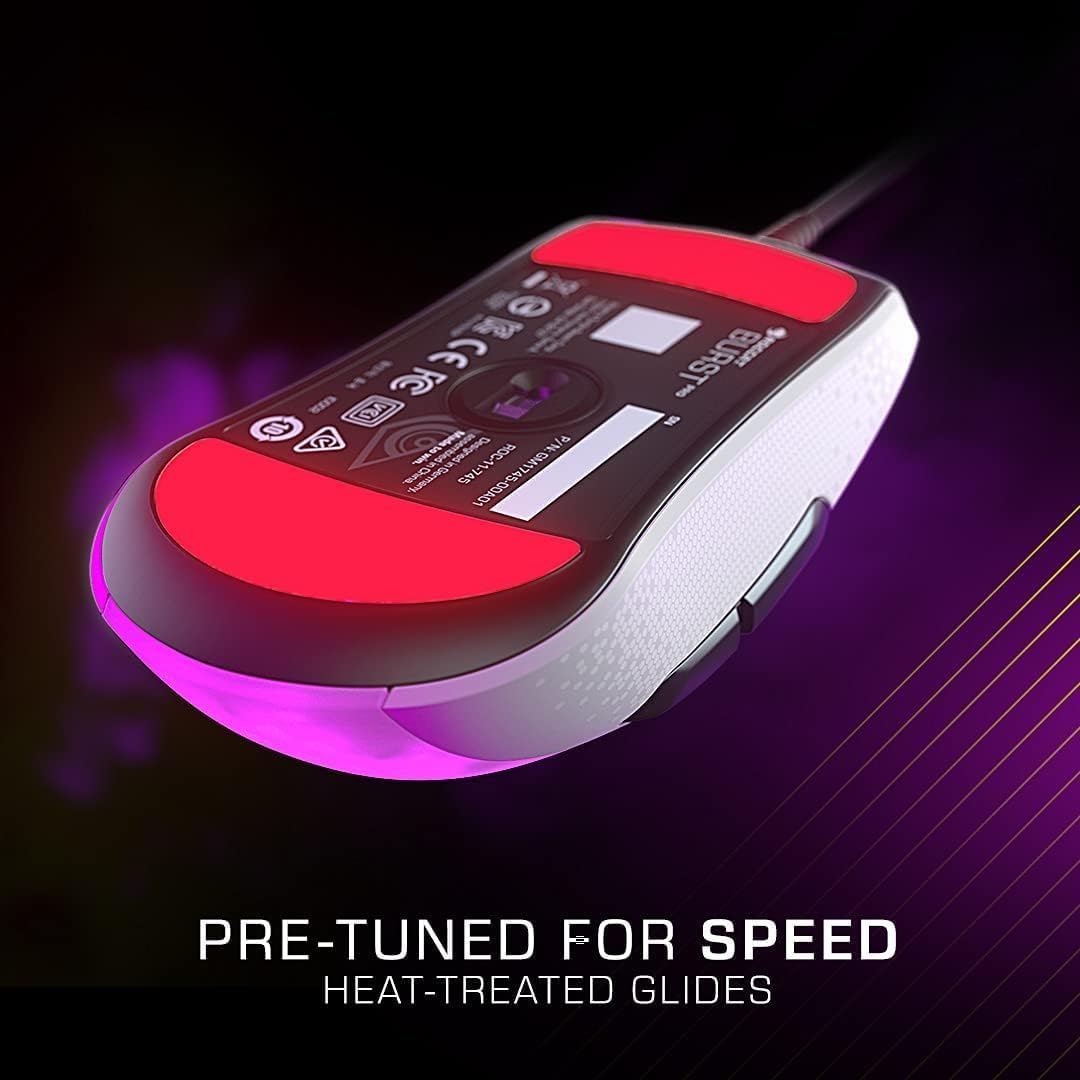
Image: The underside of the mouse, showing the heat-treated pure PTFE glides for smooth movement.
- AIMO Illumination: ROCCAT's intelligent lighting system provides vibrant RGB lighting with 16.8 million colors. AIMO can synchronize lighting effects with other compatible ROCCAT devices. Customize lighting patterns and colors using the Swarm software.
Funcions del botó:
- Left Click (M1): Botó d'acció principal.
- Right Click (M2): Botó d'acció secundària.
- Roda de desplaçament: Scrolls content up/down. Can also be clicked (M3) for a third action.
- Botó DPI: Cycles through pre-set DPI sensitivity levels. These levels can be customized in the Swarm software.
- Side Buttons (M4, M5): Typically used for forward/back navigation in web browsers or customizable in games via Swarm.
Manteniment
Proper maintenance ensures the longevity and optimal performance of your ROCCAT Burst Pro mouse.
- Neteja:
- Feu servir un drap suau, sec i sense borrissol per netejar la superfície del ratolí.
- Per a la brutícia persistent, lleugerament dampNetegeu el drap amb aigua o una solució de neteja suau i no abrasiva. Eviteu la humitat excessiva.
- Use compressed air to clear dust and debris from crevices, especially around the scroll wheel and button gaps.
- Do not use harsh chemicals, abrasive cleaners, or immerse the mouse in liquid.
- Cura del cable: Avoid sharp bends or kinks in the PhantomFlex cable to prevent internal damage. Store the cable loosely coiled when not in use.
- Glide Replacement: If the mouse glides show significant wear, replace them with the spare set provided or purchase new ones from an authorized ROCCAT retailer. Carefully peel off the old glides and apply the new ones, ensuring the surface is clean.
Resolució de problemes
If you encounter issues with your ROCCAT Burst Pro mouse, try the following solutions:
- El ratolí no respon:
- Ensure the USB cable is securely plugged into a working USB port on your PC.
- Prova amb un port USB diferent.
- Reinicieu l'ordinador.
- Check Device Manager (Windows) to see if the mouse is recognized. Reinstall drivers if necessary.
- Inaccurate Tracking or Cursor Lag:
- Netegeu el sensor òptic de la part inferior del ratolí amb un drap suau i sec.
- Ensure your mouse pad or surface is clean and free of debris.
- Adjust DPI settings using the DPI button or ROCCAT Swarm software.
- Update ROCCAT Swarm software and mouse firmware.
- Problemes d'il·luminació RGB:
- Ensure ROCCAT Swarm software is running and updated.
- Check lighting settings within the Swarm software.
- Try resetting the mouse settings to default via Swarm.
- Buttons Not Responding or Double-Clicking:
- While the Titan Switch Optical is designed to prevent double-clicking, ensure the Swarm software is updated.
- Test the buttons in different applications or games.
- If the issue persists, it may indicate a hardware fault. Refer to the Warranty & Support section.
Especificacions tècniques

Image: Dimensions of the ROCCAT Burst Pro PC Gaming Mouse.
| Característica | Detall |
|---|---|
| Número de model | ROC-11-748 |
| Connectivitat | Wired USB (PhantomFlex Cable) |
| Sensor | ROCCAT Owl-Eye Optical Sensor |
| DPI màxim | 19,000 DPI |
| Interruptors | Titan Switch Optical (100 million click lifecycle) |
| Pes | 68 g (aproximadament 2.4 unces) |
| Dimensions (LxWxH) | 4.72 x 2.64 x 1.52 polzades (120 x 67 x 38.6 mm) |
| Llisca | Heat-treated pure PTFE glides |
| Il·luminació | AIMO Illumination (RGB, 16.8 million colors) |
| Compatibilitat de sistemes operatius | Windows 7, Windows 8, Windows 10 |
Garantia i suport
The ROCCAT Burst Pro PC Gaming Mouse comes with a Garantia limitada del fabricant de 2 anys. Aquesta garantia cobreix els defectes de materials i de mà d'obra en ús normal.
For warranty claims, technical support, or further assistance, please visit the official ROCCAT support weblloc web o poseu-vos en contacte amb el servei d'atenció al client. Conserveu el comprovant de compra per validar la garantia.
Assistència en línia: www.roccat.com/support
ROCCAT Store: ROCCAT Official Amazon Store
Ask a question about this manual
Ask about setup, troubleshooting, compatibility, parts, safety, or missing instructions. Manuals+ will review the question and use this page’s manual context to help answer it.