
1. Introducció
The Philips Brilliance 279P1 is a 27-inch frameless monitor designed to enhance productivity and visual experience. It features UltraClear 4K UHD (3840 x 2160) resolution with an IPS panel, offering exceptional detail and vibrant colors from wide viewing angles. This monitor integrates a USB-C docking station for single-cable connectivity, charging, and data transfer. Advanced features like SmartErgoBase, PowerSensor, and LightSensor contribute to ergonomic comfort, energy efficiency, and reduced eye strain.
2. Què hi ha a la caixa
Si us plau, verifiqueu que tots els components siguin presents a l'embalatge:
- Monitor amb suport
- Cable HDMI
- Cable DisplayPort (DP)
- USB-C to C/A Y Cable
- Cable d'alimentació
- Documentació d'usuari
3. Instruccions de configuració
3.1 Muntatge del suport del monitor
Carefully remove the monitor and stand components from the packaging. Attach the stand base to the stand column, then secure the assembled stand to the back of the monitor panel. Ensure all connections are firm.
3.2 Connexió del monitor
The Philips 279P1 offers versatile connectivity options. Choose the connection method suitable for your device.
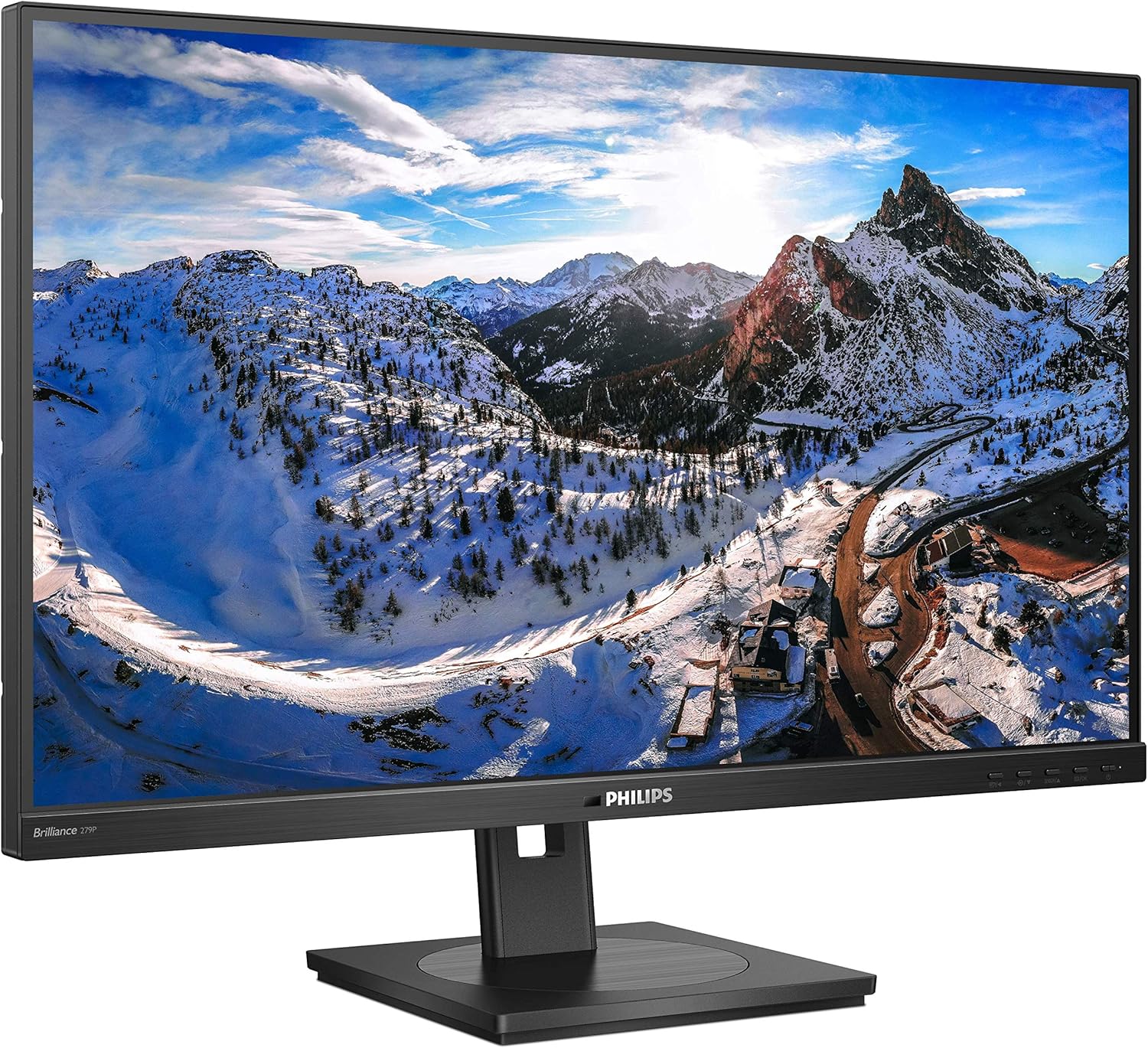
Figura 1: posterior view del monitor amb ports d'entrada.
- Connexió USB tipus C: Connect your compatible laptop to the monitor using the supplied USB-C to C/A Y cable. This single cable provides video, data transfer, and power delivery (charging your laptop).
- Connexió HDMI: Use the provided HDMI cable to connect your computer's HDMI output to one of the monitor's HDMI input ports.
- Connexió DisplayPort: Use the provided DisplayPort cable to connect your computer's DisplayPort output to the monitor's DisplayPort input.
- Connexió d'alimentació: Connecteu el cable d'alimentació a l'entrada d'alimentació del monitor i després a una presa de corrent.
3.3 Encès inicial
Press the power button located on the monitor to turn it on. The monitor will automatically detect the active input source. If not, use the On-Screen Display (OSD) menu to select the correct input.
Vídeo 1: Producte acabatview demonstrating monitor features and adjustments.
4. Instruccions de funcionament
4.1 Adjusting the Monitor Stand (SmartErgoBase)
The SmartErgoBase allows for ergonomic adjustments to optimize your viewcomoditat:
- Ajust d'alçada: Gently push or pull the monitor panel up or down to adjust its height.
- Ajust d'inclinació: Tilt the monitor panel forward or backward to find your preferred viewangle de ing.
- Ajust de gir: Gireu el panell del monitor cap a l'esquerra o la dreta sobre la base.
- Ajust de pivot: Gireu el monitor 90 graus per canviar entre l'orientació horitzontal i vertical.
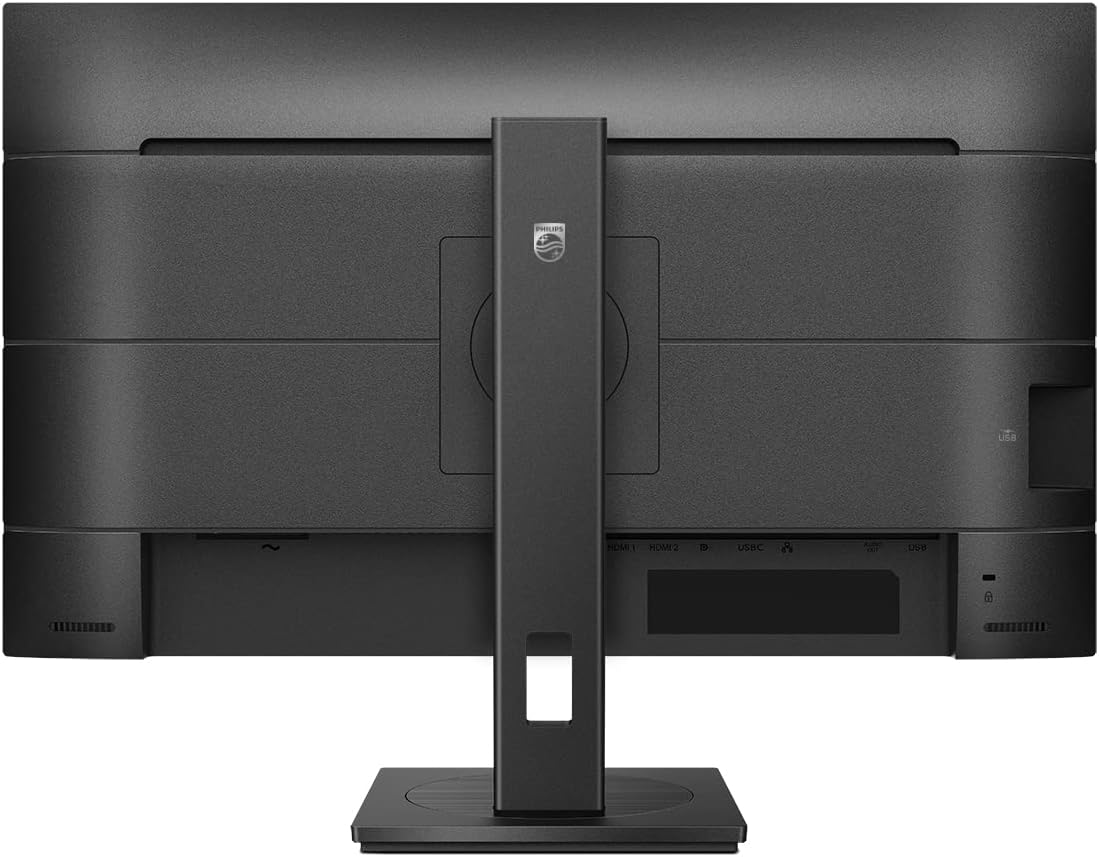
Figura 2: Frontal view of the monitor, showcasing its frameless design and adjustable stand.
4.2 Menú de visualització en pantalla (OSD)
The OSD menu provides access to various monitor settings. Use the control buttons located on the front or bottom bezel of the monitor to navigate and adjust settings such as brightness, contrast, color temperature, input selection, and audio volume.
4.3 USB-C Docking Functionality
The integrated USB-C docking station simplifies your workspace. Connect peripherals such as a keyboard, mouse, and RJ-45 Ethernet cable directly to the monitor's USB ports. The USB-C connection also allows for high-resolution video output, super-speed data transfer, and power delivery to charge your connected laptop.
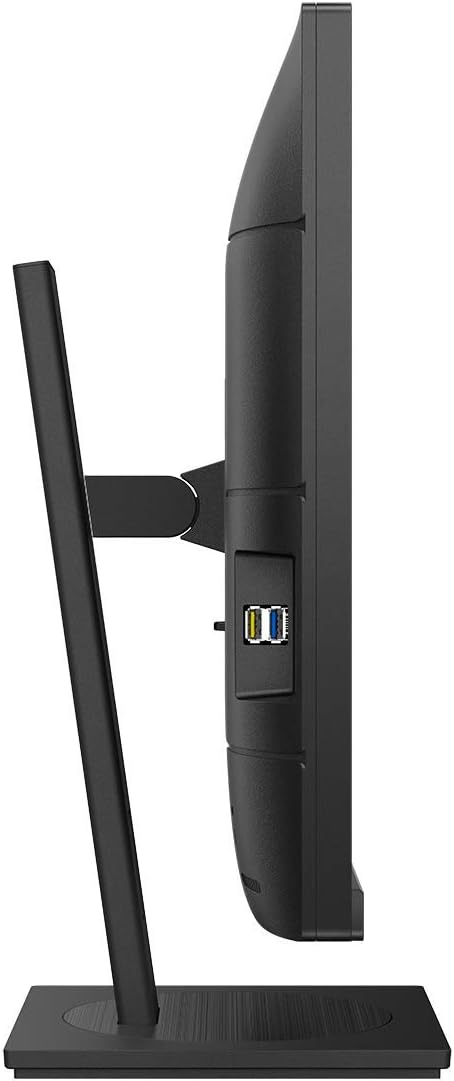
Figura 3: lateral view of the monitor highlighting accessible USB ports.
4.4 PowerSensor and LightSensor
The monitor is equipped with intelligent power-saving features:
- PowerSensor: This built-in 'people sensor' detects if a user is present in front of the monitor. If no user is detected, it automatically reduces monitor brightness, significantly cutting energy costs and prolonging monitor life. The Hideaway PowerSensor can be folded away for multi-monitor setups.
- LightSensor: This sensor adjusts the picture brightness based on the ambient room light conditions, providing optimal viewing with minimal power consumption.
4.5 Altaveus integrats
The monitor includes built-in speakers for audio output. Adjust the volume through the OSD menu or your connected device's audio settings.
5. Manteniment
5.1 Neteja del monitor
Per netejar la pantalla del monitor, netegeu-la suaument amb un drap suau i sense borrissol. Per a marques difícils, netegeu-la suaument.ampNetegeu el drap amb aigua o un netejador de pantalles suau i no abrasiu. Eviteu utilitzar productes químics agressius o materials abrasius. Per al monitor casing, feu servir un drap suau i sec.
6. Solució De Problemes
If you encounter issues with your Philips 279P1 monitor, refer to the following common solutions:
- Sense senyal de vídeo: Ensure all video cables (HDMI, DisplayPort, USB-C) are securely connected to both the monitor and your computer. Verify the correct input source is selected in the OSD menu. If using USB-C, ensure your device supports video output over USB-C and that the cable is fully functional.
- No hi ha àudio dels altaveus: Check the volume settings in the OSD menu and on your computer. Ensure the monitor is selected as the audio output device on your computer.
- Pantalla parpellejant: Ensure the display resolution and refresh rate are set correctly for your monitor (e.g., 3840x2160 at 60Hz). Check for loose cable connections.
- PowerSensor/LightSensor Not Working: Ensure these features are enabled in the OSD menu. Check for any obstructions blocking the sensors.
- USB Peripherals Not Working via Docking: Ensure the USB-C cable is properly connected and that your laptop is providing power delivery. Check the USB settings in the OSD menu.
If the issue persists after attempting these steps, consult the full user manual or contact Philips customer support.
7. Especificacions
Key technical specifications for the Philips Brilliance 279P1 monitor:
| Característica | Especificació |
|---|---|
| Mida de la pantalla | 27 polzades |
| Resolució | 4K UHD (3840 x 2160) |
| Tipus de panell | IPS |
| Relació d'aspecte | 16:9 |
| Gamma de colors | 122% sRGB |
| Ports USB | 4 x USB 3.0 Ports, 1 x USB-C (with Power Delivery) |
| Entrades de vídeo | HDMI, DisplayPort, USB-C |
| Ergonomia | Height Adjustable, Swivel, Tilt, Pivot (SmartErgoBase) |
| Característiques especials | PowerSensor, LightSensor, Flicker-free, LowBlue Mode |
| Dimensions (LxWxH) | 14.4 x 24.1 x 2.1 polzades (sense suport) |
| Pes | 16.54 lliures (amb suport) |

Figura 4: Dimensions del monitor.
8. Garantia i Suport
The Philips Brilliance 279P1 monitor comes with a 4-year advance replacement warranty. For warranty claims, technical support, or further assistance, please refer to the contact information provided in your user documentation or visit the official Philips support weblloc.