
Introducció
Thank you for choosing the Bluedio H2 Active Noise Cancelling Headphones. This manual provides detailed instructions on how to set up, operate, and maintain your headphones to ensure optimal performance and longevity. Please read this manual carefully before using the product.
Característiques del producte
- Slide Control and Easy Operation: Intuitive slide control for volume, song switching, voice assistant activation, and call management. Features a built-in sensor for automatic music play/pause when worn or removed.
- Qualitat de so HiFi: Equipped with high-powered 57mm dynamic drivers for detailed audio, bright treble, and rich, powerful bass with low distortion.
- Múltiples opcions de connexió: Supports wireless Bluetooth 5.0, 3.5mm audio cable connection for wired use, and direct music playback via an inserted SD card.
- Temps de joc ampliat: Up to 40 hours of continuous music playback thanks to the efficient Bluetooth 5.0 chip and long-lasting battery.
- Disseny preparat per a viatjar: Includes an Airplane Audio Converter Plug, making it suitable for business travel and in-flight use.
Primers passos
Contingut del paquet
En desembalar, comproveu que hi hagi tots els elements que s'enumeren a continuació:
- Bluedio H2 Headphones
- Cable de càrrega tipus C.
- Cable d'àudio de 3.5 mm
- Manual d'usuari
- Airplane Audio Converter Plug

Image: Bluedio H2 Headphones and their included accessories.
Carregant els auriculars
Before first use, fully charge your Bluedio H2 headphones. Connect the provided Type-C charging cable to the headphone's charging port and the other end to a USB power source (e.g., computer USB port, wall adapter). The indicator light will show charging status and turn off when fully charged.
Encès/Apagat
To power on the headphones, locate the power button and press and hold it until the indicator light illuminates. To power off, press and hold the power button again until the indicator light turns off.
Emparellament Bluetooth
- Assegureu-vos que els auriculars estiguin apagats.
- Press and hold the power button until the indicator light flashes blue and red alternately, indicating pairing mode.
- Al dispositiu (telèfon intel·ligent, tauleta, ordinador), activeu el Bluetooth i cerqueu els dispositius disponibles.
- Select "Bluedio H2" from the list of found devices.
- Un cop connectat, l'indicador lluminós es tornarà blau fix.
Connexió per cable
For a wired connection, insert one end of the 3.5mm audio cable into the headphone's audio jack and the other end into your audio device's 3.5mm output. The headphones can be used passively in wired mode even if the battery is depleted.
Reproducció de targetes SD
The Bluedio H2 headphones support direct music playback from an SD card. Insert a compatible SD card with your music files into the designated SD card slot on the headphone. The headphones will automatically detect and begin playing music from the card.
Funcionament
Slide Control Functions
The Bluedio H2 features intuitive slide controls on the ear cup for various functions:
- Pujar el volum: Slide finger upward on the control area.
- Baixar el volum: Slide finger downward on the control area.
- Següent cançó: Slide finger forward (right) on the control area.
- Cançó anterior: Slide finger backward (left) on the control area.
- Reproduir/pausa: Tap the center of the control area.
- Respondre/Finalitzar la trucada: Tap the center of the control area during an incoming call.
- Rebutja la trucada: Press and hold the center of the control area during an incoming call.
- Activa l'Assistent de veu: Double-tap the center of the control area.

Imatge: Detallada view of the slide touch controls and button layout on the Bluedio H2.
Smart Sensor Auto Play/Pause
The Bluedio H2 headphones are equipped with a built-in sensor that automatically pauses music playback when you remove the headphones and resumes playback when you put them back on. This feature enhances convenience and conserves battery life.
Cancel·lació activa de soroll (ANC)
To activate or deactivate the Active Noise Cancellation feature, locate the ANC switch on the headphone. Toggle the switch to enable or disable noise cancellation. ANC helps reduce ambient noise for a more immersive listening experience.
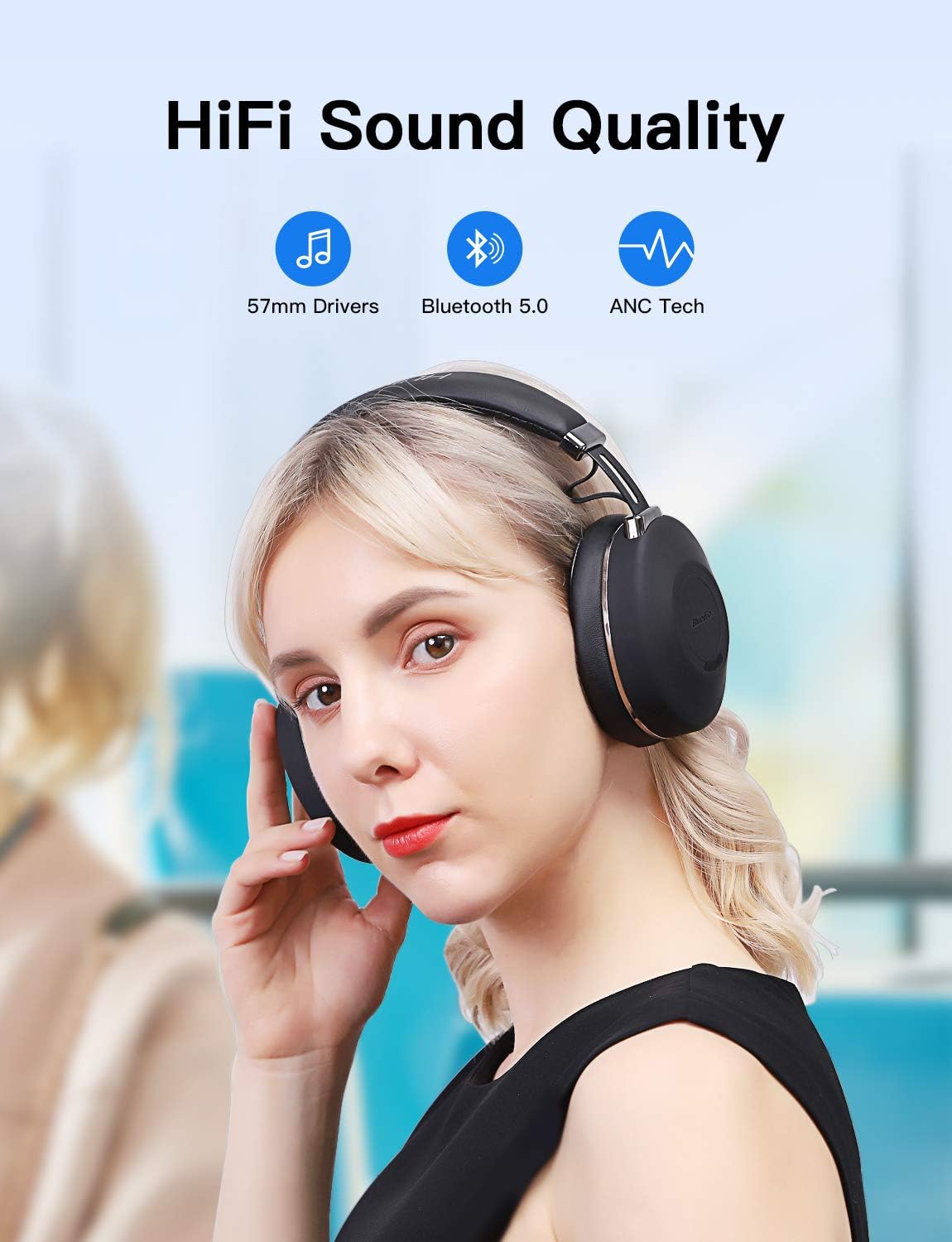
Image: Bluedio H2 headphones delivering HiFi sound quality with ANC.
Manteniment
Neteja
To maintain the condition of your headphones, wipe them regularly with a soft, dry cloth. Do not use abrasive cleaners, solvents, or strong chemicals, as these may damage the surface or internal components. Keep the charging port and audio jack free of dust and debris.
Emmagatzematge
When not in use, store the headphones in a cool, dry place, away from direct sunlight and extreme temperatures. Avoid placing heavy objects on top of the headphones to prevent damage. For long-term storage, ensure the headphones are partially charged to preserve battery health.
Resolució de problemes
If you encounter any issues with your Bluedio H2 headphones, please refer to the following table for common problems and their solutions:
| Problema | Causa possible | Solució |
|---|---|---|
| Els auriculars no s'engeguen. | La bateria està esgotada. | Carregueu completament els auriculars amb el cable tipus C proporcionat. |
| No es pot emparellar per Bluetooth. | Auriculars no en mode d'emparellament; Bluetooth del dispositiu desactivat; massa lluny del dispositiu. | Ensure headphones are in pairing mode (flashing red/blue). Turn on Bluetooth on your device. Move headphones closer to the device (within 10 meters). |
| No hi ha so en mode Bluetooth. | Volum massa baix; no connectat; sortida d'àudio incorrecta seleccionada. | Increase headphone and device volume. Re-pair the headphones. Check audio output settings on your device. |
| Slide controls are unresponsive. | Incorrect gesture; temporary software glitch. | Ensure correct slide direction. Power off and restart the headphones. |
| Music pauses unexpectedly. | Smart sensor activated (headphones removed or shifted). | Ensure headphones are worn correctly and securely. |
| L'ANC no funciona eficaçment. | ANC switch off; environmental noise too high. | Ensure ANC switch is on. ANC is most effective against low-frequency, constant noise. |
Especificacions
| Característica | Detall |
|---|---|
| Nom del model | H2-C |
| Tecnologia de connectivitat | Bluetooth, per cable |
| Tecnologia de comunicació sense fils | Bluetooth 5.0 |
| Interval Bluetooth | 10 metres |
| Conector d'auriculars | 3.5 mm Jack |
| Tipus de controlador d'àudio | Conductor dinàmic |
| Mida del controlador d'àudio | 57 mil·límetres |
| Interval de freqüència | 20 Hz - 20,000 Hz |
| Control de soroll | Cancel·lació activa del soroll |
| Tipus de control | Control per veu, tàctil |
| Durada de la bateria | Up to 40 Hours (continuous music time) |
| Tipus de bateria | 1 bateria de polímer de liti (inclosa) |
| Material | Metal, Plastic, and Synthetic Leather |
| Pes de l'article | 0.52 quilograms (1.14 lliures) |
| Dimensions del producte | 7.52 x 6.97 x 3.1 polzades |
| Col·locació de l'orella | A l'orella |
| Nivell de resistència a l'aigua | No resistent a l'aigua |
Garantia i Suport
Bluedio products are designed and manufactured to the highest quality standards. For information regarding warranty coverage and support, please refer to the warranty card included in your product packaging or visit the official Bluedio website. If you require further assistance or have questions not covered in this manual, please contact Bluedio customer support.