
Introducció
Thank you for choosing the MEDION E11909 (MD 20059) 19-inch HD TV. This television features an integrated DVD player, a 12V car adapter for mobile use, and a triple tuner for receiving cable, satellite, or DVB-T2 HD signals. This manual provides essential information for the safe and efficient use of your new device. Please read it thoroughly before operation and keep it for future reference.
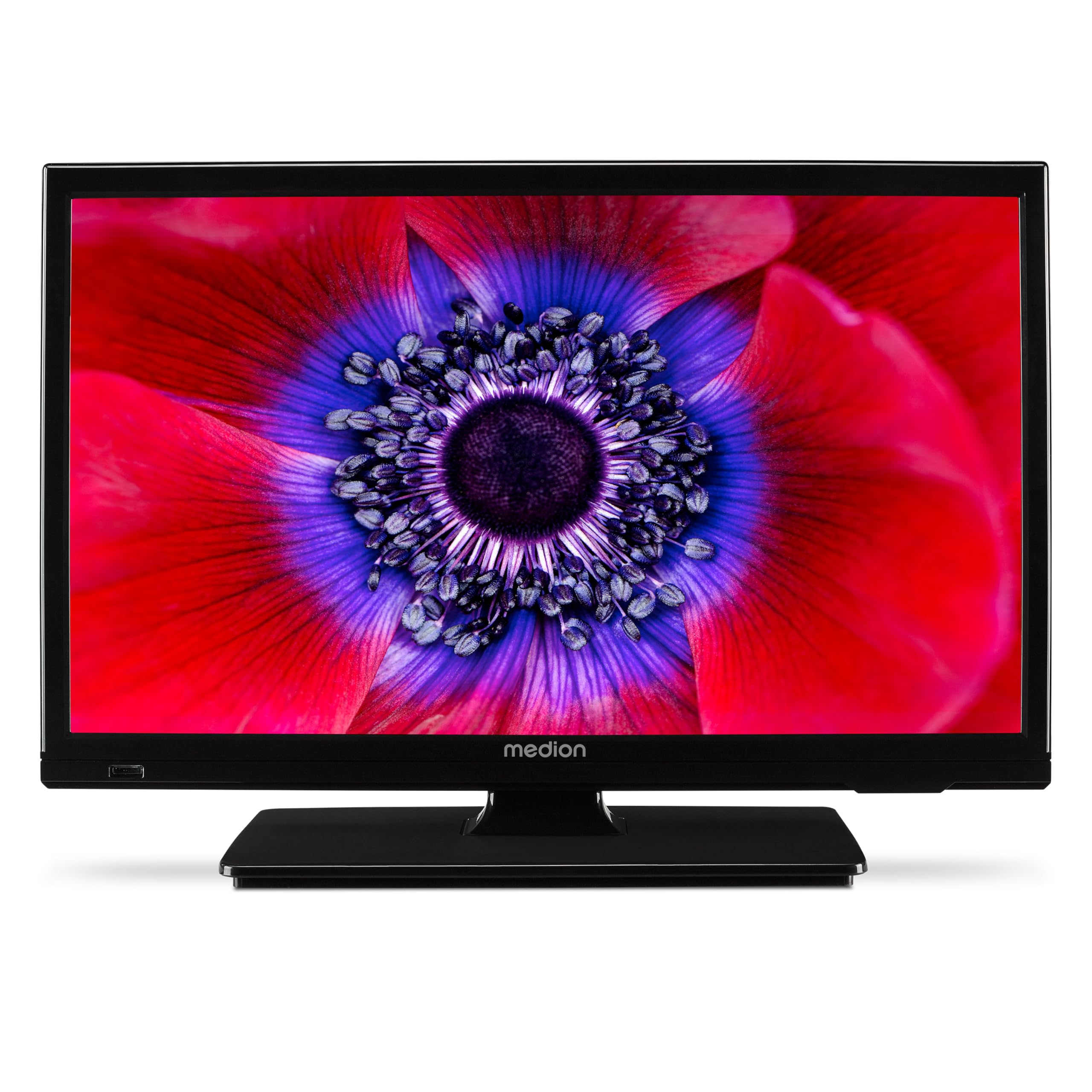
Figura 1: MEDION E11909 19-inch HD TV. This image shows the front view of the television, highlighting its compact design suitable for various environments.
Informació de seguretat
Please observe the following safety instructions to prevent damage to the device or injury to yourself:
- No exposeu el televisor a la pluja o la humitat.
- Assegureu-vos que la ventilació sigui adequada; no obstruïu les obertures de ventilació.
- Utilitzeu només l'adaptador d'alimentació subministrat amb el dispositiu.
- No obriu el televisor casing; demaneu totes les tasques de manteniment a personal qualificat.
- Mantingueu el televisor allunyat de fonts de calor i de la llum solar directa.
- When using the 12V car adapter, ensure the vehicle's power outlet is clean and provides stable power.
Contingut del paquet
Si us plau, comproveu que tots els elements siguin presents al paquet:
- MEDION E11909 MD20059 LCD TV
- Remote control with batteries (AAA)
- Adaptador de corrent extern
- Car adapter (12V)
- Antena DVB-T
- Adaptador AV
- Stand amb cargols
- Manual d'usuari
- Llibret de garantia
Configuració
1. Fixació del suport
- Carefully place the TV screen-down on a soft, clean surface.
- Alineeu el suport amb els forats de muntatge de la part inferior del televisor.
- Fixeu el suport amb els cargols proporcionats.
2. Potència de connexió
- Per a ús domèstic: Connect the external power adapter to the TV's DC IN port and then plug it into a standard wall outlet.
- For Mobile Use (Car/Caravan): Connect the 12V car adapter to the TV's DC IN port and then plug it into your vehicle's 12V DC power socket.
3. Connecting Antennas and External Devices
Refer to the connection diagram below for port locations.

Figura 2: Rear panel connections. This image illustrates the various input and output ports on the back of the television, including HDMI, USB, SCART, VGA, AV In, YPbPr, PC Audio In, Headphone Jack, Digital Audio Out, and the 12V DC power input.
- Antena/cable: Connect your DVB-T antenna (included), cable, or satellite dish to the appropriate RF IN port.
- Dispositius HDMI: Connect devices like Blu-ray players or game consoles to the HDMI ports.
- Dispositius USB: Inseriu unitats USB al port USB per a la reproducció de contingut multimèdia.
- Older Devices: Use the SCART, VGA, or AV IN ports for older equipment.
4. Configuració inicial
After connecting power and turning on the TV for the first time, an initial setup wizard will guide you through language selection, country, and channel scanning. Follow the on-screen instructions.
En funcionament
1. Encendre/apagar
Premeu el botó PODER botó del comandament a distància o del televisor per encendre o apagar la unitat.
2. Funcions de control remot
The remote control allows you to navigate menus, change channels, adjust volume, and select input sources. Refer to the remote control diagram in your separate warranty booklet for specific button functions.
3. Channel Selection and Volume
- Utilitza el CH +/- botons per canviar de canal.
- Utilitza el VOL+/- botons per ajustar el volum.
4. Selecció de la font d'entrada
Premeu el botó FONT button on the remote control to cycle through available input sources (TV, HDMI1, HDMI2, AV, USB, DVD).
5. Using the Integrated DVD Player
- Insert a DVD disc into the disc slot on the side of the TV.
- The TV should automatically switch to DVD mode. If not, press the FONT button and select DVD.
- Use the remote control's playback buttons (PLAY, PAUSE, STOP, FF, REW) to control DVD playback.

Figura 3: TV with integrated DVD player. This image shows the television screen displaying high-definition content, with a DVD disc partially visible, indicating the integrated DVD player functionality.
6. Using the Media Player (USB)
- Inseriu un dispositiu d'emmagatzematge USB al port USB.
- Premeu el botó FONT button and select USB.
- Navega pel teu files (photos, music, videos) using the remote control and press OK per jugar.

Figura 4: Easy playback of photos, videos, and more. This image highlights the USB port on the TV's side and icons representing music, photos, and video files, indicating the TV's multimedia playback capabilities.
Manteniment
1. Neteja de la pantalla
Netegeu suaument la pantalla amb un drap suau i sense borrissol. Per a marques difícils, netegeu lleugerament.ampNetegeu el drap amb aigua o un netejador de pantalles especialitzat. No ruixeu líquid directament sobre la pantalla.
2. Neteja de la unitat
Netegeu el televisor casinNetegeu amb un drap suau i sec. Eviteu utilitzar productes de neteja o dissolvents abrasius.
3. Emmagatzematge
Si guardeu el televisor durant un període prolongat, desconnecteu-lo de l'alimentació, traieu les piles del comandament a distància i guardeu-lo en un lloc fresc i sec, preferiblement en el seu embalatge original.
Resolució de problemes
If you encounter problems with your TV, please refer to the following common issues and solutions:
- Sense energia:
- Check if the power adapter is securely connected to both the TV and the power outlet.
- Ensure the power outlet is functional. - Sense imatge/so:
- Verify that the correct input source is selected (e.g., HDMI1, TV, DVD).
- Check all cable connections (antenna, HDMI, AV).
- Perform a channel scan if using TV mode. - DVD Not Playing:
- Ensure the disc is inserted correctly with the label facing up.
- Check if the disc is clean and free from scratches.
- Try a different DVD to rule out disc issues. - El control remot no funciona:
- Replace the batteries (AAA).
- Ensure there are no obstructions between the remote and the TV's IR sensor.
Si el problema persisteix després de provar aquestes solucions, poseu-vos en contacte amb l'atenció al client.
Especificacions
- Marca: MEDIÓ
- Model: E11909 (MD 20059)
- Mida de la pantalla: 18.5 polzades (47 cm)
- Tecnologia de visualització: LCD LCD
- Resolució: 768p (HD)
- Freqüència d'actualització: 60 Hz
- Relació d'aspecte: 1.77:1
- Tecnologia de connectivitat: HDMI, USB
- Característiques especials: Built-in DVD player, 12V Car Adapter, Triple Tuner for HD reception (Cable, Satellite, DVB-T2)
- Components inclosos: LCD TV (MD 20059)
- Dimensions del producte: 16 de profunditat x 44 d'amplada x 31 d'alçada cm
- Sortida d'àudio: 2 x 3 W RMS Stereo Speakers
Garantia i Suport
Your MEDION E11909 (MD 20059) TV comes with a manufacturer's warranty. Please refer to the included warranty booklet for detailed terms and conditions, including the warranty period and coverage.
For technical support, service, or further inquiries, please visit the official MEDION website or contact their customer service department. Contact information can typically be found in your warranty booklet or on the MEDION support page.