
1. Introducció
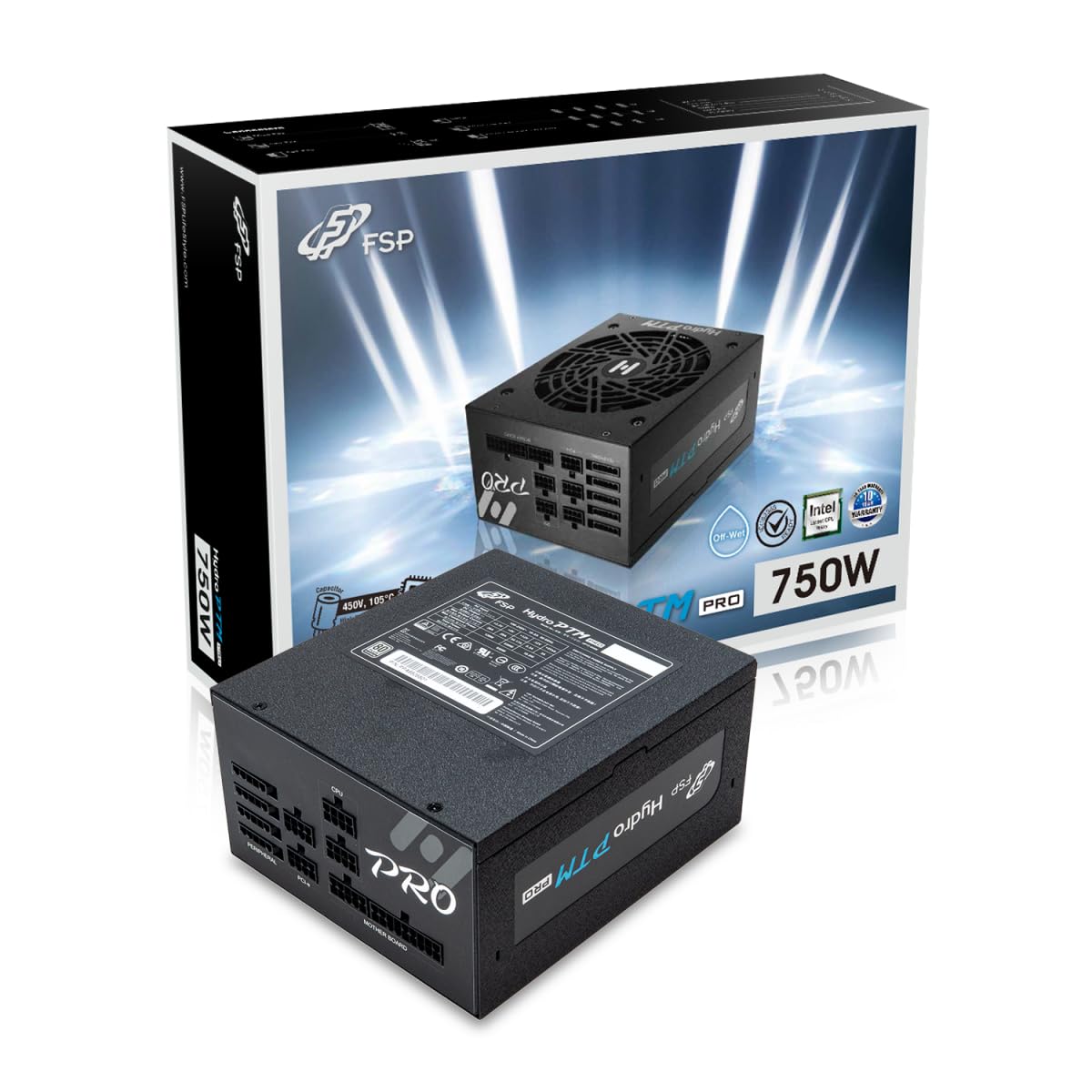
This manual provides detailed instructions for the installation, operation, and maintenance of your FSP Hydro PTM Pro 750W 80 Plus Platinum Full Modular ATX 12V Power Supply (Model: HPT2-750M). Please read this manual thoroughly before using the product to ensure proper function and safety.
The FSP Hydro PTM Pro series is designed for high efficiency and durability, featuring a conformal coating for protection against dust, humidity, and stains. It includes a semi-fanless Eco Mode for quiet operation under low loads and fully modular black ribbon cables for flexible system builds.
2. Informació de seguretat
ADVERTIMENT: Improper installation or use can result in serious injury or damage to the power supply and other components. Always follow these safety guidelines:
- No obriu la font d'alimentació. Alt voltatgetagHi ha peces a l'interior i no hi ha peces que l'usuari pugui reparar. L'obertura de la unitat anul·larà la garantia.
- Assegureu-vos que el subministrament d'alimentació estigui desconnectat de la presa de corrent de CA abans de la instal·lació o el manteniment.
- Instal·leu la font d'alimentació en una zona ben ventilada.
- Use only the modular cables provided with this power supply. Using incompatible cables may cause damage to the power supply and connected components.
- This product is designed for use in personal computers. Do not use it for any other purpose.
- Mantingueu la font d'alimentació allunyada de l'aigua, la humitat i les temperatures extremes.
- Assegureu-vos que totes les connexions estiguin segures abans d'encendre el sistema.

3. Contingut del paquet
Verifiqueu que tots els elements siguin presents al vostre paquet:
- FSP Hydro PTM Pro 750W Power Supply Unit (HPT2-750M)
- Cable d'alimentació CA
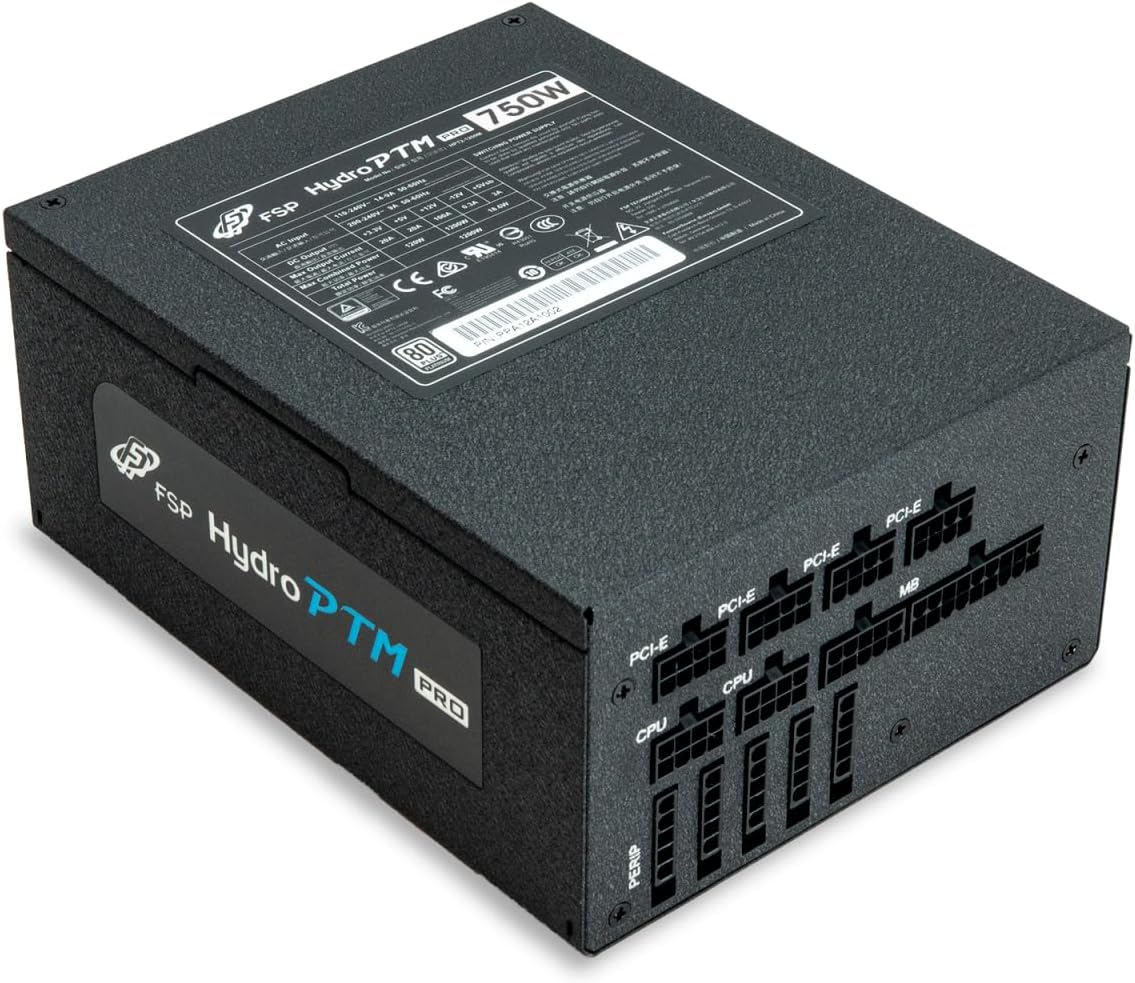
- Modular Cable Set (refer to the "Cable Length and Connectors" section for details)
- Cargols de muntatge
- Manual d'usuari (aquest document)
4. Configuració i instal·lació
4.1 Instal·lació física
- Prepareu el vostre sistema: Assegureu-vos que l'ordinador estigui completament apagat i desendollat de la presa de corrent.
- Traieu la font d'alimentació antiga (si escau): Desconnecteu tots els cables de la font d'alimentació antiga i traieu-la de la carcassa de l'ordinador.
- Muntar la font d'alimentació: Insert the FSP Hydro PTM Pro 750W into the power supply bay of your PC case. Secure it with the provided mounting screws.
- Connect Motherboard Cables:
- Connect the 20+4 Pin ATX cable to your motherboard's main power connector.
- Connect the 4+4 Pin CPU (EPS) cable(s) to your motherboard's CPU power connector(s).
- Connecteu els cables perifèrics:
- Connect the 6+2 Pin PCI-E cables to your graphics card(s).
- Connecteu els cables d'alimentació SATA als vostres SSD, HDD i unitats òptiques.
- Connect Molex cables to any other peripherals requiring them.
- Connexions segures: Ensure all modular cables are firmly seated into both the power supply and the respective components.
- Connecteu l'alimentació de CA: Plug the AC power cord into the power supply's AC inlet and then into a wall outlet or surge protector.
4.2 Cable Length and Connectors
The FSP Hydro PTM Pro 750W comes with a set of fully modular black ribbon cables. Refer to the diagram below for connector types and approximate lengths.

5. Funcionament
5.1 Engegada/apagada
After completing the installation, ensure the main power switch on the back of the power supply is in the "ON" (I) position. You can then power on your computer using its case power button.
5.2 Mode Eco
The Hydro PTM Pro features a semi-fanless Eco Mode. When enabled, the power supply fan will remain off until the system load exceeds approximately 30%. This provides silent operation during low-power tasks.
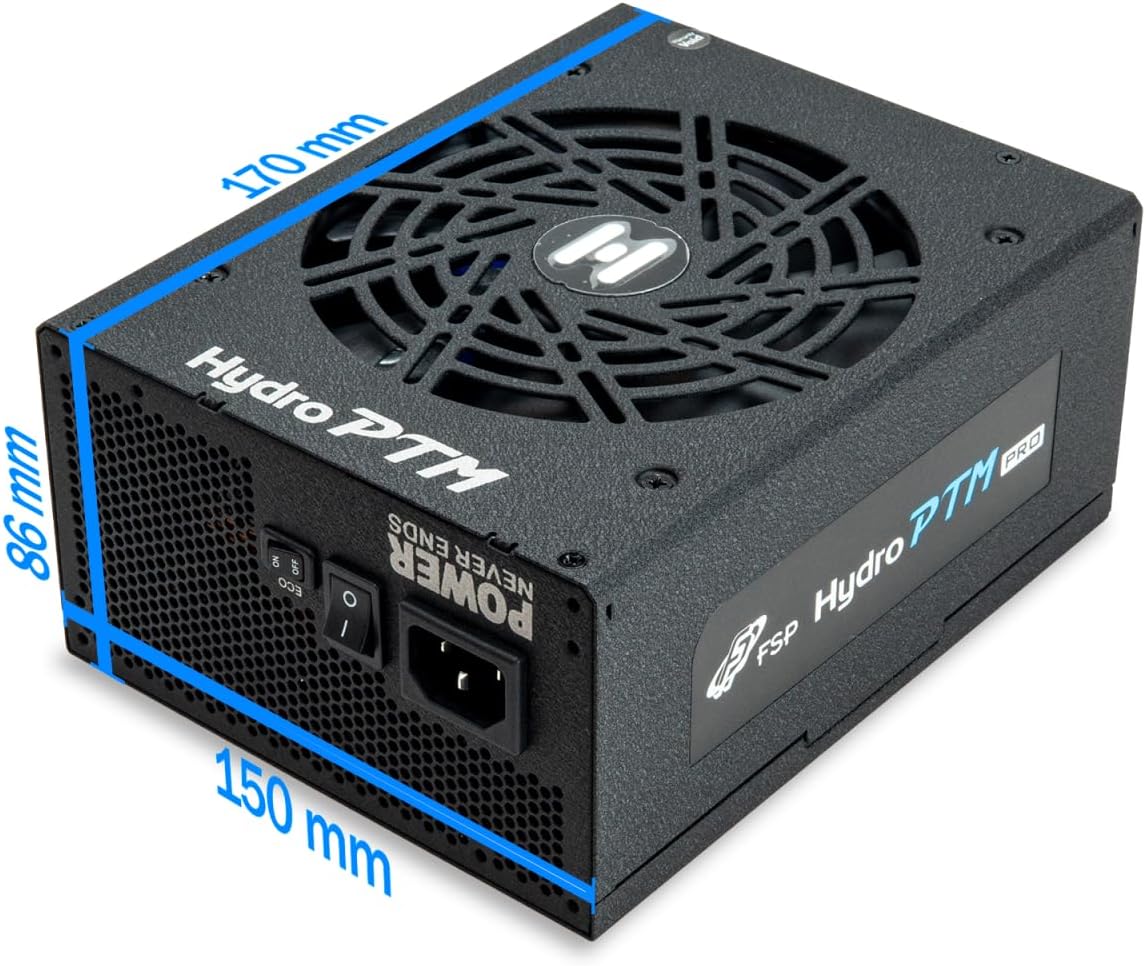
- To activate Eco Mode: Locate the "ECO" switch next to the main power switch on the rear of the power supply and set it to the "ON" position.
- To disable Eco Mode: Set the "ECO" switch to the "OFF" position. The fan will operate continuously based on temperature.
Vídeo: Un overview of the FSP Hydro PTM Pro series, highlighting features like conformal coating, Eco Mode, and modular design. This video is provided by FSP GROUP USA.
6. Manteniment
6.1 Neteja
To maintain optimal performance and longevity, periodically clean your power supply:
- Ensure the power supply is completely powered off and unplugged from the AC outlet before cleaning.
- Use compressed air to gently remove dust from the fan grille and ventilation openings.
- Netegeu l'exterior amb un drap suau i sec. No utilitzeu netejadors líquids ni dissolvents.
6.2 Protecció del medi ambient
The FSP Hydro PTM Pro features a proprietary conformal coating that protects internal components from dust, humidity, and stains. This allows the power supply to reliably operate in environments with up to 95% relative humidity. While this coating offers enhanced protection, it is still recommended to operate the power supply in a clean, dry environment for best results.
7. Solució De Problemes
Si teniu problemes amb la font d'alimentació, consulteu els problemes i solucions més comuns següents:
| Problema | Causa possible | Solució |
|---|---|---|
| El sistema no s'encén. |
|
|
| System powers on but immediately shuts down. |
|
|
| Fan is not spinning (Eco Mode off). |
|
|
If the problem persists after attempting these solutions, please contact FSP customer support.
8. Especificacions
| Característica | Detall |
|---|---|
| Nom del model | Hydro PTM Pro (HPT2-750M) |
| Marca | FSP |
| Potència de sortidatage | 750W |
| Certificació 80+ | Platí |
| Factor de forma | ATX |
| Disseny de fonts d'alimentació | Completament Modular |
| Mètode de refrigeració | Aire (ventilador de 135 mm) |
| Entrada Voltage | 115-240 volts |
| Dimensions (L x A x A) | 170 x 150 x 86 mm (6.7 x 5.9 x 3.4 polzades) |
| Proteccions | OCP, OVP, SCP, OPP, UVP, OTP |
| Condensadors | Japanese-made Electrolytic Capacitors |
| PFC | Active PFC ≥ 99% |
| Recobriment de conformació | Yes (Dust, Humidity, Stain protection) |
9. Garantia i Suport
9.1 Informació de la garantia
The FSP Hydro PTM Pro 750W power supply is covered by a 10 any de garantia des de la data de compra. Aquesta garantia cobreix els defectes de materials i de fabricació en condicions d'ús normal. Conserveu el comprovant de compra per a reclamacions de garantia.
La garantia no cobreix els danys derivats de:
- Instal·lació o funcionament incorrectes.
- Accidental damage, abuse, or misuse.
- Reparacions o modificacions no autoritzades.
- Desastres naturals o causes externes.
9.2 Atenció al client
For technical assistance, troubleshooting, or warranty inquiries, please contact FSP customer support. Refer to the official FSP weblloc web per obtenir la informació de contacte més actualitzada.
FSP GROUP USA
Visit the FSP Store on Amazon