
1. Introducció
Thank you for choosing the MageGee TS92 Wireless 60% Gaming Keyboard. This compact, rechargeable keyboard offers a stable 2.4G wireless connection, vibrant RGB backlighting, and a durable, water-resistant design. This manual provides detailed instructions for setup, operation, and maintenance to ensure optimal performance.

Image: MageGee TS92 wireless keyboard on a wooden table next to a speaker and a book, showcasing its use in a home environment. This image provides a general view del producte en ús.
2. Contingut del paquet
- MageGee TS92 Wireless 60% Gaming Keyboard
- USB Nano Receiver (stored in the keyboard's bottom compartment)
- Detachable USB Type-C Charging Cable
- Manual d'usuari (aquest document)
3. Configuració
3.1 Càrrega inicial
Before first use, fully charge the keyboard using the provided USB Type-C cable. Connect the Type-C end to the keyboard's charging port and the USB-A end to a power source (e.g., computer USB port, USB wall adapter). The charging indicator will show the charging status.

Image: MageGee TS92 keyboard connected via USB-C cable with 2.4G wireless dongle inserted into a laptop. This image illustrates the charging connection and the wireless receiver.
3.2 Connexió sense fils
- Locate the USB Nano Receiver in the compartment on the bottom of the keyboard.
- Plug the USB Nano Receiver into an available USB port on your computer or laptop.
- Turn on the keyboard using the power switch located on the bottom of the keyboard.
- The keyboard should automatically connect to your device. No additional software or drivers are required.
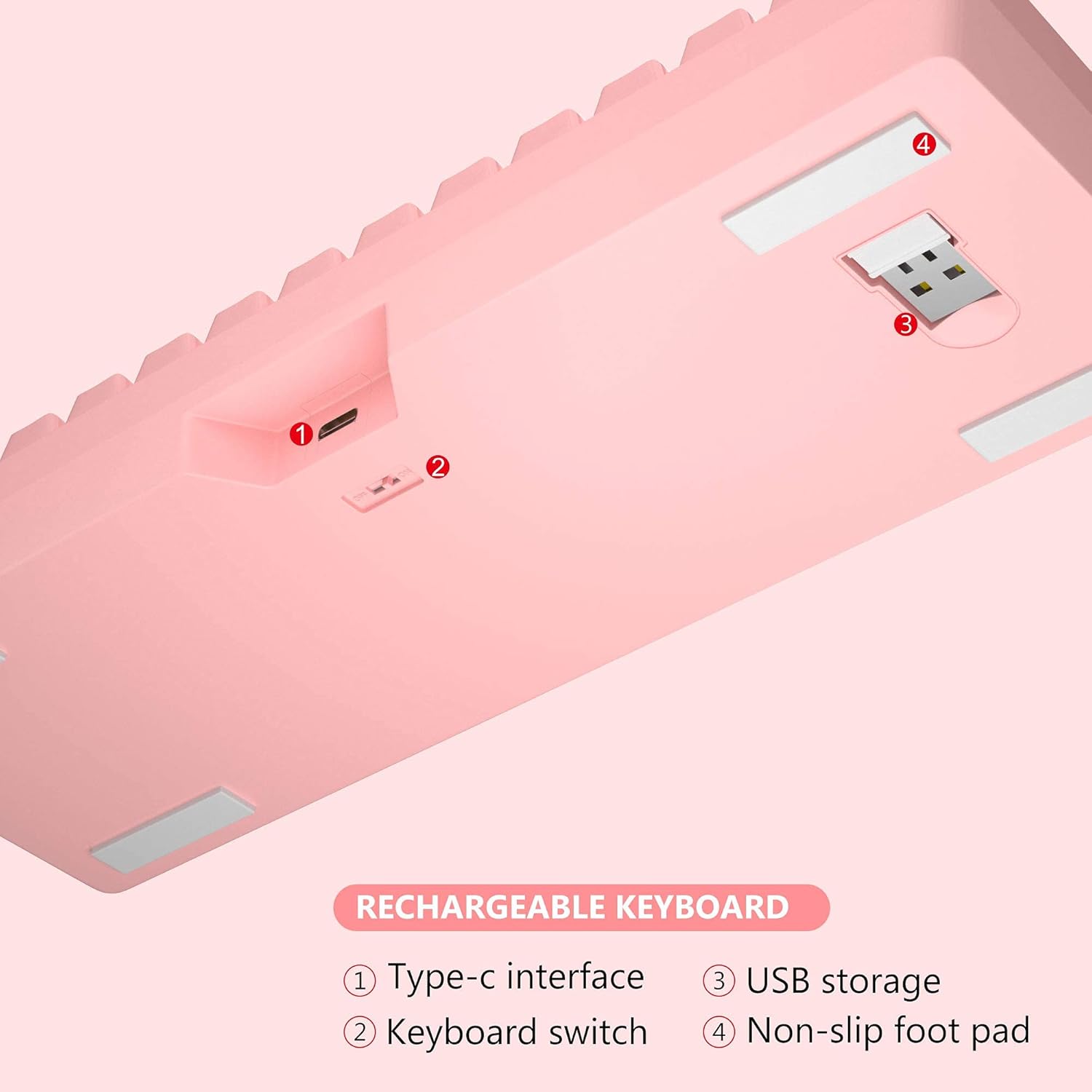
Imatge: Part inferior view of MageGee TS92 keyboard showing the USB receiver storage compartment, power switch, and Type-C interface. This image highlights the location of the wireless dongle and power switch.
4. Instruccions de funcionament
4.1 Control de retroil·luminació RGB
The MageGee TS92 keyboard features vibrant RGB backlighting with 7 color options (red, green, purple, yellow, blue, white, cyan) and various lighting effects.
- FN + K: Switch between different backlight modes (e.g., Ripples, Waves, Breathing, Aurora).
- FN + L: Ajusta la brillantor de la retroiluminació (5 nivells).
- FN + I: Activa/desactiva la retroiluminació.
- FN + U: Augmenta la velocitat de la retroiluminació.
- FN + J: Disminueix la velocitat de la llum de fons.

Image: MageGee TS92 keyboard displaying colorful RGB backlighting. This image showcases the keyboard's illuminated keys.
Video: Demonstration of MageGee TS92 Wireless 61 Keys RGB Keyboard features, including various RGB lighting modes and key functions. This video provides a visual guide to the keyboard's dynamic lighting effects.
4.2 Tecles multimèdia i de funció
The 61-key layout includes essential multimedia and function keys accessible via the FN key combinations.
| Combinació | Funció |
|---|---|
| FN + R | Baixa el volum |
| FN + T | Puja el volum |
| FN + Y | Silenciar |
| FN + K | Canvia els modes de retroil·luminació |
| FN + L | Ajusteu la brillantor de la llum de fons |
| FN + I | Llum de fons encès / apagat |
| FN + U | Speed up backlight speed |
| FN + J | Redueix la velocitat de la llum de fons |

Image: Diagram showing FN key combinations for multimedia and lighting control on MageGee TS92 keyboard. This image provides a visual reference for special key functions.
4.3 Gestió de l'energia
The keyboard is equipped with a 2000mAh rechargeable battery. It offers up to 24 hours of wireless usage and 480 hours of standby time on a single charge.
- The keyboard will automatically enter sleep mode after 1 minute of inactivity to conserve power.
- Click any key to wake it up.
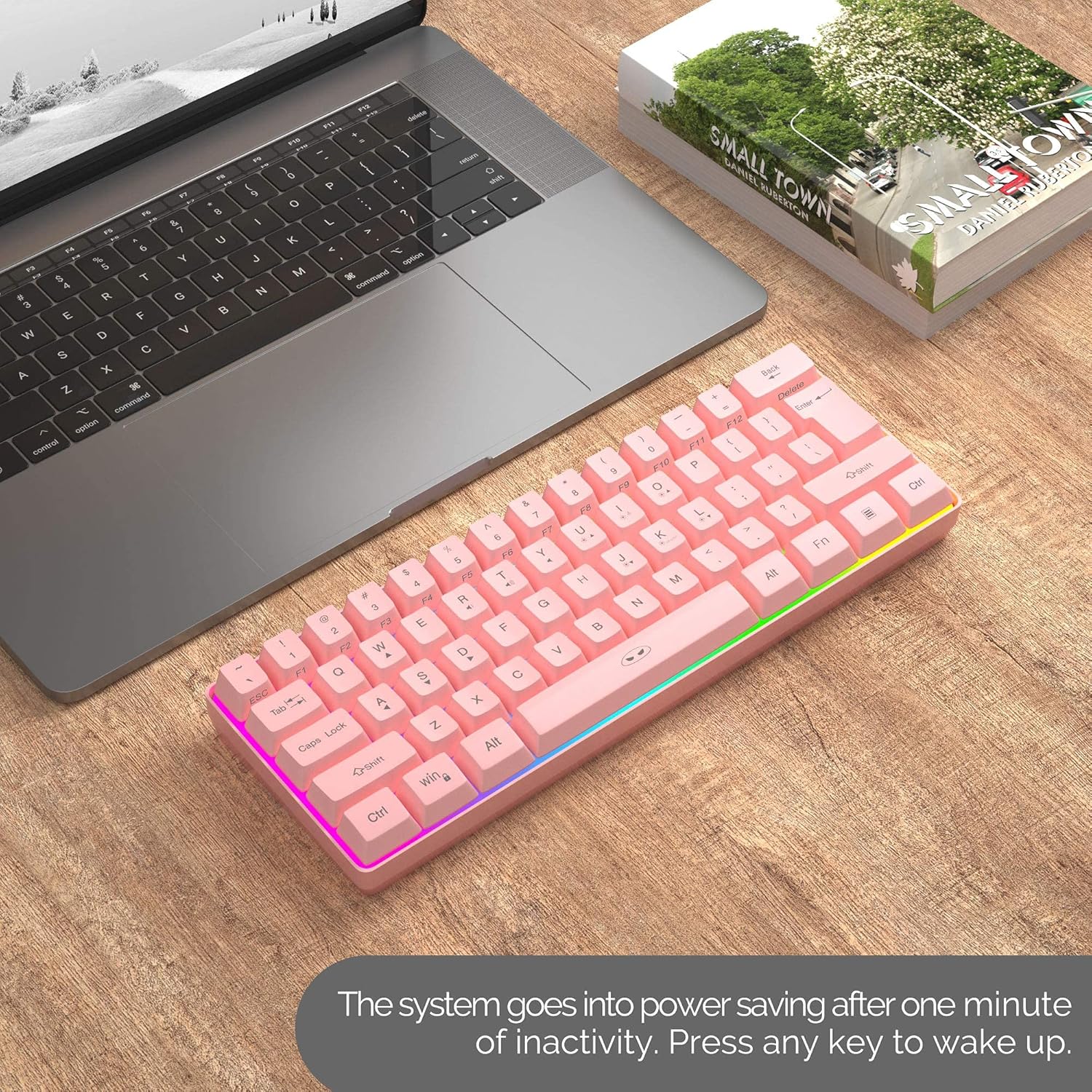
Image: MageGee TS92 keyboard on a desk next to a laptop, illustrating the automatic sleep mode feature. This image shows the keyboard in a typical usage scenario.
4.4 Compatibilitat
The MageGee TS92 keyboard is compatible with a wide range of operating systems, including:
- Windows (Win2000, Win XP, Win ME, Vista, Win 7, Win 8, Win 10)
- Mac OS
- Linux
- Other devices with USB ports
5. Manteniment
5.1 Resistència a l'aigua
The keyboard is designed to be water-resistant, protecting against damage from spilled drinks or coffee. However, it is important to note:
- NO soak the keyboard in water.
- NO rinse it under tap water.
- In case of spills, gently wipe the keyboard dry with a soft cloth.
5.2 Neteja
To clean the keyboard, use a soft, slightly damp cloth. Avoid using harsh chemicals or abrasive materials that could damage the surface or keycaps.
6. Solució De Problemes
- El teclat no respon:
- Assegureu-vos que el teclat estigui encès.
- Check if the USB Nano Receiver is securely plugged into a working USB port on your device.
- Verify the keyboard battery is charged. Connect the Type-C cable to charge if needed.
- Prova de connectar el nanoreceptor USB a un port USB diferent.
- Reinicieu l'ordinador.
- Les llums RGB no funcionen o estan enganxades:
- Premeu FN + I per assegurar-vos que la retroiluminació estigui activada.
- Premeu FN + K per alternar entre els diferents modes d'il·luminació.
- Premeu FN + L per ajustar la brillantor.
- Assegureu-vos que la bateria del teclat estigui prou carregada.
- Connexió intermitent:
- Ensure the keyboard is within the 10-meter operating range of the USB receiver.
- Avoid placing the keyboard near strong electromagnetic interference sources.
- Assegureu-vos que el teclat estigui completament carregat.
7. Especificacions
| Característica | Detall |
|---|---|
| Model | TS92 |
| Mode de connexió | 2.4G sense fil |
| Nombre de claus | 61 |
| Capacitat de la bateria | 2000 mAh |
| Port de càrrega | USB tipus C |
| Distància d'operació | Fins a 10 metres |
| Compatibilitat | Windows, Mac, Linux |
| Característiques especials | RGB Backlit, Rechargeable, Water Resistant |
| Dimensions del teclat | 292 x 102 x 40 mm (aprox. 11.5 x 4.0 x 1.6 polzades) |
| Pes de l'article | 1.12 lliures (aprox. 508 g) |
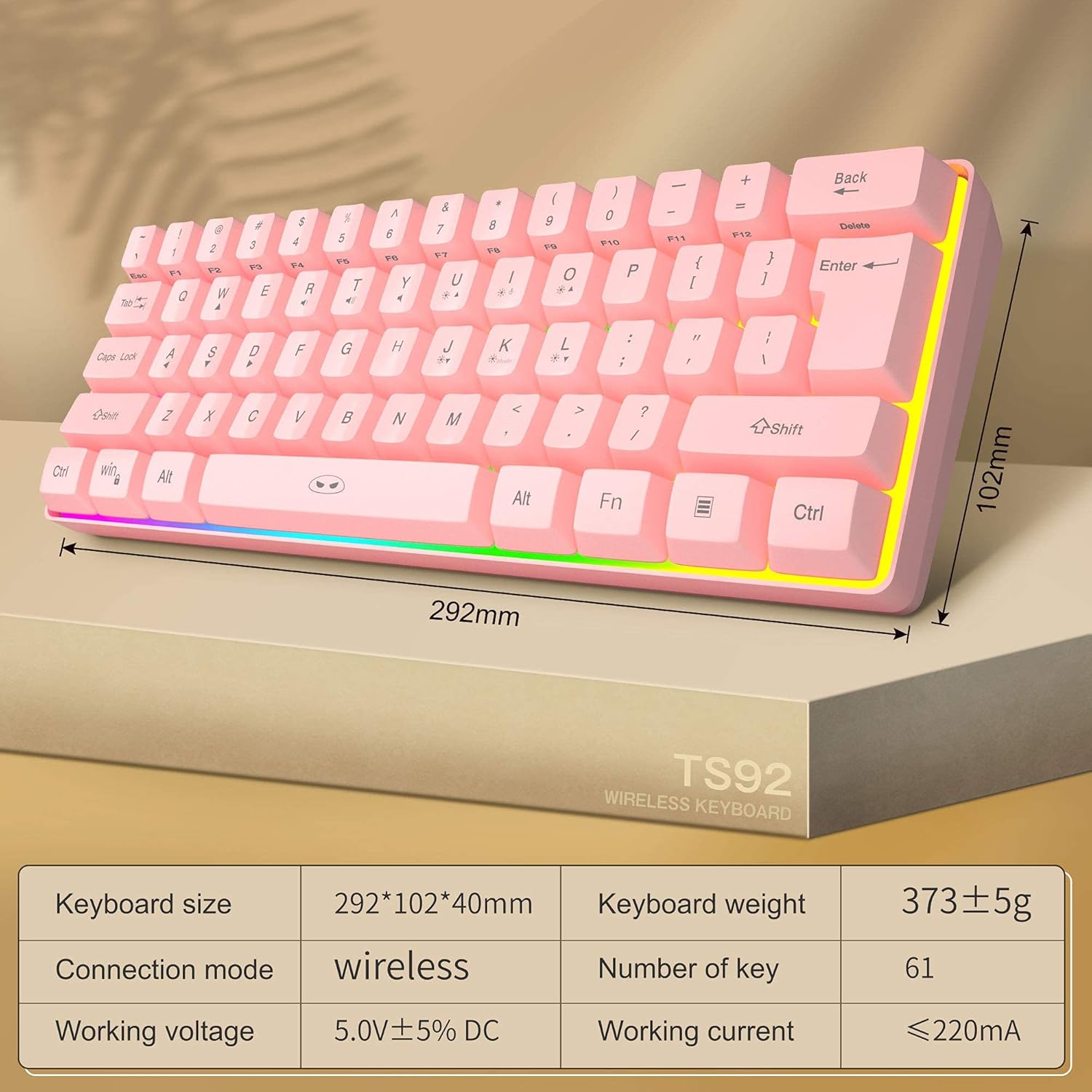
Image: Diagram showing the dimensions and key specifications of the MageGee TS92 wireless keyboard. This image provides a visual overview of the keyboard's physical attributes and technical details.
8. Garantia i Suport
MageGee products are designed for reliability and performance. For warranty information or technical support, please refer to the contact details provided with your purchase or visit the official MageGee weblloc. Conserveu el rebut de compra per a reclamacions de garantia.