
1. Introducció
Thank you for choosing the MageGee G6 Wired Gaming Mouse. This ergonomic USB optical mouse is designed to enhance your gaming and work experience with its high precision sensor, adjustable speed levels, and vibrant LED backlighting. Please read this manual thoroughly to ensure proper setup and optimal performance.
2. Configuració
2.1 Contingut del paquet
- MageGee G6 Wired Gaming Mouse
- Manual d'instruccions
2.2 Requisits del sistema
- Operating System: Windows 10, Windows 8, Windows 7, Windows XP, WinME, Vista, Linux, etc.
- Port USB disponible
2.3 Connexió del ratolí
- Locate an available USB port on your computer (PC, Laptop, or Desktop).
- Plug the USB connector of the MageGee G6 mouse into the USB port.
- The mouse is plug-and-play; no additional drivers or software are required for basic functionality.
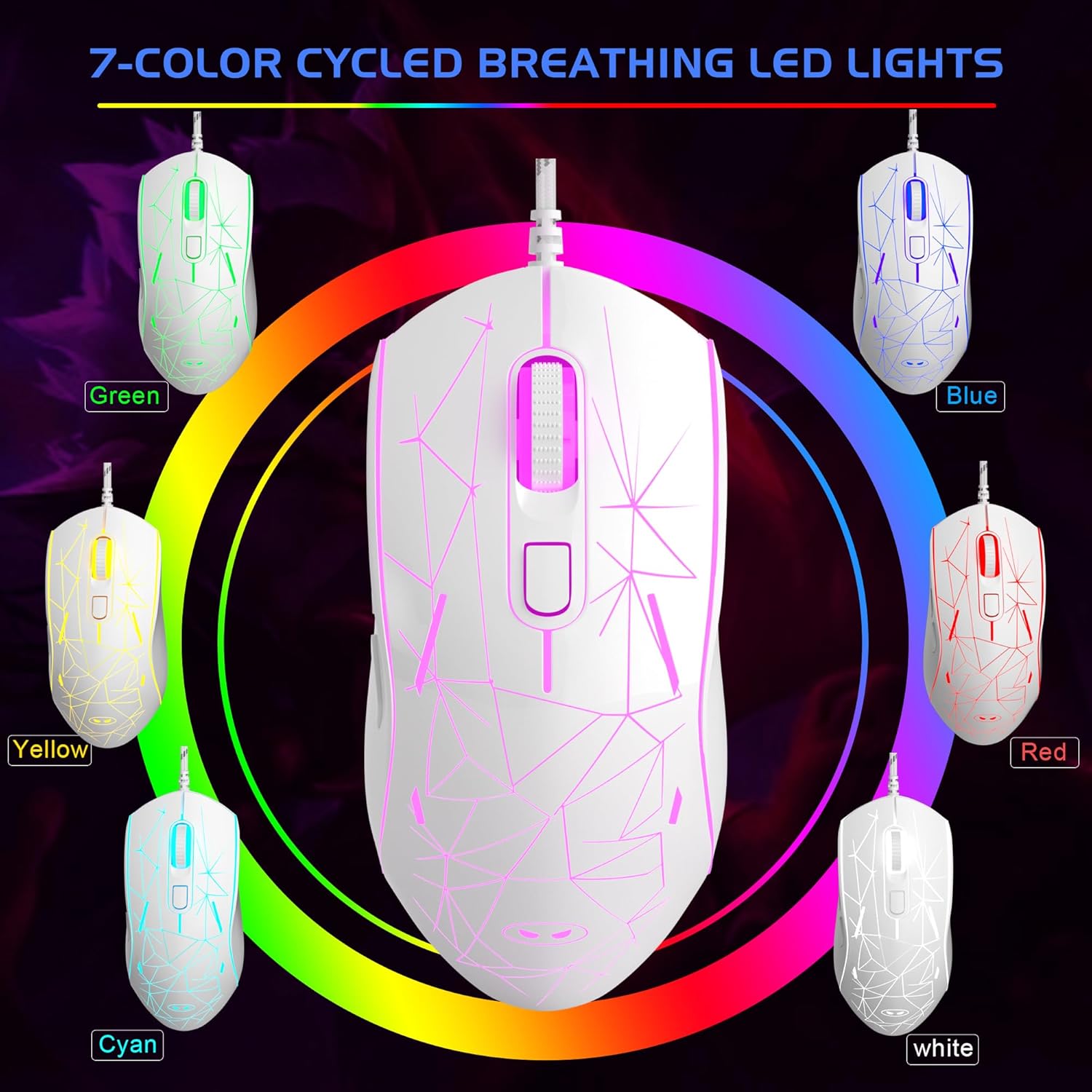
Image: The MageGee G6 Wired Gaming Mouse with its USB cable connected to a computer.
3. Instruccions de funcionament
3.1 Funcions dels botons
The MageGee G6 offers 6 flexible buttons for versatile control:
- Botó esquerre: Funció estàndard del clic esquerre.
- Botó dret: Funció estàndard del clic dret.
- Roda de desplaçament: Scrolls up/down, and acts as a middle-click button.
- Speed Button (DPI Button): Adjusts the DPI (Dots Per Inch) sensitivity.
- Botó Endavant: Navega cap endavant web navegadors o aplicacions.
- Botó enrere: Navega cap enrere web navegadors o aplicacions.
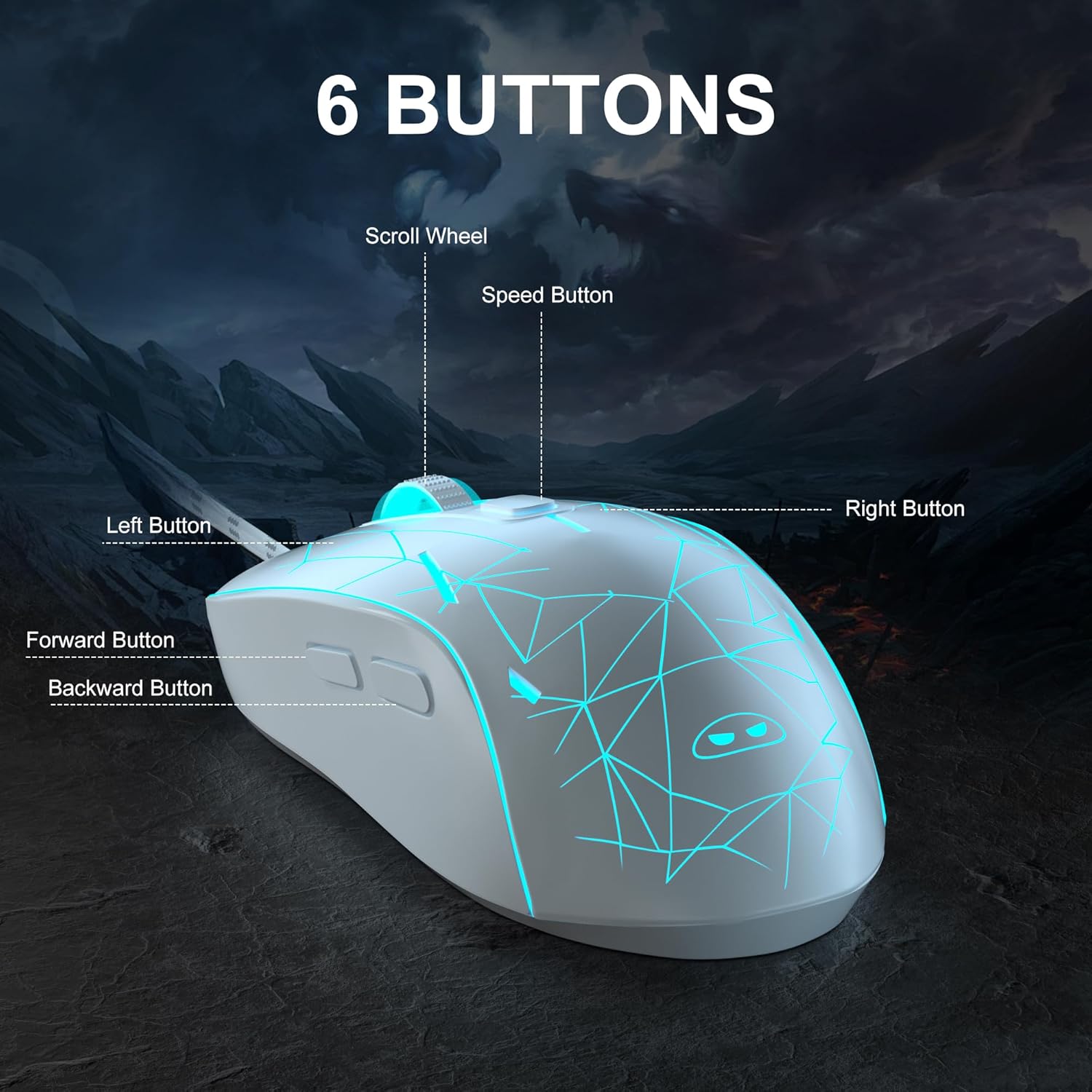
Imatge: Una imatge detallada view of the MageGee G6 mouse highlighting the Left, Right, Scroll Wheel, Speed, Forward, and Back buttons.
3.2 Adjusting DPI Speed Levels
The MageGee G6 offers 6 adjustable DPI speed levels for precise cursor control:
- 600 DPI
- 800 DPI
- 1200 DPI
- 1600 DPI
- 2400 DPI
- 3200 DPI
Premeu el botó Botó de velocitat (located below the scroll wheel) to cycle through the different DPI settings. Each press will change the sensitivity, allowing you to find the optimal speed for your tasks or games.
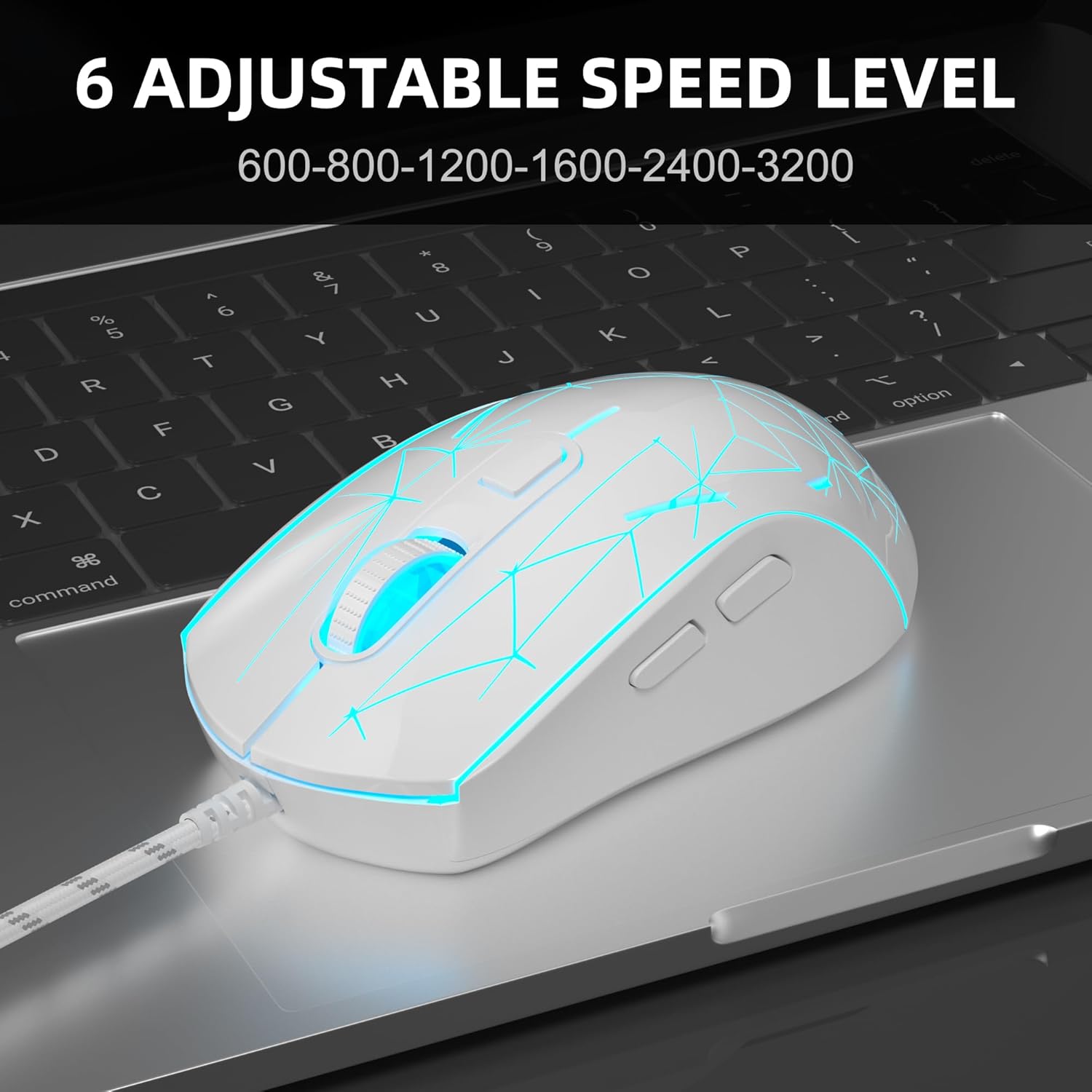
Image: The MageGee G6 mouse in use, demonstrating the adjustable DPI settings from 600 to 3200.
Control de retroiluminació LED de 3.3
The MageGee G6 features 7-color breathing LED backlighting. You can control the lighting as follows:
- Canvia el color: Premeu el botó Botó de velocitat i el Botó Endavant simultaneously to cycle through and lock a specific color.
- Encendre/apagar llums: Manteniu premut el botó Botó de velocitat for 3 seconds to toggle the LED lights on or off.
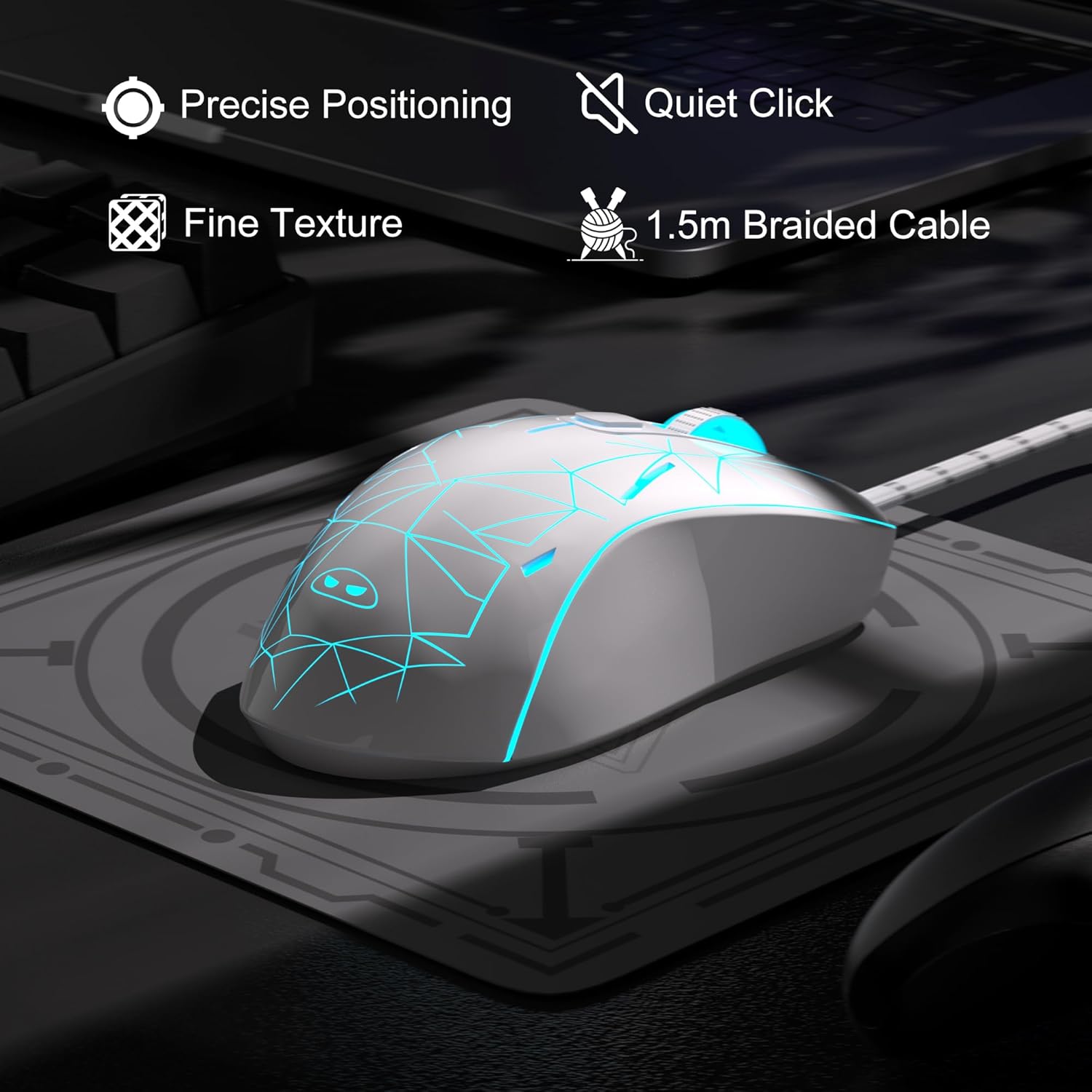
Image: The MageGee G6 mouse showcasing its 7-color breathing LED lights, including green, yellow, cyan, blue, red, and white.
4. Manteniment
- Neteja: Feu servir un drap suau i sec per netejar el ratolí. Eviteu utilitzar productes químics agressius o materials abrasius.
- Cura del cable: Do not pull or twist the braided USB cable excessively to prevent damage.
- Emmagatzematge: Store the mouse in a dry place away from extreme temperatures.
5. Solució De Problemes
5.1 El ratolí no respon
- Assegureu-vos que el cable USB estigui ben connectat a un port USB que funcioni de l'ordinador.
- Prova de connectar el ratolí a un port USB diferent.
- Reinicieu l'ordinador.
5.2 Els llums LED no funcionen
- Ensure the mouse is properly connected to your computer.
- Manteniu premut el botó Botó de velocitat for 3 seconds to toggle the LED lights on or off.
5.3 Cursor Movement is Erratic
- Netegeu el sensor òptic de la part inferior del ratolí amb un drap suau.
- Assegureu-vos que feu servir el ratolí sobre una superfície adequada (per exemple, una estora de ratolí).
- Adjust the DPI sensitivity using the Botó de velocitat.
6. Especificacions
| Característica | Detall |
|---|---|
| Marca | MageGee |
| Model | G6 |
| Tecnologia de connectivitat | USB, per cable |
| Tecnologia de detecció de moviment | Òptic |
| Nivells de DPI | 600/800/1200/1600/2400/3200 (Adjustable) |
| Botons | 6 (Left, Right, Scroll Wheel, Speed, Forward, Back) |
| Llum de fons LED | 7 Colors Breathing LED (Blue, Red, Green, Purple, Cyan, Yellow, White) |
| Longitud del cable | 1.5 meters (Durable Braided Cable) |
| Ergonomia | Ergonomic Design with Comfortable Grip |
| Compatibilitat | Windows 10, 8, 7, XP, WinME, Vista, Linux, PC, Laptop, Desktop |
| Pes de l'article | 5.6 unces |
| Dimensions del paquet | 5.31 x 3.62 x 1.65 polzades |
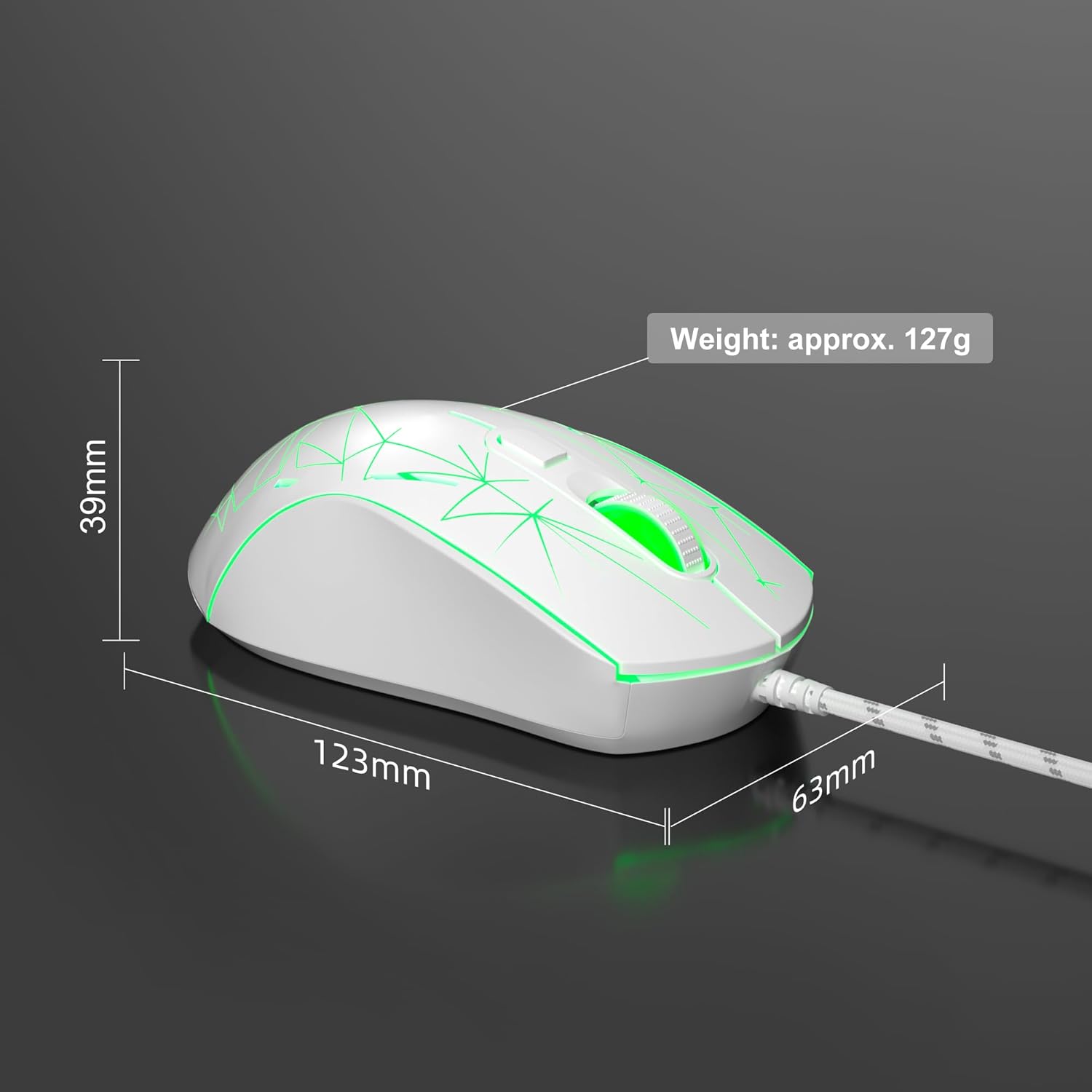
Image: Diagram illustrating the dimensions of the MageGee G6 Wired Gaming Mouse (123mm length, 63mm width, 39mm height, approx. 127g weight).
7. Garantia i assistència
For warranty information and customer support, please refer to the official MageGee weblloc web o poseu-vos en contacte amb el vostre distribuïdor. Conserveu el rebut de compra per a reclamacions de garantia.
MageGee is committed to technological and product innovation, providing quality computer peripherals. Our after-sales team is available to promptly respond and solve your problems.
Visita el MageGee Store per a més productes i informació.