
GUY-TECH AC Adapter
Manual d'usuari
GUY-TECH AC Adapter
For Sylvania SDVD7015 Portable DVD Player
Introducció
This manual provides essential information for the safe and effective use of your GUY-TECH AC Adapter. This premium quality power adapter is designed as a compatible replacement for the Sylvania SDVD7015 Portable DVD Player. It features a 5-foot cable with an LED indicator for convenience. Please read this manual thoroughly before using the product.
Informació de seguretat
Per garantir un funcionament segur i evitar danys, observeu les següents precaucions de seguretat:
- Use the adapter only with devices that match its voltage and current specifications. This adapter is specifically designed for the Sylvania SDVD7015 Portable DVD Player.
- No exposeu l'adaptador a l'aigua, la humitat ni a temperatures extremes.
- Eviteu deixar caure l'adaptador ni sotmetre'l a impactes forts.
- Do not attempt to open, modify, or repair the adapter. Refer all servicing to qualified personnel.
- Ensure the power outlet is easily accessible and unplug the adapter when not in use for extended periods.
- The adapter is equipped with Over Voltage Output Protection, Over Current Output Protection, and Short Circuit Output Protection to safeguard your device.
- Mantenir fora de l'abast dels nens.
Configuració
Follow these steps to set up your GUY-TECH AC Adapter:
- Verificar la compatibilitat: Before connecting, confirm that your device is the Sylvania SDVD7015 Portable DVD Player or another compatible model.
- Connecta't al dispositiu: Insert the barrel connector end of the AC adapter cable into the DC input port of your Sylvania SDVD7015 Portable DVD Player. Ensure a firm and secure connection.
- Connecteu-vos a la presa de corrent: Plug the 2-pin AC plug of the adapter into a standard wall power outlet (100V - 240V AC).
- Indicador d'alimentació: The integrated LED indicator on the adapter will illuminate, signifying that the adapter is receiving power and is ready to supply power to your device.
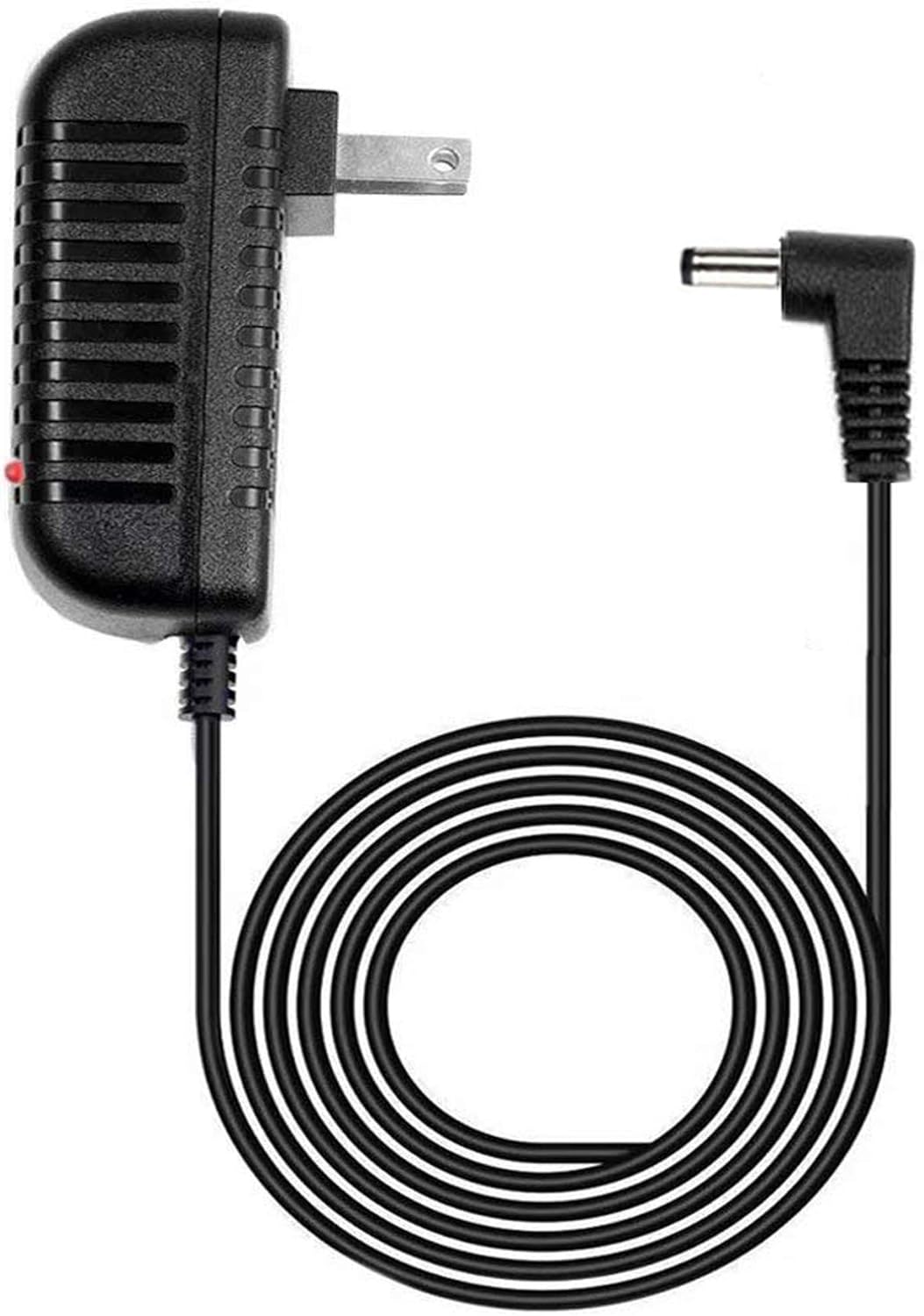
Image: The GUY-TECH AC Adapter showing the main unit with the 2-pin plug and the 5-foot cable ending in a barrel connector. A small red LED indicator is visible on the adapter unit.
En funcionament
Once connected, the GUY-TECH AC Adapter will provide continuous power to your Sylvania SDVD7015 Portable DVD Player. It functions as a direct power supply and a charger for devices with rechargeable batteries.
- Font d'alimentació: The adapter delivers the necessary DC power to operate your portable DVD player directly from a wall outlet.
- Càrrega: If your DVD player has a rechargeable battery, the adapter will also charge the battery while the device is connected and powered off or in use.
- Indicador LED: The red LED on the adapter indicates that it is powered on and functioning correctly.

Image: A graphic emphasizing two key features: "5 FEET" indicating the cable length, and "LED light" referring to the power indicator on the adapter.
Manteniment
Proper care will extend the lifespan of your AC adapter:
- Neteja: Disconnect the adapter from the power outlet and the device before cleaning. Use a soft, dry cloth to wipe the surface. Do not use liquid cleaners or aerosols.
- Emmagatzematge: When not in use, store the adapter in a cool, dry place, away from direct sunlight and excessive heat. Avoid tightly winding the cable to prevent damage.
- Cura del cable: Do not bend the cable sharply or place heavy objects on it. Regularly inspect the cable and connectors for any signs of wear or damage.
Resolució de problemes
If you encounter issues with your AC adapter, try the following solutions:
| Problema | Causa possible | Solució |
|---|---|---|
| Adapter LED is off, device not powering on. | No power from outlet, loose connection, or faulty adapter. |
|
| Device powers on but does not charge. | Device battery issue or specific device charging requirement. |
|
| L'adaptador s'escalfa massa. | Sobrecàrrega, mala ventilació o avaria interna. |
|
If the problem persists after trying these steps, please contact GUY-TECH customer support.
Especificacions
| Característica | Detall |
|---|---|
| Marca | GUY-TECH |
| Entrada Voltage | 100V - 240V AC (Worldwide Compatible) |
| Tipus de connector | Connector de barril |
| Tipus de connector d'alimentació principal | 2 pins (estàndard dels EUA) |
| Longitud del cable | 5 peus (aproximadament 1.5 metres) |
| Característiques especials | LED Indicator, Portable, Over VoltagProtecció electrònica, protecció contra sobrecorrent, protecció contra curtcircuits |
| Font d'alimentació | Elèctric amb cable |
| Pes de l'article | 5 unces (aproximadament 141.7 grams) |
| Fabricant | Guy-Tech |
| País d'origen | Xina |
| Certificació | Conforme a la CE |
Garantia i Suport
GUY-TECH stands behind the quality of its products. This AC adapter is a replacement product and is designed for reliable performance.
- Garantia: For specific warranty details and terms, please refer to the product packaging or contact your point of purchase.
- Atenció al client: If you have any questions, require assistance, or experience issues not covered in this manual, please contact GUY-TECH customer support. Contact information can typically be found on the product packaging or the seller's weblloc.